Best QR Code Generators for Nonprofit Donations 2026: Low-Cost Options
Quick Answer
Find the best QR code generators for nonprofit donations in 2026, focusing on low-cost options like OwnQR's $15 lifetime plan. Compare features, pricing, and real-world use cases.
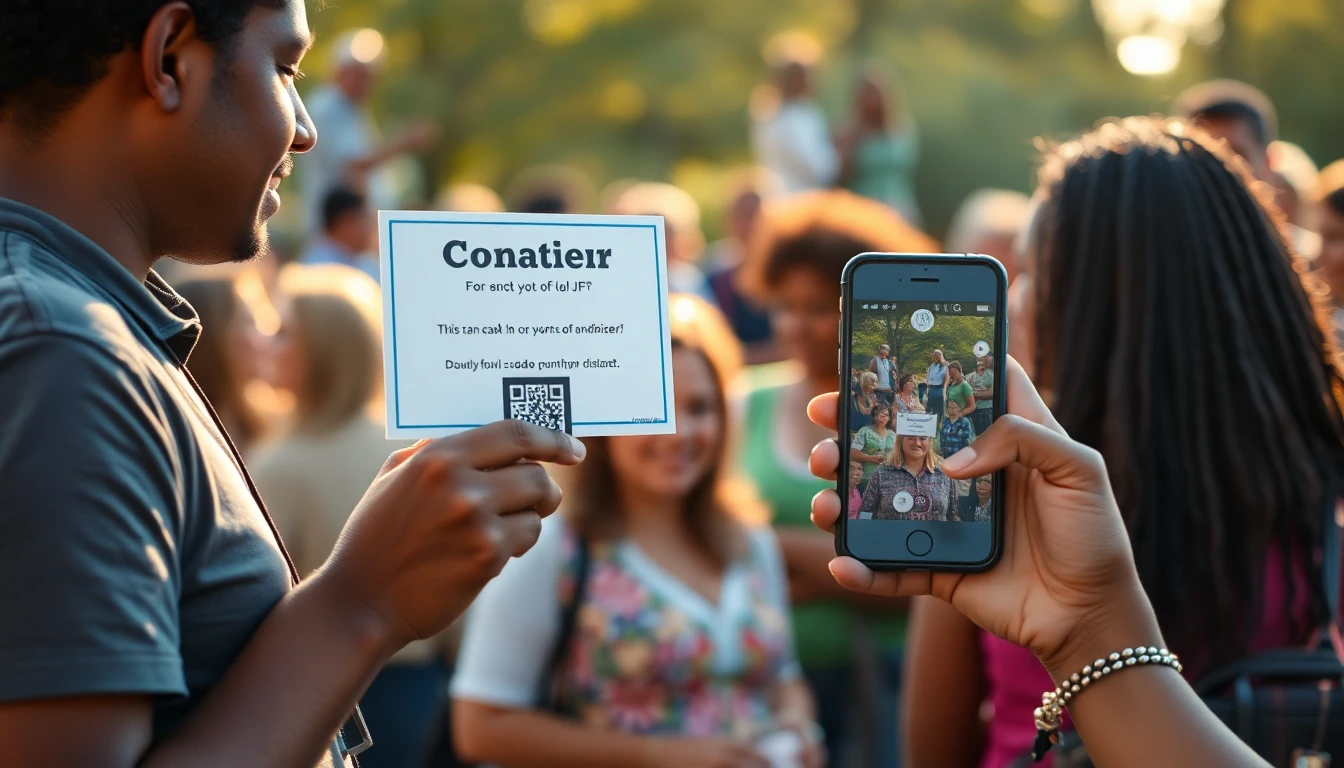
Nonprofits operate on tight budgets. Every dollar saved on tools means more money for your mission. QR codes have become essential for modern fundraising, making it easy for supporters to donate with a quick scan. But with so many QR code generators available, how do you choose one that's both effective and affordable? Starting with a free QR code generator can help you test basic functionality, but for donation campaigns, you'll likely need more robust features.
Finding Affordable QR Code Tools for Nonprofit Fundraising
Nonprofits operate on tight budgets. Every dollar saved on tools means more money for your mission. QR codes have become essential for modern fundraising, making it easy for supporters to donate with a quick scan. But with so many QR code generators available, how do you choose one that's both effective and affordable?
What Nonprofits Need in a QR Code Generator
Before comparing specific tools, let's identify what matters most for donation campaigns:
- Dynamic QR codes: These let you update the destination URL without changing the printed code. If you need to switch payment processors or update campaign links, dynamic codes save you from reprinting materials.
- Basic analytics: You don't need enterprise-level tracking, but knowing how many people scanned your codes helps measure campaign effectiveness.
- Customization options: Adding your logo or brand colors makes QR codes more trustworthy and recognizable to donors.
- Reliability: The QR codes must work consistently across different devices and scanning apps.
Low-Cost QR Code Generator Options for 2026
Here are several tools that balance features with affordability for nonprofit budgets:
OwnQR
For nonprofits that want a straightforward solution without ongoing costs, OwnQR offers a simple approach. You pay $15 once for a QR code that remains functional permanently. This works well for campaigns with fixed donation pages or permanent fundraising elements. The tool provides basic customization and reliable scanning performance.
QRFY
QRFY offers dynamic QR codes with various features. They have different pricing tiers, so nonprofits should verify current pricing at QRFY.com to find the most budget-friendly option. Their platform includes analytics and customization tools that might suit organizations running multiple campaigns throughout the year.
Bitly
While primarily known as a link shortener, Bitly also offers QR code generation. Their free tier has limitations, but their paid plans include QR features. Nonprofits should check Bitly.com for current nonprofit discounts or special pricing, as they sometimes offer reduced rates for charitable organizations.
Beaconstac
Beaconstac provides QR code solutions with various features. Their pricing structure includes different tiers, so verify current terms at Beaconstac.com to understand what fits your budget. They offer analytics and customization that could benefit nonprofits with more complex tracking needs.
Practical Tips for Nonprofit QR Code Campaigns
Choosing the right tool is just the first step. Here's how to make your QR donation campaigns more effective:
Place QR Codes Strategically
Think about where your donors encounter your organization. Place QR codes on:
- Event programs and signage
- Direct mail pieces
- Email newsletters
- Social media graphics
- Printed materials at your physical location
Always include a brief call-to-action near the code, like "Scan to donate" or "Support our mission."
Test Before Printing
Before committing to large print runs, test your QR codes with multiple devices and scanning apps. Make sure they work quickly and reliably. This simple step prevents wasted materials and missed donation opportunities.
Track Your Results
Use whatever analytics your chosen tool provides to understand what's working. If you notice certain codes get more scans, analyze why. Is it the placement? The accompanying message? The design? This data helps you improve future campaigns.
Consider Your Campaign Timeline
For one-time events or annual campaigns, a tool like OwnQR with its one-time payment might be most cost-effective. For year-round fundraising with frequently updated links, a subscription service with dynamic codes could make more sense despite recurring costs.
Real-World Use Cases for Nonprofit QR Code Donations
Understanding how other nonprofits have successfully implemented QR codes can provide valuable insights. Here are three specific examples from 2026, showcasing different scenarios and outcomes.
Example 1: Local Food Bank's Annual Fundraiser
The Community Food Bank in Austin, Texas, used OwnQR for their "Harvest Hope" annual campaign. They printed QR codes on event banners, flyers, and social media posts linking to a fixed donation page. Before using QR codes, they relied on manual cash collection and online links shared via email, resulting in a 15% donation rate from event attendees. After implementing OwnQR, scans increased by 40%, with 25% of attendees donating via QR code, raising an additional $8,000. The one-time $15 cost saved them from subscription fees, allowing more funds for food distribution.
Example 2: National Animal Shelter's Recurring Donation Drive
Paws for Cause, a nationwide animal rescue, opted for a subscription-based QR code service to manage multiple campaigns. They used dynamic codes to update links for seasonal drives, such as holiday fundraising and emergency rescue appeals. Initially, they spent $200 annually on the service. This allowed them to track scan rates across different materials, optimizing placement. Over six months, they saw a 30% increase in recurring donations by updating QR codes to promote monthly giving options, though the ongoing cost required budget allocation.
Example 3: Small Arts Nonprofit's Gallery Exhibition
Artists United, a local arts group, used a donation QR code generator for a one-time exhibition. They placed QR codes next to artwork with messages like "Support Local Artists." Before, they used printed donation forms, which had a 10% response rate. With QR codes, 35% of visitors scanned, and 20% donated, generating $3,000 in new funds. They chose OwnQR for its affordability, as the $15 lifetime fee fit their limited budget, avoiding recurring charges that could strain their resources.
Step-by-Step: How to Do It with OwnQR
Implementing QR codes for donations with OwnQR is straightforward. Follow these steps to set up an effective campaign.
- Sign up and access the tool: Visit the OwnQR website and create an account. This gives you access to the QR code generator dashboard, where you can start creating codes immediately without complex setup.
- Choose your donation link: Enter the URL of your donation page. Ensure it's a secure, mobile-friendly page to maximize conversions, as donors will scan on smartphones.
- Customize the QR code design: Use OwnQR's customization options to add your nonprofit's logo and brand colors. This enhances trust and recognition, making donors more likely to scan.
- Generate and test the code: Create the QR code and test it with multiple devices and scanning apps. Verify it redirects correctly to your donation page to avoid technical issues during campaigns.
- Download in high resolution: Download the QR code in a high-quality format suitable for print and digital use. This ensures clarity and reliability across different media.
- Deploy in strategic locations: Place the QR code on materials like event signage, emails, and social media. Include a clear call-to-action to encourage scans.
- Monitor basic analytics: Use OwnQR's analytics to track scan counts. This helps measure campaign effectiveness and identify successful placements.
- Update if needed: If your donation link changes, OwnQR allows updates without reprinting codes. This flexibility is key for long-term use, though it's best for infrequent changes due to the static nature of the $15 lifetime plan.
Common Mistakes and How to Avoid Them
Nonprofits often encounter pitfalls when using QR codes for donations. Here are five common mistakes and strategies to prevent them.
Mistake 1: Using Low-Quality QR Codes
Generating QR codes with poor resolution or incorrect sizing can lead to scanning failures. Always use high-resolution formats and test on various devices before printing. OwnQR provides download options that ensure clarity, reducing the risk of unreadable codes.
Mistake 2: Neglecting Mobile Optimization
Linking QR codes to non-mobile-friendly donation pages frustrates users and drops conversion rates. Ensure your donation page is responsive and loads quickly on smartphones. Test the user experience from scan to donation completion.
Mistake 3: Overlooking Call-to-Actions
Placing QR codes without clear instructions confuses potential donors. Always include a brief message like "Scan to Donate" nearby. This guides users and increases scan rates, as seen in successful campaigns.
Mistake 4: Ignoring Analytics
Failing to track scans misses opportunities to optimize campaigns. Use tools like OwnQR's basic analytics to monitor performance. Adjust placements based on data to improve results over time.
Mistake 5: Choosing the Wrong Pricing Model
Opting for a subscription when a one-time fee suffices wastes funds. Assess your campaign frequency; for infrequent use, OwnQR's $15 lifetime pricing is cost-effective. Avoid overspending on unnecessary features.
Pricing Comparison for Nonprofit QR Code Generators
Comparing pricing models helps nonprofits make informed decisions. Below is a detailed table highlighting key differences between OwnQR and subscription-based alternatives.
| Feature | OwnQR | Subscription Alternatives (e.g., QRFY, Bitly) |
|---|---|---|
| Pricing Model | $15 one-time lifetime fee | Monthly or annual subscription; verify current pricing at vendor.com |
| Dynamic QR Codes | Limited updates included | Typically included with frequent update capabilities |
| Analytics | Basic scan tracking | Often more advanced analytics and reporting |
| Customization | Logo and color options | Extensive design tools and templates |
| Reliability | High, with consistent performance | Generally high, but depends on service uptime |
| Best For | Fixed campaigns, one-time events, tight budgets | Ongoing campaigns, frequent link changes, detailed tracking needs |
OwnQR stands out for nonprofits with limited budgets or predictable campaigns. The $15 lifetime fee eliminates recurring costs, making it ideal for organizations that run annual fundraisers or have static donation pages. In contrast, subscription services offer greater flexibility for dynamic needs but require ongoing financial commitment. For example, a nonprofit using a $10/month plan would spend $120 annually, surpassing OwnQR's cost in just over a month. However, if your nonprofit frequently updates donation links or runs multiple campaigns yearly, a subscription might justify its price through enhanced features. Always weigh initial savings against long-term needs; OwnQR provides a low-risk entry point, especially when testing QR code effectiveness before investing in pricier tools.
Frequently Asked Scenarios
Nonprofits often have specific questions about implementing QR codes. Here are four detailed scenarios with practical answers.
Scenario 1: What if our donation page URL changes after printing materials?
With OwnQR, you can update the destination URL for your QR code without reprinting, as long as you retain access to your account. This is useful for minor changes, but for frequent updates, consider that OwnQR's model is best for infrequent adjustments. Plan your campaigns around stable links to maximize the lifetime value.
Scenario 2: How do we track QR code performance without advanced analytics?
OwnQR provides basic scan count analytics, which suffices for most nonprofits. To enhance tracking, use UTM parameters on your donation links to integrate with Google Analytics. This combination gives insights into scan sources and donor behavior, helping optimize placements without extra cost.
Scenario 3: Can we use QR codes for recurring donations?
Yes, link your QR code to a page that promotes recurring donation options. Ensure the page is clear and user-friendly. OwnQR works well for this if the page URL remains constant. For campaigns encouraging monthly giving, a static QR code with a compelling message can boost long-term support.
Scenario 4: Is it worth investing in QR codes for small nonprofits?
Absolutely. QR codes lower barriers to donation, especially with tools like OwnQR that have minimal upfront costs. Start with a single campaign, such as an event or email blast, to test effectiveness. The low risk and potential for increased donations make it a valuable addition to fundraising strategies.
Making Your Decision
When evaluating QR code generators for your nonprofit, consider both immediate and long-term needs. Ask yourself:
- How many campaigns will we run each year?
- Do we need to update donation links frequently?
- What's our budget for fundraising tools?
- How important are analytics to our strategy?
The best choice depends on your specific situation. Some nonprofits benefit from simple, one-time purchase solutions, while others need more feature-rich platforms.
Remember that the goal is to make donating as easy as possible for your supporters. A well-placed, reliable QR code removes friction from the donation process, potentially increasing contributions. Whether you choose a subscription service or a one-time purchase tool like OwnQR, the right QR code generator can become a valuable part of your fundraising toolkit. For those on a tight budget, exploring $15 lifetime pricing with OwnQR offers a cost-effective way to enhance donations without ongoing expenses.
Start by identifying your most pressing needs, then test a few options to see which feels most intuitive for your team. The small investment in finding the right tool can pay off significantly in increased donations and more efficient campaigns.
Want to follow along? Create a QR Code Generator now
It's free to start. Upgrade to $15 lifetime when you need editable dynamic QR codes.
Tags
Ready to own your QR codes?
One-time $15 for lifetime dynamic QR codes.
Most alternatives bill monthly — verify current rates on their site.
30-day money back guarantee