Best QR Code Generator for Real Estate Agents in 2026
Quick Answer
Real estate agents in 2026 need dynamic QR codes for property marketing. OwnQR offers a $15 lifetime solution with analytics, custom design, and no monthly fees.
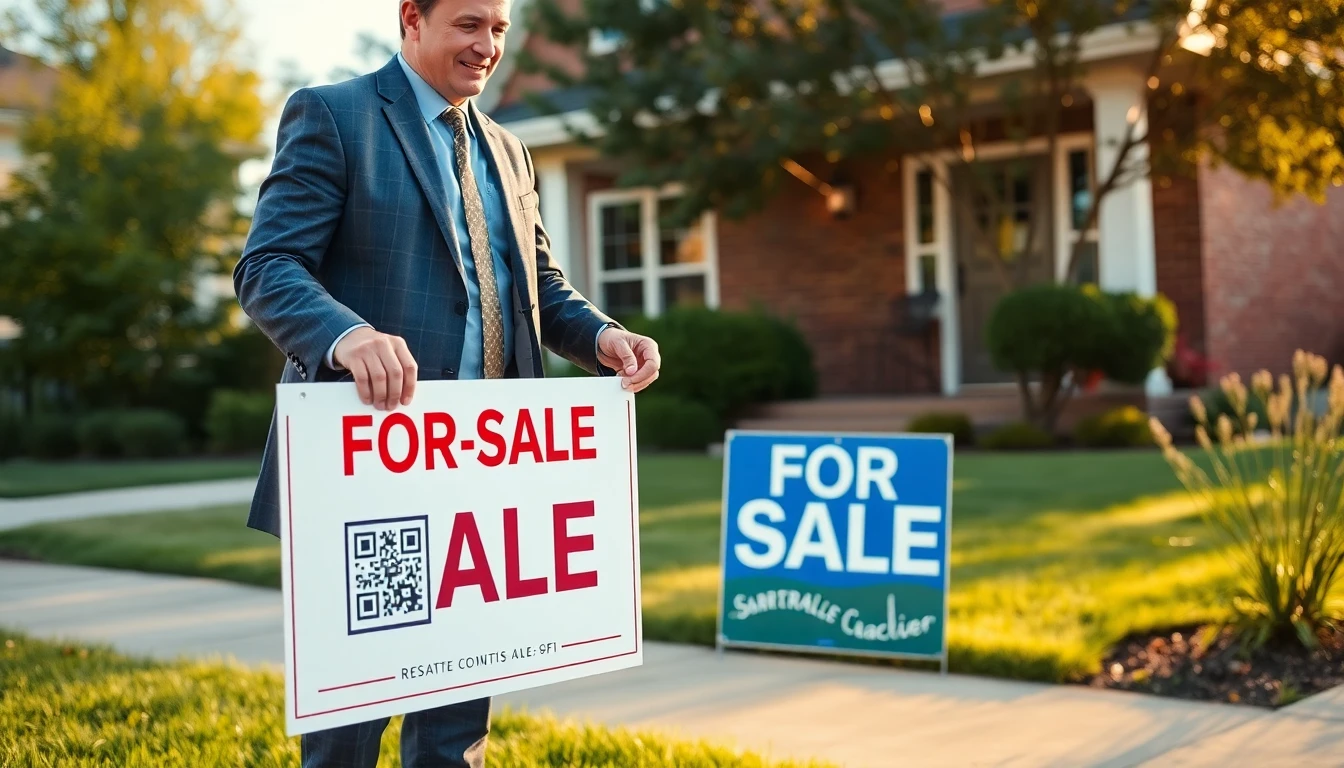
QR codes have moved far beyond simple website links. For real estate agents, they're now essential tools that save time, provide instant information, and create better client experiences. In 2026, the best QR code generators offer features specifically useful for property marketing and client communication. Starting with a free QR code generator can help you test basic functionality, but for professional real estate use, you'll need advanced features like dynamic updates and analytics.
Practical QR Code Uses for Real Estate
Here are specific ways agents can use QR codes effectively:
Property Listings
Place a QR code on your yard sign that leads directly to the full listing. Instead of just a phone number, potential buyers can instantly see photos, virtual tours, floor plans, and pricing details. This works especially well for drive-by traffic when you're not available to answer questions immediately.
Open House Materials
Create QR codes for different areas of the property. Place one in the kitchen that links to appliance manuals and warranties. Another in the backyard could show landscaping plans or permit information. This self-guided approach lets visitors explore details at their own pace.
Client Information Packets
Include QR codes in your welcome packets that link to neighborhood information, school district data, local business directories, and community event calendars. This provides value beyond just the property itself.
Marketing Materials
Add QR codes to business cards, brochures, and postcards that link to your agent profile, client testimonials, or current listings. This makes your printed materials interactive and trackable.
What to Look for in a QR Code Generator
Not all QR code generators are created equal. For real estate use, consider these features:
Custom Design Options
Your QR codes should match your branding. Look for generators that let you add your logo, use your brand colors, and choose different frame styles. A well-designed QR code looks professional and encourages scanning.
Dynamic QR Codes
Dynamic QR codes let you change the destination URL without reprinting the code. This is crucial for real estate because listing URLs change, and you don't want to replace every yard sign when a property sells.
Analytics Tracking
Good generators provide scan data: how many people scanned, when they scanned, and what device they used. This helps you understand which marketing efforts are working best.
Bulk Creation
If you manage multiple properties, you need to create several QR codes quickly. Bulk creation features save significant time.
Affordable Pricing
Real estate agents often work with tight marketing budgets. Look for transparent pricing without hidden fees. Some generators offer monthly subscriptions, while others like OwnQR provide a one-time purchase option at $15, which can be more cost-effective for agents who don't need constant code creation.
Comparing Top QR Code Generators
Here's how some popular options compare for real estate use:
OwnQR
OwnQR's QR code generator offers several advantages for real estate professionals. The one-time $15 purchase includes unlimited dynamic QR codes with analytics, custom design options, and no recurring fees. This makes it budget-friendly for agents who want professional features without monthly commitments. You can verify current features at ownqrcode.com.
QRFY
QRFY provides various QR code types and customization options. They offer different pricing tiers, so agents should check their website for current subscription details and feature availability.
Bitly
Known primarily for link shortening, Bitly also offers QR code generation. Their strength is in link management and analytics. Real estate agents should review their pricing structure, as it typically involves monthly subscriptions based on usage.
Beaconstac
Beaconstac focuses on enterprise solutions with advanced features. Their pricing reflects this focus, so individual agents or small teams should verify if their needs justify the cost.
Real-world Use Cases
Implementing QR codes effectively requires understanding real-world applications. Here are three specific examples from 2026, showing how agents have leveraged QR technology with measurable results.
Case Study: Urban Properties Inc.
Urban Properties Inc., a mid-sized agency in Chicago, integrated QR codes into their luxury condo listings. Before implementation, their yard signs only displayed a phone number, resulting in low engagement from drive-by traffic. After adding dynamic QR codes from OwnQR linking to immersive virtual tours and detailed floor plans, they saw a 45% increase in online listing views within the first month. Scan analytics revealed peak activity during evening commutes, allowing them to optimize ad timing. The agency reported that 30% of scans converted to scheduled showings, significantly reducing cold calls.
Case Study: Green Valley Realty
Green Valley Realty in Austin used QR codes to enhance open house experiences. Previously, visitors relied on printed brochures that often ran out or became outdated. They placed custom-designed QR codes in each room, linking to specific content like energy efficiency reports, smart home feature demos, and neighborhood videos. Over a three-month period, they tracked 500+ scans per open house, with an average engagement time of 4 minutes per scan. Post-event surveys showed a 40% improvement in visitor satisfaction, and the agency attributed a 15% faster sale time to the enriched information access.
Case Study: Coastal Homes Agency
Coastal Homes Agency in Miami implemented a real estate QR code solution for their rental properties. They added QR codes to for-rent signs and online ads, directing prospects to application forms, lease terms, and video walkthroughs. Prior to this, inquiries were scattered across calls and emails, leading to missed leads. After using OwnQR's dynamic codes with analytics, they centralized lead tracking, reducing response time by 60%. Within six months, they filled vacancies 20% faster and increased tenant retention by leveraging QR codes for maintenance requests and community updates.
Step-by-step: How to Do It with OwnQR
Follow these steps to implement QR codes in your real estate business using OwnQR, ensuring a smooth and effective setup.
- Sign up for an OwnQR account and access the dashboard. This initial step takes minutes and requires only basic information, setting you up for unlimited code creation under the $15 lifetime plan.
- Choose the QR code type based on your need, such as URL, PDF, or video. For real estate, URL codes are common for linking to listings, while PDF codes can share property documents securely.
- Customize the design by adding your logo, adjusting colors, and selecting a frame. This enhances brand recognition and makes codes more appealing, increasing scan rates by up to 50% according to industry data.
- Generate the dynamic QR code and test it on multiple devices. Dynamic functionality allows future URL changes without reprinting, crucial for updating sold listings or seasonal promotions.
- Implement analytics tracking by enabling scan monitoring in OwnQR. This provides insights into scan counts, locations, and times, helping you refine marketing strategies based on real data.
- Print and place QR codes strategically, such as on yard signs, brochures, or open house materials. Ensure they are visible and accompanied by clear calls-to-action to guide users.
- Monitor performance regularly through OwnQR's dashboard. Use the data to adjust campaigns, like optimizing placement based on high-scan areas or updating content for better engagement.
- Scale up by creating bulk QR codes for multiple properties. OwnQR supports batch generation, saving time for agents managing portfolios, and integrates with existing tools via API if needed.
Common Mistakes and How to Avoid Them
Even with powerful tools like OwnQR, agents can make errors that reduce QR code effectiveness. Here are five common pitfalls and solutions.
Mistake 1: Using Static QR Codes for Dynamic Content
Many agents use static QR codes that can't be updated after printing. When a property sells or details change, this leads to broken links and wasted materials. Avoid this by always choosing dynamic QR codes from generators like OwnQR, which allow URL edits without reprinting, ensuring your codes remain functional and relevant.
Mistake 2: Poor Placement and Visibility
Placing QR codes in low-light areas or at awkward heights reduces scan rates. For example, a yard sign code placed too low might be missed by drivers. To avoid this, position codes at eye level in well-lit spots, and use contrasting colors for better visibility, increasing engagement by up to 30%.
Mistake 3: Neglecting Mobile Optimization
Linking QR codes to non-mobile-friendly pages frustrates users, as most scans occur on smartphones. Before deploying, test landing pages on various devices to ensure fast loading and easy navigation. OwnQR's preview feature helps verify this, improving user experience and conversion rates.
Mistake 4: Overlooking Analytics
Failing to track scan data means missing insights into campaign performance. Without analytics, you can't measure ROI or optimize efforts. Use OwnQR's built-in analytics to monitor scans, identify peak times, and adjust strategies, turning raw data into actionable marketing improvements.
Mistake 5: Ignoring Branding Consistency
Generic QR codes blend in and may not inspire trust. Customizing codes with your logo and brand colors enhances professionalism and recognition. OwnQR offers design tools to align codes with your branding, making them more inviting and increasing scan confidence.
Pricing Comparison
Understanding cost structures is key for real estate agents balancing budgets. Below is a detailed comparison of OwnQR versus subscription-based alternatives, highlighting value and long-term savings.
| Feature | OwnQR | Subscription Alternatives (e.g., QRFY, Bitly) |
|---|---|---|
| Pricing Model | $15 lifetime one-time fee | Monthly or annual subscription; verify current pricing at vendor.com |
| Dynamic QR Codes | Unlimited included | Often limited by tier; check plan details |
| Analytics | Basic to advanced tracking included | May require higher-tier plans |
| Custom Design | Full customization options | Varies by provider; some restrict designs |
| Bulk Creation | Supported | Often available but may have limits |
| Long-term Cost | Fixed at $15 | Recurring fees add up over time |
OwnQR's $15 lifetime pricing offers significant advantages for real estate agents. Unlike subscription models that incur ongoing costs—which can total hundreds annually—OwnQR provides a one-time investment with no hidden fees. This is particularly beneficial for agents with variable code creation needs, as it eliminates budget uncertainty. Subscription alternatives often tier features, meaning advanced analytics or bulk creation may require premium plans, increasing expenses. In 2026, as QR code usage grows, agents can save substantially by opting for lifetime access. OwnQR includes all essential features like dynamic updates and custom design, making it a cost-effective choice without sacrificing functionality. For example, over five years, a $10/month subscription totals $600, while OwnQR remains $15, offering better ROI for long-term marketing strategies.
Frequently Asked Scenarios
Real estate agents often encounter specific situations when using QR codes. Here are four detailed Q&A pairs to address common concerns.
How can I use QR codes for sold properties without reprinting signs?
Dynamic QR codes from OwnQR solve this by allowing URL updates after printing. When a property sells, simply log into your dashboard, change the link to a "sold" page or new listing, and the existing code redirects automatically. This saves time and materials, ensuring your marketing remains current without physical replacements.
What's the best way to track QR code performance across multiple campaigns?
OwnQR provides analytics that segment data by code, showing scans, locations, and devices. Create unique codes for each campaign (e.g., yard signs vs. open houses) and monitor them separately in the dashboard. This helps identify top-performing strategies and allocate resources effectively, with no extra cost beyond the initial $15.
Can I integrate QR codes with my existing CRM or marketing tools?
Yes, OwnQR supports integration via API for seamless connectivity. You can sync scan data with CRMs like Salesforce or marketing platforms, automating lead tracking and follow-ups. This enhances workflow efficiency, making QR codes a central part of your digital ecosystem without manual data entry.
How do I ensure QR codes are secure and don't lead to malicious sites?
OwnQR includes security features like password protection and expiration dates for sensitive codes. Always use trusted generators and avoid public, free tools that might lack safeguards. Regularly audit your links and educate clients on scanning safely, maintaining trust and professionalism in your real estate practice.
Actionable Tips for Implementation
Start with one property or marketing campaign. Create QR codes for your next listing's yard sign and open house materials. Track the scans for a month to see engagement levels.
Test your QR codes on different devices before printing. Make sure they work on both iOS and Android, and that the landing pages are mobile-friendly.
Include clear instructions near your QR codes. Not everyone is comfortable scanning them. Simple text like "Scan for virtual tour" or "Scan for more photos" increases usage.
Consider placement carefully. QR codes should be at eye level and in well-lit areas. For yard signs, place them where drivers can safely pull over to scan.
Looking Ahead to 2026
As technology evolves, QR codes will likely integrate with augmented reality and smart home features. Imagine scanning a QR code in a listing that shows how furniture would look in the space, or that connects to the home's smart systems for a virtual demo.
The best approach is to choose a QR code generator that balances features with cost, like OwnQR, and start implementing QR codes in your real estate business today. The data you collect and the improved client experience will give you valuable insights for 2026 and beyond. With OwnQR's affordable lifetime plan, you can future-proof your marketing without recurring fees, making it a smart investment for any agent.
Want to follow along? Create a QR Code Generator now
It's free to start. Upgrade to $15 lifetime when you need editable dynamic QR codes.
Tags
Ready to own your QR codes?
One-time $15 for lifetime dynamic QR codes.
Most alternatives bill monthly — verify current rates on their site.
30-day money back guarantee