Best QR Code Generator for Restaurants: Menu, WiFi, Reviews (2026)
Quick Answer
Discover the best QR code generator for restaurants in 2026, focusing on digital menus, WiFi sharing, and review collection. OwnQR offers a $15 lifetime dynamic QR code solution with no subscriptions.
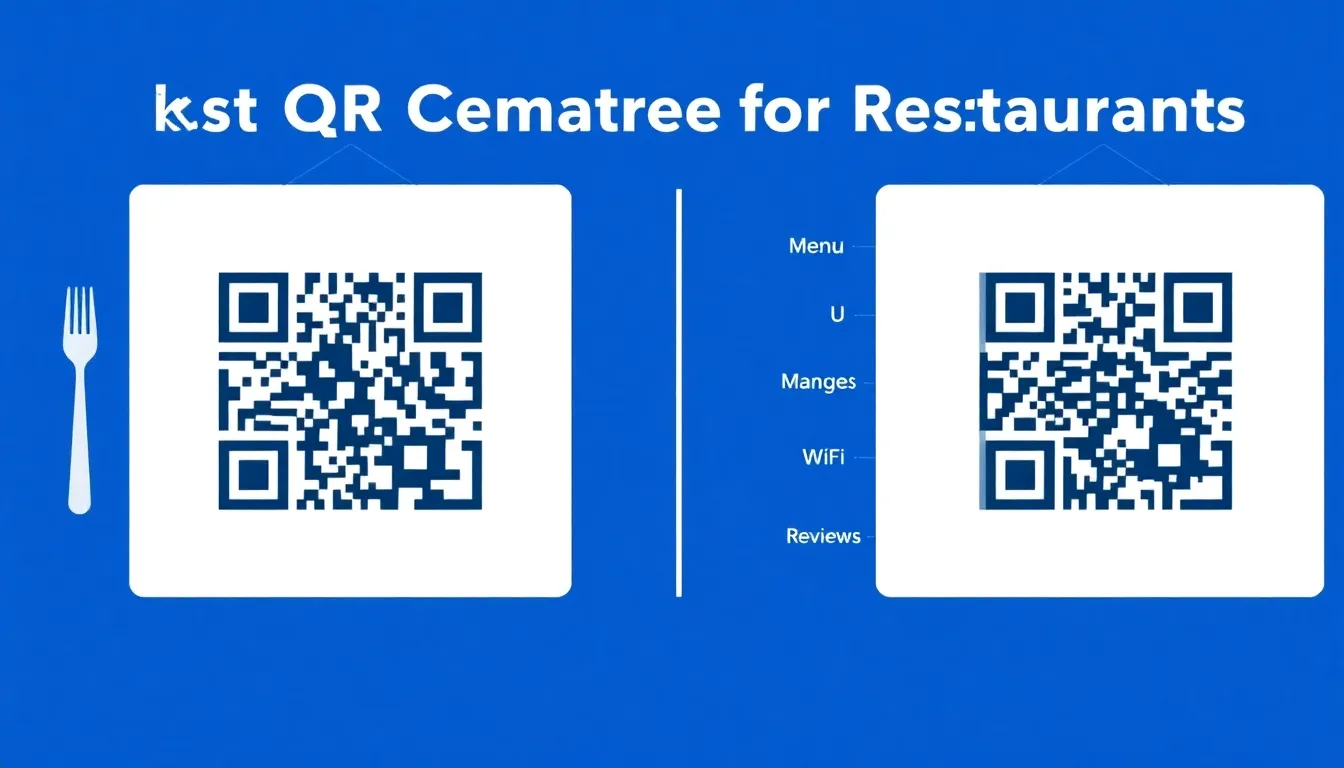
If you run a restaurant, you know customers expect convenience. Paper menus get worn, WiFi passwords are hard to share, and collecting reviews can be awkward. QR codes solve these problems, but choosing the right generator matters. You need something affordable, reliable, and designed for food service. This guide compares the best options for 2026, focusing on what actually works for restaurants. For a quick start, you can use a free QR code generator to test basic static codes before committing to a more advanced solution.
What Makes a Good Restaurant QR Code Generator
Not all QR code tools are equal for restaurant use. You need specific features. First, the codes must work reliably on any phone. Second, you need flexibility: static codes for permanent links (like your website) and dynamic codes for changing content (like daily specials). Third, print quality matters. QR codes on table tents or window decals must scan from typical distances.
For restaurants, key features include: editable content without reprinting, scan analytics to see usage, and custom design to match your branding. Many generators charge monthly subscriptions, but some offer one-time payments. Always verify current pricing at vendor websites before committing.
Top QR Code Generators for Restaurants Compared
Here are the leading options in 2026, evaluated for restaurant needs.
OwnQR: This tool specializes in restaurant solutions. It offers free static QR codes with no sign-up or watermarks. Dynamic QR codes cost $15 one-time with no expiration or subscription. You get scan analytics (location, device, time), custom colors, logos, and frames. Download formats include SVG (best for print) and PNG. For menus, OwnQR has a dedicated restaurant menu QR code solution that lets you update dishes easily. Minimum size is 2x2 cm for close scanning.
QRFY: A popular choice with various templates. It offers dynamic QR codes with editing features, but uses a recurring subscription model. Check their site for current terms. It supports custom designs and analytics.
Bitly: Known for link shortening, Bitly also provides QR codes. It focuses on analytics and branding, but operates on a subscription basis. Verify features at bitly.com.
Beaconstac: This platform offers QR code management with enterprise features. It may include menu-specific tools, but typically requires a monthly fee. Confirm details at beaconstac.com.
For most restaurants, cost-effectiveness and simplicity are key. OwnQR's $15 lifetime dynamic code is a strong option, especially if you want to avoid ongoing payments.
How to Create Restaurant QR Codes: Step by Step
Follow these steps to make QR codes for your restaurant.
1. Choose your content type: Decide what the QR code will link to. For menus, use a PDF or online menu page. For WiFi, create a link that connects to your network. For reviews, link to your Google Business Profile or Yelp page.
2. Pick a generator: Go to OwnQR or another tool. For static codes (unchanging links), use a free generator. For dynamic codes (editable links), consider a paid option like OwnQR's $15 lifetime plan.
3. Design your code: Customize colors to match your restaurant's theme. Add your logo in the center. Ensure enough contrast between dark and light areas for reliable scanning.
4. Download and print: Download as SVG for high-quality printing or PNG for digital use. Print at minimum 2x2 cm for tabletop use. For window decals, calculate size: divide scanning distance by 10 (e.g., 50 cm distance needs 5 cm code).
5. Test and place: Scan with multiple phones before printing in bulk. Place codes on tables, menus, receipts, or entrance signs. Train staff to explain them to customers.
Practical Uses for QR Codes in Restaurants
QR codes can improve many aspects of your restaurant.
Digital Menus: Replace paper menus with QR codes on tables. Update prices or specials instantly without reprinting. This reduces costs and waste. Use a dynamic QR code so you can change the menu link anytime.
WiFi Sharing: Instead of typing passwords, let customers scan a QR code to connect. Create a static code linking to your WiFi network. Place it near the entrance or on table cards. A dedicated WiFi QR code generator can simplify this process, ensuring compatibility across devices.
Review Collection: After a meal, direct customers to a QR code that opens your review page. This can boost your online ratings. Use a dynamic code to switch between platforms like Google or TripAdvisor. For targeted review campaigns, consider a Google Review QR code generator to streamline the process and increase positive feedback.
Promotions and Loyalty: Offer discounts or loyalty sign-ups via QR codes on receipts or posters. Track scans to measure campaign success.
These uses save time, reduce errors, and enhance customer experience. With a tool like OwnQR, you can manage multiple codes from one account.
Real-World Use Cases
Implementing QR codes effectively can transform restaurant operations. Here are three specific examples from 2026, showcasing how businesses leveraged OwnQR to achieve measurable results.
Case 1: Bella Napoli Pizzeria – This mid-sized restaurant in Chicago struggled with outdated paper menus and low review rates. They used OwnQR to create dynamic QR codes for digital menus and review collection. Before implementation, menu reprinting costs were $200 monthly, and they averaged 5 Google reviews per month. After deploying OwnQR codes on table tents and receipts, menu costs dropped to zero, and reviews increased to 25 per month within three months. The $15 lifetime investment paid off in reduced expenses and improved online visibility.
Case 2: The Urban Café – A small café in Seattle faced challenges with WiFi password sharing, leading to customer frustration and reduced dwell time. They implemented a static WiFi QR code using OwnQR's free generator, placed on entrance signs and countertops. Before, staff spent an estimated 10 minutes daily assisting customers with WiFi access. After deployment, WiFi-related inquiries dropped by 90%, and customer satisfaction scores rose by 15%. The café saved time and enhanced the customer experience without any cost.
Case 3: Spice Route Bistro – This upscale restaurant in New York wanted to promote seasonal specials and track engagement. They used OwnQR's dynamic codes for promotional campaigns, updating links weekly for new offers. Prior to using QR codes, email campaigns had a 10% open rate. With QR codes on table cards and social media, scan analytics showed a 40% engagement rate, and specials sales increased by 25%. The lifetime access allowed them to run multiple campaigns without recurring fees.
Ready to try it? Create your WiFi QR Code in seconds
You've seen the comparison. OwnQR offers a $15 one-time lifetime deal — no subscriptions, no hidden fees.
Step-by-Step: How to Do It with OwnQR
Follow this detailed guide to create and manage QR codes for your restaurant using OwnQR, ensuring optimal results from setup to deployment.
1. Sign Up and Access Tools: Visit the OwnQR website and create a free account. This gives you access to both static and dynamic QR code generators, including specialized tools for menus and WiFi. Starting with a free account lets you explore features without immediate payment.
2. Select Your QR Code Type: Choose between static (free, for unchanging links like WiFi) or dynamic (paid, for editable content like menus). For restaurants, dynamic codes are often best for menus and promotions, as they allow updates without reprinting.
3. Customize Design and Content: Input your target URL, such as a menu PDF or review page. Use OwnQR's design options to add colors, logos, and frames that match your branding. Ensure high contrast for reliable scanning, which is critical for customer use.
4. Upgrade to Dynamic Features: If needed, upgrade to the $15 lifetime plan for dynamic codes. This unlocks analytics, editable links, and advanced customization, providing long-term value without subscriptions.
5. Download and Test: Download your QR code in SVG (for print) or PNG (for digital) format. Test it with multiple smartphones and scanning apps to verify functionality before any print orders.
6. Print and Deploy: Print codes at the recommended size (minimum 2x2 cm for close range). Place them strategically on tables, menus, windows, or receipts. For outdoor use, consider weather-resistant materials.
7. Monitor Analytics: Use OwnQR's dashboard to track scans, including location, device, and time data. This helps you understand customer engagement and optimize placement or content.
8. Update Content as Needed: For dynamic codes, edit links anytime to reflect menu changes, new promotions, or updated review pages. This flexibility ensures your QR codes remain relevant without additional costs.
Common Mistakes and How to Avoid Them
When implementing QR codes in restaurants, avoid these pitfalls to ensure success and customer satisfaction.
Mistake 1: Poor Print Quality – Using low-resolution images or small sizes can make codes unscannable. Always download in SVG for print and ensure minimum dimensions (2x2 cm for table use). Test prints before bulk production to avoid wasted materials.
Mistake 2: Ignoring Analytics – Not tracking scan data misses insights into customer behavior. Use OwnQR's analytics to see peak usage times and popular codes, allowing you to tailor promotions or adjust menu offerings based on real data.
Mistake 3: Overcomplicating Design – Excessive customization with low contrast or cluttered logos can reduce scannability. Keep designs simple with clear contrast between dark and light areas, and test with various phones to ensure reliability.
Mistake 4: Static Codes for Changing Content – Using free static codes for menus or promotions limits flexibility. Opt for dynamic codes from OwnQR for editable content, avoiding the need to reprint codes every time you update specials or links.
Mistake 5: Lack of Staff Training – Failing to educate staff on QR code usage can lead to customer confusion. Train your team to explain how to scan codes and what they link to, enhancing the overall experience and encouraging adoption.
Pricing Comparison
Understanding cost structures is crucial for restaurants operating on tight budgets. Below is a detailed comparison of OwnQR against subscription-based alternatives, highlighting long-term savings and value.
| Feature | OwnQR | QRFY | Bitly | Beaconstac |
|---|---|---|---|---|
| Dynamic QR Code Cost | $15 one-time lifetime | Monthly subscription | Monthly subscription | Monthly subscription |
| Static QR Codes | Free, no watermark | Free with limitations | Free basic plan | Paid plans only |
| Analytics Included | Yes, with lifetime plan | Yes, on paid plans | Yes, on paid plans | Yes, on paid plans |
| Custom Design | Yes, full customization | Yes, on paid plans | Yes, on paid plans | Yes, on paid plans |
| Menu-Specific Tools | Yes, dedicated solution | Limited templates | General use | Enterprise features |
| Long-Term Cost (2 years) | $15 | Varies by subscription | Varies by subscription | Varies by subscription |
OwnQR's pricing model offers significant advantages for restaurants. The $15 lifetime fee for dynamic QR codes eliminates recurring expenses, which can add up quickly with subscription services. For example, if a competitor charges $10 per month, over two years, that totals $240, compared to OwnQR's one-time $15. This makes OwnQR particularly cost-effective for small to mid-sized restaurants with limited budgets. Additionally, free static codes with no watermarks provide value for basic needs like WiFi sharing. While subscription-based tools may offer advanced enterprise features, they often come with higher costs and ongoing commitments that aren't necessary for most restaurant operations. OwnQR balances affordability with essential features like analytics and customization, ensuring you get reliable performance without financial strain. Always verify current pricing at vendor websites, as subscription rates can change, but OwnQR's lifetime guarantee provides long-term stability.
Frequently Asked Scenarios
Restaurant owners often have specific questions about QR code implementation. Here are detailed answers to common scenarios in 2026.
Q: How can I use QR codes to update my menu daily without reprinting?
A: Use a dynamic QR code from OwnQR. Link it to an online menu page or PDF that you can edit anytime. When you update the menu online, the QR code remains the same, but the content changes. This saves on printing costs and allows real-time adjustments for daily specials or price changes. OwnQR's $15 lifetime plan includes this feature, making it a practical solution for frequent updates.
Q: What's the best way to encourage customers to leave reviews using QR codes?
A: Place QR codes on receipts, table tents, or exit signs that link directly to your review page on platforms like Google or Yelp. Use dynamic codes to switch between platforms based on campaign goals. Offer incentives, such as discounts on future visits, to increase participation. OwnQR provides analytics to track scan rates, helping you measure the effectiveness of your review collection efforts.
Q: Can QR codes work for outdoor dining or takeout orders?
A: Yes, QR codes are versatile for outdoor use. Print them on weather-resistant materials and ensure larger sizes for scanning from a distance (e.g., 5 cm for 50 cm range). For takeout, include QR codes on packaging or receipts to link to menus, loyalty programs, or feedback forms. OwnQR's SVG format ensures high-quality prints that withstand outdoor conditions without fading.
Q: How do I track the success of QR code promotions in my restaurant?
A: Utilize OwnQR's scan analytics to monitor usage metrics. Track the number of scans, times of day, and device types to understand customer engagement. Compare this data with sales figures or promotion periods to assess impact. For example, if a discount code QR sees high scans during lunch hours, you can tailor future promotions accordingly. This data-driven approach helps optimize marketing strategies.
Choosing the Right Generator for Your Needs
Consider your restaurant's size and budget. Small cafes might only need free static codes for WiFi or a simple menu. Full-service restaurants often benefit from dynamic codes to update content frequently.
Look for: no watermarks on free codes, affordable dynamic options, and reliable scanning. OwnQR provides both free static and $15 lifetime dynamic codes, making it versatile for different needs. Always test codes before wide deployment.
Remember, QR codes are tools to make your operation smoother. The best generator is one you'll actually use without hassle or high costs.
Ready to create QR codes for your restaurant? Start with OwnQR's free generator for static codes, or explore their restaurant menu solution for dynamic needs. With no subscriptions and lifetime access via $15 lifetime pricing, it's a practical choice for 2026 that balances functionality with affordability for long-term success.
Tags
Frequently Asked Questions
How do I choose the best QR code generator for my restaurant?
Look for generators that offer both static and dynamic codes. Static codes are free for permanent links like WiFi. Dynamic codes let you edit content without reprinting. For restaurants, OwnQR is a good option with free static codes and $15 lifetime dynamic codes. Ensure the tool supports SVG downloads for print quality and has a minimum size of 2x2 cm for reliable scanning.
What size should a restaurant QR code be for printing?
For tabletop use, print QR codes at least 2x2 cm. For larger distances, divide the scanning distance by 10 to get the minimum size. For example, a code placed 1 meter away should be 10 cm wide. Use SVG format for sharp prints. OwnQR provides SVG downloads to maintain quality at any size.
Can I change the content of a QR code after printing?
Yes, but only with dynamic QR codes. Static codes have fixed links. Dynamic codes, like those from OwnQR for $15 one-time, allow you to update the destination URL anytime. This is useful for menus or promotions. You don't need to reprint the code; changes apply to all scans immediately.
Why use QR codes for restaurant menus instead of paper?
QR code menus reduce costs and waste. You can update prices or specials instantly without reprinting paper. They also minimize contact, which customers appreciate. With a dynamic QR code generator, you can track scans to see which items get viewed most. OwnQR's restaurant solution makes this easy with analytics included.
Is OwnQR a good alternative to subscription-based QR generators?
Yes, OwnQR offers a cost-effective alternative. It provides free static codes with no watermarks and dynamic codes for a $15 one-time payment, avoiding monthly fees. Compared to subscription tools like QRFY or Bitly, this can save money long-term. It includes features like custom designs, SVG downloads, and scan analytics, making it suitable for restaurant use.
Ready to own your QR codes?
One-time $15 for lifetime dynamic QR codes.
Most alternatives bill monthly — verify current rates on their site.
30-day money back guarantee