Best QR Code Generator for Restaurants: No App, No Monthly Fees
Quick Answer
Restaurants can implement dynamic QR codes for menus, promotions, and loyalty programs with a $15 lifetime solution from OwnQR, eliminating monthly fees and app requirements.
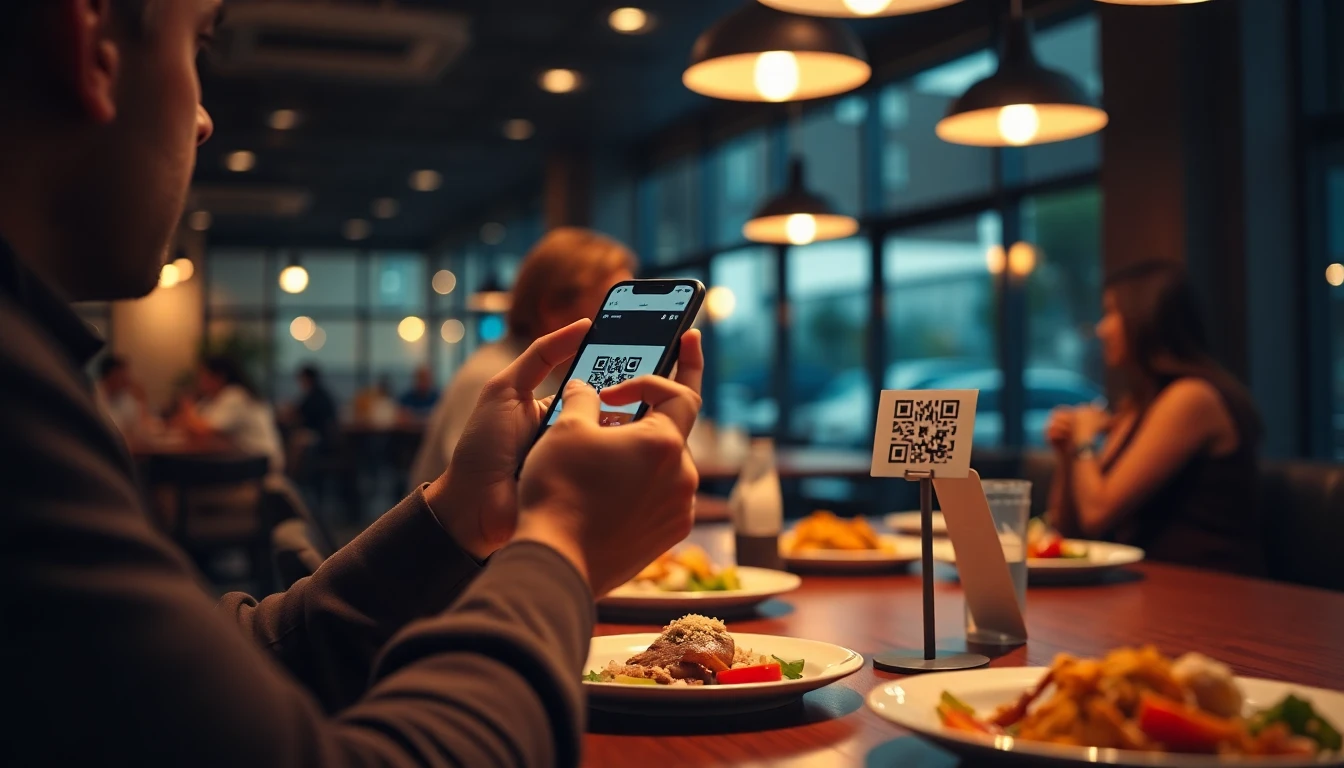
Restaurants operate on tight margins. Every dollar counts, especially for small businesses and family-owned establishments. While QR codes have become essential for modern dining experiences, many solutions come with recurring costs that add up quickly. Monthly subscriptions from providers like QRFY or Beaconstac can strain budgets. These services often require ongoing payments for features you might only need occasionally. For restaurants, this creates unnecessary overhead. What if you could get professional QR codes with restaurant-specific features, pay once, and own them forever? That's the approach that makes sense for food service businesses. For a cost-effective start, consider a free QR code generator to test basic functionality before committing to a full solution.
Practical QR Code Uses for Restaurants
QR codes solve real problems in restaurant operations. Here are specific ways to use them effectively.
Digital Menus That Update Instantly
Printed menus become outdated the moment you change prices or add seasonal specials. With a QR code linking to your online menu, you can update items anytime without reprinting. Place QR code stickers on tables or countertops. Customers scan to view your current menu on their phones. This reduces printing costs and ensures everyone sees your latest offerings.
Promotions and Special Offers
Create QR codes for limited-time deals. "Scan for 20% off your next order" or "Weekend brunch special revealed here." These codes can be printed on receipts, included in takeout bags, or displayed in your window. Since you own the QR code, you can change where it points without creating a new code. Today it might lead to a coupon, tomorrow to a new menu item announcement.
Loyalty Programs Made Simple
Instead of paper punch cards that get lost, use QR codes for digital loyalty tracking. Customers scan a code to register their visit. After a certain number of scans, they earn a reward. This requires no special app for customers to download. They use their phone's camera, which everyone already has.
Event and Catering Information
If you host private events or offer catering, create a QR code that leads to your event package details. Include photos, sample menus, and contact information. Print this code on your business cards or flyers.
What to Look for in a Restaurant QR Code Generator
Not all QR code tools work well for restaurant needs. Here are key features to consider.
No Monthly Fees
Look for one-time payment options rather than subscriptions. Restaurant budgets benefit from predictable costs. You pay once and use the codes indefinitely.
Editable Destination URLs
Your QR code should point to a URL you can change later. If you switch menu providers or update your website, you want to redirect the QR code without reprinting it.
High-Resolution Files
Restaurant materials need to look professional. Your QR code generator should provide high-quality image files suitable for printing on menus, signs, and stickers.
Custom Design Options
QR codes don't have to be black and white squares. You can add your restaurant's colors, include your logo in the center, or use shapes that match your branding. This makes them more attractive and recognizable.
How OwnQR Works for Restaurants
OwnQR offers a straightforward solution specifically designed for businesses that want to avoid recurring fees. You create your QR code once for $15. That's it. No monthly charges, no annual renewals. You download the high-resolution files and can use them anywhere in your restaurant. The QR codes are editable. If you need to change where they point later, you can update the destination URL through your account. This means you don't have to reprint materials when you make changes. Design options let you customize colors and add your logo. This helps your QR codes blend with your restaurant's visual identity rather than looking like generic technical elements.
Real-world Use Cases
Implementing QR codes with OwnQR has delivered measurable benefits for various restaurants. Here are three specific examples.
Case Study: Bella Napoli Pizzeria
Bella Napoli, a family-owned pizzeria in Chicago, struggled with frequent menu updates due to seasonal ingredients and price fluctuations. Before using OwnQR, they reprinted menus quarterly at a cost of $200 per batch, leading to $800 annually in printing expenses. After implementing a dynamic QR code for their digital menu, they eliminated reprinting costs entirely. The QR code, placed on table tents and window decals, allowed instant updates via a simple URL change in their OwnQR dashboard. Within six months, scan analytics showed a 40% increase in customer engagement with specials, and they saved $400 in printing costs, achieving a full return on their $15 investment in less than a month.
Case Study: The Green Leaf Café
The Green Leaf Café in Portland wanted to launch a loyalty program without requiring customers to download an app. Previously, they used paper punch cards, which had a 30% loss rate and limited tracking capabilities. With OwnQR, they created a QR code that directed customers to a sign-up form for their digital loyalty program. Each scan registered a visit, and after ten scans, customers received a free coffee. In the first quarter, they saw a 50% increase in repeat visits and collected valuable customer data for email marketing. The program cost only $15 upfront, compared to subscription-based loyalty platforms charging $20-50 per month, saving them over $500 annually.
Case Study: Spice Route Indian Restaurant
Spice Route, a mid-sized restaurant in New York, used QR codes for catering promotions. Before OwnQR, they relied on static QR codes from a free generator, which couldn't be edited after printing. When they updated their catering packages, they had to reprint all marketing materials, costing $150 in design and printing fees. Switching to OwnQR's editable QR codes allowed them to redirect the same printed code to new landing pages without reprinting. Over a year, this flexibility saved them $300 in reprint costs and increased catering inquiries by 25% through timely promotion updates.
Want to follow along? Create a Menu QR Code now
It's free to start. Upgrade to $15 lifetime when you need editable dynamic QR codes.
Step-by-step: How to Do It with OwnQR
Follow this detailed process to implement QR codes in your restaurant using OwnQR, ensuring a smooth and effective setup.
- Sign up for an OwnQR account: Visit the OwnQR website and create a free account. This gives you access to the dashboard where you can manage all your QR codes, a crucial step for organizing multiple codes for different purposes like menus or promotions.
- Choose your QR code type: Select the type of QR code you need, such as a URL code for linking to your digital menu or a vCard for contact information. This ensures the code functions correctly for your specific use case, enhancing customer experience.
- Enter the destination URL: Input the web address you want the QR code to point to, such as your online menu page or promotion landing page. Use a reliable hosting service to ensure the page loads quickly, as slow loading can deter scans.
- Customize the design: Use OwnQR's design tools to adjust colors, add your restaurant's logo, and choose a shape that matches your branding. Customization makes the QR code more appealing and recognizable, encouraging higher scan rates.
- Generate and download the QR code: Click to create the QR code and download high-resolution image files (e.g., PNG or SVG). High-resolution files are essential for professional printing on materials like table tents or window decals without blurriness.
- Test the QR code: Scan the downloaded code with multiple smartphones under different lighting conditions to ensure it works reliably. Testing prevents issues after printing, saving time and resources on reprints.
- Print and deploy: Print the QR code on your chosen materials, such as stickers, menus, or signs, and place them in visible locations like tables or entryways. Ensure the size is at least 1x1 inch for easy scanning from a distance.
- Monitor and update: Use OwnQR's analytics to track scan counts and update the destination URL as needed, such as for new promotions or menu changes. Regular monitoring helps optimize engagement and adapt to business needs.
Common Mistakes and How to Avoid Them
Restaurants often encounter pitfalls when implementing QR codes. Here are five common mistakes and strategies to prevent them.
Using Static QR Codes for Dynamic Content
Many restaurants use free generators that produce static QR codes, which cannot be edited after creation. This forces reprinting when menus or promotions change, incurring unnecessary costs. Avoid this by choosing a solution like OwnQR that offers dynamic, editable QR codes, allowing URL updates without reprinting.
Poor Placement and Sizing
Placing QR codes in low-light areas or making them too small reduces scan success rates. Customers may struggle to scan, leading to frustration. Ensure codes are at least 1x1 inch, placed in well-lit, accessible spots like table centers or countertops, and test in various conditions before full deployment.
Neglecting Mobile Optimization
Linking QR codes to web pages that aren't mobile-friendly causes slow loading and poor user experience on smartphones. This can deter customers from engaging. Always host destination pages on responsive platforms and test on multiple devices to ensure fast, seamless access.
Overcomplicating the Scanning Process
Requiring customers to download a separate app or follow complex instructions reduces adoption rates. Most smartphones have built-in QR scanners in their camera apps. Keep it simple by using standard QR codes and training staff to guide customers with clear, brief instructions.
Ignoring Analytics and Updates
Failing to monitor scan data means missed opportunities to optimize campaigns or update content. Without tracking, you can't measure ROI or adjust strategies. Use tools like OwnQR's analytics to review scan counts regularly and update URLs to keep content relevant and engaging.
Pricing Comparison
Choosing the right QR code generator involves evaluating cost structures. Below is a detailed comparison of OwnQR versus subscription-based alternatives.
| Feature | OwnQR | Subscription Alternatives (e.g., QRFY, Beaconstac) |
|---|---|---|
| Pricing Model | $15 one-time lifetime payment | Monthly or annual subscription (verify current pricing at vendor.com) |
| Editable QR Codes | Yes, unlimited URL changes | Often limited to premium plans |
| Custom Design | Included at no extra cost | May require higher-tier plans |
| High-Resolution Files | Yes, downloadable in multiple formats | Typically included |
| Analytics | Basic scan tracking included | Advanced analytics on higher plans |
| Long-term Cost | $15 total | Ongoing fees, e.g., $10-50/month |
OwnQR's $15 lifetime pricing provides significant financial advantages for restaurants. Subscription models, while offering advanced features, accumulate costs over time; for example, a $20 monthly fee totals $240 annually, far exceeding OwnQR's one-time fee. For small restaurants with tight budgets, this recurring expense can strain resources, especially when basic features like editable URLs and custom designs are often gated behind premium subscriptions. OwnQR includes these essentials upfront, making it a cost-effective choice for long-term use. While subscription services may offer more robust analytics or integrations, many restaurants only need reliable, editable QR codes without ongoing fees. By opting for OwnQR, restaurants avoid the risk of price hikes or service cancellations, ensuring predictable costs and full ownership of their codes. This model aligns with the need for simplicity and affordability in the food service industry, where margins are slim and every dollar counts. For those requiring advanced capabilities, verify current pricing at vendor.com, but for most restaurant applications, OwnQR delivers sufficient functionality at a fraction of the cost.
Frequently Asked Scenarios
Restaurants often have specific questions about QR code implementation. Here are four detailed scenarios and answers.
How can we use QR codes for a seasonal menu that changes weekly?
OwnQR's dynamic QR codes are ideal for this scenario. Create a single QR code that points to a webpage hosting your menu. Each week, update the webpage with new seasonal items, and use OwnQR's dashboard to ensure the QR code redirects to the latest version. This eliminates reprinting costs and keeps customers informed. For example, a farm-to-table restaurant can highlight daily specials without physical menu changes, enhancing freshness and engagement.
What if we want to track QR code scans for different promotions?
OwnQR provides basic scan analytics for each QR code, showing total scans over time. To track multiple promotions, create separate QR codes for each campaign using OwnQR's bulk generation features. Monitor individual scan counts in your dashboard to measure effectiveness. For instance, a "happy hour" QR code can be compared to a "weekend brunch" code, helping allocate marketing resources based on engagement data.
Can we use QR codes for contactless payments in our restaurant?
While OwnQR focuses on linking to URLs, you can create a QR code that directs customers to a payment portal or online ordering system. This facilitates contactless transactions without requiring a dedicated app. Ensure the destination page is secure and mobile-optimized. For example, a café can use a QR code on receipts to lead to a tip jar or recurring order setup, streamlining the payment process.
How do we handle customers who are not tech-savvy?
Train staff to assist customers by providing simple verbal instructions, such as "Open your camera and point it at the code." Keep printed menus available as a backup to accommodate all preferences. Use clear signage near QR codes with brief steps. This approach ensures inclusivity while promoting digital adoption, balancing convenience with traditional service.
Getting Started with Restaurant QR Codes
Follow these steps to implement QR codes effectively in your restaurant.
Start with Your Menu
Create a simple online version of your menu. This can be a PDF hosted on your website or a dedicated menu page. Generate a QR code that points to this menu. Print the QR code on table tents, counter cards, or window decals. Make sure it's large enough to scan easily from a typical dining distance.
Train Your Staff
Explain to servers and hosts how the QR codes work. They should be able to guide customers who aren't familiar with scanning codes. A simple script helps: "You can scan the code on the table to see our full menu on your phone."
Test Everything
Before printing large quantities, test your QR codes with different phones and lighting conditions. Make sure they scan quickly and lead to the correct destination.
Combine Physical and Digital
Keep some printed menus available for customers who prefer them. QR codes should enhance the experience, not frustrate people who aren't comfortable with technology.
Common Questions About Restaurant QR Codes
Do customers need a special app?
No. Modern smartphones have QR code scanners built into their camera apps. Customers simply open their camera, point it at the code, and tap the notification that appears.
What if we change our menu frequently?
That's actually where QR codes shine. Update your online menu as often as needed. The QR code stays the same but always shows the current version.
Can we track how many people scan?
Yes, many QR code generators including OwnQR provide basic scan statistics. You can see how many times your codes are used, which helps measure engagement.
Are there size requirements for printing?
Generally, QR codes should be at least 1x1 inch (2.5x2.5 cm) for easy scanning. Larger is better for distance scanning, like on window signs.
Making QR Codes Work for Your Restaurant
QR codes offer restaurants flexibility without complexity. The key is choosing a solution that fits your business model and budget. By avoiding monthly fees, you keep costs predictable. By selecting editable codes, you maintain flexibility as your restaurant evolves. And by customizing the design, you ensure the codes feel like part of your brand rather than an afterthought. Whether you're updating from paper menus, launching a loyalty program, or promoting special events, QR codes provide a bridge between physical dining spaces and digital convenience. The right generator makes this transition smooth and affordable. For restaurants looking to implement QR codes without ongoing costs, OwnQR's one-time payment model provides a practical solution. Create your codes once, use them anywhere, and focus on what matters most: serving great food to happy customers. Explore the restaurant menu QR code solution for tailored guidance, and check the $15 lifetime pricing to start saving today.
Tags
Ready to own your QR codes?
One-time $15 for lifetime dynamic QR codes.
Most alternatives bill monthly — verify current rates on their site.
30-day money back guarantee