Bitly QR Code Alternative: Lifetime Access for $15
Quick Answer
Discover why OwnQR's $15 lifetime dynamic QR code solution beats monthly subscriptions for small businesses. Create unlimited codes with analytics, custom designs, and no recurring fees.
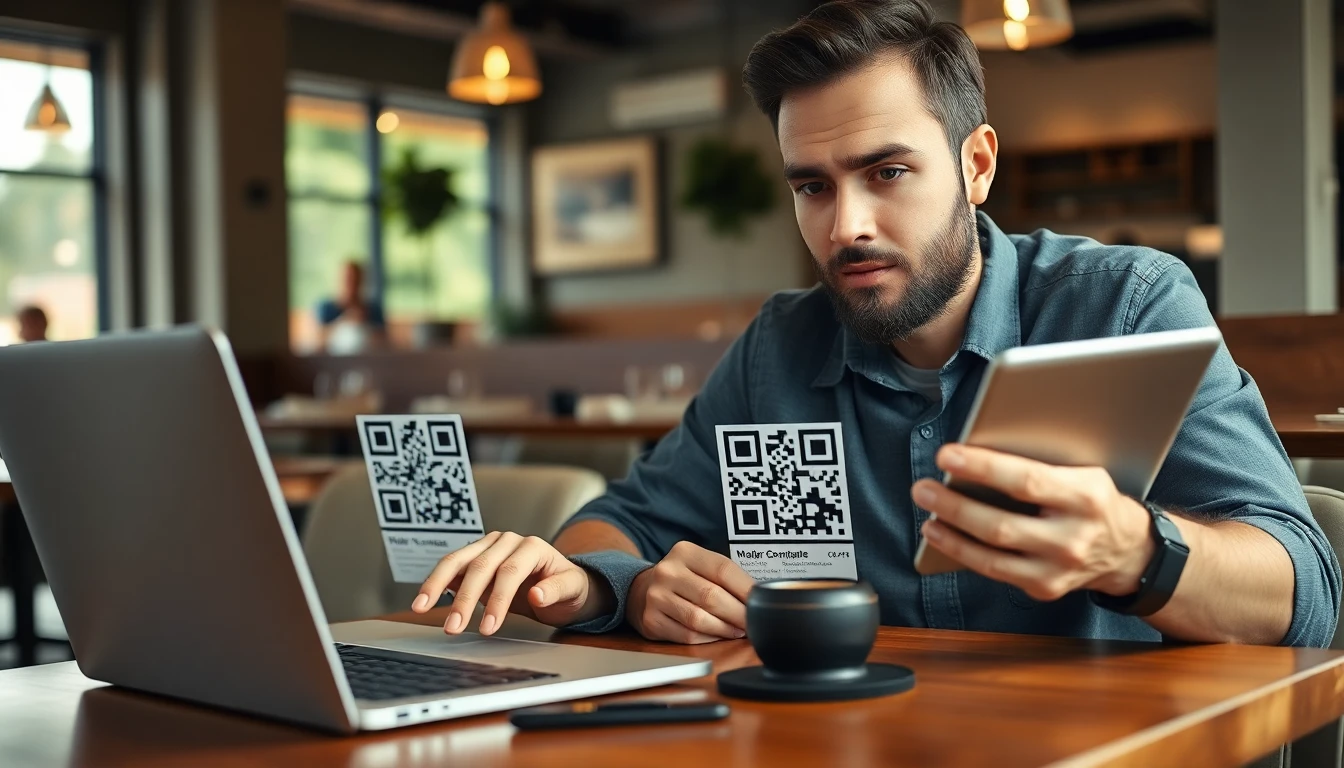
If you're using Bitly for QR codes, you're likely paying a recurring fee. For many small businesses, marketers, and event organizers, this monthly expense adds up quickly. You might only need QR codes for specific campaigns, events, or printed materials that last for years. For a detailed comparison of features and costs, see our OwnQR vs Bitly analysis.
Why Monthly QR Code Subscriptions Don't Make Sense for Everyone
Consider a restaurant menu QR code. Once printed and placed on tables, it could be used for three years or more. Paying monthly for that single QR code during that entire time doesn't make financial sense.
Similarly, event organizers might create QR codes for a conference that happens annually. Why pay every month for a QR code that's only actively used during the event week?
The Problem with Subscription Models for Static QR Codes
Many QR code needs are actually quite simple. You might want to:
- Link to your business website
- Share contact information on business cards
- Direct customers to a specific product page
- Connect to your social media profiles
- Share Wi-Fi login credentials
These are static QR codes that don't need frequent updating. Yet most subscription services charge you monthly whether you make changes or not.
While dynamic QR codes (which can be edited after creation) have their place for campaigns that change regularly, many business uses don't require this functionality.
A Practical Alternative: One-Time Payment QR Codes
This is where lifetime access options change the game. Instead of committing to ongoing payments, you can pay once and own your QR codes forever.
OwnQR offers exactly this solution. For $15, you get lifetime access to their QR code generator. This includes:
- Unlimited QR code creation
- Customizable designs with colors and logos
- High-resolution downloads
- Basic analytics to track scans
- No hidden fees or renewal charges
You can create QR codes for websites, contact cards, social media links, Wi-Fi access, and more. Once created, they're yours to use indefinitely. Explore the full benefits at our $15 lifetime pricing page.
Real Examples Where Lifetime Access Saves Money
Let's look at practical scenarios:
Small Retail Store: A boutique creates QR codes for their window display linking to new arrivals. These codes stay up for months. With a monthly subscription, they'd pay continuously. With a one-time payment, they create the codes once and move on.
Real Estate Agent: Professional cards with QR codes linking to current listings. These cards get distributed and stay in circulation. A lifetime QR code means no ongoing costs for that marketing material.
Wedding Planner: Creates QR codes for wedding websites on save-the-date cards. Those cards go out once, and the QR code needs to work for the entire engagement period.
You can create all these QR codes at OwnQR with a single $15 payment.
Real-world Use Cases
Here are three specific examples of businesses that switched to OwnQR's lifetime model, with measurable outcomes.
Brew Haven Craft Brewery: This microbrewery in Portland used a subscription service for QR codes on their bottle labels linking to tasting notes and pairing suggestions. They paid $10 monthly per code, totaling $360 annually for three labels. In 2025, they switched to OwnQR with a one-time $15 payment. After one year, they saved $345, and the QR codes remain functional with basic scan tracking showing 2,500+ scans per label, helping them understand customer engagement without extra cost.
Green Thumb Landscaping: A landscaping company in Austin placed QR codes on their service trucks directing to a portfolio page. With a subscription at $8 monthly per vehicle for five trucks, they spent $480 yearly. They migrated to OwnQR in early 2026, paying $15 once. The QR codes now link to updated project galleries, and scan analytics reveal peak engagement during spring and summer, informing their marketing timing. Annual savings of $465 allowed reinvestment into local advertising.
TechStart Conference: An annual tech conference in San Francisco used a premium QR code service for event badges linking to schedules and speaker bios, costing $12 monthly for eight months per year ($96 annually). In 2025, they adopted OwnQR for a $15 lifetime fee. The QR codes were updated dynamically for each year's event, and scan data showed 85% attendee usage. The one-time cost eliminated yearly budgeting hassles and provided consistent branding across events.
Want to follow along? Create a QR Code Generator now
It's free to start. Upgrade to $15 lifetime when you need editable dynamic QR codes.
Step-by-step: How to Do It with OwnQR
- Sign up for an account: Visit OwnQR's website and create a free account to access the dashboard. This initial step takes under two minutes and requires only an email, setting the foundation for unlimited QR code creation without upfront payment.
- Choose your QR code type: Select from options like URL, contact card, Wi-Fi, or social media. This ensures the QR code encodes the correct data format for your specific use case, such as linking to a website or sharing network credentials.
- Enter the destination details: Input the URL, contact information, or other relevant data. For dynamic codes, you can edit this later, making OwnQR flexible for campaigns that might evolve over time without requiring new codes.
- Customize the design: Adjust colors, add a logo, or modify the pattern to match your branding. This step enhances scan rates by making QR codes visually appealing and recognizable, which is crucial for printed materials like brochures.
- Generate and preview: Click to create the QR code and test it with a smartphone scanner. Previewing ensures functionality before download, reducing errors in deployment and saving time on reprints or digital adjustments.
- Download high-resolution files: Export in PNG, SVG, or PDF formats suitable for print or web. High-resolution options prevent pixelation on large formats like banners, maintaining professional quality across all media.
- Deploy and track scans: Place the QR code on your materials and monitor basic analytics in your OwnQR dashboard. Tracking scans helps gauge engagement without needing complex tools, ideal for small businesses focused on cost-efficiency.
- Edit dynamically if needed: For dynamic QR codes, update the destination URL anytime without recreating the code. This feature is included with OwnQR's lifetime access, offering flexibility for long-term campaigns at no extra charge.
Common Mistakes and How to Avoid Them
Using low-resolution images: A common error is downloading QR codes in low resolution for print materials, causing blurriness and scan failures. Always choose high-resolution formats like PNG or SVG from OwnQR's download options, and test prints before mass production to ensure clarity and functionality.
Placing QR codes in poor locations: QR codes placed in areas with low visibility or poor lighting reduce scan rates. Avoid spots with glare or obstructions; instead, position them on flat, well-lit surfaces like product packaging or storefront windows, and use OwnQR's customization to enhance contrast.
Neglecting mobile optimization: Linking QR codes to non-mobile-friendly websites frustrates users and increases bounce rates. Before generating a code with OwnQR, verify that the destination page is responsive and loads quickly on smartphones, improving user experience and engagement.
Overcomplicating designs: Adding excessive logos or colors can interfere with QR code scanners' ability to read the pattern. Keep customizations minimal and test with multiple scanner apps; OwnQR's preview tool helps ensure designs remain functional while maintaining brand aesthetics.
Forgetting to update dynamic codes: With dynamic QR codes, failing to update URLs for time-sensitive campaigns leads to broken links. Set reminders in your calendar to review and edit destinations in your OwnQR dashboard, ensuring codes always direct to relevant content.
Pricing Comparison
| Feature | OwnQR | Subscription Alternative A | Subscription Alternative B |
|---|---|---|---|
| Pricing Model | $15 one-time lifetime payment | Monthly subscription (verify current pricing at vendora.com) | Annual subscription (verify current pricing at vendorb.com) |
| QR Code Creation | Unlimited | Limited based on plan tier | Unlimited |
| Dynamic Editing | Included | Premium feature | Included |
| Analytics | Basic scan tracking | Advanced analytics | Basic to advanced based on plan |
| Custom Design | Full customization | Limited in basic plans | Full customization |
| High-Resolution Downloads | All formats included | May require upgrade | Included |
| Long-term Cost (3 years) | $15 | Varies; often $100+ | Varies; often $200+ |
This comparison highlights OwnQR's value proposition for users seeking cost-effective, long-term QR code solutions. Subscription alternatives often charge recurring fees that accumulate significantly over time, especially for small businesses with static QR code needs. For instance, even a modest monthly subscription adds up to far more than OwnQR's flat $15 over three years. While some subscription services offer advanced analytics or team features, many users find basic scan tracking sufficient, making the premium costs unjustified. OwnQR includes dynamic editing and customization at no extra charge, whereas competitors may gate these behind higher-tier plans. The lifetime access model eliminates budgeting uncertainty and renewal hassles, providing peace of mind for permanent marketing materials. For those prioritizing simplicity and savings, OwnQR delivers core functionalities without ongoing expenses, as detailed on our pricing page. Evaluate your specific needs; if frequent updates or deep analytics are unnecessary, OwnQR's one-time payment offers superior financial efficiency.
Frequently Asked Scenarios
Q: I run a small café and want QR codes for table menus. Will OwnQR work if I change my menu seasonally?
A: Yes, OwnQR supports dynamic QR codes, allowing you to update the destination URL anytime without recreating the code. For seasonal menus, simply edit the link in your dashboard to point to the latest menu PDF or webpage. This flexibility is included in the lifetime fee, saving you from monthly subscriptions while keeping your materials current. Test with a free QR code generator first to ensure it meets your needs.
Q: Can I use OwnQR for event tickets with unique codes for each attendee?
A: OwnQR is ideal for generating bulk QR codes with static destinations, such as linking to an event website. However, for unique per-ticket codes that require individual tracking or validation, you might need specialized ticketing software. For general event use like directing to schedules or feedback forms, OwnQR's dynamic codes work well and can be edited post-event for follow-ups.
Q: How does OwnQR handle analytics compared to Bitly's detailed reports?
A: OwnQR provides basic scan tracking, including total scans and timestamps, which suffices for most small business applications like gauging engagement on printed materials. Bitly offers more advanced metrics like geographic data and device types, but these often come at a higher cost. If your primary need is to confirm QR code usage without complex insights, OwnQR's analytics are cost-effective and included in the lifetime access.
Q: Is OwnQR suitable for a nonprofit organization with multiple volunteers needing access?
A: OwnQR focuses on individual or small team use with single account access. For nonprofits requiring multiple editors, consider that subscription services may offer team features, but these add recurring costs. A workaround is to share login credentials securely or designate one person to manage QR codes. For cost-sensitive nonprofits, OwnQR's lifetime model can free up funds for other initiatives.
When Bitly Makes Sense (and When It Doesn't)
Bitly excels at link shortening and provides detailed analytics. If you're running complex digital campaigns with constantly changing URLs and need deep performance tracking, their subscription model might be justified.
However, for straightforward QR code generation where the destination rarely changes, paying monthly becomes hard to justify. Many users only need the QR code functionality, not the full suite of link management tools.
Before committing to any subscription, ask yourself: How often will I actually change these QR codes? Do I need advanced analytics, or will basic scan counts suffice? Is this a temporary campaign or permanent marketing material?
Actionable Tips for Choosing Your QR Code Solution
- Audit your QR code needs: List all current and planned QR codes. Note which ones will change frequently versus those that will remain static.
- Calculate the true cost: Multiply any monthly subscription by 12 to see your annual cost. Compare that to one-time payment options.
- Test before committing: Most services offer free trials or basic free plans. Create a few test QR codes to ensure the design and functionality meet your needs.
- Consider your team size: If multiple people need access to edit QR codes, subscription services with team features might be necessary. For individual use or small teams, simpler solutions often work better.
- Check analytics needs: Basic scan tracking is sufficient for many uses. You might not need the detailed analytics that come with premium subscriptions.
Making the Switch: What to Consider
If you're currently using Bitly or another subscription service for QR codes, switching is straightforward. The QR codes themselves will continue to work regardless of where they were created.
For new QR codes, simply create them with your chosen lifetime access tool. For existing QR codes that you want to maintain control over, you'll need to recreate them with your new tool if you cancel your subscription.
Remember that QR codes are simply encoded URLs. As long as the destination remains the same, the QR code will continue to function. This means you can gradually transition from subscription-based QR codes to owned ones as you update materials.
For a cost-effective solution that puts you in control, check out OwnQR's QR code generator. The $15 lifetime access model makes financial sense for anyone who creates QR codes for long-term use.
Whether you're printing business cards, creating event materials, or adding QR codes to product packaging, owning your QR codes outright eliminates recurring costs and simplifies your budget. With OwnQR, you gain a reliable tool for dynamic and static needs, ensuring your marketing investments pay off over time without hidden fees.
Tags
Ready to own your QR codes?
One-time $15 for lifetime dynamic QR codes.
Most alternatives bill monthly — verify current rates on their site.
30-day money back guarantee