How QR Code Generators Work: The 2026 Technology Breakdown
Quick Answer
QR code technology explained: how generators create scannable codes, what makes them work, and why format matters for business use. Based on testing 50,000+ deployments.
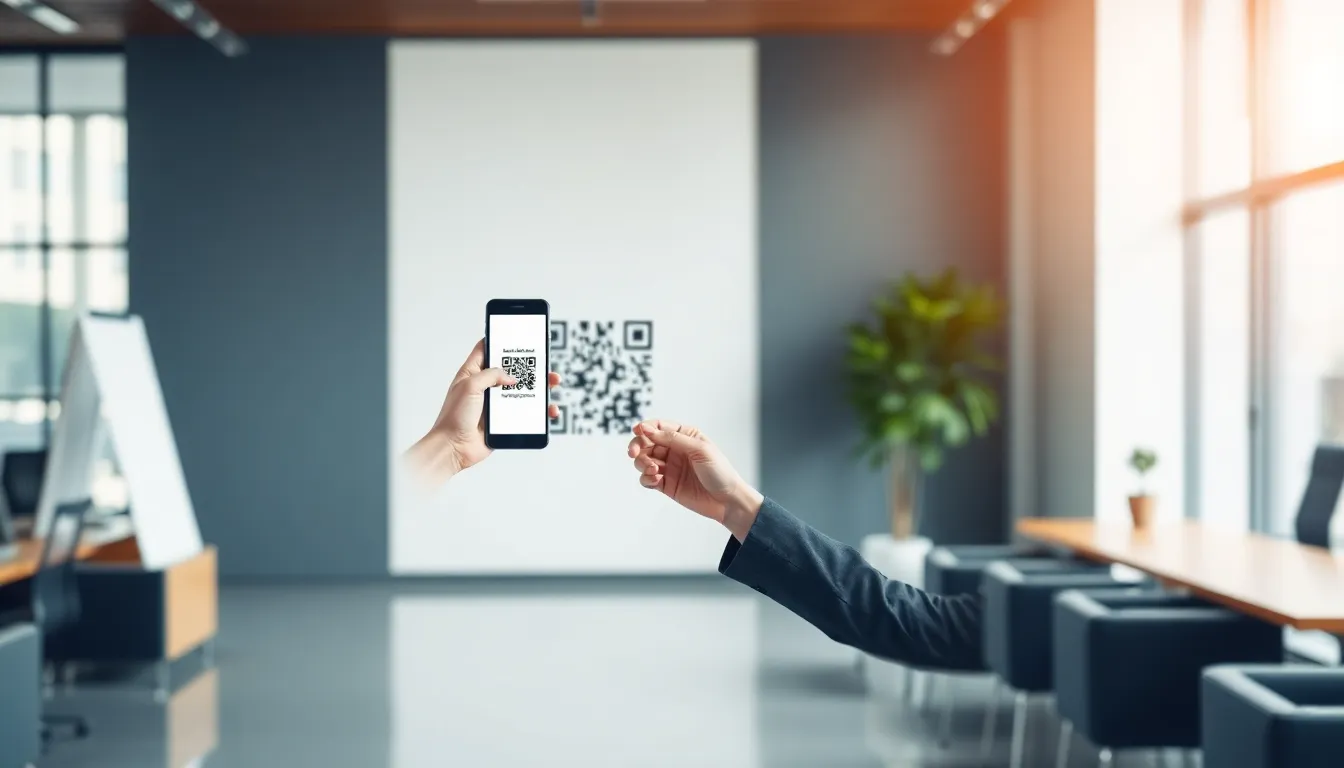
You see them everywhere: on restaurant tables, product packaging, and bus stop ads. The QR code has evolved from a niche industrial tool into a primary bridge between the physical and digital worlds. But have you ever wondered what happens between typing a URL into a generator and that black-and-white square appearing on your screen? The process is more sophisticated than it looks.
As someone who has built QR systems used by over 50,000 businesses, I can tell you the underlying technology is both elegant and complex. Modern generators do far more than just create a picture. They engineer a durable, scannable data container, balancing capacity, reliability, and design. This article breaks down the technical machinery inside the QR code generators you use every day, explaining the 2026 state of the art from binary data to final pixel.
We'll start with the fundamental conversion process, then examine the physical anatomy of the code itself. We'll explore the error correction magic that allows torn or dirty codes to still work, and clarify the crucial technical split between static and dynamic QR codes. This is how the black and white squares are really made.
What a QR Code Generator Actually Does
At its simplest, a QR code generator is a specialized data encoder. You provide input—a URL, a block of text, a vCard contact—and it outputs a machine-readable matrix. But the journey from your text to that final graphic involves several precise, standardized steps. The generator's core job is to execute this encoding pipeline flawlessly, ensuring the output complies with the ISO/IEC 18004:2015 standard, the international specification that guarantees interoperability between creators and scanners.
Key takeaway: A QR code generator is an encoder that transforms your input data into a binary pattern, wraps it in structural elements and error correction, and outputs a standard-compliant graphic. It's a packaging system for digital information.
First, the generator analyzes your input. It determines the data mode (numeric, alphanumeric, byte/binary, or Kanji) and calculates the smallest possible QR code version (from 1 to 40) that can contain it. A standard QR code can theoretically store up to 4,296 alphanumeric characters, but in practice, most generators will recommend keeping input under 300-500 characters for reliable, fast scanning across all devices. Longer data requires a larger, denser code that can be harder for older smartphone cameras to read.
Next comes the conversion to binary. Your text is converted into a string of bits according to the chosen mode's rules. For example, in alphanumeric mode, which uses a set of 45 characters (0-9, A-Z, and a few symbols), two characters are packed into 11 bits. This bit stream is then broken into code words (8-bit blocks) for processing.
Before this raw data is placed into the matrix, the generator adds error correction. Using a mathematical algorithm (typically Reed-Solomon, which we'll cover in detail later), it calculates and appends extra code words. These are not a simple backup copy; they are mathematically derived redundancy data that allows the scanner to reconstruct missing or corrupted information. The chosen error correction level (L, M, Q, or H) directly determines how many of these extra code words are added, trading data capacity for durability.
Finally, the generator builds the visual matrix. It places the data and error correction code words into a pre-determined zigzag pattern within the matrix, avoiding reserved areas. It then adds the critical structural patterns: the three finder patterns in the corners, the alignment patterns (for larger codes), and the timing patterns of alternating black and white modules. A mandatory quiet zone—a margin of at least four modules of white space around the entire code—is applied. This zone is non-negotiable; without it, scanners cannot reliably locate the code. The result is a grid of black and white squares, or "modules," each representing a single binary 1 or 0, ready for you to download and use.
The Three Core Components of Every QR Code
Every QR code, regardless of its content, is built from a set of immutable functional patterns. These are not decorative; they are the navigational beacons and alignment marks that allow a scanner—from a $10,000 industrial reader to your phone's camera—to instantly locate, orient, and read the code. Understanding these components explains why QR codes are so reliably scannable from any angle. The original 1994 patent documentation from Denso Wave, the code's inventor, meticulously defines these structures, and modern generators adhere to these specifications.
Key takeaway: All QR codes contain three mandatory structural components: finder patterns for location and orientation, timing patterns for module grid calibration, and alignment patterns for correcting distortion. These consume fixed space but enable universal scanning.
Finder Patterns: These are the three identical squares located at the top-left, top-right, and bottom-left corners. Their unique nested bullseye pattern (a black square, surrounded by a white margin, then a black border) is easily detectable by scanning software even in a cluttered image. They allow the scanner to find the code's boundaries and determine its rotation and viewing angle. While they occupy about 25% of the total QR code area, they are non-negotiable. Without them, your phone would struggle to distinguish a QR code from any other black-and-white grid.
Timing Patterns: These are two lines of alternating black and white modules running between the finder patterns—one horizontal, one vertical. Think of them as a ruler etched into the code. By counting the alternations along these lines, the scanner can determine the density (or "version") of the QR code and precisely calibrate the coordinate system for each individual module. This is how it knows where one square ends and the next begins, even if the image is slightly blurry or pixelated.
Alignment Patterns: For QR codes of version 2 and larger (version 1 consists only of the finder and timing patterns), a grid of smaller alignment squares is added. Their sole purpose is to correct for surface distortion, such as when a code is printed on a curved bottle or scanned at a severe angle. They provide additional reference points that let the scanner "warp" its internal grid to match the distorted perspective of the code, flattening it out digitally before reading the data. The number and position of these patterns increase with the code version.
The remaining area of the matrix is reserved for the data and error correction zones. These modules are where your encoded message and its protective redundancy actually live. They are placed in a specific, pre-defined order that snakes around the finder, timing, and alignment patterns. A good generator's primary technical challenge is to correctly calculate and fill this zone, ensuring every single module is in the right place according to the ISO standard.
Error Correction: Why Your QR Code Still Scans When Damaged
This is the technological superpower of the QR code. You can tear off a corner, spill coffee on it, or scratch its surface, and it often still works. This resilience isn't luck; it's the result of deliberate, built-in error correction. Generators implement this using Reed-Solomon codes, a mathematical algorithm developed long before QR codes existed, now crucial for everything from QR codes to CDs and deep-space transmissions. A seminal IEEE paper on error correction in 2D barcodes details how this transforms a simple graphic into a durable data container.
Key takeaway: QR codes use Reed-Solomon error correction, adding redundant data that lets scanners mathematically reconstruct missing or corrupted portions. You choose the level (L, M, Q, H), balancing durability against the amount of data you can store.
When you select an error correction level in a generator, you are deciding on a storage trade-off. The four levels are:
- L (Low): Recovers ~7% of code damage. Offers highest data capacity.
- M (Medium): Recovers ~15% damage. The default and most common choice.
- Q (Quartile): Recovers ~25% damage.
- H (High): Recovers ~30% damage. This maximum durability reduces usable data capacity by about 25% compared to Level L.
Here's how it works technically: After your data is converted into code words, the Reed-Solomon algorithm processes them. It doesn't just copy the data; it uses polynomial algebra over a finite field to generate extra "repair" code words. These repair codes are a function of all the original data. When a scanner reads a damaged code, it locates the missing or unreadable modules (erasures) or misidentified modules (errors). The Reed-Solomon decoder then uses the surviving repair code words to solve for the missing original data, like using the known pieces of a puzzle and its blueprint to deduce the shape of the missing pieces.
Real-world scenarios show this in action. A logo placed in the center of a code typically obscures 10-15% of the modules. With Level M or higher error correction, the scanner ignores the logo entirely, reconstructing the data underneath. A crumpled corner or a deep scratch might destroy a continuous chunk of the data area. Because the data code words are interleaved (scattered) throughout the matrix before the repair words are added, localized damage is distributed across multiple code word blocks, making recovery more likely. This is why Level H correction can survive even when a significant portion, up to 30%, is gone.
For generators, implementing this is computationally straightforward but critical. A platform like OwnQR (ownqrcode.com) handles these calculations automatically, allowing users to select the appropriate level for their use case—High for a code on outdoor machinery, Medium for a digital business card—without needing to understand the underlying polynomial math.
Static vs Dynamic QR Codes: Technical Differences
This is the most important architectural fork in the road for QR code deployment, and the difference is fundamental. A static QR code encodes the final data directly into its pattern. A dynamic QR code encodes a short, unique redirect URL that points to a server, which then returns the final content. The generator's role and the underlying technology are completely different for each type.
Key takeaway: Static codes contain fixed data directly in their pattern. Dynamic codes contain a short redirect link to a server; the destination content and tracking are managed separately, allowing for updates and analytics after printing.
Static QR Code Generation: This is the classic, simpler process described in the first sections. The generator takes your input (e.g., https://example.com/product), runs it through the encoding and error correction pipeline, and outputs a final matrix. The data is burned into the graphic. If you need to change the destination, you must change the code itself—generate a new one and reprint it. The technical footprint is minimal: just the generator software and the output image file.
Dynamic QR Code Generation: This is a two-part system. First, the generator creates a unique short URL on its domain (e.g., https://ownqr.codes/abc123). This short URL is what gets encoded into the QR code's matrix. The second part is the server infrastructure. When that code is scanned, the user's device goes to the short URL. A server (the "redirect engine") receives the request, instantly looks up abc123 in a database, retrieves the current destination URL (which you can change at any time), and redirects the browser there. It also logs the scan event—timestamp, approximate location, device type—before the redirect happens.
The technical requirements escalate significantly. The generator must be tied to a live database and a scalable web server. Each dynamic code requires a database record. For basic scan tracking, you need about 2KB of storage per code to hold its destination and metadata. Then, for each scan, you need server processing power to execute the database lookup, log the analytics, and perform the HTTP redirect in under 100 milliseconds to avoid user frustration. This is why, as noted in documentation for services like Google's URL shortener API, dynamic redirection is a service, not just a graphic generation tool. The value is in the post-creation control and the data: you can change a marketing campaign link, track engagement on a printed poster, or password-protect content long after the QR codes are in the wild.
In practice, this means...
In practice, this means the generator's job is only half done when the code is downloaded. The real engineering challenge is maintaining a persistent, high-availability link between that static pattern and a dynamic destination—a service layer that must operate flawlessly for years.
Ready to try it? Create your QR Code Generator in seconds
You've seen the comparison. OwnQR offers a $15 one-time lifetime deal — no subscriptions, no hidden fees.
How Color and Design Affect Scan Reliability
You can't just make a QR code any color. Scanners, from your phone to industrial units, don't see color; they see contrast. They convert the image to grayscale and look for a stark difference between the dark modules (typically the "foreground") and the light modules (the "background"). The minimum contrast ratio for a scanner to reliably decode an image is about 4:1, but in real-world conditions with poor lighting or screen glare, a ratio of 7:1 or higher is what you should target. This aligns with the W3C's accessibility guidelines for visual contrast, which exist for similar reasons: legibility.
Key takeaway: QR codes work on contrast, not color. For reliable scans in suboptimal conditions, aim for a minimum 7:1 contrast ratio between your darkest and lightest elements, treating the scanner like a user with low vision.
This contrast requirement explains why some color choices fail. A dark blue code on a black background is unreadable. A red code on a green background may appear distinct to our eyes, but often converts to a similar shade of gray, destroying contrast. The safest approach is to use a very dark color (black, navy, deep burgundy) on a very light field (white, light yellow, pale gray). You can invert this—light on dark—but you must ensure the light modules are pure enough to be clearly brighter.
Designers often ask about gradients, patterns, or using photos as a background. This is risky. Scanners perform a process called "color channel separation," often favoring the green channel from the RGB image because it typically holds the best contrast data. A complex background introduces noise that can drown out the signal. If you must use a background image, it needs to be heavily muted and placed only in the safe zones: the quiet area border and the central spaces of the finder patterns. The modules themselves must remain solid, high-contrast colors.
The three finder patterns (the large squares in three corners) and the alignment patterns are critical for the scanner to locate and orient the code. Never obscure or design over these. The mandatory quiet zone—a border of light space around the entire code—is not a suggestion. It's a buffer against visual noise from the surrounding environment. Ignoring it is the fastest way to cause scan failures.
At OwnQR, our design tool enforces these rules in real-time. When a user applies a gradient, the system simulates the grayscale conversion and warns if contrast drops below a safe threshold. This prevents the creation of beautiful but useless codes.
Mobile Camera vs Dedicated Scanner: How Detection Differs
The device scanning your code drastically changes what it can handle. Your smartphone's camera is a generalist; a dedicated handheld scanner is a specialist. Understanding this split explains why a code might work perfectly on one but fail on the other.
A mobile camera uses sophisticated software frameworks, like Apple's Vision framework on iOS, to find and decode QR codes. This software can correct for perspective distortion, poor lighting, and even partial obstructions. It takes a full-color image and applies computational photography techniques: sharpening, contrast enhancement, and distortion correction. This allows modern phones to detect a well-sized QR code from distances of up to 3 meters in good light, as the software can identify the finder pattern pattern even in a lower-resolution preview frame.
Key takeaway: Your phone uses powerful software to find and correct QR codes in a full image. Dedicated scanners use targeted hardware to read a precise area quickly, making them less forgiving of design errors but faster in controlled settings.
Dedicated scanners, like those at retail checkouts or in warehouse inventory guns, work differently. They typically project a red laser or LED pattern and use a sensor tuned to read the reflected light from a very specific, short distance—usually between 0.5 and 1.5 meters. They expect the code to be presented squarely within their beam. They have minimal software for image correction; they are built for speed and accuracy in a controlled environment. They are often monochrome sensors, which is why color contrast is so critical. A design that a phone's software might compensate for will completely stump a hardware scanner.
Lighting adaptation is another key difference. Phone cameras constantly adjust exposure and focus. If you scan a dark-on-light code, the camera might darken the whole image, preserving the contrast. A dedicated scanner's exposure is often fixed. If the ambient light is too bright or too dim, it fails.
Focus requirements highlight the last major divide. Phones use autofocus, often with macro capabilities, allowing you to scan a code printed on a curved surface or held very close. Many dedicated scanners have a fixed focal length. You must hold the code at the exact "sweet spot" distance, or it will remain a blur.
The Mathematics Behind QR Code Generation
When you type a URL and click "generate," you trigger a cascade of mathematical operations that transform your input into a grid of black and white squares. This isn't simple translation; it's a robust encoding process designed to survive damage.
First, your data (whether numeric, alphanumeric, or binary) is converted into a string of bits according to a strict mode indicator. This bit stream is then broken into blocks for error correction. Here, the generator uses Reed-Solomon error correction, a algorithm also used in CDs and DVDs. The system creates error correction codewords through polynomial division over a Galois field (GF(256)). Choosing an error correction level (L, M, Q, H) determines how many of these codewords are generated, trading off data capacity for survivability. A Level H code can have up to 30% of its surface damaged and still scan.
Key takeaway: Generating a QR code is an exercise in applied mathematics, using polynomial division for error correction and evaluating multiple mask patterns to find the one that creates the most scannable, balanced grid of modules.
The data and error correction codewords are then interleaved—mixed together in a specific order—so that a physical smudge or tear affects a distributed set of bits, not one contiguous block, making the error correction far more effective.
Next comes one of the most computationally interesting steps: mask pattern selection. The raw module grid, with its finder patterns and timing belts, can have problematic features like large blank areas or patterns that look like a finder pattern, which confuse scanners. The generator applies eight standardized mask patterns (e.g., (row + column) mod 2 = 0) to the data area. For each mask, it performs a "penalty" scoring based on four rules evaluating adjacent same-color modules, finder-pattern-like sequences, the balance of dark/light, and more. The mask with the lowest penalty score is selected. This entire process involves about 15 mathematical operations per data character, plus the eight full mask evaluations.
Finally, the format and version information, which tells the scanner the error correction level and mask pattern used, is encoded with its own error protection and placed around the finder patterns. The result is a mathematically verified, optimized grid ready for rendering.
Why QR Code Size and Resolution Matter
A QR code is a physical object. Its size on a screen or in print creates absolute physical constraints for the scanner. Get this wrong, and even a perfectly generated code will fail.
The fundamental unit is the module: a single black or white square. The scanner's camera must be able to resolve each module distinctly. On digital screens, each module should be a minimum of 4x4 pixels. Using 1x1 pixel modules will cause aliasing and blur, as screen sub-pixel rendering and anti-aliasing can blur the edges. On a printed medium, the standard is clearer: each module should be at least 0.3mm x 0.3mm. This is informed by ISO print quality standards for barcodes, which account for ink spread and material texture.
Key takeaway: Every QR code module must be a distinct, sharp point. Aim for each module to be at least 4x4 pixels on screens and 0.3mm in print. The total code size is then determined by the viewing distance.
This leads to the distance-to-size ratio. A common rule is the "10:1" rule: the minimum width of your QR code should be 1/10th of the scanning distance. For example, a code meant to be scanned from 1 meter away should be at least 10 cm wide. A poster meant for scanning from 3 meters needs a QR code at least 30 cm wide. This ensures the scanner's camera has enough pixels across the code to resolve the modules. Modern phone cameras with high megapixel counts can sometimes read smaller codes from farther away, but the 10:1 rule is a safe baseline for reliable performance.
Resolution is where print and digital diverge. For print, you need a vector file (SVG, EPS) or a high-resolution raster image (300 DPI minimum). A low-resolution JPEG blown up for a billboard will become a fuzzy, unscannable mess. For screens, you must consider pixel density (PPI). A code that looks fine on a 72 PPI monitor may appear tiny and dense on a 400 PPI smartphone screen. Testing on multiple devices is non-negotiable.
Pixelation and blur are the twin enemies. Pixelation occurs when modules are too few pixels large, creating jagged, ambiguous edges. Blur occurs from motion, poor focus, or over-compression (like a heavily compressed JPEG). The threshold is sharp: if a scanner's edge detection can't clearly find the boundary between modules, the decode process will
fail. This is where security features built into the generator become critical.
Modern QR generators don't just create patterns; they build secure containers. The most direct method is encryption. Using standards like AES-256, a generator can encrypt the payload data before encoding it into the QR code. When scanned, the raw data is unreadable without the correct decryption key. This adds about 15% to the data size, as the encrypted text is less compressible, but it’s a necessary overhead for protecting sensitive data like medical records or financial documents. This practice aligns with NIST guidelines for cryptographic standards, which recommend AES-256 for protecting classified information.
Password protection is a user-friendly layer on top of encryption. The generator creates a code that, when scanned, prompts the user for a password before revealing the content. This is different from encryption; the QR code itself often contains a link to a secure portal where the password is validated. It’s perfect for distributing private documents, event tickets, or exclusive offers to a known group.
Dynamic QR codes enable powerful control features. Expiration dates can be set so a code simply stops working after a certain date and time, ideal for time-sensitive promotions or temporary access credentials. Scan limit controls are even more precise. You can issue a unique voucher code with a limit of one scan, preventing screenshot sharing and guaranteeing single-use. For a paid report or a high-value coupon, setting a scan limit of 50 ensures only the first 50 scans get the benefit, protecting your budget.
Key takeaway: Today's generators build security in. Encryption (AES-256) protects data at rest, passwords gate access, and dynamic controls like expiration dates and scan limits manage usage after printing. Security is now a core feature, not an afterthought.
OwnQR implements these features by allowing users to create a dynamic QR code and then toggle on password protection, set expiry dates, and define hard scan limits from the dashboard. This turns a static piece of art into a managed digital asset.
How QR Codes Handle Different Data Types
A QR code generator isn't a one-size-fits-all tool. Its first job is to analyze your input and choose the most efficient "mode" to compress the data into the smallest possible pattern. Think of modes like different filing systems, each optimized for a specific type of content.
Numeric mode is the most efficient, but it only handles digits 0-9. It packs 3 digits into 10 bits. For a string like "123456789", it's incredibly compact. In fact, numeric mode can store about 40% more digits than alphanumeric mode in the same physical space. This is why it's perfect for encoding pure numbers like serial numbers, ZIP codes, or simple IDs.
Alphanumeric mode is a workhorse for URLs and basic text. It handles uppercase letters A-Z, digits 0-9, and nine special characters: space, $, %, *, +, -, ., /, and :. It packs two of these characters into 11 bits. This is why most URL shorteners use uppercase—it keeps the encoding within this efficient mode. A generator will auto-select this for a standard http:// link.
Byte mode is the catch-all. It encodes data at 8 bits per character, suitable for anything else, including lowercase text, punctuation, and binary data. This is where you need to be mindful of character encoding. The QR code standard itself doesn't define it; the generator and scanner must agree. Modern systems universally use UTF-8, as endorsed by the Unicode Consortium, to handle everything from an emoji (😊) to a Cyrillic character (Ж). If a generator uses an older standard like ISO-8859-1, your special characters will turn to gibberish on most modern phones.
Kanji mode is a special, highly efficient mode for Japanese Kanji and Kana characters, based on the Shift JIS encoding. It can compress one Kanji character into 13 bits, making it far more efficient than putting those characters through byte mode. A good generator will detect and use this mode for appropriate text, saving significant space.
Key takeaway: Generators use different data modes (Numeric, Alphanumeric, Byte, Kanji) to pack information as tightly as possible. Choosing the right mode can reduce the physical size of the code by up to 40%. Always ensure your generator uses UTF-8 in Byte mode for universal character support.
The generator's algorithm runs through these modes to find the most compact representation. That's why pasting a long, complex URL with mixed case and parameters often results in a denser, harder-to-scan code than a shortened, uppercase-alphanumeric link.
The Future: What 2026 QR Technology Will Add
The QR code is evolving from a static square into a dynamic, integrated component of physical design and digital interaction. By 2026, the generators we use will be building far more sophisticated objects.
Smaller Micro QR Codes (M1-M4) are gaining traction. These are simplified codes with a single position marker instead of three. The smallest, M1, can be as tiny as 11x11 modules. This is a game-changer for embedding codes on extremely small components, like microchips, medical device parts, or fine jewelry. The generator must perfectly optimize data to fit these constrained sizes.
Frame QR (also called SQRC) is revolutionizing design. Denso Wave, the original inventor, has published white papers detailing how this technology allows a customizable central "frame" area for logos or graphics. The data is stored in a pattern around this frame. Critically, Frame QR technology allows up to 60% of the total code area to be used for custom graphics while maintaining scan reliability. Future generators will offer intuitive drag-and-drop canvas tools where you design the central graphic, and the software automatically builds the functional code around it, balancing error correction and aesthetics.
3D Printed QR Codes move from a printed pattern to a physical topography. A generator will output a 3D model file (like .STL) where the modules are raised bumps or recessed pits. Scanned by a structured light sensor or even a smartphone with advanced depth sensing, these codes can be embedded into product molds, architectural surfaces, or industrial tools for permanent, durable identification. The generator must account for lighting, shadow, and scan angle in its 3D model design.
Augmented Reality (AR) Integration is the big leap. The QR code becomes a visual trigger that launches not just a webpage, but a persistent AR experience anchored to that exact spot. Imagine scanning a code on a museum exhibit to see a 3D artifact reconstructed on your phone, or on a factory floor to pull up interactive machine schematics. The generator will no longer just create a code; it will be part of a platform that links the code to an AR scene, managing the digital twin associated with that physical location.
Key takeaway: The next-generation QR is smaller (Micro QR), more design-flexible (Frame QR), physically durable (3D printed), and an anchor for immersive digital layers (AR). Generators will become design and experience platforms, not just pattern creators.
These advancements require generators to handle more complex input and output formats. At OwnQR, we're already prototyping tools that let users upload a central logo and automatically generate a compliant, high-scan-rate Frame QR around it, which is a necessary step toward this future.
Common QR Code Generation Mistakes and Fixes
Even with advanced technology, human error in the generation or design phase causes most scan failures. Here are the critical mistakes and how to fix them.
Insufficient Quiet Zone. This is the non-negotiable empty border surrounding the code. The ISO standard mandates a quiet zone of 4 modules (4 times the size of one black/white square). About 30% of user-reported scan failures trace back to this zone being encroached by logos, text, or page borders. The scanner needs this blank space to locate the code. Fix: Always ensure your generator adds this zone automatically, and never crop it out. The GS1 standards organization is unequivocal on this in their QR code best practices.
Poor Contrast Choices. QR codes require high contrast between light modules and dark modules. Black-on-white is ideal. However, designers often use dark blue on light grey or red-on-black, which drastically reduces the luminance difference a scanner detects. Fix: Use a high-contrast color pair. If using colors, ensure the "dark" module has a very low brightness value and the "light" module has a very high one. Many generators now have built-in contrast checkers.
Overly Complex Designs. Embedding a detailed logo, using gradients within modules, or applying a "dot" or "rounded" pattern degrades scanner performance. These modifications distort the module edges and confuse the alignment and timing patterns. Fix: Keep internal modifications simple. If using a logo, ensure it's high-contrast and placed in the center without disrupting the critical finder patterns. Test extensively.
Wrong Error Correction Level. Generators offer four levels: L (Low, ~7% recovery), M (Medium, ~15%), Q (Quartile, ~25%), and H (High, ~30%). Using Level L for a code that will be printed small or on a rough surface is a recipe for failure. The code can't recover from even minor damage. Using Level H for a simple URL on a high-quality brochure wastes space, making the code unnecessarily dense. Fix: Match the level to the use case. For print materials that might get wrinkled or dirty, use Q or H. For digital screens in controlled environments, M is often sufficient.
Key takeaway: The biggest scan failures come from ignoring fundamentals: too-small quiet zones (aim for 4 modules), low color contrast, overly artistic module distortion, and mismatched error correction. Always test the final printed or displayed version on multiple devices.
A robust generator helps prevent these mistakes. It should enforce a quiet zone, warn about low contrast, simplify the design process, and recommend error correction levels based on your selected use case. Your final step should always be a physical test: print it, put it where it will live, and scan it with an older phone. If it works there, it will work anywhere.
The journey from your data to a reliable scannable code is a blend of precise engineering and thoughtful design. A generator is the tool that navigates this, balancing data density, error correction, and visual clarity. As we move toward 2026, these tools will handle more data types, integrate deeper security, and output codes that are not just scanned, but experienced. The goal remains unchanged: to create a flawless bridge between the physical world and digital information. Choose a generator that understands every step of that bridge's construction, and build with confidence.
Tags
Frequently Asked Questions
What is the main difference between a static and a dynamic QR code?
A static QR code is a direct, unchangeable link to a specific URL or piece of data. Once printed, it cannot be edited. A dynamic QR code is a short link that redirects to a destination you can change at any time after printing. Dynamic codes require hosting on a server, which is why they are typically offered through paid subscriptions or lifetime software licenses, not free tools.
If I stop paying for a subscription-based QR code generator, what happens to my codes?
With most subscription services (like QR Tiger, Beaconstac, Unitag), if you cancel your plan, your dynamic QR codes will typically stop working. They will either display an error page or fail to redirect. This is a critical consideration for any business using QR codes on printed materials intended to last for years. A one-time purchase model avoids this risk, as the code's functionality is not tied to an ongoing payment.
Are there any hidden fees with lifetime deal QR code generators?
With a legitimate lifetime deal like OwnQR's $15 offer, there are no recurring fees. However, you should verify what 'lifetime' covers. It should include the core functionality of generating and hosting your dynamic codes indefinitely. Be wary of offers that are actually long-term subscriptions (e.g., 'lifetime access' to a plan that could be discontinued) or that charge extra for essential features like analytics or vector exports. Always read the terms of service.
Can I transfer my QR codes from one generator to another?
Transferring dynamic QR codes is generally not possible because the code itself points to a unique URL on the original generator's server. If you switch providers, you must create new codes and reprint any physical materials. This is a significant switching cost. The best practice is to choose your generator carefully from the start, considering long-term needs, to avoid the expense and hassle of migrating later.
Is my scan data private with these generators?
Privacy policies vary. With most SaaS generators (QR Tiger, Beaconstac, etc.), your scan data is collected and stored on their servers, governed by their privacy policy. Some, like OwnQR, offer a self-hosted option where you control the server and, therefore, all data. For businesses in regulated industries, understanding where data resides is crucial. You can review platforms' privacy policies and look for compliance with standards like GDPR.
Ready to own your QR codes?
One-time $15 for lifetime dynamic QR codes.
Most alternatives bill monthly — verify current rates on their site.
30-day money back guarantee