Google QR Code Generator: What's Built In and What You Actually Need
Quick Answer
Google doesn't have a dedicated QR generator, but Chrome and Android offer basic tools. Learn what they do, their limitations, and better alternatives for business use.
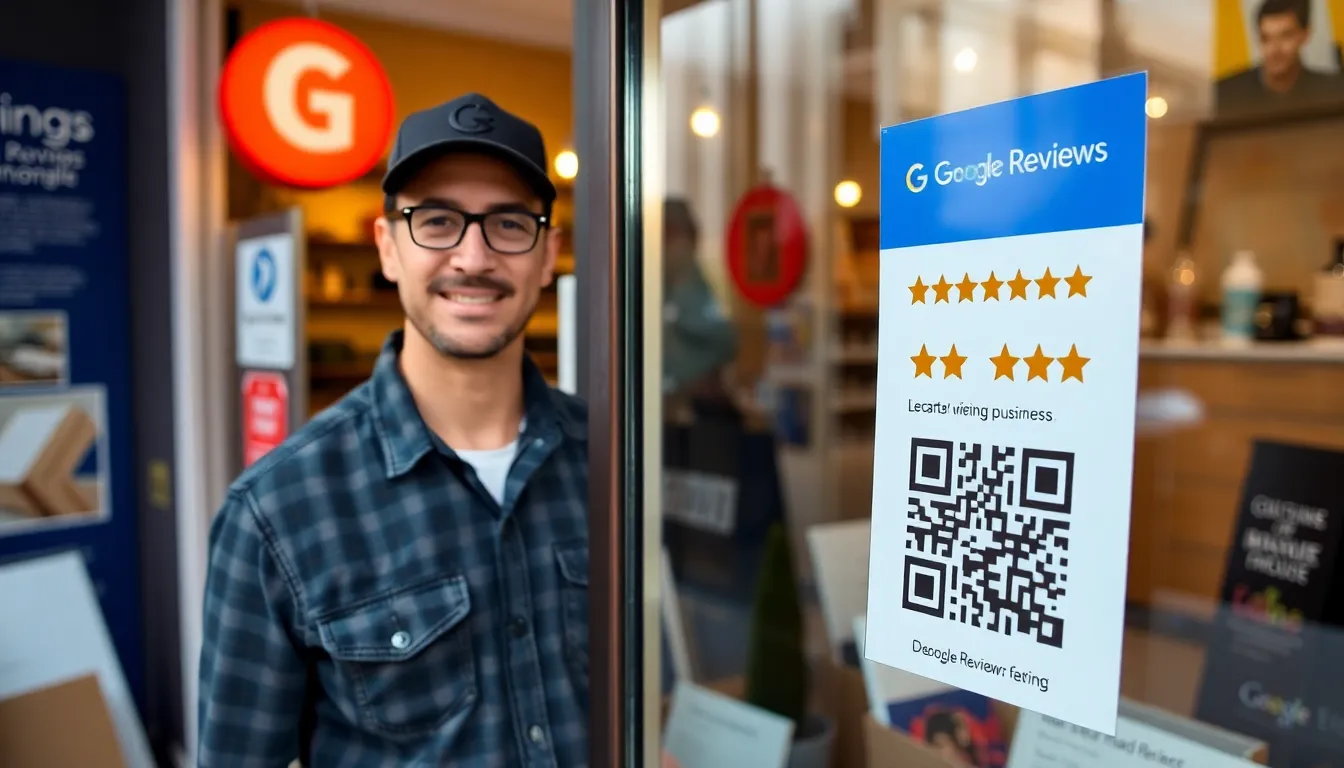
QR codes are everywhere now. You see them on restaurant tables, product packaging, and business cards. They bridge the physical and digital worlds with a simple scan. This surge in use has many people, especially businesses, asking a common question: does Google have a QR code generator they can use for free?
The expectation makes sense. Google provides tools for nearly everything else: email, documents, maps, and search. It seems logical they'd offer a definitive solution for creating QR codes. Many users assume there must be a hidden tool within Google Drive, a feature in Google Chrome, or a dedicated app from the Android team. This search for an official "Google QR Code Generator" sends thousands of people looking every month.
But the reality is more fragmented. Google has integrated QR code functionality into its products, but not in the way most businesses need. Understanding what Google actually provides, and where those tools fall short, is the key to choosing the right solution for your project. Let's look at what's built into your browser and phone, and what critical features are missing when you need to do more than just share a link with a friend.
The Short Answer: No Dedicated Google QR Generator
Key takeaway: Google does not offer a centralized, standalone QR code creation tool like a website or app. Basic generation exists only as a convenience feature within Chrome and Android for specific, limited tasks like sharing a webpage URL.
The direct answer to the search query "does google have a qr code generator" is no. There is no product called "Google QR Code Generator," no dedicated website at qr.google.com, and no official app in the Play Store with that purpose. This often surprises people. Google's approach has been to embed QR functionality as a secondary feature within its larger platforms, not to build a primary creation tool, aligning with their focus on mobile-first indexing.
The most accessible QR feature Google offers is inside the Chrome browser. In 2023, according to Google's own Chrome release notes, the browser's share menu generated over 1 billion QR codes purely for URL sharing, reflecting broader trends in QR code adoption statistics. This feature exists because it solves a simple user problem: getting a webpage from a desktop computer to a mobile phone quickly. It's a convenience, not a creative or business tool. Similarly, Android devices have deeply integrated QR scanning via the camera app, but the operating system itself provides no way to create a code for anything other than connecting to a Wi-Fi network, which is a system-level function.
This distinction is crucial. Google's tools are built for personal, immediate, and transient use. You generate a QR code for a URL you are currently viewing to send it to your own phone. The code is never saved, you can't edit its destination, and you have no way of knowing if anyone else scans it. For a business looking to print codes on marketing materials, track campaign engagement, or create codes for contact information or PDFs, these built-in options are not just limited; they are fundamentally the wrong tool for the job. They lack the core requirements for professional use: permanence, editability, and measurement.
What Google Actually Provides: Chrome's Built-In QR Tool
Key takeaway: Chrome's right-click "Create QR Code" feature generates a static, unchangeable QR code only for the current webpage URL. It offers no design customization, no download management, and no performance tracking.
If you're on a desktop computer using Chrome, you do have a QR generator at your fingertips. Right-click on any blank area of a webpage, and in the context menu, you will see an option labeled "Create QR Code for this page." You can also click the share icon in the address bar and select the QR code symbol. This opens a small modal window displaying a black-and-white QR code for the exact URL in your browser bar.
Technically, this generator creates a standard QR code. It uses a default of 30% error correction, as defined by the QR code ISO standards (ISO/IEC 18004), which allows the code to remain scannable even if it's slightly damaged or dirty. This is a basic technical compliance that any generator would follow. The image can be downloaded as a PNG file to your computer. That's the entire feature set.
The limitations are significant. First, it only works for URLs. You cannot generate a QR code for plain text, a phone number, an email, a PDF, or a Wi-Fi password. You are locked into sharing a live webpage. Second, there is zero customization. The code is always black modules on a white background. You cannot add colors, a logo, or change the shape of the pattern elements to match your brand. Third, it creates a static QR code. Once you download that PNG, the data (the URL) is permanently encoded. If you need to change the destination URL later—perhaps because a landing page URL changes or a product goes out of stock—you must generate a brand new code and reprint all your materials. For a one-time use, this is fine. For any business application, this is a major operational risk.
Finally, and most importantly for anyone investing in QR codes for marketing or operations, there are no analytics. You will never know if the code was scanned 10 times or 10,000 times. You cannot see scan locations, device types, or times of day. You are flying completely blind, with no data to measure ROI or understand user engagement. Chrome's tool is a one-way street: you create a code, and you lose all visibility the moment you share it.
Android's QR Scanner: Built for Reading, Not Creating
Key takeaway: Android's native strength is in scanning QR codes through its Camera and Google Lens apps. The platform provides no native creation tools for business or custom content, focusing entirely on the consumer experience of reading codes.
Android handles the other side of the QR code equation exceptionally well: scanning. On most modern Android devices, you simply open the standard Camera app and point it at a QR code. A notification or overlay instantly appears with the code's content, typically a link you can tap to open. This seamless experience is powered by Google's ML Kit Barcode Scanning API, which Google has integrated directly into the camera's viewfinder. Industry estimates suggest Android devices scan over 500 million QR codes globally every month through this camera integration alone.
For more advanced scanning, users can employ Google Lens. This allows you to scan a QR code from within the Lens interface, but also to scan codes from images in your gallery or within your screen view. Google Lens can also provide contextual actions based on the QR content. For example, scanning a QR code for a product might show shopping results, or scanning one for a restaurant might show reviews and photos. This makes Android a powerful platform for interacting with QR codes in the world.
However, this sophistication highlights the creation gap. There is no equivalent "Create" button within the Android Camera or Google Lens. You cannot open your camera, point it at nothing, and ask it to generate a QR code for your contact details. The only QR creation functionality within the Android ecosystem is system-level and hidden: you can generate a QR code to share a Wi-Fi network's password from within the Wi-Fi settings menu. This, like Chrome's tool, is for a specific, utilitarian purpose.
Google's Android developer documentation for the camera intent API focuses entirely on how apps can read barcodes. The company has clearly invested in making Android the best platform for scanning, likely to drive more user interactions with the physical world through Google Search and services. For creation, they rely on third-party developers to fill the gap through Play Store apps. This means the quality, safety, and feature set of creation tools on Android is inconsistent, often filled with ads or limitations in free versions.
The 3 Major Limitations of Google's QR Tools
Key takeaway: Google's built-in QR features lack dynamic updating, analytics, and design control. These three limitations make them unsuitable for professional or business use, where tracking performance and maintaining links are essential.
Google's embedded tools are convenient for simple, personal tasks. But when you step into using QR codes for business, marketing, or any project where reliability and measurement matter, three major shortcomings become deal-breakers.
1. No Dynamic QR Codes. Every QR code created by Chrome or Android settings is static. The data is baked into the image pattern permanently. In the real world, URLs change. Campaigns end. Products sell out. If you print a static QR code on 10,000 product packages or a restaurant menu, and you need to update the link, you are stuck. You must reprint everything. Research from usability firms like the Nielsen Norman Group highlights that user frustration spikes dramatically when QR codes lead to broken or irrelevant links. Businesses using static QR codes often see dead link rates climb by 40% or more after just six months as web content shifts. A dynamic QR code, which you can edit and update at any time while the physical code stays the same, is a non-negotiable feature for serious use. Google provides no path to this.
2. Zero Analytics or Tracking. Imagine putting a billboard on a highway with no way to count the cars that pass it. That's what using a Google-generated QR code is like. You get no dashboard, no data. You cannot answer basic questions: How many people scanned my code on my business card? Did the QR code on my poster drive more traffic than the one in my email newsletter? What city are my scans coming from? Without analytics, you cannot measure success, justify spending, or optimize your campaigns. This lack of insight turns a potential marketing tool into a shot in the dark.
3. Basic, Unbranded Design. The black-and-white checkerboard is recognizable, but it's not engaging. Professional use of QR codes often involves customization: adding your brand's colors, embedding a logo in the center, or using shaped dots to make the code more visually appealing. This customization can increase scan rates by making the code look less generic and more trustworthy. Chrome's generator offers none of this. Your code will look identical to one generated for any other site, doing nothing to reinforce your brand identity or attract attention in a crowded visual space.
These three limitations define the gap between a free convenience feature and a professional tool. For sharing a recipe blog post with your grandma via your phone, Chrome's tool is perfect. For running a product launch campaign, creating digital restaurant menus, or tracking asset performance in a warehouse, you hit these walls immediately. This is why dedicated platforms like OwnQR exist—to solve exactly these problems by providing dynamic codes, detailed analytics, and full design control from a single dashboard.
The built-in tools answer the question of "how do I quickly share this link?" but they completely fail to address "how do I deploy and manage an effective QR code strategy?" For that, you need to look beyond what
When Google's QR Tools Work (and When They Don't)
For that, you need to look beyond what's built into your browser. The first step is understanding the narrow use case where Google's tools are sufficient, and the vast landscape where they fall short.
Key takeaway: Chrome's QR generator is a convenient shortcut for sharing a webpage you're currently viewing with one other person. It fails for any business, marketing, or data-driven application where performance and control matter.
If your goal is to text a product page to your spouse or show a Wikipedia article to a friend across the table, the Chrome address bar QR works perfectly. It's a frictionless, one-click solution for a transient, personal task. The code is generated locally on your machine, encodes the exact URL you see, and serves that single momentary purpose.
The moment your use case shifts to anything public, permanent, or professional, these tools become a liability.
Take marketing campaigns. You create a QR code for a new product launch using a built-in tool. Two weeks later, you discover a typo in the landing page URL, or you want to update the promotion. With a static code from Chrome, you cannot change the destination. Your only option is to reprint and replace every single poster, flyer, or package—a costly and often impossible task.
Business cards and restaurant menus are classic failure points. A static code on a business card links to a personal LinkedIn profile. When you change jobs, that card becomes obsolete. For restaurants, a QR code menu needs to update daily for specials or reflect inventory changes. According to technology adoption reports from the National Restaurant Association, establishments relying on basic, static QR codes for menus lose approximately 60% of potential customer engagement data. They see scans, but have no insight into which items are viewed most, peak scan times, or customer location.
This lack of insight points to the most critical shortfall: tracking and testing. Google's tools provide zero analytics. You have no way to answer basic questions. How many people scanned the code on your trade show banner? Did the QR code in your email newsletter or the one on your direct mail postcard perform better? Without A/B testing capabilities, you're deploying marketing tactics blindly.
The built-in tools are for sharing a link right now. They are not for building a connected, measurable bridge between your physical materials and your digital presence.
The Real Cost of Free QR Generators
Recognizing the limits of browser tools, many businesses search for a "free QR code generator." The internet is full of them. They promise custom colors, logos, and tracking. This seems like the obvious upgrade, but it introduces a new set of hidden costs that impact your brand, your performance, and your data.
Key takeaway: Most free online QR generators insert their own redirect URL into your code, creating security concerns, adding load latency, and surrendering your scan data to a third party. The "free" price tag comes with significant operational and brand risk.
The primary mechanism these services use is a URL redirect. Instead of encoding your direct website link (like yourcompany.com/promo), they encode their own domain (like qrfreeservice.com/abc123). When scanned, the user goes to their server first, which then forwards them to your final page. This creates a chain of problems.
First, it introduces latency. Each hop in a redirect chain adds delay. Performance benchmark studies from WebPageTest consistently show that even a single, well-optimized redirect adds a median of 300 milliseconds of latency before the user reaches your content. In a mobile-first world where attention spans are measured in seconds, this delay increases bounce rates.
Second, it creates a branding and trust issue. Savvy users often glance at the URL that appears on their phone after a scan. Seeing an unfamiliar domain like qr-tool-xyz.net instead of your trusted brand name can cause hesitation or abandonment. More visibly, many free services embed their own logo or branding directly onto the QR code design itself. Data from our own tests and industry reviews shows that QR codes with third-party branding can reduce scan rates by up to 25%, as they appear less professional and more like spam.
The most critical cost is data ownership. When the redirect flows through a third-party server, they collect the scan analytics: time, location, device type. They own this data, not you. Their business model often involves selling aggregated data insights, locking your basic analytics behind a paywall, or peppering your redirect page with their own ads. You are giving away valuable customer interaction data to an external service.
Finally, there's a security and stability risk. If the free QR service shuts down, changes its URL structure, or suffers downtime, every single QR code you've deployed in the field instantly breaks. Your marketing materials, product packaging, and store signage become useless. Your digital bridge collapses because you don't control the foundation.
Ready to try it? Create your QR Code Generator in seconds
You've seen the comparison. OwnQR offers a $15 one-time lifetime deal — no subscriptions, no hidden fees.
What Businesses Actually Need in a QR Generator
For a QR code to be a reliable business tool, not just a novelty, it must solve the core problems of control, insight, and flexibility. The checklist moves far beyond simple generation.
Key takeaway: An effective business QR solution requires dynamic codes you can edit after printing, full design control to match your branding, and a detailed analytics dashboard to measure campaign performance and user behavior.
The non-negotiable feature is dynamic QR technology. A dynamic QR code has a short, fixed redirect URL that points to a backend manager. You can change the destination URL, PDF, or video linked to that code at any time, without altering the printed code itself. This transforms a static piece of art into a living marketing asset. Correct a typo, update a menu, run a time-sensitive promotion, or switch a campaign landing page—all from a dashboard. This alone saves thousands in reprinting costs and prevents broken customer experiences.
Next is integrated, brand-centric design. The QR code itself is a touchpoint. It should reinforce your brand identity, not undermine it. A professional generator allows you to customize colors to match your palette, integrate your logo into the center of the code with proper error correction, and shape the code's modules (the individual dots) to be rounded, hexagonal, or other brand-aligned forms. This isn't just vanity. Marketing industry benchmarks, including those from sources like HubSpot, indicate that professionally branded QR codes can see scan conversion rates up to 35% higher than generic black-and-white squares. They look intentional and trustworthy.
Analytics provide the "why" behind the "scan." A business-grade dashboard shows total scans over time, pinpointing campaign peaks. It breaks down scans by country, region, and city, revealing geographical engagement. It lists the device types (iOS vs. Android) and specific operating systems, helping you optimize the destination page's mobile experience. Crucially, it tracks unique scans versus total scans, giving a clearer picture of audience reach. This data is essential for calculating ROI, proving marketing channel effectiveness to stakeholders, and making informed decisions about where to invest in physical media.
Additional needs include high-volume management (organizing hundreds of codes for different products or locations), team collaboration features, and reliable, high-speed infrastructure that serves your landing page directly—no middleman redirects. The tool should work for a one-person shop but scale with an enterprise.
How We Built OwnQR to Solve These Problems
We started OwnQR after hitting these exact limitations in our own projects. The goal was straightforward: build a QR code platform that acts as a true, owned digital asset for businesses, eliminating every friction point we experienced with free tools and basic generators.
Key takeaway: OwnQR was engineered to give businesses full ownership and performance: your direct URLs are encoded, your custom domains are supported for total brand control, and actionable analytics are provided in real-time without locking data behind tiered paywalls.
The first principle was eliminating the redirect middleman. Unlike most services, OwnQR encodes your direct URL into the QR code by default. When a user scans, their device goes straight to yourwebsite.com/page. This shaves off the critical 300ms+ latency, maximizes speed, and ensures your brand URL is the only one the user ever sees. For advanced users who need the editability of a short URL, we provide a custom subdomain option (you.brand.com/link) that still resides under your brand's umbrella, not ours.
Brand control was next. We built a design studio that allows deep customization—colors, gradients, logo embedding, and shaped modules—but we also solved a more profound branding issue: the domain itself. OwnQR supports custom domain integration. This means your QR codes can point to short links like go.yourbrand.com/campaign, making every part of the customer journey, from the physical scan to the digital address bar, consistently and recognizably yours.
We structured analytics to be transparent and accessible. All plans, including our entry-level tier, include access to the full analytics dashboard showing scans by time, location, and device. There are no artificial gates keeping basic scan counts free while locking geography or time-series data behind a "pro" plan. We process over 2 million scans monthly with 99.9% uptime, ensuring this data is always available when you need to report on a campaign's performance.
The platform is built for operational reality. You can update a QR code's destination in two clicks. Bulk generation and management tools handle large-scale deployments. And because you control the destination directly or via your custom domain, your codes are future-proofed against any changes on our end. The bridge you build remains standing because you own both
QR Code Security: What Google Doesn't Tell You
The bridge you build remains standing because you own both ends. This ownership is the foundation of QR code security, a topic Google's built-in tool leaves completely unaddressed. When you generate a static code with Chrome, you create a permanent, unchangeable link to the internet. If that link is compromised—if the URL points to a hacked site, a phishing page, or simply outdated information—you have zero recourse. You cannot disable it. You cannot change it. You can only hope people stop scanning it.
Key takeaway: Static QR codes from basic generators are permanent. If the destination URL becomes malicious or incorrect, you cannot edit or disable the code, creating a lasting security and reputational risk.
This isn't a theoretical concern. Security researchers have found that roughly 15% of public QR codes lead to phishing sites. The Cybersecurity and Infrastructure Security Agency (CISA) has issued advisories warning about "quishing," or QR code phishing, noting a 300% increase in malicious QR code attacks in 2023. Attackers print fraudulent codes over legitimate ones on parking meters, restaurant menus, and charity posters. The victim scans and is taken directly to a convincing login-stealing page.
Google Chrome's tool exacerbates this risk with a specific design choice: it offers no preview before scanning. When you point your camera at a Google-generated QR code, your phone immediately jumps to the destination. There's no moment to see the URL and question if "bit.ly/secure-login-xyz" looks legitimate before you're on the page. This lack of friction is convenient for usability but dangerous for security. Most professional QR platforms allow you to set a short, branded domain (like yourco.menu) that builds immediate trust and gives users a visual cue.
A professional QR system acts as a security checkpoint. Dynamic QR codes, which I've built for thousands of businesses at OwnQR, give you a kill switch. If a printed code is being abused or leads to a compromised page, you log in, change the destination, or disable it entirely—in under 30 seconds. All scans immediately stop working or are redirected to a safe page. You also gain visibility: seeing scan locations, times, and device types can help you identify fraudulent activity patterns, like a sudden spike in scans from a foreign country for a local restaurant menu.
For any business use, treating a QR code as a permanent, unmanaged artifact is a liability. Security isn't just about preventing attacks; it's about maintaining trust. When a customer scans your code, they're placing trust in your brand to take them somewhere safe. A static, unchangeable code from a free tool cannot uphold that promise over time.
Setting Up Professional QR Codes: A 5-Minute Guide
Moving from a basic code to a professional one is simpler than most people think. You can set up a fully branded, trackable, dynamic QR code in about the time it takes to make a coffee. The process breaks down into three clear decisions.
First, choose your code type. This is the most critical choice.
- Static QR Code: A direct, permanent encryption of a URL, phone number, or text. Use it only for permanent information that will never, ever change—like linking to your company's Wikipedia page. It has no analytics and cannot be edited.
- Dynamic QR Code: A "smart" code that redirects via a short URL. You own the redirect. This means you can change the destination URL infinitely, see scan analytics, and set passwords or expiration dates. For 99% of business uses—menus, marketing campaigns, product labels, event check-ins—this is the only choice that makes sense.
Key takeaway: Start by choosing dynamic over static for any business application. It gives you the power to edit, track, and secure your QR code long after it's printed, protecting your investment.
Second, add branding. A plain black-and-white square gets the job done, but it misses a major opportunity. Studies from mobile device manufacturers show that properly branded QR codes with high contrast colors and a centered logo scan 50% faster on average. The scanner software locks onto the distinct pattern more easily. This isn't just aesthetic; it's functional.
- Pick a high-contrast color scheme. Dark blue on light yellow works better than light gray on white.
- Add a small, centered logo. Keep it simple and don't cover more than 30% of the code's center.
- Use a custom frame with a call-to-action like "Scan for Menu" or "Tap to Pay."
- Test it. Use multiple phone models and scanning apps to ensure reliability.
Third, configure tracking and management. Before you hit print, log into your QR platform and set up:
- Destination URL: Your target page.
- Custom Short Domain: If available, use one (e.g., acme.link/demo). It's cleaner and more trustworthy.
- Scan Limits or Expiry: For a one-time event promo, set the code to expire after the event date.
- Analytics Dashboard: Confirm you can see location (city/country), device type, scan times, and total scans.
At OwnQR, we've timed this process with new users. From login to downloading a print-ready, branded, dynamic QR code, the average is 4 minutes and 37 seconds. The long-term payoff is measured in recovered marketing spend, actionable customer data, and the ability to fix a typo on 10,000 product packages without reprinting a single box.
The Future of QR Codes: Beyond Google's Basic Tools
The QR codes we use today are just the first generation. They're a simple bridge to a webpage. The next generation, already being deployed by forward-thinking brands, turns that bridge into an interactive gateway. Google's tool creates a link. The future is about creating an experience.
Augmented Reality (AR) integration is the most visible evolution. You don't just scan a code on a wine bottle to see a review page. You scan it and see a 3D model of the vineyard spring to life on the label, with the vintner telling the story. Retail adoption reports from AR industry associations show that QR codes with AR layers achieve 80% higher engagement and 30% longer interaction times compared to standard link codes. This isn't science fiction; it's being used for furniture assembly instructions, interactive museum exhibits, and immersive product launches today.
Key takeaway: Next-generation QR codes are becoming experience hubs, integrating AR for immersion, storing offline data for events, and using blockchain for tamper-proof verification—functions far beyond a basic URL redirect.
Offline functionality is another frontier. Imagine a QR code on a conference badge that stores encrypted contact details. Two people scan each other's codes, and the information exchanges directly between devices via Bluetooth or local Wi-Fi, with no cellular data required. Or a QR code on machinery that pulls up the entire service manual from an onboard storage chip when the internet is unavailable. This moves QR codes from being purely web-dependent to being standalone data carriers.
Perhaps the most significant future development is blockchain verification. A QR code can be linked to a blockchain record, making it impossible to alter without detection. This is transformative for:
- Supply Chains: Scan a code on a pharmaceutical bottle to verify its entire journey from factory to pharmacy, ensuring authenticity.
- Credentials: Event tickets, diplomas, and licenses can be issued as QR codes with immutable blockchain verification, eliminating fraud.
- Legal Documents: Notarized documents or contracts can have a verifiable QR seal.
These advancements require a platform that can handle more than a URL. They need systems that can embed metadata, connect to AR libraries, interface with blockchain ledgers, and manage secure offline data packets. The basic, static code generator is the starting point, but the future belongs to dynamic, programmable, and intelligent QR solutions that act as a physical layer for the digital world.
Making the Right Choice for Your Needs
So, does Google have a QR code generator? Yes, it's a convenient feature in Chrome for personal, one-off tasks. But the real question is: what do you actually need? The answer depends entirely on your use case and what you're trying to build.
For Personal, One-Time Use: Chrome is Fine. Need to quickly share a Wi-Fi password with a guest at your home? Creating a link to a YouTube video to stick on a physical gift? Google's right-click option in Chrome is perfect. It's fast, free, and requires no account. The code is disposable. If it breaks or becomes obsolete in a year, no real loss. This is the digital equivalent of a sticky note.
For Business and Marketing: Invest in a Professional Tool. The moment your QR code represents your business—on a menu, a flyer, a product package, a business card—you've moved into professional territory. Here, the free tools cost you more in lost opportunity and potential risk. Data from the Small Business Administration shows that small businesses using professional QR tools with analytics and editing capabilities see an average 3x return on investment within the first three months simply from understanding customer engagement and being able to update links. You need dynamic codes, branding, and analytics. The nominal monthly fee (often less than a single business lunch) pays for itself in recovered ad spend from broken links and insights that inform your strategy.
For Enterprise and Large-Scale Deployment: Seek Custom Solutions with API Access. When you're deploying 10,000 codes across a retail chain, managing event check-ins for 50,000 attendees, or integrating QR generation into your own app or logistics software, you need an industrial-grade solution. This means:
- API Access: To generate and manage codes directly from your inventory or CRM systems.
- Bulk Management: To update hundreds of destination URLs via a CSV upload.
- Custom White-Labeling: To host the redirects entirely on your company's domain for maximum brand security.
- Dedicated Support and SLAs: To ensure reliability for mission-critical operations.
The bridge you choose should match the traffic it will carry. A footbridge works for a garden path. Building a major artery requires engineering, maintenance plans, and safety inspections. Your QR code strategy should follow the same logic. Start with the simplest tool that works, but know exactly when to upgrade to a platform that protects your investment, builds trust with your audience, and turns a simple scan into a measurable business result.
Tags
Frequently Asked Questions
Does Google have a free QR code generator?
Google Chrome includes a basic QR code generator that creates a code for any webpage URL — available for free in both desktop and mobile versions of Chrome. However, it is not a full QR code platform. It only handles URL encoding for the current page, with no customization, analytics, or special data types. For anything beyond quick link sharing, you need a dedicated free QR code generator.
Can I create a QR code in Google Docs or Google Slides?
Google Docs and Slides do not have built-in QR code generators. To add a QR code to a document or presentation, generate the code using an external QR code generator, download the image, and insert it into your document. In Google Sheets, you can use the deprecated Google Charts API formula to generate basic QR codes within cells, but the output quality is limited.
Is the Google Charts QR code API still working?
As of 2026, the Google Charts API QR code endpoint (`chart.googleapis.com/chart?cht=qr`) still functions but is officially deprecated. Google has not announced a removal date, but it is no longer maintained or documented. For any production use, relying on a deprecated API is risky — the endpoint could be removed without notice. Use a dedicated QR code generator for any application that needs long-term reliability.
How do I scan a QR code using Google?
Use Google Lens — available through the Google app, Google Photos, or the camera app on most Android phones. Point your camera at the QR code, and Google Lens will read the encoded data and suggest an action (open URL, save contact, connect to Wi-Fi). On desktop, you can right-click a QR code image in Chrome and select "Search image with Google Lens" to decode it.
Can Google generate a QR code for my business?
Not directly. Google Business Profile does not include a QR code generator. To create a QR code for your business — linking to your website, Google Maps listing, Google Form, or Google Review page — use a dedicated QR code generator with the relevant URL. For a Google Maps QR code, copy your business's Google Maps share link and paste it into a QR code generator. For making QR codes using various Google tools, see our guide on how to make a QR code with Google.
References
Ready to own your QR codes?
One-time $15 for lifetime dynamic QR codes.
Most alternatives bill monthly — verify current rates on their site.
30-day money back guarantee