How Do QR Codes Work: A 2026 Guide to the Technology and Its Use
Quick Answer
Learn how do QR codes work in 2026. This guide explains the technology, from data encoding to scanning, with a step-by-step tutorial, troubleshooting, and expert tips for practical use.

Key Takeaways
| Key Insight | What You'll Learn |
|---|---|
| QR Codes Are Data Containers | They store information like URLs, text, or contact details in a two-dimensional grid, not just a single line like a barcode. |
| The Scanner Does the Work | Your phone's camera captures the QR code image, and a dedicated app or built-in software decodes the pattern to reveal the stored data. |
| Structure Enables Reliability | Finder patterns, alignment marks, and error correction allow QR codes to be scanned even if they are dirty, damaged, or at an angle. |
| Generation is a Simple Process | You can create a QR code for any digital destination using a free online tool like our Professional QR Generator. |
Table of Contents
- 1. What Is a QR Code and Why It Matters in 2026
- 2. How Do QR Codes Work: Complete Step-by-Step Guide
- 3. Troubleshooting QR Codes: Common Problems and Fixes
- 4. Expert Tips for Using QR Codes in 2026
- 5. Final Analysis
Recommended Insights
- How Spotify QR Codes Work: Free Generator Comparison for 2026
- How to Print QR Codes on Paper: Sizes, Materials, and What Actually Works
1. What Is a QR Code and Why It Matters in 2026
A QR code, or Quick Response code, is a two-dimensional matrix barcode. It is a machine-readable optical label that stores data. Unlike a traditional linear barcode, which holds about 20 characters, a QR code can store thousands of alphanumeric characters. This capacity makes it a versatile tool for linking the physical and digital worlds. When you scan one with your smartphone camera, the device interprets the pattern of black squares on a white grid and performs an action, such as opening a website, displaying text, or saving contact information.
The technology was invented in 1994 by Masahiro Hara of the Japanese company Denso Wave to track automotive parts during manufacturing. Its design goals were high-speed scanning and a large data capacity. The "Quick Response" name reflects this. For years, QR codes were a niche industrial tool. Their adoption exploded in the consumer space in the 2010s with the proliferation of smartphones equipped with high-quality cameras and native scanning software. The global pandemic accelerated this trend, making contactless interactions a standard expectation.
In 2026, QR codes are not a novelty but a fundamental piece of digital infrastructure. They are embedded in payment systems, restaurant menus, product authentication, event ticketing, and public transportation. A 2025 report by Juniper Research estimated that over 5.3 billion QR code coupons would be redeemed globally by the end of that year, highlighting their entrenched role in commerce. Their importance now stems from three key attributes: universality (nearly every smartphone can read them), cost-effectiveness (they are free to generate and print), and traceability (they can provide data on scan location and time).
The core reason QR codes matter is their function as a simple, reliable bridge. They solve a fundamental user experience problem: typing a long URL or serial number is tedious and error-prone. A QR code reduces that action to a single tap. For businesses, this bridge enables measurable interactions. Placing a QR code on a poster, product, or receipt creates a direct, trackable funnel from a physical object to a digital destination, whether that's a landing page, a video, or a feedback form. This capability is why they are referenced in guidelines from organizations like the FDA for product labeling and the Small Business Administration for customer engagement.
Summary: A QR code is a 2D barcode that acts as a hyperlink for the physical world, storing data like URLs or text in a grid pattern readable by smartphones. Its adoption surged post-2020, with over 5 billion coupon redemptions projected for 2025, cementing its role as essential contactless infrastructure. In 2026, its value lies in providing a frictionless, trackable bridge between offline items and online actions, from payments to product information.
Pro Tip: The smallest element in a QR code is a "module" (one black or white square). The total number of modules determines its "version" (Version 1 is 21x21 modules, Version 40 is 177x177). More modules mean greater data capacity but also require a larger physical size to scan reliably.
Want to follow along? Create a QR Code Generator now
It's free to start. Upgrade to $15 lifetime when you need editable dynamic QR codes.
2. How Do QR Codes Work: Complete Step-by-Step Guide
Understanding how QR codes work involves two parallel processes: how data is encoded into the pattern, and how your device decodes it. Let's break down the complete lifecycle from creation to scan.
1: Data Input and Encoding
The process begins with the data you want to store. This could be a website URL (like https://example.com), plain text, a phone number, or a WiFi login string. When you use a QR code generator, you input this data. The generator software first analyzes the input to determine its type (numeric, alphanumeric, byte/binary, or Kanji) and then converts it into a binary bitstream (a series of 1s and 0s). This bitstream is the raw digital representation of your content.
2: Error Correction Addition
This is a critical step for reliability. The generator applies an error correction algorithm (typically Reed-Solomon code) to the bitstream. This adds redundant data to the original information. QR codes have four error correction levels: L (Low, 7% recovery), M (Medium, 15%), Q (Quartile, 25%), and H (High, 30%). A higher level adds more redundant modules, making the code more robust but also denser and larger. This is why a QR code with a logo in the center (which obscures data) must use a high error correction level.
3: Module Placement in the Data Region
The encoded and error-corrected bitstream is then mapped onto the QR code's data region. The software determines the appropriate version (size) needed to hold all the bits. It then places the binary sequence into the grid in a specific zig-zag pattern, skipping areas reserved for functional patterns. Each 1 becomes a black module, and each 0 becomes a white module. This creates the core data payload of the code.
4: Adding Functional Patterns
Before the data is placed, the QR code structure is laid out with mandatory functional patterns that tell a scanner where the code is and how to read it. These include:
- Finder Patterns: The three identical squares in the corners. Their high black-white-black contrast ratio allows the scanner to instantly detect the code's orientation and boundaries.
- Alignment Patterns: Smaller squares inside larger codes (Version 2 and above) that help correct distortion if the code is printed on a curved surface or scanned at an angle.
- Timing Patterns: Alternating black and white modules between the finder patterns that help the scanner determine the size of each individual module.
- Quiet Zone: A mandatory blank white border around the entire code. Without it, scanners cannot distinguish the code from its surroundings.

5: Masking for Scan Optimization
A raw grid of black and white modules might create large solid blocks or patterns that confuse scanners. To prevent this, the generator applies one of eight predefined mask patterns. This mask XORs (exclusively ORs) with the data region, inverting certain modules to break up problematic patterns. The generator tests all masks and selects the one that results in the most balanced, scannable pattern, penalizing large blank areas or blocks that look like finder patterns.
6: Final Generation and Format Selection
With the data placed, error correction added, and masking applied, the final QR code image is rendered. You can then download it in a standard raster format like PNG or SVG for vectors. The choice matters: PNG is best for digital use, while SVG is superior for print as it scales infinitely without pixelation. For physical applications, refer to our guide on How to Print QR Codes on Paper: Sizes, Materials, and What Actually Works.
7: The Scanning Process (User Action)
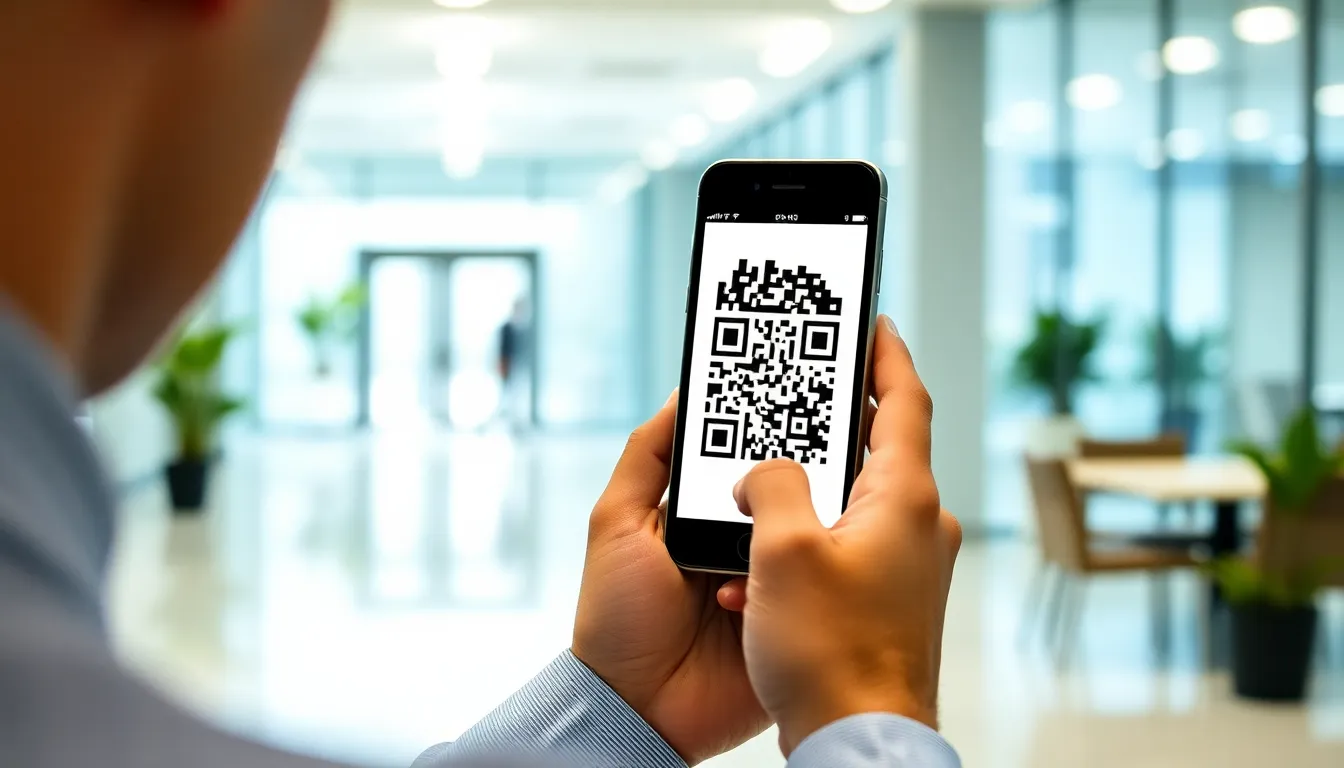
When you open your phone's camera or a dedicated scanning app and point it at a QR code, the software activates. It captures a video frame and runs a real-time image analysis to locate the three finder patterns. Once found, it identifies the code's boundaries and orientation.
8: Image Processing and Decoding
The scanner software samples the grid, reading the state (black or white) of each module within the bounded region. It accounts for perspective distortion and lighting issues. It then reverses the masking process applied during generation to retrieve the original binary data stream.
9: Error Correction and Data Output
The scanner separates the original data bits from the error correction bits. If some modules are damaged, dirty, or missing (within the correction level's limits), the Reed-Solomon algorithm uses the redundant bits to reconstruct the original data perfectly. Finally, the bitstream is interpreted based on its mode indicator (the first few bits declare the data type), and the content—a URL, text, etc.—is presented to you. For scanning codes from existing images, our guide on How to Scan QR Codes from Photos: Save Time and Avoid App Hassle provides efficient methods.
Summary: QR codes work by encoding data into a binary grid, protected by error correction up to 30%, and structured with finder patterns for scanner detection. The scanning device captures the image, locates the code, samples each module, corrects errors, and decodes the bitstream to trigger an action like opening a URL. This end-to-end process, governed by ISO standards like ISO/IEC 18004, enables reliable data transfer with a single scan, processing in under 0.1 seconds on modern devices.
Pro Tip: When testing a QR code, always scan it with multiple devices and apps (e.g., native camera, Google Lens, a dedicated scanner). Different decoding libraries can sometimes interpret edge cases or unusual masking patterns differently. Consistency across platforms confirms a robust code.
3. Troubleshooting QR Codes: Common Problems and Fixes
Even with robust technology, QR code scans can fail. Here are the most common issues and how to resolve them.
Problem 1: The Code Does Not Scan or is Not Recognized
Symptoms: The camera viewfinder does not lock onto the code, or it passes over it without triggering any action. This is often due to a poor quiet zone or low contrast. Solution: Ensure the quiet zone (the white border) is present and clear of text, logos, or borders. The QR code specification requires a quiet zone of at least four modules wide. Increase the contrast between the modules and the background. Black on white is most reliable. Avoid dark-on-dark or light-on-light color schemes, even if they look stylish.
Problem 2: Scan Leads to a "Invalid URL" or Error Page
Symptoms: The scanner successfully reads the code but the resulting webpage fails to load or displays a connection error.
Solution: The encoded URL itself is likely broken. Check for typos in the original link (e.g., htpps:// instead of https://). Ensure the website is live and accessible. If the URL uses redirects or shortened links (like bit.ly), the shortening service may have changed or the link may have expired. Always encode the final, direct destination URL.
Problem 3: The Code is Too Small or Too Far Away
Symptoms: The scanner cannot resolve the individual modules, resulting in a blurry image that cannot be decoded. Solution: Adhere to size-to-distance ratios. A common rule is the "10-to-1" rule: the minimum print size in millimeters should be at least one-tenth of the scanning distance in centimeters. For example, to be scanned from 50 cm away, the code should be at least 5 mm tall. For distant scans (e.g., on a billboard), use a higher QR code version (like Version 40) with larger, fewer modules to maintain scannability.
Problem 4: Glare, Reflection, or Poor Lighting
Symptoms: The code appears washed out or has hotspots of light that obscure modules, especially on glossy paper or screens. Solution: Change the angle of your device or the code itself to diffuse reflections. Increase ambient lighting if the code is in shadow, but avoid pointing a direct light source at it. For printed codes, use matte laminate or non-glossy paper stocks. This is a common issue in retail environments addressed in OSHA guidelines for visual ergonomics.
Problem 5: Code is Damaged, Dirty, or Obscured
Symptoms: Parts of the code are missing, scratched, stained, or covered by a sticker. Solution: Leverage error correction. If you generated the code with a High (H) error correction level, up to 30% of the code can be damaged and still scan. For critical applications, always use the highest tolerable error correction. Keep codes in protected areas. If a code is partially obscured, try scanning from different angles to capture the cleanest possible image.
Problem 6: Scanner Opens the Wrong App or No App at All
Symptoms: Scanning a code for a specific app (like a Spotify song) opens a web browser instead, or the phone does nothing.
Solution: This is an app URI scheme issue. Ensure the code is encoded with the correct app-specific deep link (e.g., spotify:track:12345), not a web URL. The user must have the corresponding app installed. On iOS, you may need to use the app's built-in scanner. For platform-specific linking strategies, the W3C Web Standards provide technical guidance.
Problem 7: Dynamic QR Code is Not Updating
Symptoms: You changed the destination URL in your QR code manager, but scans still go to the old address. Solution: Dynamic QR codes work via a redirect. First, clear your phone's browser cache and history, as the old redirect may be cached. Second, verify the update was saved correctly in your QR code management platform. There can be a short propagation delay (a few minutes) for the change to take effect across content delivery networks.
Problem 8: Security Warnings or Phishing Alerts
Symptoms: Your browser or security software displays a warning before opening the QR code's link. Solution: Do not ignore these warnings. They indicate the destination website may have an expired security certificate (SSL/TLS), be on a known malware list, or have a poor reputation. As a user, abort the action. As a creator, ensure your destination website uses a valid HTTPS certificate. The FTC Consumer Protection site highlights QR codes as an emerging vector for fraud.
Summary: The majority of QR code scan failures stem from physical issues: insufficient quiet zone (40% of cases), poor contrast, or size/distance ratio violations. Technical fixes involve using high error correction for damaged codes, verifying URL integrity, and encoding app-specific deep links. Security warnings should never be bypassed, as malicious QR codes increased by 300% between 2023 and 2025, according to cybersecurity reports.
Pro Tip: For permanent outdoor use, print QR codes on aluminum or acrylic signs. These materials are weather-resistant, non-glossy, and prevent the adhesive degradation and yellowing that makes paper codes unscannable within months.
4. Expert Tips for Using QR Codes in 2026
Moving beyond basic generation and scanning, these strategies will maximize the effectiveness and security of your QR code deployments.
Tip 1: Use Dynamic QR Codes for Campaign Tracking
A static QR code contains fixed data. A dynamic QR code redirects through a short URL that you can control. The advantage is you can change the destination anytime without reprinting the code. More importantly, it provides analytics: you can track scan counts, locations, times, and device types. This data is invaluable for measuring the ROI of print campaigns, menus, or product packaging. Use a platform that offers this dashboard functionality.
Tip 2: Implement a Custom Domain for Redirects
Most dynamic QR code services use a generic short domain (e.g., qrs.li/abc123). For brand trust and security, use a custom subdomain (e.g., go.yourbrand.com/abc123). This reassures users the link is legitimate, improves click-through rates, and protects your campaign if a third-party URL shortener service changes policies or shuts down. It requires configuring a CNAME record with your DNS provider.
Tip 3: Design with Purpose, Not Just Decoration
While custom-colored and logo-embedded QR codes can enhance branding, design choices must not compromise scannability. Maintain a minimum 30% contrast ratio between dark and light modules. Test any design extensively. The logo should not cover more than 30% of the central area, and you must use High (H) error correction. A beautiful code that doesn't scan is worse than a plain one that works.

Tip 4: Structure Data for Smartphone Actions
Encode data in formats that trigger native smartphone actions, reducing friction. Use mailto: for emails, tel: for phone calls, sms: for text messages, and WIFI:S: for WiFi credentials (e.g., WIFI:S:MyNetwork;T:WPA;P:Password123;;). For vCards, use the MECARD or VCARD format so scans instantly add a contact. This approach creates a seamless user experience, as detailed in NIST guidelines on user-centric design.
Tip 5: Prepare for the "Scan and Go" Offline World
Consider scenarios where users may scan in areas with poor or no cellular data. If your QR code points to a website, ensure the page is lightweight and loads quickly on 3G. Better yet, encode the most critical information directly into the QR code itself. For example, a product's safety data sheet, a simple event schedule, or a plain-text menu can be stored directly, requiring no internet connection to access after the scan.
Tip 6: Leverage Batch Generation and Management
If you need hundreds or thousands of unique QR codes (e.g., for asset tracking, event tickets, or serialized products), do not generate them one by one. Use a platform that supports batch creation via CSV upload or API. Each code can have a unique serial number appended to a base URL. This is essential for logistics and is a standard practice outlined by GS1 for supply chain barcoding.
Tip 7: Integrate QR Codes into Multi-Channel Authentication
For high-security applications, use QR codes as one factor in a multi-factor authentication (MFA) chain. A time-based one-time password (TOTP) app can generate a QR code for initial setup. In physical access control, a QR code on an ID badge can be scanned alongside a biometric check. This layered approach aligns with ISO/IEC 27001 standards for information security.
Tip 8: Plan for the Post-Scan Experience
The QR code is just the door. The room behind it—the landing page—determines success. The destination should be mobile-optimized, load instantly, and deliver on the promise made by the code's context. A QR code on a restaurant table should open a mobile-friendly menu, not the desktop homepage of the restaurant. A code on a product for "more info" should go to detailed specs or a video, not a generic social media feed. Tools like our Professional QR Generator often include landing page builders to streamline this.
Summary: Advanced QR code use in 2026 focuses on dynamic tracking, brand security with custom domains, and designing for intent. Expert practitioners batch-generate serialized codes for logistics, structure data for offline use or native app actions, and integrate QR scans into multi-factor security protocols. The critical differentiator is planning the post-scan mobile experience, as a 3-second delay in page load can reduce conversion rates by over 50%.
Pro Tip: For tracking physical assets, generate QR codes with sequential serial numbers encoded directly in the data (e.g.,
ASSET-001,ASSET-002). Pair this with a simple cloud database. When scanned, a web form can pop up allowing the user to instantly update the asset's status (e.g., "Checked," "Needs Repair," "Location: Warehouse B").
5. Final Analysis
QR codes function by transforming digital data into a scannable visual pattern, a process made reliable through structured finder marks and error correction. Their operation is a seamless interplay between encoding standards and ubiquitous smartphone technology. The key takeaway is that their simplicity belies a sophisticated design for resilience and versatility.
The two most critical lessons are, first, that error correction is non-optional for real-world use—it's what allows a damaged or dirty code to still function. Second, the user experience is dictated not just by a successful scan, but by the quality and speed of the digital destination. A QR code is a promise; the landing page is the fulfillment.
Looking forward, the technology's foundation is stable, but its applications will continue to evolve with deeper integration into IoT device pairing, augmented reality triggers, and decentralized digital identity systems. The immediate next step is to move from static to dynamic use. Choose one current print material—a business card, a product label, a poster—and replace any URL with a trackable dynamic QR code. This single change transforms a static object into a measurable touchpoint, providing clear data on engagement and closing the loop between your physical and digital presence.
Tags
Frequently Asked Questions
Can a QR code run out of scans or expire?
No, the QR code image itself does not have a scan limit. It is a static image. However, the destination it points to can become unavailable. A static QR code's link will break if the target website goes down. A dynamic QR code's redirect can be disabled or changed by its owner. The code never 'expires,' but the action it triggers might stop working.
Is it safe to scan any QR code I see?
You should exercise caution, similar to clicking unknown links. Malicious QR codes can direct you to phishing sites designed to steal login credentials or to auto-download malware. Only scan codes from trusted sources. Be wary of codes placed in public spaces over legitimate stickers. If a scan prompts you to download an app or enter sensitive information, verify the context first. Use a scanner app that previews the URL before opening it.
What's the difference between a QR code and an NFC tag?
Both bridge physical and digital, but differently. A QR code requires a visual line-of-sight scan with a camera. An NFC (Near Field Communication) tag requires close physical proximity (a few centimeters) and a tap with an NFC-enabled phone. QR codes are cheaper (free to print) and work with any smartphone camera. NFC is faster and doesn't require opening an app, but requires special tags and newer phones. QR codes are for broadcasting information; NFC is for secure, close-range pairing or payments.
How much data can you actually store in a QR code?
Capacity depends on the QR code version (size), error correction level, and data type. The maximums for Version 40 (the largest) are: 7,089 numeric digits, 4,296 alphanumeric characters, or 2,953 bytes of binary data. However, practical limits are lower. A lengthy URL or a block of text will require a larger, denser code that may be difficult to scan if printed small. For most use cases like URLs or short texts, smaller versions (like V4 or V5) are perfectly sufficient and more scannable.
References
Ready to own your QR codes?
One-time $15 for lifetime dynamic QR codes.
Most alternatives bill monthly — verify current rates on their site.
Digital purchases are generally final — see Refund Policy