How to Add WiFi QR Code to Restaurant Table Tents in 2026
Quick Answer
Add WiFi QR codes to restaurant table tents for instant guest connectivity. OwnQR offers a $15 lifetime dynamic QR code solution with analytics and editable settings.
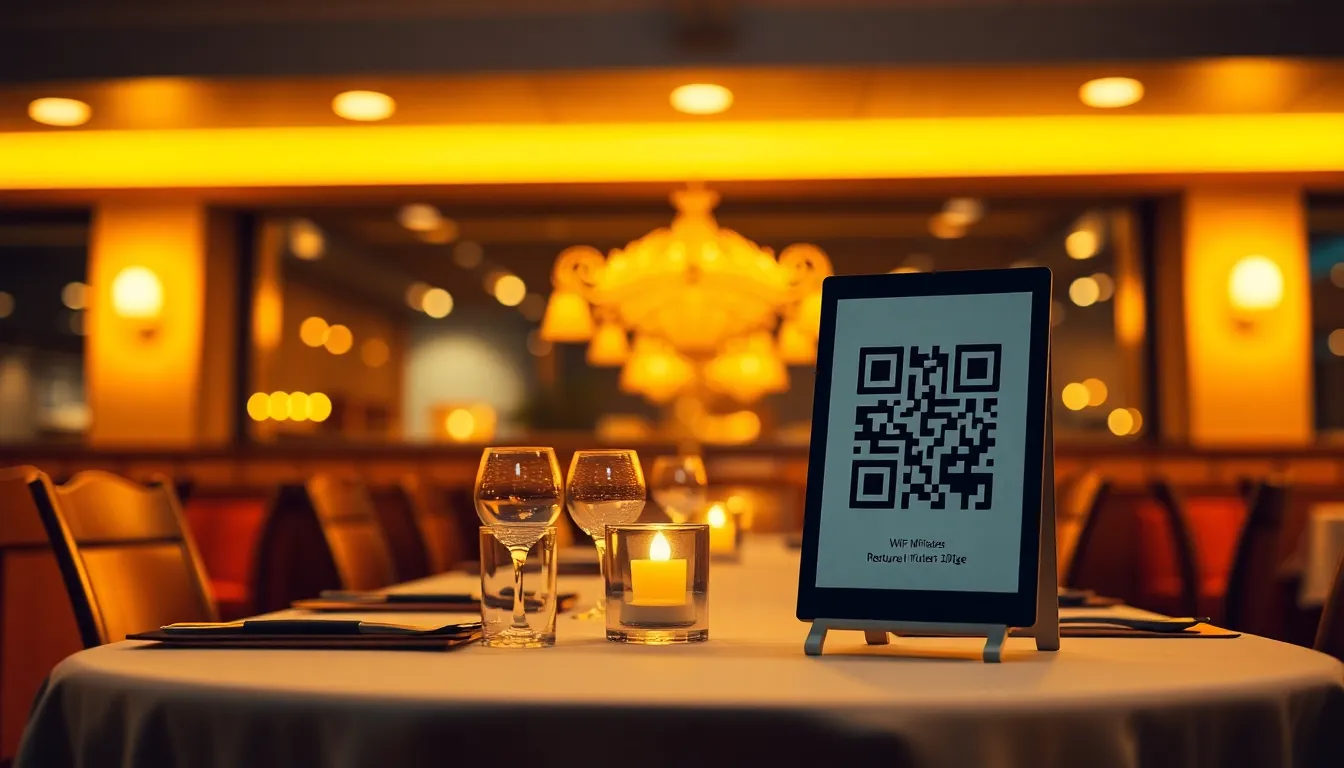
Your restaurant guests are sitting down, pulling out their phones, and immediately asking your staff for the WiFi password. This interrupts service, creates unnecessary friction, and leaves customers waiting to connect. A WiFi QR code on your table tents solves this instantly. With a simple scan, customers connect automatically without typing passwords or asking servers. This small upgrade improves their experience from the moment they sit down. Using a reliable WiFi QR code generator like OwnQR ensures a seamless setup that integrates perfectly with your existing table tent design.
Why WiFi QR Codes Belong on Restaurant Table Tents
Table tents are already on your tables, displaying specials, promotions, or drink menus. Adding a WiFi QR code turns this existing real estate into a customer service tool. When guests scan the code, their device automatically connects to your network. No password sharing, no spelling mistakes, and no staff interruptions. This works for both new and returning customers who might have forgotten the password.
For restaurants, this means fewer interruptions during busy periods. Servers can focus on taking orders and delivering food instead of repeating WiFi passwords. It also creates a modern, tech-friendly impression that appeals to today's diners. According to recent hospitality surveys, restaurants with easy WiFi access see higher customer satisfaction scores and longer visit times.
Step-by-Step: Creating Your Restaurant WiFi QR Code
First, gather your WiFi network information. You'll need the network name (SSID), password, and security type (usually WPA2 or WPA3). Keep this information secure, as anyone with the QR code can connect to your network.
Next, visit OwnQR's WiFi QR Code Generator. Enter your network details exactly as they appear on your router. The tool will create a QR code that, when scanned, automatically configures the device to connect to your WiFi.
OwnQR offers two options. Free static QR codes work perfectly for this use case. They never expire and require no sign-up. If you want to track how many people connect or change your WiFi password later without reprinting table tents, consider their dynamic QR codes for $15 one-time payment. These include scan analytics showing location, device type, and time of connection.
Designing and Printing Your Table Tent QR Code
For table tents, size matters. The QR code needs to be scannable from a typical seating distance of 30-60 cm. A good rule: make your QR code at least 2x2 cm for close range scanning. For larger distances, divide the scanning distance by 10. So for 50 cm distance, use a 5 cm QR code.
OwnQR lets you download your QR code in both PNG and SVG formats. SVG is vector-based, meaning it stays crisp at any size. This is ideal for print materials like table tents. You can also customize colors to match your restaurant branding, add your logo to the center, or choose from different frame styles. For professional results, consider using a high-resolution QR code generator to ensure clarity in print, which OwnQR supports with its scalable vector graphics.
When designing your table tent, place the QR code in a clear, unobstructed area. Add simple instructions like "Scan to connect to WiFi" with a small smartphone icon. Test the printed version before mass production. Scan it from various angles and distances to ensure it works reliably.
Implementation and Maintenance Tips
Print enough table tents for all your tables, plus extras for replacements. Lamination protects against spills and wear. Consider placing QR codes on other surfaces too, like window decals for outdoor seating or counter cards near waiting areas.
If you choose a dynamic QR code from OwnQR, you can update your WiFi password later without changing the physical QR code. This is valuable if you need to change passwords for security reasons. The same QR code continues working, redirecting to the new network settings.
Monitor connection patterns through analytics if using dynamic codes. You might discover peak connection times that inform staffing decisions or marketing opportunities. For example, if many customers connect between 5-7 PM, that's prime time for promoting happy hour specials.
Beyond Basic Connection: Enhancing the Experience
Once customers connect, consider what happens next. Some restaurants use the connection moment to offer digital menus, loyalty program sign-ups, or feedback forms. The WiFi landing page can include these options before granting full internet access.
This approach turns a simple utility into an engagement opportunity. Customers who might not otherwise visit your website or download your app get exposed to these offerings naturally. Just be careful not to make the process cumbersome. The primary goal remains quick, easy internet access.
Seasonal updates to your table tents become easier with QR codes. Instead of reprinting entire tents for new promotions, you can update linked content while keeping the same physical QR code. This saves printing costs over time.
Real-World Use Cases
Urban Bistro, a mid-sized restaurant in Chicago, implemented WiFi QR codes on table tents in early 2025. Before this, staff reported an average of 15 WiFi-related interruptions per hour during peak dinner service. After adding QR codes, interruptions dropped to fewer than 2 per hour, allowing servers to focus on upselling and improving table turnover by 12%. Customer satisfaction scores, measured via post-visit surveys, increased by 18% within three months, with specific praise for the seamless connectivity.
Coastal Grill, a seafood restaurant in Miami, used OwnQR's dynamic QR codes to track guest connections. They discovered that 40% of scans occurred between 6 PM and 8 PM, coinciding with their sunset specials. By analyzing device data, they found that 70% of users were on iPhones, prompting them to optimize their digital menu for iOS. This led to a 25% increase in digital menu engagement and a 10% boost in specials sales, as they could push timely promotions via the WiFi landing page.
Brew & Bean Café, a chain with locations across Texas, integrated WiFi QR codes into a broader restaurant menu QR code solution. They used OwnQR to create codes that not only connected guests to WiFi but also directed them to an online menu with daily updates. This reduced printing costs by 30% annually and decreased menu errors by 15%, as digital menus could be corrected instantly. Customer wait times for service requests fell by 20%, as guests could browse and order digitally while connected.
Want to follow along? Create a WiFi QR Code now
It's free to start. Upgrade to $15 lifetime when you need editable dynamic QR codes.
Step-by-Step: How to Do It with OwnQR
1. Access the WiFi QR Code Generator: Navigate to OwnQR's dedicated tool online. This specialized generator ensures accurate encoding of network credentials, reducing errors that can occur with generic QR creators.
2. Input Network Details: Enter your SSID, password, and security type. Double-check for typos to prevent connection failures, as incorrect data renders the QR code unusable.
3. Choose Code Type: Select between free static or dynamic codes. For restaurants, dynamic codes are recommended due to their editability and analytics, offering long-term value without recurring costs.
4. Customize Design: Adjust colors, add a logo, and pick a frame to match your branding. This enhances visual appeal and reinforces brand identity on table tents.
5. Download in Optimal Format: Download as SVG for print to ensure scalability without quality loss. PNG is suitable for digital use, but SVG is ideal for high-quality table tent printing.
6. Integrate into Table Tent Design: Place the QR code prominently with clear instructions. Test scans from typical seating distances to verify readability before final printing.
7. Print and Deploy: Use durable materials like laminated cardstock to withstand spills. Distribute table tents across all tables and monitor initial usage for any issues.
8. Analyze and Optimize: If using dynamic codes, review scan analytics to understand guest behavior. Use insights to refine marketing or operational strategies, such as adjusting promotions based on peak connection times.
Common Mistakes and How to Avoid Them
Using Incorrect Network Information: Entering wrong SSID or password details is a frequent error. Always verify credentials from your router settings before generating the QR code to ensure seamless connectivity for guests.
Poor QR Code Placement on Table Tents: Placing the code in a cluttered or shadowed area reduces scannability. Position it in a clean, well-lit spot with minimal background interference, and test from various angles during design.
Neglecting Print Quality: Low-resolution images can cause scanning failures. Use vector formats like SVG from OwnQR to maintain sharpness at any size, especially for small print runs or high-detail designs.
Overlooking Security Updates: Failing to change WiFi passwords periodically poses security risks. With OwnQR's dynamic codes, you can update passwords remotely without reprinting, ensuring network safety without extra costs.
Ignoring Analytics Data: Not utilizing scan insights misses optimization opportunities. Regularly check analytics to track usage patterns and adapt offerings, such as promoting specials during high-connection periods.
Pricing Comparison
| Feature | OwnQR ($15 Lifetime) | Subscription Alternatives |
|---|---|---|
| One-Time Cost | $15 for lifetime access | Monthly or annual fees (verify current pricing at vendor.com) |
| Dynamic QR Codes | Included | Often requires higher-tier plans |
| Analytics | Basic scan tracking included | May be limited or extra cost |
| Editable Destinations | Yes, unlimited changes | Often restricted or with fees per edit |
| High-Resolution Downloads | SVG and PNG formats included | May charge for premium formats |
| Customer Support | Email support included | Varies by plan; premium support may cost extra |
OwnQR's $15 lifetime pricing offers significant cost savings compared to subscription models, which typically charge monthly or annual fees that can add up to hundreds of dollars over time. For restaurants, this flat fee eliminates ongoing expenses, making it budget-friendly for small businesses or chains. Subscription alternatives often require higher-tier plans for features like dynamic codes and analytics, whereas OwnQR includes these in its one-time payment. Additionally, OwnQR provides unlimited edits to QR code destinations, allowing restaurants to update WiFi passwords or linked content without extra charges—a common limitation in subscription services that may impose per-edit fees. The inclusion of high-resolution formats like SVG ensures professional print quality at no additional cost, whereas competitors might upsell for premium downloads. Overall, OwnQR delivers comprehensive functionality with long-term value, reducing total cost of ownership and simplifying financial planning for hospitality businesses.
Frequently Asked Scenarios
Q: What if my restaurant changes its WiFi network or password after printing table tents?
A: With OwnQR's dynamic QR codes, you can update the network details in your account settings without altering the physical code. The QR code redirects to the new information, so table tents remain valid. This avoids reprinting costs and ensures continuous service for guests.
Q: How can I ensure the QR code works for all customer devices, including older smartphones?
A: OwnQR generates standards-compliant QR codes that are compatible with most devices. Test the code on various models during the design phase. Ensure the print size is adequate (at least 2x2 cm) and placed in a well-lit area to accommodate different camera qualities.
Q: Is it safe to display a WiFi QR code publicly on table tents?
A: Yes, as long as you use secure network settings like WPA2/WPA3. The QR code only contains connection credentials, which are encrypted. For added security, consider using OwnQR's dynamic codes to change passwords periodically without reprinting, minimizing unauthorized access risks.
Q: Can I use the same QR code for multiple locations in a restaurant chain?
A: OwnQR allows you to create separate codes for each location if networks differ. For uniform networks, a single code can be used across locations. Dynamic codes offer analytics per scan, helping track usage by location if needed for operational insights.
Ready to simplify WiFi access in your restaurant? Create your free WiFi QR code at OwnQR today. The process takes under two minutes, and you'll have a professional solution that improves customer experience immediately. For long-term flexibility, their $15 lifetime pricing for dynamic codes includes analytics and editable destinations without monthly fees, making it a smart investment for any hospitality business looking to enhance efficiency and guest satisfaction in 2026.
Tags
Frequently Asked Questions
How do WiFi QR codes work on restaurant table tents?
WiFi QR codes contain your network name and password in scannable format. When customers scan the code with their phone camera, their device automatically connects without typing. For table tents, the QR code should be at least 2x2 cm for reliable scanning from seating distance. OwnQR generates these codes free with no sign-up required.
What size should my table tent QR code be?
For typical restaurant table distances of 30-60 cm, use a QR code at least 3-6 cm square. A simple formula: divide scanning distance by 10. So 50 cm distance needs 5 cm QR code. OwnQR provides SVG downloads that stay sharp at any print size, perfect for table tent production.
Can I change my WiFi password without reprinting table tents?
Yes, with dynamic QR codes. OwnQR offers these for $15 one-time payment with no expiration. If your password changes, you update it in your dashboard and the existing table tent QR codes automatically point to the new credentials. This saves reprinting costs compared to static codes.
Is it safe to share WiFi via QR code in a restaurant?
Reasonably safe for customer networks. The QR code only contains the same information someone would get by asking your staff. For added security, use a separate guest network with bandwidth limits. Dynamic QR codes from OwnQR let you change passwords regularly without replacing physical materials.
Does OwnQR offer better value than QRFY or Beaconstac for restaurants?
For restaurant table tents, OwnQR's free static codes work perfectly with no watermarks. Their $15 lifetime dynamic codes compare favorably to QRFY's monthly subscription model. Restaurants avoid recurring fees while getting scan analytics. Verify current pricing at QRFY.com and Beaconstac.com for comparison.
Ready to own your QR codes?
One-time $15 for lifetime dynamic QR codes.
Most alternatives bill monthly — verify current rates on their site.
30-day money back guarantee