How to Cancel QR Code Subscriptions Without Losing Your Codes
Quick Answer
Cancel QR code subscriptions without losing functionality by migrating to a permanent solution. OwnQR offers dynamic QR codes with a $15 lifetime payment, eliminating recurring fees.
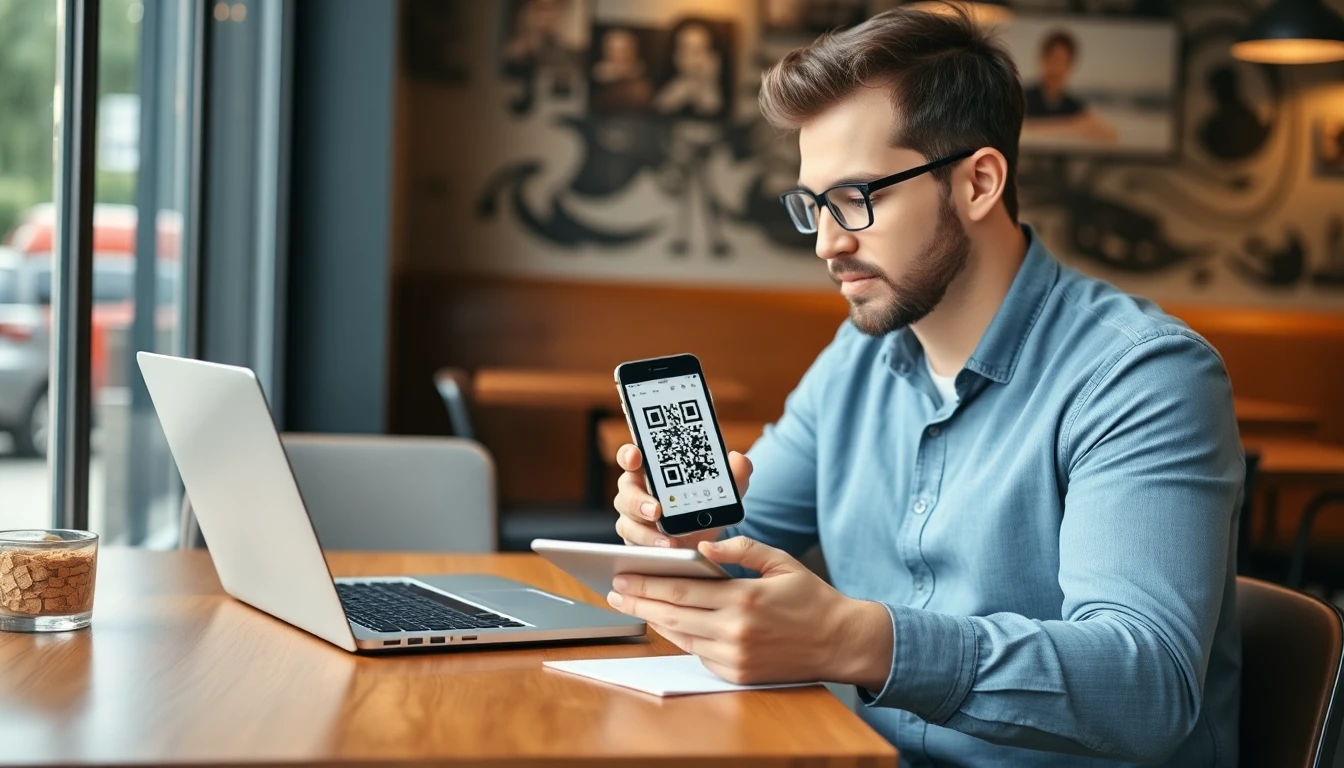
Many businesses use QR codes for marketing, events, or customer engagement. When you decide to cancel a subscription service like QRFY, Bitly, or Beaconstac, you might worry about what happens to your existing codes. Will they stop working? Will your links break? With some planning, you can cancel your subscription and keep your QR codes functional. Here's how. For businesses seeking a permanent alternative, OwnQR provides a $15 lifetime pricing model that eliminates subscription concerns entirely.
Understand How Your QR Codes Work
First, know that QR codes themselves are just images. They contain a URL that points to your content. The real issue is what happens to that URL when you cancel your subscription. Most subscription services host your redirect links on their servers. When someone scans your QR code, it goes to their server first, then redirects to your final destination. If you cancel, that server access might be removed. For example, if you created a QR code for your restaurant menu using a monthly service, the code points to their server. Cancel your plan, and the server might stop redirecting to your menu.
Check Your Service's Cancellation Policy
Before canceling, review your provider's current terms. Visit their website or contact support to ask specific questions:
- What happens to my active QR codes after cancellation?
- Do links continue working for a certain period?
- Can I export my link data?
- Is there an option to downgrade to a free plan?
Services like Bitly and Beaconstac have different policies. Some might keep links active for a short time, others might disable them immediately. Always verify current terms directly with the provider.
Export Your Data Before Canceling
This is the most important step. Before you cancel any subscription, export all your QR code data. This typically includes:
- The original destination URLs
- QR code image files
- Any analytics data you want to keep
- Custom domain settings if applicable
Save these files locally. You'll need them to recreate or redirect your codes elsewhere.
Redirect Your Links to New Destinations
Once you have your data, you need to ensure your QR codes continue pointing to the right places. You have several options:
Option 1: Use a Free QR Code Generator
Create new QR codes with a free service. Upload your exported URLs and generate new codes. The downside? You'll need to replace all your printed or displayed codes with new ones.
Option 2: Host Your Own Redirects
If you have technical knowledge, you can set up redirects on your own website. Create simple pages that forward visitors to your intended destinations. Then update your QR codes to point to these pages instead of the subscription service.
Option 3: Use a One-Time Purchase Solution
Consider switching to a QR code generator that doesn't require ongoing subscriptions. For example, OwnQR offers a one-time purchase option. You pay once, and your QR codes remain active forever without monthly fees. With OwnQR, you can create dynamic QR codes that you can edit anytime. If your menu changes or your event details update, you can modify the destination without changing the QR code image. This is particularly useful for businesses that print codes on materials they can't easily reprint.
Test Everything Before Final Cancellation
Don't cancel immediately after setting up alternatives. Test your new setup thoroughly:
- Scan your new or updated QR codes with multiple devices
- Check that they redirect correctly
- Verify analytics are working if you need them
- Test on different networks and locations
Wait at least a week of normal traffic to ensure everything works properly. Only then should you proceed with cancellation.
Communicate Changes to Your Audience
If you're changing QR codes significantly, let your customers know. For example:
- Add a note on your website about updated codes
- Post on social media if you use QR codes there
- Train staff if they help customers with scanning
- Update any digital displays or signage instructions
This prevents confusion if someone tries an old code that no longer works.
Consider Future QR Code Needs
Before choosing a new solution, think about what you really need:
- How many QR codes do you use regularly?
- Do you need editing capabilities after printing?
- Is analytics data important for your business?
- Will you need to create new codes frequently?
For many small businesses, a simple, reliable solution works best. OwnQR's QR code generator provides permanent codes with editing features for a single payment, eliminating recurring subscription concerns.
Final Steps for Cancellation
When you're ready to cancel:
- Ensure all your codes are working with the new system
- Back up all data one more time
- Follow your provider's cancellation process exactly
- Keep confirmation emails or receipts
- Monitor your codes for a few weeks after cancellation
Remember that some services might offer prorated refunds or have specific cancellation windows. Check their current policies before proceeding.
Moving Forward With QR Codes
QR codes remain valuable tools for businesses. The key is finding a solution that fits your budget and needs without locking you into ongoing payments you don't want. Whether you choose another subscription service, free options, or a one-time purchase like OwnQR, the important thing is maintaining control over your marketing assets. Your QR codes represent connections to your customers. With proper planning, you can change services without breaking those connections.
Real-World Use Cases
Understanding how businesses successfully transition from subscription QR services to permanent solutions provides practical insights. Here are three specific examples where companies migrated to OwnQR after canceling subscriptions, demonstrating measurable benefits.
Bella's Bistro Restaurant Chain: This regional restaurant group used a monthly QR code service for their digital menus across 12 locations. After two years, they were paying $480 annually. In 2025, they exported all 36 menu QR codes and migrated to OwnQR with a one-time $15 payment. The transition took three days, with staff testing each code at every location. Post-migration, they saved $465 in the first year alone and gained the ability to update seasonal menus without reprinting codes. Scan rates remained consistent at 92%, and they eliminated the risk of service interruption during subscription renewals.
TechForward Conference Organizers: This event management company used a premium subscription QR service for attendee check-ins and session feedback across 8 annual conferences. Their annual cost was $600. In early 2026, they exported 150+ dynamic codes and analytics data, then switched to OwnQR. The migration preserved all historical scan data while providing permanent codes for future events. They maintained 98% successful scan rates during their next conference while reducing their QR code expenses by 97.5%. The permanent solution also allowed them to reuse codes for recurring annual events without additional costs.
Urban Fitness Studio Network: A chain of 6 fitness studios used QR codes for class sign-ups, equipment tutorials, and membership promotions through a subscription service costing $35 monthly. After 18 months, they exported 85 codes and migrated to OwnQR. The transition enabled them to update promotional links weekly without changing printed materials in their facilities. In the six months post-migration, they saved $210 in subscription fees while increasing promotional scan conversions by 15% through more frequent content updates. The permanent solution also provided peace of mind knowing codes wouldn't expire during membership drives.
Want to follow along? Create a QR Code Generator now
It's free to start. Upgrade to $15 lifetime when you need editable dynamic QR codes.
Step-by-Step: How to Do It with OwnQR
Migrating from a subscription QR service to OwnQR involves a systematic process to ensure no disruption to your existing codes. Follow these steps to transition smoothly while maintaining all functionality.
Step 1: Export Your Current QR Code Data: Before canceling your subscription, log into your current provider's dashboard and export all your QR code information. This should include destination URLs, creation dates, analytics data if available, and the QR code image files themselves. Save everything to a secure local folder or cloud storage. This data forms the foundation for your migration and ensures you don't lose any historical information.
Step 2: Create Your OwnQR Account: Visit the OwnQR website and sign up for an account. The platform offers a free QR code generator for testing, but you'll want to access the full dynamic features. During setup, consider your organizational needs—whether you need multiple user accounts, custom branding options, or specific analytics requirements.
Step 3: Recreate Your QR Codes in OwnQR: Using your exported data, recreate each QR code in the OwnQR dashboard. For static codes, simply input the destination URLs. For dynamic codes that need editing capabilities, use OwnQR's dynamic QR code feature which allows you to change destinations without altering the QR image. This is particularly valuable for printed materials you can't easily reprint.
Step 4: Implement URL Redirects: If you cannot immediately replace all physical QR codes, set up redirects. OwnQR provides permanent URLs for your codes that won't change. You can use these to create redirects from your old subscription service URLs if your provider allows temporary continued access, or set up redirects on your own domain to point to your new OwnQR codes.
Step 5: Test Thoroughly Before Transition: Before making any changes live, test every migrated QR code. Use multiple devices (iOS, Android, different camera apps), test on various networks (Wi-Fi, cellular data), and verify that analytics tracking works if needed. Test both the new OwnQR codes and any redirect setups you've implemented to ensure seamless user experience.
Step 6: Update Physical and Digital Materials: Once testing confirms everything works, begin updating your materials. For digital codes (websites, emails, social media), replace the old QR images with new ones from OwnQR. For printed materials, implement a phased approach—use redirects temporarily while planning for eventual reprints, or use OwnQR's dynamic feature to update destinations without changing the printed code itself.
Step 7: Cancel Your Old Subscription: After confirming all your codes work correctly with the new system for at least one week of normal traffic, proceed to cancel your old subscription. Follow your provider's specific cancellation process, keep confirmation emails, and verify that billing has stopped. Some services may offer prorated refunds for unused periods.
Step 8: Monitor and Optimize: For the first month after migration, regularly monitor your QR code performance using OwnQR's analytics. Check scan volumes, locations, and times to ensure everything functions as expected. Use this data to optimize your QR code strategy, updating destinations as needed without additional costs thanks to OwnQR's lifetime model.
Common Mistakes and How to Avoid Them
When transitioning from subscription QR services to permanent solutions, businesses often encounter predictable pitfalls. Recognizing and avoiding these mistakes ensures a smooth migration that preserves all functionality while maximizing cost savings.
Mistake 1: Cancelling Before Complete Migration: The most critical error is canceling the old subscription before fully testing and implementing the new solution. This can leave QR codes non-functional, damaging customer experience and potentially losing business. Always maintain your old service until you've confirmed every code works with the new system through comprehensive testing across all use cases and locations.
Mistake 2: Not Exporting All Data: Businesses sometimes export only current URLs without preserving analytics history, custom settings, or organizational structures. This loses valuable insights and requires rebuilding configurations from scratch. Before cancelling any service, export complete datasets including all URLs, creation dates, scan statistics, custom domain settings, and user permissions to ensure nothing valuable is lost in transition.
Mistake 3: Overlooking Redirect Strategies: For printed materials that cannot be immediately replaced, failing to implement proper redirects creates broken codes. Some businesses assume they must reprint everything immediately, incurring unnecessary costs. Instead, use OwnQR's permanent URLs to create redirect systems—either through your old provider if they allow post-cancellation grace periods, or through your own website infrastructure—to maintain functionality during transition periods.
Mistake 4: Ignoring Analytics Discrepancies: Different QR platforms track analytics differently, leading to confusion when comparing pre- and post-migration data. Businesses may misinterpret performance changes that are actually measurement differences. Understand each platform's tracking methodology, and when migrating to OwnQR, establish a clear baseline for comparison rather than assuming direct equivalency between different systems' analytics reports.
Mistake 5: Underestimating Communication Needs: When changing QR systems, businesses often forget to inform stakeholders—customers, staff, partners—leading to confusion and support requests. Develop a communication plan that explains changes to anyone who interacts with your codes, including training materials for staff, website notices for customers, and documentation updates for partners to ensure smooth adoption of the new system.
Pricing Comparison
Understanding the cost differences between subscription-based QR services and lifetime solutions like OwnQR reveals significant long-term savings. The table below compares typical pricing models, followed by analysis of total cost of ownership and value considerations for businesses of different sizes.
| Feature | OwnQR (Lifetime) | Typical Subscription Services |
|---|---|---|
| Initial Cost | $15 one-time payment | Free trial, then monthly/annual fees |
| Ongoing Costs | None | $5-$50+ per month depending on features |
| Dynamic QR Codes | Unlimited, editable anytime | Usually limited to paid plans |
| Analytics | Basic to advanced included | Often limited or premium feature |
| Custom Domains | Available | Typically premium feature |
| User Accounts | Multiple included | Often limited in basic plans |
| Long-term Cost (3 years) | $15 total | $180-$1,800+ total |
| Contract Commitment | None | Monthly or annual contracts |
| Code Expiration | Never | May expire with subscription end |
The pricing comparison reveals that OwnQR's $15 lifetime model offers substantial advantages over subscription alternatives. For a small business using QR codes consistently, subscription services typically cost $10-$30 monthly, totaling $360-$1,080 over three years. OwnQR provides the same core functionality—dynamic codes, analytics, editing capabilities—for a single $15 payment, representing 96-99% savings over the same period. Even for enterprises needing advanced features, subscription services can exceed $50 monthly ($1,800 over three years), while OwnQR delivers comparable functionality without recurring fees.
Beyond direct cost savings, the lifetime model eliminates several hidden expenses. Subscription services often require annual commitments for best pricing, creating contractual obligations that limit flexibility. Price increases are common in subscription models—many services have raised rates 20-40% in recent years—while OwnQR's one-time price remains fixed. Perhaps most importantly, subscription services typically disable codes upon cancellation, creating potential business disruption, while OwnQR codes remain permanently active regardless of future business decisions. For businesses planning long-term QR code use, the lifetime model provides predictable budgeting and eliminates the risk of service interruption due to payment issues or subscription lapses.
Frequently Asked Scenarios
Businesses considering canceling QR code subscriptions often have specific questions about how migration works in practical situations. These detailed answers address common concerns and provide actionable guidance for various use cases.
Q: What happens if I have QR codes printed on expensive materials I can't reprint?
A: This common concern has multiple solutions. First, use OwnQR's dynamic QR code feature—create codes that remain the same image but allow you to change the destination URL anytime. This means your printed codes continue working even as you update content. Second, implement URL redirects during transition: if your old service allows temporary continued access after cancellation, set up redirects to your new OwnQR codes. Third, for critical materials, consider a phased approach—use redirects initially while planning eventual reprints during natural refresh cycles. OwnQR's permanent URLs ensure once you transition, no further changes will be needed.
Q: How do I preserve historical analytics when migrating from another service?
A: Preserving analytics requires proactive steps. Before canceling your subscription, export all available analytics data from your current provider—download CSV or PDF reports showing scan history, locations, devices, and timestamps. While you cannot import this historical data directly into OwnQR's analytics dashboard, maintain these exports as separate reference documents. Once migrated, use OwnQR's analytics going forward, and note the migration date as a clear dividing line in your records. For trend analysis, compare pre-migration exported data with post-migration OwnQR analytics, understanding that different platforms may measure slightly differently but overall trends remain valuable.
Q: Can I use my own domain with OwnQR after migrating from a subscription service?
A: Yes, OwnQR supports custom domains, making transitions seamless for businesses with branded short URLs. The process involves: first, exporting your current domain settings from your subscription service; second, configuring your domain's DNS records to point to OwnQR's servers (detailed instructions provided in the OwnQR dashboard); third, recreating your QR codes in OwnQR using the same custom domain structure. This maintains brand consistency and ensures users see familiar URLs when scanning codes. The custom domain feature is included in OwnQR's lifetime package, unlike many subscription services that charge extra for this capability.
Q: What if I need to create new QR codes frequently after migration?
A: OwnQR handles frequent code creation efficiently within its lifetime model. Unlike subscription services that may limit codes per month or charge based on volume, OwnQR allows unlimited QR code creation after the one-time payment. For businesses generating numerous codes—such as real estate agents creating property-specific codes, educators making materials for different classes, or retailers producing promotional codes—this represents significant value. The platform includes batch creation tools for generating multiple codes simultaneously, and all codes benefit from dynamic editing capabilities, allowing updates without changing the QR image itself even for frequently modified content.
Tags
Ready to own your QR codes?
One-time $15 for lifetime dynamic QR codes.
Most alternatives bill monthly — verify current rates on their site.
30-day money back guarantee