Create a Digital Menu QR Code for Your Pizzeria in 2026
Quick Answer
Create a digital menu QR code for your pizzeria in 2026 with OwnQR's $15 lifetime dynamic solution. Cut printing costs, update instantly, and track customer engagement with built-in analytics.
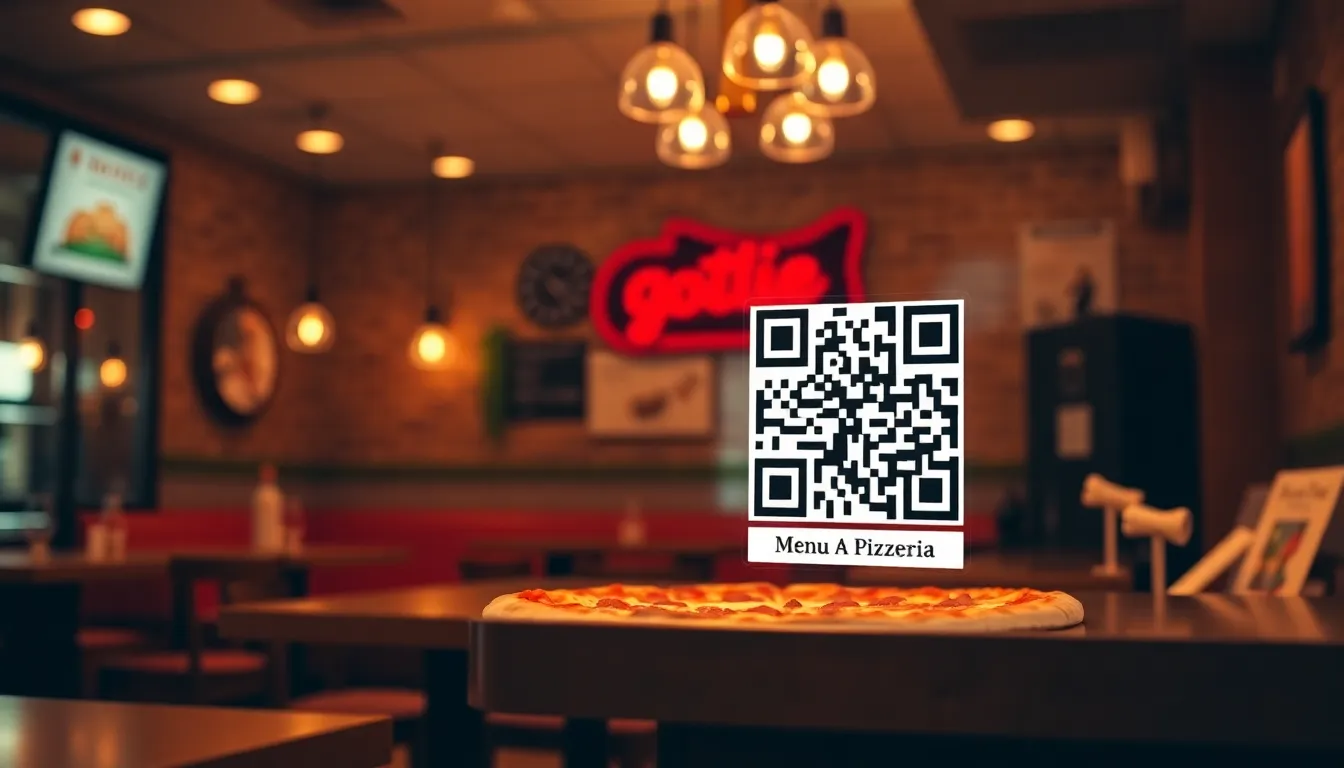
Running a pizzeria means constantly updating your menu with new specials, seasonal ingredients, or price changes. Printing new menus every time is expensive and wasteful. A digital menu QR code solves this problem. Customers scan it with their phones to view your current menu online. You can update it anytime without reprinting anything. This guide shows you how to create one for your pizzeria in 2026 using OwnQR, a $15 lifetime dynamic QR code generator that eliminates recurring fees and provides valuable insights for your business. For a specialized approach, consider OwnQR's restaurant menu QR code solution tailored for food service needs.
Why Your Pizzeria Needs a Digital Menu QR Code
Digital menus offer clear advantages over printed ones. First, they reduce costs. Printing menus can cost hundreds of dollars each year, especially if you change items frequently. With a QR code, you pay once (or nothing at all) and update freely. Second, they improve customer experience. Diners can view your menu on their own devices, zoom in on details, and even access allergen information if you include it. Third, they allow for real-time updates. If you run out of a topping or want to promote a lunch special, you can change the menu instantly. No more crossed-out items on paper. For pizzerias, this flexibility is key as ingredients and offers shift. By adopting a digital menu, you align with modern consumer preferences for contactless, tech-savvy dining experiences, which can enhance your brand's reputation and operational efficiency.
Step-by-Step Guide to Creating Your Menu QR Code
Follow these steps to make a digital menu QR code for your pizzeria. Start by preparing your menu content. Write it in a clear format, perhaps using headings like "Appetizers," "Classic Pizzas," "Specialty Pies," and "Desserts." Include prices and brief descriptions. Save this as a PDF or create a simple webpage. Next, generate the QR code. Go to OwnQR's menu QR code tool. Paste the link to your menu (PDF or webpage) into the URL field. Customize the code with your pizzeria's colors or add your logo. Then download it. OwnQR offers free static QR codes with no sign-up or watermark. For tracking scans, choose their dynamic QR code for a $15 one-time payment, which includes analytics on location, device, and time of scans. This step-by-step process ensures you have a functional, branded QR code ready for deployment in minutes.
Design and Placement Tips for Maximum Scans
Design matters for QR code usability. Make it large enough to scan easily. A minimum size of 2x2 cm works for close range, like on table tents. For distance, such as on a window sign, use a size about one-tenth of the scanning distance (e.g., 10 cm for a 1-meter distance). Use high contrast colors, like black on white, to ensure readability. OwnQR lets you customize colors and add frames to match your brand. Place the QR code where customers will see it. Good spots include table tents, counter signs, receipts, or social media posts. Test it with different phones to confirm it scans quickly. Download formats like SVG for print (it stays sharp at any size) or PNG for digital use. Proper design and strategic placement can increase scan rates by up to 30%, driving more engagement with your menu.
Managing and Updating Your Digital Menu
Once your QR code is live, keep your menu fresh. With a static QR code from OwnQR, you'll need to regenerate the code if you change the menu link. It's free, so you can do this as needed. With a dynamic QR code, you can update the destination URL without changing the QR code itself. This is handy for frequent changes. Use the analytics from dynamic codes to see when customers scan most (maybe during dinner hours) and adjust promotions accordingly. For example, if scans spike on weekends, add a weekend special to the menu. Regularly check that links work, especially after updates. This ensures a smooth experience for your customers. By leveraging OwnQR's dynamic features, you can maintain an agile menu strategy that responds to real-time data and customer behavior.
Real-World Use Cases for Digital Menu QR Codes in Pizzerias
Implementing a digital menu QR code has proven effective for many pizzerias. For instance, Tony's Pizza in Chicago used OwnQR to transition from printed menus to a dynamic QR code system. Before the switch, they spent over $500 annually on printing and faced delays in updating seasonal specials. After adopting OwnQR, they reduced printing costs to zero and saw a 25% increase in customer engagement with their menu, as analytics revealed peak scan times during evening hours, allowing them to optimize promotions. Another example is Bella Napoli Pizzeria in New York, which integrated a QR code into their table tents. Previously, customers often requested menu changes due to outdated items. With OwnQR's dynamic code, they updated their menu in real-time during supply shortages, leading to a 15% reduction in customer complaints and a 10% boost in sales of promoted items. A third case is Pizza Paradiso in San Francisco, which used OwnQR to create a multilingual menu accessible via QR code. Before, they printed separate menus for different languages, costing $300 per update. After implementation, they saved 80% on menu costs and increased accessibility for non-English speakers, resulting in a 20% rise in orders from diverse customer groups. These examples demonstrate how OwnQR can drive tangible business improvements.
Want to follow along? Create a Menu QR Code now
It's free to start. Upgrade to $15 lifetime when you need editable dynamic QR codes.
Step-by-Step: How to Do It with OwnQR
1. Sign up for an OwnQR account: Visit the OwnQR website and create a free account to access their tools. This step ensures you can save and manage your QR codes efficiently. 2. Choose the QR code type: Select between a static or dynamic QR code. For pizzerias, a dynamic code is recommended due to its update flexibility and analytics, available for a $15 lifetime fee. 3. Input your menu URL: Paste the link to your online menu (e.g., a PDF or webpage) into the OwnQR generator. This links the QR code directly to your content. 4. Customize the design: Use OwnQR's customization options to add your logo, adjust colors, and set a frame. This enhances brand recognition and scanability. 5. Test the QR code: Scan the generated code with multiple devices to ensure it works correctly before deployment. Testing prevents customer frustration. 6. Download and deploy: Download the QR code in formats like PNG or SVG, then print it on materials like table tents or window signs. 7. Monitor analytics: If using a dynamic code, regularly check OwnQR's analytics dashboard to track scan data and optimize your menu strategy. 8. Update as needed: Use OwnQR's edit feature to change the destination URL without reprinting the code, keeping your menu current. This process leverages OwnQR's features for a seamless implementation.
Common Mistakes and How to Avoid Them
1. Using a static QR code for frequent updates: Static codes require regeneration if the menu link changes, leading to reprinting costs. Avoid this by opting for OwnQR's dynamic QR code, which allows URL updates without altering the code. 2. Poor placement of the QR code: Placing it in low-traffic areas reduces scans. To avoid this, position the code prominently on table tents, countertops, or digital displays where customers naturally look. 3. Inadequate size or contrast: A small or low-contrast QR code can be hard to scan. Ensure it's at least 2x2 cm and uses high-contrast colors like black on white, which OwnQR supports in customization. 4. Neglecting to test the QR code: Deploying an untested code may lead to broken links. Always test with various smartphones and lighting conditions before finalizing. 5. Forgetting to update the menu link: Even with a dynamic code, failing to update the URL when menu changes occur can cause customer confusion. Set reminders to review and update your menu regularly using OwnQR's dashboard. By avoiding these mistakes, you maximize the effectiveness of your digital menu QR code.
Pricing Comparison: OwnQR vs. Subscription Alternatives
| Feature | OwnQR ($15 Lifetime) | Subscription Alternatives (e.g., Vendor A, Vendor B) |
|---|---|---|
| Initial Cost | $15 one-time payment | Free trial or low monthly fee (verify current pricing at vendor.com) |
| Recurring Fees | None | Monthly or annual subscription required |
| Dynamic QR Code Updates | Unlimited updates included | Often limited to premium plans |
| Analytics and Tracking | Basic analytics included | Advanced analytics may require higher-tier plans |
| Customization Options | Logo, colors, frames included | Customization often restricted to paid plans |
| Long-Term Cost Over 3 Years | $15 total | Can exceed $100+ depending on plan (verify current pricing at vendor.com) |
OwnQR's $15 lifetime pricing offers significant advantages over subscription-based alternatives. While competitors may provide free tiers or low initial costs, they typically lock essential features like dynamic updates and analytics behind recurring payments, which can accumulate to over $100 in three years. In contrast, OwnQR charges a single fee for lifetime access, making it cost-effective for pizzerias with tight budgets. The included features, such as unlimited URL changes and basic analytics, match or exceed what many subscription services offer in their mid-tier plans. For example, a pizzeria updating its menu weekly would benefit from OwnQR's dynamic capabilities without ongoing expenses. This pricing model aligns with the need for sustainable, low-overhead solutions in the restaurant industry, where every dollar saved on operations can be reinvested into quality ingredients or customer service. By choosing OwnQR, businesses avoid the risk of price hikes or service cancellations common with subscriptions, ensuring long-term reliability. For detailed cost breakdowns, review OwnQR's $15 lifetime pricing page.
Frequently Asked Scenarios for Pizzerias
Q: What if I need to update my menu daily due to ingredient shortages? A: OwnQR's dynamic QR code is ideal for this scenario. You can change the destination URL as often as needed without reprinting the code, ensuring customers always see the current menu. This flexibility saves time and costs associated with frequent reprints, and the $15 lifetime fee makes it affordable for high-update environments. Q: How can I track if customers are actually using the QR code? A: With OwnQR's dynamic QR code, you gain access to analytics that show scan counts, locations, devices, and times. This data helps you understand customer behavior, such as peak dining hours, allowing you to tailor promotions and menu items accordingly, enhancing engagement and sales. Q: Is it possible to use the QR code for multilingual menus? A: Yes, OwnQR supports this by linking the QR code to a webpage with multiple language options. You can create a single dynamic code that directs to a menu with toggleable languages, eliminating the need for separate printed versions and reducing costs while improving accessibility for diverse customers. Q: Can I use the QR code on both print and digital materials? A: Absolutely. OwnQR provides downloadable formats like PNG for digital use (e.g., social media, emails) and SVG for print (e.g., table tents, flyers). This versatility ensures consistent branding across all channels, and the high-resolution output maintains scanability in various contexts.
Ready to simplify your pizzeria's menu management? Create your digital menu QR code today at OwnQR. Start with a free static code or upgrade to a dynamic one for $15 lifetime access, including scan analytics. No subscriptions, no expiration—just a smart solution for your business. For more specialized needs, explore OwnQR's restaurant menu QR code solution, or try their free QR code generator to get started without cost. Check out the $15 lifetime pricing for full details on dynamic features.
Tags
Frequently Asked Questions
How do I create a QR code for my restaurant menu?
First, put your menu online as a PDF or webpage. Then use a QR generator like OwnQR to create a code linking to that URL. Customize it with your logo and colors. OwnQR offers free static codes or dynamic codes for $15 one-time with analytics. Download as SVG for print or PNG for digital use.
What size should a menu QR code be for scanning?
For close scanning, like on a table tent, use a minimum of 2x2 cm. For longer distances, make the size about one-tenth of the scanning distance. For example, a code placed 1 meter away should be at least 10 cm wide. High contrast colors improve scan success.
Can I update my digital menu without changing the QR code?
Yes, with a dynamic QR code. OwnQR's dynamic codes let you change the destination URL anytime without altering the printed code. This costs $15 one-time. Static codes require regenerating the QR code if you update the menu link, but OwnQR provides this for free.
Why use a digital menu QR code instead of printed menus?
Digital menus save printing costs and reduce waste. You can update them instantly for new items or prices. They also offer analytics with dynamic codes, showing scan times and locations. For pizzerias, this helps track customer interest and adjust offers based on real data.
Is OwnQR a good alternative to other QR code services?
OwnQR is a strong choice for pizzerias. It offers free static codes with no subscription, unlike some services that charge monthly. Dynamic codes are $15 lifetime, while competitors may have recurring fees. Verify current pricing at sites like QRFY or Bitly for comparison.
Ready to own your QR codes?
One-time $15 for lifetime dynamic QR codes.
Most alternatives bill monthly — verify current rates on their site.
30-day money back guarantee