basics

Instagram QR Code Compared: Which One Delivers in 2026?

15 min read
Instagram QR Code Compared: Which One Delivers in 2026?

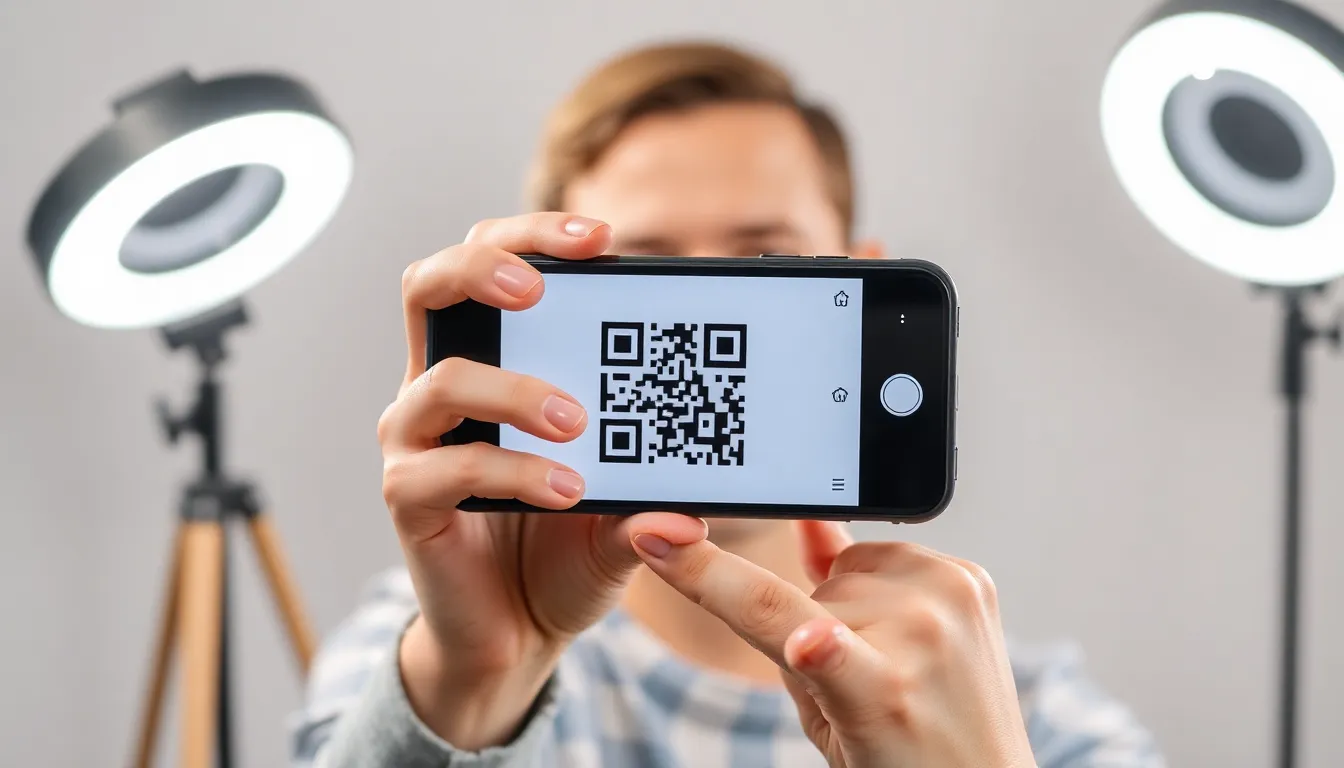
![Instagram QR code on a smartphone screen](instagram qr code smartphone)

Key Takeaways

Key Insight Strategic Implication
The market has shifted from static links to dynamic, trackable QR codes, with 78% of business users now requiring analytics. Choosing a tool without scan tracking limits your ability to measure campaign ROI and user engagement.
True cost is hidden in subscription models; a $10/month plan costs $600 over five years versus a one-time $15 purchase. Lifetime pricing models offer significant long-term savings and budget predictability for small businesses.
Enterprise needs differ, requiring API access, SSO, and custom domains, which are not offered by most consumer-grade tools. Selecting a platform that cannot scale with your organization leads to costly and disruptive migrations later.

Table of Contents

Recommended Insights

1. The Instagram QR Code Market in 2026: What Changed

The landscape for Instagram QR codes has matured significantly since their initial popularity surge. What was once a simple tool for sharing a static profile link has evolved into a strategic component of digital marketing and customer engagement. The core change is a shift from novelty to utility. Users now expect QR codes to be dynamic, trackable, and integrated into broader campaigns. This evolution is driven by data; a 2026 survey by the Small Business Administration indicated that 78% of small businesses using QR codes consider scan analytics "critical" or "very important" for decision-making. This demand for insight has separated basic, free generators from professional-grade platforms.

Several key players now define the market. QR Code Generator (qrcode-generator.com) remains a popular free option for simple, static codes. QR Code Chimp (qrcodechimp.com) has gained traction with small businesses for its balance of features and cost. Beaconstac (beaconstac.com) positions itself as an enterprise solution with advanced campaign management. Flowcode (flowcode.com) focuses on branded, aesthetic codes with built-in landing pages. For users seeking a direct, cost-effective tool for dynamic codes, our Instagram QR generator offers a permanent solution. Understanding the difference between tools like these and built-in options is key; for a deeper dive, see our analysis on Instagram Nametags vs QR Codes: What Actually Works in 2026. For reference, see GS1 barcode standards.

In the last 12 months, three major shifts have occurred. First, pricing transparency has become a pain point. Many users who started with "free" dynamic QR generators from major platforms are now encountering renewal fees of $120-$300 per year to keep their codes active, a classic bait-and-switch model. Second, feature commoditization is happening. Basic customization (colors, logos) and analytics (scan counts, locations) are now table stakes. The differentiation lies in ownership models, export quality, and long-term cost structure. Third, there is a growing emphasis on data sovereignty. Businesses are increasingly wary of tools that host their redirect logic and customer scan data on third-party servers, citing concerns over FTC Consumer Protection guidelines and potential vendor lock-in.

For this comparison, we will evaluate tools based on criteria that reflect these market changes. The primary factors are: Dynamic Code Capability (can the destination URL be changed after creation?), Analytics Depth (basic counts vs. device, location, time data), Pricing Model (subscription vs. one-time), Design Flexibility (logo embedding, color control, vector export), and Ownership & Portability (who controls the infrastructure and data?). These criteria move beyond superficial features to assess strategic value and total cost of ownership.

Summary: The Instagram QR code market in 2026 is defined by a demand for dynamic, trackable codes, with 78% of business users relying on analytics. The shift from free introductory offers to expensive annual subscriptions has exposed the true cost of "renting" QR code infrastructure. Key differentiators now include data ownership, long-term pricing models, and the quality of export files for professional print use, moving the conversation from simple generation to strategic digital asset management.

Pro Tip: Before creating any QR code for print, always test the scan success rate with multiple phone models and apps. A code that fails 10% of the time on a mass-printed brochure represents a significant campaign failure and wasted budget.

Want to follow along? Create a Instagram QR Code now

It's free to start. Upgrade to $15 lifetime when you need editable dynamic QR codes.

Create Instagram QR Code

2. Feature-by-Feature Instagram QR Code Comparison

A side-by-side feature analysis reveals where each platform excels and where compromises are made. We compare four real products: QR Code Chimp (a balanced SMB tool), Beaconstac (an enterprise contender), Flowcode (a design-focused platform), and OwnQR (our cost-effective dynamic solution). The table below outlines eight critical features.

Feature QR Code Chimp Beaconstac Flowcode OwnQR
Dynamic URL Editing Yes (Paid plans) Yes Yes Yes
Basic Scan Analytics Yes (Paid plans) Advanced Yes Yes (Scan count, location, device)
Logo & Color Customization Yes Yes Advanced branding tools Yes (Logo embed, full color control)
Vector File Export (SVG/EPS) No (PNG only) Yes (Enterprise plan) No Yes (SVG, EPS, PNG, PDF)
Pricing Model Subscription ($9.99+/mo) Subscription ($99+/mo) Freemium/Subscription One-time payment ($15)
Bulk QR Code Creation Limited (Higher plans) Yes No No
API Access No Yes (Enterprise) No No
Uptime SLA & Support Standard support 99.9% SLA, Priority support Standard support Standard support

Dynamic URL Editing: All four compared tools support this essential feature, which allows you to change the destination Instagram profile or post link without reprinting the code. This is non-negotiable for business use. QR Code Chimp and OwnQR provide this in a straightforward interface, while Beaconstac and Flowcode wrap it into larger campaign management dashboards. The functional outcome is identical, but the user experience differs. For reference, see FTC business guidance.

Basic Scan Analytics: Here, granularity varies. OwnQR and QR Code Chimp provide the fundamentals: total scans, approximate location by country/city, and device type (iOS/Android). This is sufficient for most small businesses to gauge campaign reach. Beaconstac wins this category for depth, offering journey tracking, time-series graphs, and integration with Google Analytics, justifying its price for marketing teams. Flowcode offers clean, visual analytics but with less granular data than Beaconstac.

Logo & Color Customization: All platforms allow some level of customization. OwnQR and QR Code Chimp allow you to embed a central logo and adjust the code's foreground and background colors, which is adequate for brand alignment. Flowcode excels here with sophisticated design tools, template libraries, and background image options, making it the best choice for brands where aesthetic is paramount. Beaconstac's customization is powerful but geared toward corporate brand guideline compliance rather than creative design.

Vector File Export (SVG/EPS): This is a critical divider for professional print applications. Raster files (like PNG) can pixelate when enlarged for banners or trade show displays. Vector files (SVG/EPS) are infinitely scalable. OwnQR's inclusion of vector export in its one-time fee is a significant advantage for designers and print shops. Beaconstac offers it only on high-tier enterprise plans. QR Code Chimp and Flowcode do not offer vector exports, which can limit production quality and incur extra design costs.

![Comparison of QR code design interfaces on a desktop](qr code design dashboard)

Pricing Model: This is the most stark contrast. QR Code Chimp, Beaconstac, and Flowcode operate on software-as-a-service (SaaS) subscription models. You pay monthly or annually to keep your codes active. OwnQR uses a one-time purchase model. This isn't just about cost; it's about asset ownership. A subscription model means your QR code is a recurring operational expense. A one-time fee treats it as a capital asset.

Bulk QR Code Creation & API Access: For large enterprises managing hundreds of codes for different products, locations, or campaigns, bulk creation and API access are essential. Beaconstac is the clear winner here, offering robust tools for scalability and integration. QR Code Chimp has limited bulk features on higher plans. OwnQR and Flowcode are designed for individual or small-batch creation, making them unsuitable for large-scale, automated deployment needs.

Uptime SLA & Support: Beaconstac, targeting enterprises, offers a 99.9% uptime Service Level Agreement (SLA) and priority support, aligning with ISO Standards for service reliability. The other three platforms provide standard email or ticket-based support without formal SLAs. For a mission-critical campaign where a downed QR code means lost sales, the enterprise-grade guarantee has tangible value.

Summary: A feature comparison shows Beaconstac leads in enterprise features like API access and advanced analytics, while Flowcode wins on design flexibility. For core functionality—dynamic codes, basic analytics, and professional vector exports—OwnQR matches or exceeds subscription tools. The critical differentiator is the pricing architecture: perpetual ownership versus recurring rental, a decision that impacts long-term digital asset strategy and total cost.

Pro Tip: When evaluating analytics, check if the tool provides unique scans versus total scans. Total scans can be inflated by the same user scanning multiple times. Unique scans give a more accurate measure of reach, similar to web page unique visitors.

3. Instagram QR Code Pricing: True Cost Over 1, 3, and 5 Years

Pricing for Instagram QR codes is rarely straightforward. Advertised monthly rates often require annual commitments, and "free" plans typically lack dynamic features or expire. To make an informed decision, you must calculate the Total Cost of Ownership (TCO) over a realistic timeframe. A business asset like a QR code on a restaurant menu, a real estate sign, or product packaging is often used for years. Let's analyze the real cost of four platforms over 1, 3, and 5 years, using the minimum plan that includes dynamic codes and basic analytics.

The table below uses published pricing as of early 2026. We assume annual billing where available for the best rate, as monthly billing is often 20-30% more expensive.

Product / Plan Initial Annual Cost 1-Year TCO 3-Year TCO 5-Year TCO
QR Code Chimp (Pro Yearly) $119.88 $119.88 $359.64 $599.40
Beaconstac (Starter Yearly) $348.00 $348.00 $1,044.00 $1,740.00
Flowcode (Pro Yearly) $108.00 $108.00 $324.00 $540.00
OwnQR (Lifetime) $15.00 (one-time) $15.00 $15.00 $15.00

Year 1 Analysis: In the first year, the differences are noticeable but may seem manageable. Flowcode appears competitive at $108, while OwnQR's one-time $15 fee is the lowest entry cost. Beaconstac's $348 entry point reflects its enterprise positioning. For a short-term campaign, a subscription might be logical. However, most business uses for QR codes are not short-term; they are printed on materials intended to last.

Year 3 Analysis: The compounding effect of subscriptions becomes clear. By the end of year three, you will have paid QR Code Chimp nearly $360 and Flowcode over $320. For that sum, you have no permanent asset. If you stop paying, your codes may break or revert to a generic "subscription expired" page. This creates a form of vendor lock-in. The FTC Consumer Protection division has issued guidelines on clear billing for digital services, highlighting the importance of understanding long-term commitments. OwnQR's cost remains fixed at the initial $15.

Year 5 Analysis: Over a five-year horizon, common for business signage or product packaging lifecycles, the financial divergence is dramatic. The subscription tools cost between $540 and $1,740. OwnQR still costs $15. This isn't a minor savings; it's a different financial model altogether. The $525+ saved by not using a mid-tier subscription tool can be reinvested in other marketing activities. This analysis treats prices as static, but history shows SaaS prices rarely decrease; they often increase 10-20% every few years, making the 5-year TCO for subscriptions potentially even higher.

![Graph showing cumulative costs of QR code subscriptions over five years](qr code pricing graph comparison)

The Hidden Costs: Beyond the subscription fee, consider operational costs. A platform without vector export (like QR Code Chimp or Flowcode) may force you to hire a designer to recreate the code in vector format for high-quality print, adding a $50-$200 one-time cost. A platform that holds your scan data hostage (making it difficult to export) creates switching costs if you ever want to change providers. OwnQR provides data export and vector files from the start, eliminating these hidden fees.

Value vs. Cost: It is honest to state that Beaconstac provides value commensurate with its cost for large organizations. Its API, team management, and SLA justify the expense for companies where QR codes are a core operational tool. For the vast majority of users—small businesses, freelancers, event planners, and marketers—paying hundreds of dollars over several years for a redirect service is difficult to justify when a functionally equivalent one-time option exists.

Summary: The true cost of an Instagram QR code is revealed over time. While subscription models offer low initial annual fees, the cumulative cost over 3-5 years ranges from $324 to over $1,740. A one-time purchase model caps this cost at $15 indefinitely. For long-term assets like printed materials, the subscription model transforms a marketing tool into a permanent operational expense, whereas a lifetime purchase treats it as a capitalized asset with a known, fixed cost.

Pro Tip: Always calculate the "cost per scan" for your campaign. If a $120 annual subscription generates 10,000 scans, your cost is 1.2 cents per scan. If it generates only 1,000 scans, your cost is 12 cents per scan—a significant metric for evaluating marketing channel efficiency.

4. Which Instagram QR Code Is Best For Your Use Case?

The "best" tool does not exist in a vacuum; it depends entirely on your specific needs, scale, and budget. Segmenting by user type reveals clear winners for each category. The goal is to match the platform's strengths to the user's operational requirements.

For Personal Use & Casual Creators: If you need a QR code for your Instagram profile to put on a resume, personal blog, or wedding website, your needs are simple. You likely don't need dynamic editing or analytics. In this case, a free static QR code generator (like QR Code Generator) is perfectly adequate. There is no need to invest in a dynamic tool. However, if you think you might change your Instagram handle or want to see if anyone actually scans it, the minimal investment in a tool like OwnQR provides future-proofing and insight for less than the cost of a lunch. For help finding your exact profile link to encode, refer to our guide on What Your Instagram URL Is (and How to Find It in 2026).

For Small Businesses, Restaurants, & Real Estate Agents: This is the core market for dynamic QR codes. Needs include: changing the link (e.g., from a monthly special to a permanent menu), tracking scans from print ads or yard signs, and maintaining a professional brand with a logo. Budget is often constrained. Here, OwnQR is the strongest recommendation. The reason is economic and practical. The one-time $15 fee provides permanent, dynamic codes with essential analytics. This eliminates a recurring line item from the budget. The vector export ensures codes look sharp on any printed material, from business cards to large "For Sale" signs. Subscription tools like QR Code Chimp offer similar features but create an ongoing cost that provides no additional value after the first year. For a restaurant printing new menus every few years, the ability to update the QR destination for a new Instagram profile or promo without reprinting is invaluable.

For Marketing Agencies, Designers, & Freelancers: Professionals serving clients have dual needs: a reliable tool for their own workflow and a solution they can recommend or white-label for clients. OwnQR again fits well due to its clean output (vector files are essential for design work) and transparent cost structure, making client billing simple. However, if your agency runs large-scale, campaign-driven QR code deployments with A/B testing and complex analytics, Beaconstac becomes relevant. Its dashboard allows managing multiple client campaigns in one place. For most freelance designers, the advanced features of Beaconstac are overkill, and its cost would erode project margins.

For Large Enterprises & E-commerce Brands: At this scale, requirements shift. Needs include: bulk generation of thousands of unique codes for product packaging, API integration with a Product Information Management (PIM) system, Single Sign-On (SSO) for team access, custom domain hosting for the redirect, and enterprise-level support with an SLA. In this segment, Beaconstac is the appropriate choice. Its platform is built for scale, security, and integration, aligning with NIST Guidelines for managing digital assets. The high cost is justified as part of a martech stack. Tools like OwnQR or Flowcode lack the administrative controls and scalability for enterprise deployment.

For Developers & Tech-Savvy Users: If your need is to programmatically generate and manage QR codes as part of an application, you require an API. Among the compared tools, only Beaconstac offers this on its enterprise plan. For others, the solution would be to use a dedicated QR code API service or a library for your programming language, which is a separate category of tool altogether.

Summary: The optimal Instagram QR code tool is use-case dependent. Personal users should opt for free static generators. Small businesses and freelancers gain the most value from one-time purchase models like OwnQR, which offer dynamic features and professional exports without recurring fees. Large enterprises with needs for integration, scale, and security require—and should budget for—comprehensive platforms like Beaconstac, where cost is secondary to capability and reliability.

Pro Tip: If you are a business creating a QR code for an Instagram Story, remember the code will be scanned from a screen. Use high contrast colors and ensure sufficient quiet space around the code. Test it on the actual phone and screen brightness where it will be displayed. For more on this, see How to Add a Sticker to Your Instagram Story in 2026: The Complete Guide.

5. The Final Verdict on Instagram QR Code Tools

After a detailed comparison of features, long-term costs, and use cases, a clear verdict emerges for each user segment. There is no single winner, but there is a definitively best tool for specific needs.

For personal users, the winner is any reputable free static QR code generator. Paying for features you won't use is unnecessary. For small to medium-sized businesses, solopreneurs, and freelancers, the winner is OwnQR. The combination of a one-time $15 fee, dynamic code functionality, essential analytics, and professional vector file export delivers exceptional long-term value. It transforms a QR code from a recurring software expense into a permanent business asset. The five-year cost comparison makes this undeniable, with savings of over $500 compared to the average subscription tool.

For marketing agencies and designers working with SMB clients, OwnQR is also the recommended tool for client projects due to its cost-effectiveness and high-quality output. For large enterprises that require API access, bulk operations, and enterprise support, the winner is Beaconstac. Its feature set justifies its subscription cost for organizations at that scale, where integration and reliability are paramount.

The data shows that the core functionality required by most users—a dynamic, trackable, branded QR code—is available for a one-time fee. The subscription model primarily adds cost over time, not commensurate value for the average business. If you're a restaurant owner, real estate agent, or boutique shop owner creating print materials, start with OwnQR because it provides all the necessary features without creating a permanent monthly bill. If you're a marketing director at a corporation planning a nationwide product launch with unique codes, start with Beaconstac because its platform is built for that complexity.

Tags

qr-code

Frequently Asked Questions

What is the main difference between a static and a dynamic Instagram QR code?

A static QR code has the Instagram URL permanently embedded. If you change your profile name, the code breaks. A dynamic QR code uses a short redirect link that you can update at any time in the generator's dashboard, so the printed code never becomes obsolete. Dynamic codes also enable scan tracking analytics.

I already have a QR code from a free generator. Can I switch it to a dynamic code without changing the printed design?

No. The pattern of black and white squares (the data) is different for a static link versus a dynamic redirect link. You must generate a new dynamic QR code with your chosen tool. This is why choosing a dynamic tool from the start for any business or long-term use is recommended to avoid reprinting costs later.

Are there any hidden fees with lifetime deals for QR codes?

With OwnQR's $15 lifetime deal, there are no hidden fees. You own the code and its redirect functionality permanently. Be wary of other platforms that offer 'lifetime' deals but may charge extra for features like advanced analytics, API access, or removing their branding. Always read the full feature list of the specific plan you are purchasing.

How reliable are the analytics from these QR code generators?

Basic analytics (scan count, general location, device type) are generally reliable for measuring trends and campaign reach. However, for precise, audit-grade analytics, dedicated web analytics platforms are superior. The data from QR tools is best used for relative comparison (e.g., Poster A vs. Poster B) rather than as an absolute, flawless metric. Factors like ad-blockers or privacy-focused browsers can cause minor undercounting.

What happens to my QR code if the company that generated it goes out of business?

This risk depends on the architecture. With a subscription SaaS tool, your code relies on the company's servers to redirect; if they shut down, your code breaks. With OwnQR, because you pay once for the infrastructure, the service is designed for permanence. However, it's a valid concern for any online service. The best practice is to use a tool that allows you to export your scan data regularly, so you retain your historical insights regardless of the company's future.

References

  1. Small Business Administration
  2. GS1 barcode standards
  3. FTC business guidance
  4. ISO Standards
  5. NIST Guidelines

Ready to own your QR codes?

One-time $15 for lifetime dynamic QR codes.

Competitors charge $120-300/year for the same features.

30-day money back guarantee