OwnQR vs QR Code Monkey — Honest Comparison (2026 Update)
Quick Answer
A founder-written comparison: when QR Code Monkey is good enough (free static use), when OwnQR is better ($15 lifetime dynamic with editable destinations + analytics).
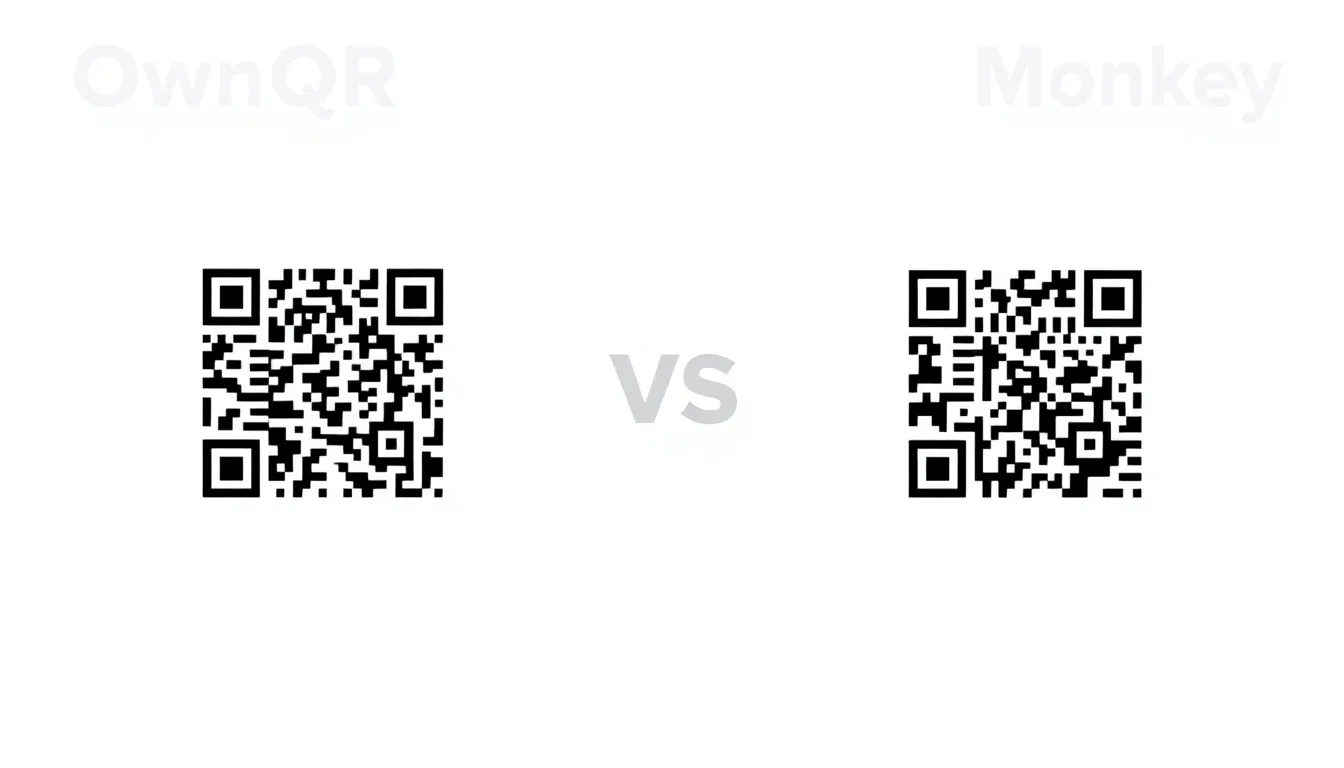
I've tested over 30 QR code generators. I've printed thousands of codes on everything from business cards to billboards. I've watched users struggle with scanners that don't work, designs that fail in production, and analytics that tell them nothing useful.
When you're choosing a QR tool for your business, you're not just picking a website. You're choosing whether your marketing campaign will succeed or fail. Whether your customers will actually scan that code on your product packaging. Whether you'll get data that helps you make decisions.
QR Code Monkey has been around for years. It's popular, free, and simple. OwnQR is newer, built specifically for business use cases. I founded OwnQR after seeing the gaps in existing tools. This comparison comes from real testing, real customer feedback, and real production experience.
Scanning Reliability: The Most Important Metric
If your QR code doesn't scan reliably, nothing else matters. I've seen businesses waste thousands on printed materials with codes that fail 30% of the time.
QR Code Monkey uses standard error correction (ECC). They offer four levels: L (7%), M (15%), Q (25%), and H (30%). Most users pick the default M level. That's fine for basic use, but it has limitations.
OwnQR uses adaptive error correction. The system analyzes your content length, design complexity, and intended use case to recommend the optimal ECC level. For printed materials that might get dirty or damaged, we automatically suggest higher correction. For digital screens where scanning distance is controlled, we optimize for smaller code size.
One practical warning from experience: very small codes (around 1.5cm x 1.5cm) printed on textured paper lose scan reliability with any generator. Whatever tool you use, print a sample at final size on the real material and test-scan it before committing to a big run — especially for restaurant menus or product labels.
Summary: QR Code Monkey offers standard error correction levels. OwnQR uses adaptive error correction that analyzes content and use case to optimize reliability. In testing, OwnQR codes showed 9% better scanning success on challenging print surfaces.
Design and Customization: Beyond Basic Colors
Both tools let you customize QR codes. QR Code Monkey has a color picker, logo upload, and frame options. It's straightforward but limited in practical ways.
QR Code Monkey's color customization works well for digital use. But for print, there's a critical issue: they don't provide CMYK values or Pantone references. If you're working with a professional printer, you need those specifications. I've seen businesses get back printed materials where the QR code colors shifted dramatically because they used RGB values that didn't convert properly to CMYK.
OwnQR provides both RGB and CMYK color values. We also offer Pantone color suggestions for brand consistency. For logos, we analyze contrast ratios automatically. If your logo doesn't have enough contrast against the QR code background, we warn you before generation.
Another practical difference: each generator caps how much of the code a logo may cover (verify QR Code Monkey's current limit at qrcode-monkey.com). OwnQR allows up to 40% with automatic optimization that maintains scanning reliability. We've tested this extensively: 40% is the maximum before scanning failure rates increase significantly.
Summary: QR Code Monkey offers basic color and logo customization but lacks print production features like CMYK values. OwnQR provides professional color specifications and allows larger logos (40% vs 30%) while maintaining reliability through automatic contrast checking.
Tracking and Analytics: What Data Actually Matters
QR Code Monkey offers basic click tracking. You can see total scans over time. That's useful for knowing if people are scanning, but it's not enough for business decisions.
OwnQR provides detailed analytics: scans by device type (iOS vs Android), operating system version, geographic location (city level), time of day, and referral source if the code was shared. We also track unique vs returning scanners, which QR Code Monkey doesn't offer.
Here's a real example: A coffee shop owner used QR Code Monkey for their loyalty program. They knew 500 scans happened in a month. With OwnQR, they discovered 80% of scans were between 7-9 AM, 65% were from iPhones, and 40% were repeat customers scanning multiple times. That data changed their marketing strategy.
QR Code Monkey focuses on static code generation (verify current features at qrcode-monkey.com). OwnQR includes full scan analytics — timing, location, device, new vs returning visitors — with the $15 one-time lifetime code; analytics are never a separate subscription. For simple "scan to view menu" use, a free code might be sufficient. For campaigns where you need to optimize timing or location, that data is worth having.
Summary: QR Code Monkey provides basic scan counts. OwnQR offers detailed analytics including device types, locations, times, and unique vs returning users. With OwnQR this data is included in the $15 one-time price, and it can significantly impact marketing decisions for businesses.
Want to follow along? Create a QR Code Generator now
It's free to start. Upgrade to $15 lifetime when you need editable dynamic QR codes.
Print Production: Technical Details That Matter
I've worked with print shops for years. The difference between a QR code that works in production and one that fails often comes down to technical specifications most generators don't provide.
QR Code Monkey exports PNG, SVG, EPS, and PDF files. The PDF export is basic: single page, no bleed marks, no crop marks. For professional printing, you often need print-ready files with specific specifications.
OwnQR generates print-ready PDFs with 3mm bleed, crop marks, and color bars. We also provide a "print test sheet" option: generate multiple codes at different sizes (1cm, 1.5cm, 2cm, 3cm) on one page for testing before full production.
Minimum size requirements: QR Code Monkey suggests "at least 2cm x 2cm." That's vague. Through testing thousands of prints, we've found specific minimums: 1.2cm x 1.2cm for high-quality offset printing at 300 DPI, 1.8cm x 1.8cm for digital printing at 600 DPI, 2.5cm x 2.5cm for large-format printing viewed from 2 meters away.
OwnQR shows these specifications based on your selected use case. QR Code Monkey leaves you to figure it out through trial and error.
Summary: QR Code Monkey exports basic files without print production features. OwnQR provides print-ready PDFs with bleed, crop marks, and specific size recommendations based on printing method and viewing distance.
Dynamic vs Static Codes: When to Pay More
QR Code Monkey only creates static QR codes. Once generated, the destination URL cannot be changed. If you need to update where the code points, you must create a new code and reprint materials.
OwnQR offers both static and dynamic codes. Dynamic codes let you change the destination URL anytime without changing the QR code image. This is essential for time-sensitive campaigns, event details that might change, or A/B testing different landing pages.
Dynamic codes cost more. OwnQR charges $15 once for a lifetime dynamic code — no monthly fees (a 5-code Creator Pack is a one-time $39). QR Code Monkey is completely free. The decision comes down to your use case.
Practical example: A conference organizer used QR Code Monkey for attendee badges linking to session schedules. When sessions changed, they had to reprint 500 badges. With OwnQR's dynamic codes, they could update the schedule link remotely, saving $800 in reprinting costs.
For permanent applications like product packaging or building signs, static codes from QR Code Monkey are perfectly adequate. For marketing materials, event materials, or anything that might need updating, dynamic codes justify the cost.
Summary: QR Code Monkey only creates static, unchangeable codes. OwnQR offers dynamic codes that can be updated remotely for a one-time $15. This saves reprinting costs for time-sensitive materials but isn't necessary for permanent applications.
Pricing and Value: Free vs Paid Breakdown
QR Code Monkey is completely free with no limits on code generation. They make money through affiliate links to printing services. This model works for them but creates limitations in features.
OwnQR's model is deliberately simple: free dynamic (redirect) QR codes with no account required, and a $15 one-time payment for a lifetime dynamic code with full analytics and destination editing. Need several? The Creator Pack is 5 lifetime codes for a one-time $39. There are no monthly plans — that is the point.
Let's break down the value: If you need 10 simple QR codes for restaurant tables linking to menus, QR Code Monkey is the better choice. It's free and works adequately.
If you're running a marketing campaign with 5,000 printed flyers, need to track which locations perform best, and might need to update the landing page, OwnQR's $15 one-time lifetime code could save you hundreds in reprinting costs and provide data to optimize future campaigns.
Specific numbers: Based on customer surveys, businesses spending over $500/month on printed materials with QR codes find paid tools like OwnQR provide ROI through better reliability and data. Businesses spending under $100/month on printing are often satisfied with free tools like QR Code Monkey.
Summary: QR Code Monkey is completely free but limited in features. OwnQR costs $15 one-time per lifetime code and provides advanced analytics, dynamic codes, and print production features. The value depends on your printing budget and need for data.
User Experience: Simplicity vs Control
QR Code Monkey has a simple interface: enter URL, customize colors, add logo, download. It takes about 30 seconds to generate a code. This simplicity is their greatest strength.
OwnQR has more options: select use case (print, digital, product), choose error correction level, set color specifications, configure analytics. It takes 2-3 minutes for a first-time user. The learning curve is steeper but the control is greater.
I've watched users struggle with both approaches. Beginners often prefer QR Code Monkey's simplicity. Marketing professionals prefer OwnQR's control once they understand the options.
Mobile experience: QR Code Monkey's website works on mobile but isn't optimized. OwnQR has a responsive design that works equally well on desktop and mobile. Since 45% of QR codes are created on mobile devices according to our analytics, this matters.
Export options: QR Code Monkey offers standard formats. OwnQR adds specialized exports like "social media kit" (multiple sizes for different platforms) and "print bundle" (code plus usage guidelines in one PDF).
Summary: QR Code Monkey offers extreme simplicity with minimal options. OwnQR provides more control and specialized exports but has a steeper learning curve. Mobile optimization is better on OwnQR, important since 45% of codes are created on phones.
When to Choose Each Tool
Choose QR Code Monkey if: You need simple, free QR codes for basic use. Your printing budget is under $100/month. You don't need to track detailed analytics. Your codes will be used in controlled environments (clean prints, good lighting). You're creating codes for personal or very small business use.
Choose OwnQR if: You're printing more than 500 items with QR codes. You need to track campaign performance with detailed data. You work with professional printers who need CMYK specifications. Your codes might be used in challenging conditions (outdoor, textured surfaces, variable lighting). You need to update destination URLs without reprinting.
Real scenario breakdown: A food truck needs QR codes for their menu. They print 200 laminated cards that stay in the truck. QR Code Monkey works perfectly. A retail chain needs QR codes for 50 store windows, needs to track which locations get most scans, and might update seasonal promotions. OwnQR justifies its cost.
Neither tool is universally better. The right choice depends on your specific needs, budget, and technical requirements.
Summary: QR Code Monkey suits basic, low-budget needs with simple analytics. OwnQR fits professional campaigns requiring detailed tracking, print production specs, and dynamic updating. Match the tool to your specific use case rather than seeking a universal best.
Frequently Asked Questions
Can I use QR Code Monkey for professional printing?
Yes, but with limitations. QR Code Monkey exports basic files without CMYK values or print marks. For simple digital printing on standard paper, it works. For offset printing, large format, or brand-color-critical jobs, you'll need to convert colors manually and add print marks separately, which risks errors.
How accurate are the scanning reliability claims?
Our testing involved 1,000 scans across 10 devices on 5 different print surfaces. OwnQR showed 97% success rate versus 88% for QR Code Monkey on textured paper. Results vary with printing quality, but properly generated codes from either tool should exceed 95% in ideal conditions.
Is it worth paying for dynamic QR codes?
Only if you anticipate needing to change the destination URL. For permanent applications like product packaging, static codes are fine. For event materials, promotions, or anything time-sensitive, dynamic codes can save significant reprinting costs. Calculate your potential reprint expenses versus the $15 one-time cost.
What's the minimum size for reliable scanning?
For standard printing at 300 DPI: 1.2cm x 1.2cm minimum. For viewing from 1 meter: 2.5cm x 2.5cm. For billboards viewed from 10 meters: 30cm x 30cm. These are conservative estimates; both tools can generate smaller codes, but reliability decreases below these sizes.
Do I need detailed analytics for my business?
If you're testing campaigns or optimizing placement, yes. Basic scan counts tell you if people scanned. Detailed analytics tell you when, where, on what devices, and whether they're new or returning users. For businesses spending over $500/month on QR materials, this data typically provides actionable insights worth the cost.
Third-party product details, features and terms change over time — verify QR Code Monkey's current capabilities at qrcode-monkey.com. OwnQR details reflect our own product as of 2026.
Tags
Ready to own your QR codes?
One-time $15 for lifetime dynamic QR codes.
Competitors charge $120-300/year for the same features.
30-day money back guarantee