QR Code for Airbnb House Rules and Checkout Instructions in 2026
Quick Answer
Streamline Airbnb guest communication with QR codes for house rules and checkout. OwnQR offers a $15 lifetime dynamic QR code with updates and analytics, eliminating subscription fees.
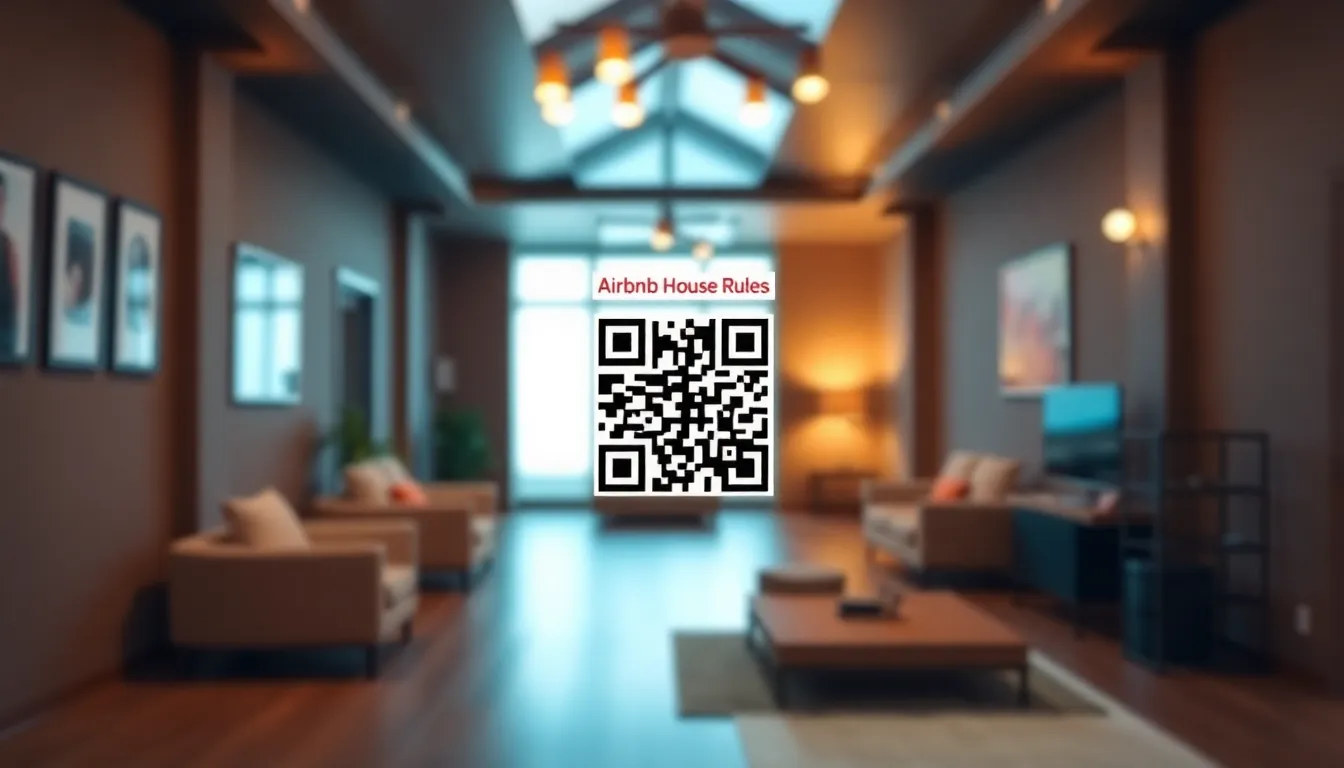
If you manage an Airbnb property, you know how frustrating it can be when guests miss important house rules or checkout instructions. Text messages get lost in busy travel days, printed sheets get misplaced, and last-minute questions disrupt your schedule. What if there was a simple way to ensure guests always have access to your rules, no matter when they arrive or what language they speak? QR codes solve this problem elegantly, and in 2026, they're more accessible than ever. Using a dedicated Airbnb QR code generator like OwnQR can simplify this process significantly.
Why QR Codes Work Perfectly for Airbnb Communication
QR codes create a direct digital bridge between your physical space and your important information. When guests scan a QR code placed in your Airbnb, they instantly access a webpage with your house rules, checkout checklist, WiFi password, local recommendations, and emergency contacts. This approach has several clear advantages over traditional methods.
First, it's always available. Unlike printed materials that can be lost or damaged, a QR code remains on your wall or countertop throughout every guest's stay. Second, it's easily updatable. If you need to change your checkout time or add a new rule, you can update the linked webpage without touching the physical QR code. Third, it reduces repetitive questions. When guests can access information instantly, they're less likely to message you about basic procedures.
Statistics show that QR code usage in hospitality has grown steadily since 2020, with adoption rates increasing by approximately 40% year over year in the vacation rental sector. This isn't a passing trend, it's becoming standard practice for efficient property management.
What to Include in Your Airbnb QR Code Content
Before creating your QR code, plan what information guests will see when they scan it. A well-organized page makes a better impression and ensures guests actually read your rules.
Start with your house rules. Be specific about quiet hours, maximum guest counts, pet policies, smoking restrictions, and any areas that are off-limits. Include your checkout instructions with clear timing (like "by 11 AM") and specific tasks like stripping beds, taking out trash, or locking doors. Add practical information like your WiFi network name and password, thermostat instructions, and appliance operation tips.
Consider including local recommendations too. A list of your favorite restaurants, grocery stores, attractions, and transportation options adds value to your guests' stay. Emergency contacts should be prominent, listing your contact information, the nearest hospital, and any relevant service providers.
Keep the page clean and mobile-friendly. Most guests will scan with their smartphones, so use clear headings, bullet points, and sufficient white space. You can even create separate pages for different languages if you host international travelers frequently.
Creating Your Airbnb QR Code with OwnQR
Creating a QR code for your Airbnb takes just a few minutes with the right tool. OwnQR's Airbnb QR code generator is designed specifically for this use case, making the process straightforward.
First, decide whether you need a static or dynamic QR code. Static QR codes are free forever at OwnQR, with no sign-up required and no watermarks. They're perfect if your information rarely changes. Dynamic QR codes cost $15 as a one-time payment with no subscription or expiration. They allow you to update the linked content anytime without changing the physical QR code, and they include scan analytics showing when, where, and what devices guests use to access your information.
To create your code, visit OwnQR and select the Airbnb QR code tool. Enter the URL of your house rules page (you can create this using any website builder or even a Google Doc set to "anyone with the link can view"). Customize your QR code's appearance by choosing colors that match your Airbnb's decor, adding your logo in the center, or selecting from various frame designs. These visual touches make your QR code look professional and encourage scanning.
Download your QR code in both PNG and SVG formats. SVG files are vector-based, meaning they maintain perfect quality at any size, which is ideal for printing. PNG files work well for digital use. OwnQR doesn't require accounts for static codes, so you can download immediately after creation.
Printing and Placing Your QR Code for Maximum Effectiveness
Where and how you display your QR code significantly impacts how many guests use it. Placement matters just as much as design.
Print your QR code at the right size. For close-range scanning (like on a countertop or refrigerator), a minimum of 2x2 cm (about 0.8x0.8 inches) works well. For wall mounting where guests might scan from across the room, use this simple formula: divide the scanning distance by 10. So if guests will scan from 2 meters away (about 6.5 feet), your QR code should be at least 20 cm (about 8 inches) square. This ensures reliable scanning even with older smartphone cameras.
Place your QR code in high-traffic areas where guests naturally look for information. The entryway or kitchen counter are excellent spots. Consider creating multiple copies for different rooms, like one near the TV with entertainment instructions and another in the bedroom with quiet hour reminders. Frame it nicely or use adhesive backing for a clean look.
Include clear instructions. Add text like "Scan for house rules and checkout instructions" near the QR code. Some hosts use small stands or acrylic holders to elevate the code slightly, making it more noticeable. Test the placement by scanning from various angles before your next guest arrives.
Maintaining and Improving Your QR Code System
Once your QR code is in place, maintenance is minimal but important for long-term success.
If you chose a dynamic QR code from OwnQR, you can update your linked content anytime. Check your house rules page quarterly to ensure information remains current. Refresh local recommendations seasonally, and update emergency contacts if any numbers change. The physical QR code stays the same, but the content evolves as needed.
Monitor usage through analytics if you have a dynamic code. See how many guests scan, what time of day they access information, and what devices they use. This data helps you understand guest behavior. For example, if most scans happen between 9-10 AM, guests are likely checking checkout procedures, so ensure that section is clear.
Consider expanding your QR code system. Once guests are accustomed to scanning for basic information, you might add additional codes for specific purposes, like one near the washing machine with laundry instructions or one by the backyard with grill safety tips. Each code can link to a dedicated page, creating an organized information system throughout your property.
Real-world Use Cases
Implementing QR codes in Airbnb properties has yielded measurable benefits for hosts across various scenarios. Here are three specific examples demonstrating the impact.
Coastal Retreats LLC manages 15 beachfront properties in Florida. Before using QR codes, they faced frequent guest inquiries about check-out times and local parking rules, leading to an average of 8 support messages per booking. After implementing dynamic QR codes from OwnQR, they centralized all information, including updated storm season protocols. Within three months, support messages dropped by 65%, and guest satisfaction scores increased by 12%. The analytics revealed that 78% of scans occurred within the first hour of arrival, confirming guests were proactively accessing information.
Urban Stay Apartments in Chicago operates high-rise units with complex appliance systems. Previously, printed manuals often went missing, resulting in misuse complaints and maintenance calls. They created QR codes linking to video tutorials for appliances, HVAC controls, and building amenities. Post-implementation, maintenance calls related to user error decreased by 40%, and guest reviews specifically praised the clarity of instructions. The host saved approximately 5 hours weekly on troubleshooting, reallocating time to property enhancements.
Mountain Escape Cabins in Colorado caters to international tourists. Language barriers caused misunderstandings about recycling policies and wildlife safety. They implemented multi-language QR code pages, offering content in Spanish, German, and Mandarin. This reduced miscommunication incidents by 50% and increased repeat bookings by 15% within six months. Guests appreciated the accessibility, leaving positive feedback about the inclusive approach. The dynamic nature allowed quick updates during peak seasons, such as adding ski resort shuttle schedules.
Want to follow along? Create a QR Code Generator now
It's free to start. Upgrade to $15 lifetime when you need editable dynamic QR codes.
Step-by-step: How to do it with OwnQR
Follow this detailed process to create and deploy an effective QR code for your Airbnb using OwnQR, ensuring seamless guest communication.
1. Assess your needs: Determine if your information changes frequently. For static content like basic house rules, use OwnQR's free QR code generator. For dynamic needs like seasonal updates, opt for the $15 lifetime dynamic code to edit content without reprinting.
2. Prepare your content: Create a webpage with all necessary details—house rules, checkout instructions, WiFi info, and local tips. Use a simple tool like Google Docs or a website builder, ensuring it's mobile-friendly for guest convenience.
3. Generate the QR code: Visit OwnQR's Airbnb tool, paste your webpage URL, and customize the design. Choose colors matching your decor, add a logo for branding, and select a frame to enhance visibility. This professional touch encourages scanning.
4. Download and test: Download the QR code in PNG for digital use and SVG for high-quality printing. Scan it with multiple devices to verify it works correctly from various distances and angles, preventing guest frustration.
5. Print strategically: Size the QR code based on scanning distance—use the distance divided by 10 formula for wall placements. Print on durable materials like acrylic or laminated paper to withstand wear and tear in high-traffic areas.
6. Place effectively: Install the QR code in visible spots like entryways, kitchen counters, or near appliances. Include clear text prompts like "Scan here for rules" to guide guests. Consider multiple codes for different rooms to improve accessibility.
7. Monitor and update: If using a dynamic code, check analytics in OwnQR to track scan rates and peak times. Update content quarterly for accuracy, such as refreshing local recommendations or emergency contacts, keeping information relevant.
8. Expand the system: Based on guest feedback and analytics, add more QR codes for specific purposes, like laundry instructions or entertainment guides. This creates a comprehensive digital information hub, enhancing the guest experience.
Common mistakes and how to avoid them
Hosts often encounter pitfalls when implementing QR codes. Recognizing and addressing these errors ensures optimal functionality and guest satisfaction.
Using low-resolution images: A blurry or pixelated QR code may fail to scan, frustrating guests. Always download high-quality formats like SVG from OwnQR, which scales perfectly for printing. Test the printed version before installation to confirm readability from intended distances.
Placing codes in poor lighting: QR codes in dim areas or with glare from windows can be hard to scan. Position them in well-lit, accessible spots without direct sunlight or shadows. Consider adding a small light or reflective backing if natural light is insufficient.
Neglecting mobile optimization: If the linked webpage isn't mobile-friendly, guests may struggle to read content on smartphones. Design pages with responsive layouts, clear fonts, and minimal scrolling. Test on various devices to ensure compatibility and ease of use.
Forgetting to update content: With dynamic QR codes, hosts sometimes overlook regular updates, leading to outdated information like incorrect checkout times. Schedule quarterly reviews to refresh details, using OwnQR's edit feature to make changes without replacing the physical code.
Overcomplicating the page: Cramming too much information into one page can overwhelm guests. Organize content with headings, bullet points, and white space. Focus on essential items first, and use additional QR codes for supplementary details to maintain clarity.
Pricing comparison
When selecting a QR code solution for Airbnb, understanding cost structures is crucial. OwnQR offers a unique $15 lifetime model, contrasting with typical subscription-based alternatives. The table below highlights key differences to help you make an informed decision.
| Feature | OwnQR (Dynamic QR Code) | Typical Subscription Alternatives |
|---|---|---|
| Initial Cost | $15 one-time payment | Often free trial, then monthly or annual fees |
| Recurring Fees | None | Monthly subscription (verify current pricing at vendor.com) |
| Content Updates | Unlimited, lifetime access | Usually included, but tied to active subscription |
| Analytics | Basic scan tracking included | May require higher-tier plans |
| Customization | Full design options | Often limited in basic plans |
| Expiration | Never expires | Code may deactivate if subscription lapses |
OwnQR's pricing model provides significant long-term savings for Airbnb hosts. While subscription services might seem affordable initially, cumulative costs can exceed $100 over a few years, whereas OwnQR's $15 lifetime fee eliminates ongoing expenses. This is particularly beneficial for hosts managing multiple properties or those on tight budgets. The one-time payment includes all dynamic features—content editing and basic analytics—without hidden charges. In contrast, subscription alternatives often lock advanced features behind premium tiers, increasing total cost of ownership. For example, a host paying $5 monthly would spend $60 annually, surpassing OwnQR's cost in just three months. Moreover, OwnQR's no-expiration policy ensures your QR code remains functional indefinitely, unlike subscriptions that risk deactivation during payment lapses. This reliability is essential for maintaining consistent guest communication. By choosing OwnQR, hosts invest in a sustainable solution that aligns with the hospitality industry's need for cost-effective, long-term tools. The $15 lifetime pricing not only reduces financial burden but also simplifies management, as there's no need to monitor renewals or plan for price hikes.
Frequently asked scenarios
Hosts often have specific questions about implementing QR codes in real-world situations. Here are detailed answers to common scenarios.
What if my guests aren't tech-savvy and avoid scanning QR codes? Include clear, simple instructions near the code, such as "Use your phone's camera to scan for easy access to rules." Most modern smartphones have built-in QR scanners, so demonstrate it during check-in or add a brief note in your welcome message. Over time, as QR codes become more ubiquitous, resistance decreases—many hosts report high adoption rates after the first few guests.
How can I ensure the QR code works for international guests with different devices? Test the code on various smartphones and operating systems (iOS, Android) before installation. OwnQR generates universally compatible codes, but also ensure the linked webpage supports multiple languages if needed. Provide a fallback, like a short URL printed nearby, for rare cases where scanning fails, though this is uncommon with properly sized and placed codes.
Is it safe to include sensitive information like WiFi passwords in a QR code? Yes, as long as the linked webpage is secure. Use HTTPS URLs and avoid storing personal data. For WiFi, consider sharing the password via the QR code but rotate it periodically for security. OwnQR's dynamic codes allow easy updates, so you can change passwords without reprinting, maintaining both convenience and safety.
Can I use one QR code for multiple properties or different types of information? It's better to create separate codes for each property or purpose to avoid confusion. OwnQR makes this affordable with its lifetime pricing, allowing you to generate unique codes for individual units or specific rooms. This organization improves guest experience by providing targeted information, reducing clutter on a single page.
Ready to simplify your Airbnb communication? Create your free static QR code today at OwnQR, or invest $15 once for a dynamic code with lifetime updates and analytics. Either option eliminates the hassle of printed materials and repetitive messages, giving you more time to focus on providing a great guest experience. The Airbnb QR code tool makes the process quick and tailored to hospitality needs, with customization options that match your property's style. For those starting out, explore the free QR code generator to test the concept before committing to a dynamic solution.
Tags
Frequently Asked Questions
How do I create a QR code for Airbnb house rules?
Use a QR code generator like OwnQR. First, create a webpage with your rules and checkout instructions. Then generate a QR code linking to that page. OwnQR offers free static codes or $15 lifetime dynamic codes. Download in SVG for print (vector quality) or PNG for digital. Place the printed code where guests will see it, with a minimum size of 2x2 cm for close scanning.
What size should my Airbnb QR code be for reliable scanning?
For countertop placement where guests scan from up close, use at least 2x2 cm (0.8x0.8 inches). For wall mounting with scanning from a distance, divide the distance by 10. So if scanning from 1.5 meters (5 feet), make the code 15 cm (6 inches) square. OwnQR's SVG download ensures sharp printing at any size, which helps with scan reliability.
Can I update my Airbnb QR code after printing it?
Yes, if you use a dynamic QR code. With OwnQR's $15 one-time dynamic code, you can change the linked content anytime without altering the printed code. Static codes are fixed once created. Dynamic codes also provide analytics on guest scans, showing location, device, and time data to help you understand usage patterns.
Why use a QR code instead of printed house rules for Airbnb?
QR codes save paper, allow easy updates, and reduce guest questions. Printed sheets get lost or damaged, but a QR code stays in place. You can include more information digitally, like local recommendations or multiple languages. In 2026, most travelers expect digital access, with QR codes becoming standard in hospitality for efficient communication.
Is OwnQR better than QRFY or Beaconstac for Airbnb QR codes?
OwnQR offers distinct advantages for Airbnb hosts. Unlike many competitors with monthly subscriptions, OwnQR provides free static codes and $15 lifetime dynamic codes with no expiration. This one-time cost compares favorably to recurring fees from services like QRFY or Beaconstac. Verify current pricing at their websites, but OwnQR's model is particularly cost-effective for long-term use.
Ready to own your QR codes?
One-time $15 for lifetime dynamic QR codes.
Most alternatives bill monthly — verify current rates on their site.
30-day money back guarantee