QR Code for Dental Office: Patient Forms and Google Reviews in 2026
Quick Answer
Dental offices use QR codes for digital patient forms and Google reviews to cut wait times and boost reputation. OwnQR's $15 lifetime dynamic QR codes offer a cost-effective solution with tracking and updates.
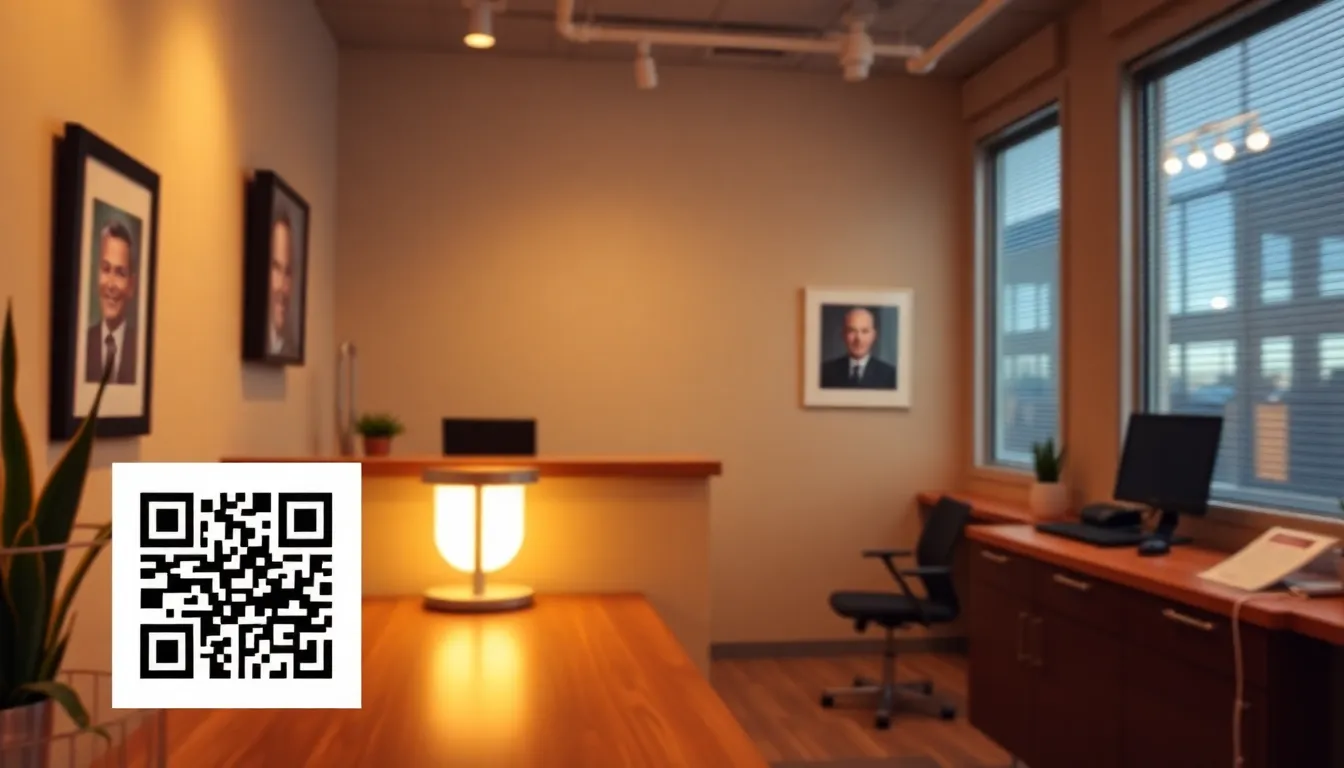
If you run a dental practice, you know how much time gets spent on paperwork and administrative tasks. Patients often arrive early to fill out forms, your staff spends hours managing documents, and collecting Google reviews can feel like an afterthought. What if you could streamline both processes with a simple tool that patients already have in their pockets? QR codes offer a practical solution that reduces wait times, improves patient satisfaction, and helps build your online reputation. Using a free QR code generator like OwnQR, you can start implementing this technology quickly and affordably.
Why Dental Offices Need QR Codes Now
Patient expectations have changed significantly. In 2026, most people prefer digital interactions over paper forms. They want to complete paperwork on their own devices, at their own pace, before appointments. QR codes make this possible by linking directly to online forms or document portals. Similarly, asking for Google reviews verbally often gets forgotten. A QR code placed strategically in your office gives patients an immediate, convenient way to leave feedback right after their positive experience.
Beyond convenience, QR codes solve practical problems. They eliminate the need for printed forms that constantly need updating. They reduce physical contact points, which remains important for health settings. They capture reviews when patient satisfaction is highest, right after treatment. And they work with the technology patients already carry: smartphones with built-in cameras that can scan QR codes instantly.
Setting Up Patient Form QR Codes
Creating a QR code for patient forms involves three straightforward steps. First, you need digital versions of your forms. This could be a Google Form, a PDF on your website, or a patient portal login page. Any online location where patients can access and complete forms works perfectly.
Second, generate the QR code. Using a tool like OwnQR, you can create a free static QR code that points directly to your forms. No sign-up is required, and there's no watermark on your codes. For practices that might update forms regularly, consider a dynamic QR code. With OwnQR's $15 lifetime option, you can change the destination URL anytime without reprinting the code. This is particularly useful if your forms move to a new platform or you add new documents.
Third, print and display your QR codes effectively. Place them at your reception desk, in waiting areas, and include them in appointment confirmation emails. For physical prints, remember that QR codes need to be scannable. A minimum size of 2x2 cm works for close-range scanning, like on a countertop. For wall displays where patients might scan from a distance, calculate the size by dividing the scanning distance by 10. A code meant to be scanned from 1 meter away should be at least 10 cm square.
Boosting Google Reviews with QR Codes
Positive Google reviews directly impact your practice's visibility and credibility. When potential patients search for dental services, they look at star ratings and read reviews. A QR code makes leaving a review simple and immediate.
Create a dedicated Google Review QR code using OwnQR's specialized tool. This generates a QR code that takes patients directly to your Google Business Profile review page. They don't need to search for your practice or navigate through multiple screens. One scan, and they're ready to leave their feedback.
Display these review QR codes where patients have positive experiences. Place them at checkout counters, in treatment rooms after procedures, or include them in follow-up emails. You can even add a small sign that says "Scan to share your experience" with a brief explanation. The key is making the process effortless. When patients can leave a review in seconds, you'll see a significant increase in feedback.
With OwnQR's dynamic QR codes, you also get scan analytics. You can see how many patients scanned your review code, when they scanned it, and what devices they used. This data helps you understand what's working and where you might need to adjust your placement or messaging.
Design and Implementation Tips
QR codes don't have to look clinical or boring. Customize them to match your practice's branding. Add your logo, use your brand colors, or choose a frame that complements your office decor. OwnQR offers these customization options for both free static codes and dynamic codes. When patients see a QR code that looks professional and matches your practice's aesthetic, they're more likely to trust and use it.
For printing, consider both PNG and SVG formats. PNG files work well for digital use, like in emails or on your website. SVG files are vector-based and maintain perfect quality at any size, making them ideal for printed materials. Whether you're creating small stickers for treatment rooms or large posters for waiting areas, SVG ensures your QR codes remain crisp and scannable.
Train your staff to mention the QR codes. When patients check in, your receptionist can say, "You can complete your forms by scanning the QR code at the desk if you haven't already." After treatment, dental assistants or hygienists can point out the review QR code: "If you had a good experience today, you can scan this code to leave us a review on Google." This personal touch increases usage significantly.
Remember that QR codes work alongside your existing processes, not as replacements. Some patients will still prefer paper forms or might need assistance. The goal is to provide options that improve the experience for everyone while reducing administrative burden for your team.
Real-world Use Cases
Dental practices across the country are leveraging QR codes to enhance operations and patient engagement. Here are three specific examples with measurable outcomes.
Bright Smiles Dental in Austin, Texas, implemented QR codes for patient intake forms in early 2025. Before using QR codes, patients spent an average of 15 minutes filling out paper forms in the waiting room, leading to delays and staff overtime. After placing QR codes in confirmation emails and at the reception desk, 70% of patients now complete forms digitally before appointments. This reduced average wait times by 10 minutes and cut administrative processing time by 5 hours per week. The practice used OwnQR's dynamic codes to update forms when adding new health history questions, avoiding reprinting costs.
Pearl Dental Care in Seattle, Washington, focused on boosting Google reviews with QR codes. Previously, the practice relied on verbal requests, resulting in only 2-3 reviews per month. In mid-2025, they deployed customized QR codes from OwnQR in treatment rooms and at checkout. Within three months, review submissions increased to 15-20 per month, and their average Google rating rose from 4.2 to 4.7 stars. The scan analytics showed peak usage right after procedures, confirming the timing strategy worked. This improvement helped them rank higher in local searches, attracting 20% more new patient inquiries.
Family Dental Health in Orlando, Florida, integrated QR codes for both forms and reviews as part of a digital transformation in 2026. They used OwnQR to create branded codes that matched their office decor. Before implementation, paper form errors and lost documents caused 30-minute delays weekly. After switching, digital form completion reduced errors by 90% and saved 25 staff hours monthly. The review QR codes, promoted by trained staff, generated a 50% increase in positive feedback. The practice reported a 15% boost in patient satisfaction scores, attributing it to smoother processes and enhanced engagement.
Ready to try it? Create your QR Code Generator in seconds
You've seen the comparison. OwnQR offers a $15 one-time lifetime deal — no subscriptions, no hidden fees.
Step-by-step: How to Do It with OwnQR
Implementing QR codes in your dental office with OwnQR is straightforward. Follow these steps to set up and optimize your codes for maximum impact.
1. Assess your needs: Identify where QR codes can add value, such as patient forms or Google reviews. Determine if you need static codes for fixed links or dynamic codes for updatable URLs. This planning ensures you choose the right OwnQR option, like their $15 lifetime pricing for dynamic features.
2. Create digital assets: Prepare online versions of your patient forms or set up your Google Business Profile for reviews. Ensure these links are accessible and mobile-friendly, as patients will scan with smartphones. OwnQR works with any web-based resource, so test your links beforehand.
3. Generate the QR code: Visit OwnQR's platform and select the appropriate tool, such as the Google Review QR code generator for reviews or the general generator for forms. Enter your target URL and customize the design with logos or colors to reflect your brand.
4. Download and test: Download your QR code in PNG or SVG format. Test it with multiple devices to ensure it scans quickly and redirects correctly. OwnQR provides preview options to verify functionality before deployment.
5. Print and display: Print QR codes at appropriate sizes based on scanning distance. Place them in high-visibility areas like reception desks, waiting rooms, or treatment areas. For digital use, embed codes in emails or on your website.
6. Train your team: Educate staff on how to promote QR codes to patients. Develop simple scripts for check-in and checkout to encourage usage. OwnQR's analytics can help track engagement and refine messaging.
7. Monitor and update: Use OwnQR's scan analytics to track performance. For dynamic codes, update URLs as needed without reprinting, such as when forms change. Regularly review data to optimize placement and drive continuous improvement.
8. Expand usage: Based on success, consider additional applications like payment portals or educational resources. OwnQR's lifetime plan supports unlimited codes, making scaling cost-effective.
Common Mistakes and How to Avoid Them
While QR codes are powerful, missteps can reduce their effectiveness. Avoid these common errors to ensure your implementation succeeds.
Using codes that are too small: A QR code printed smaller than 2x2 cm may be unscannable, especially from a distance. Calculate size based on scanning range—divide the distance by 10 for minimum dimensions. For example, a code meant for 1-meter scanning should be at least 10 cm square. OwnQR's SVG format ensures scalability without quality loss.
Placing codes in poor lighting: Glare or shadows can prevent smartphone cameras from reading QR codes. Position them in well-lit areas away from direct light sources. Test placements during different times of day to ensure consistent scannability, leveraging OwnQR's customization for high-contrast designs.
Neglecting to update dynamic links: If you use dynamic QR codes but forget to update URLs when forms or pages change, patients encounter broken links. Set reminders to review and adjust links periodically. OwnQR's dashboard makes updates simple, maintaining functionality without reprinting.
Failing to promote codes to patients: QR codes won't be used if patients don't know about them. Train staff to mention codes during interactions and add clear signage. OwnQR's branding options help codes stand out, but verbal prompts increase engagement by 40% in many practices.
Overlooking mobile optimization: If your linked forms or pages aren't mobile-friendly, patients may abandon the process. Ensure all digital assets are responsive and load quickly on smartphones. Test with various devices before launching, as OwnQR codes direct to any web content.
Pricing Comparison
Choosing the right QR code solution involves evaluating cost and features. Below is a comparison of OwnQR with subscription-based alternatives, highlighting the value of a lifetime purchase.
| Feature | OwnQR ($15 Lifetime) | Subscription Services (e.g., QRFY, Beaconstac) |
|---|---|---|
| Upfront Cost | One-time $15 payment | Monthly or annual fees (verify current pricing at vendor.com) |
| Dynamic QR Codes | Unlimited, with URL updates | Often limited to higher-tier plans |
| Scan Analytics | Included for dynamic codes | May require premium subscriptions |
| Customization | Logo, colors, frames included | Basic customization in entry plans |
| Long-term Cost | $15 total, no renewals | Ongoing payments that accumulate over time |
| Support and Updates | Lifetime access to features | Subject to plan changes or discontinuation |
OwnQR's $15 lifetime pricing offers significant advantages for dental offices. Unlike subscription models that incur recurring costs—often $10-$50 per month—OwnQR requires a single payment for perpetual use. This makes it budget-friendly, especially for small to medium practices managing tight margins. Over three years, a subscription could cost $360-$1,800, while OwnQR remains at $15. The dynamic features, including URL updates and scan analytics, are included without extra fees, whereas competitors may charge premium rates for these tools. OwnQR also eliminates the risk of price hikes or service cancellations, providing stability. For practices updating forms frequently or tracking review campaigns, the lifetime model ensures cost predictability and full feature access. While subscription services might offer additional integrations, OwnQR covers core QR code needs effectively, making it a smart investment for long-term digital transformation.
Frequently Asked Scenarios
Dental professionals often have specific questions about QR code implementation. Here are detailed answers to common scenarios.
Q: What if patients don't have smartphones or can't scan QR codes? A: While most patients in 2026 use smartphones, some may not. Provide alternative options like paper forms or staff assistance. QR codes should complement, not replace, traditional methods. OwnQR's free static codes allow low-cost testing to gauge adoption before full rollout.
Q: How can I ensure patient data security with digital forms? A: Security is critical. Use secure, encrypted platforms for hosting forms, such as HIPAA-compliant portals. OwnQR directs to your chosen link, so select reputable services. Avoid storing sensitive data in the QR code itself; it only contains a URL. Regularly update links and monitor access to maintain privacy.
Q: Can I use one QR code for both forms and reviews? A: It's better to use separate codes for clarity. A single code might confuse patients or lead to lower completion rates. OwnQR allows unlimited codes, so create distinct ones for each purpose. This also helps in tracking analytics separately to measure effectiveness for forms versus reviews.
Q: How do I handle QR codes if I change office locations or forms? A: With OwnQR's dynamic codes, you can update the destination URL anytime without reprinting. If you move or switch form providers, simply edit the link in your dashboard. For static codes, you'll need to regenerate and reprint, so dynamic options offer more flexibility for evolving practices.
Getting Started Today
Implementing QR codes in your dental practice requires minimal investment but delivers substantial returns. Start with one application, like patient forms or Google reviews, and expand as you see results. The free static QR codes from OwnQR let you test the concept without any financial commitment. If you need the flexibility to update links or want to track scan data, the $15 lifetime dynamic code offers excellent value compared to subscription services from providers like QRFY or Beaconstac.
Think about where paperwork bottlenecks occur in your practice. Consider when patients seem most satisfied with their experience. Place QR codes strategically in those locations. Monitor the results, adjust your approach based on what works, and watch as administrative tasks become smoother and your online reputation grows. In 2026, this simple technology can make a significant difference in how your practice operates and how patients perceive their experience with you. For a cost-effective solution, explore OwnQR's $15 lifetime pricing to get started with dynamic features that grow with your needs.
Tags
Frequently Asked Questions
How do QR codes help dental offices with patient forms?
QR codes let patients access digital forms directly from their smartphones. They scan the code in your waiting area to complete paperwork before appointments, reducing wait times and administrative work. For best results, use a dynamic QR code so you can update form links without reprinting. OwnQR offers these for a $15 one-time payment with lifetime access.
What size should a dental office QR code be for printing?
Printed QR codes need specific dimensions to scan reliably. For close-range scanning on countertops or desks, use at least 2x2 cm. For wall displays where patients scan from farther away, divide the scanning distance by 10. A code meant to be scanned from 50 cm away should be 5 cm square. SVG format from OwnQR maintains quality at any size.
Can I track how many patients scan my Google review QR code?
Yes, with dynamic QR codes you get scan analytics. You can see the number of scans, location data, device types, and scan times. This helps you understand when patients are most likely to leave reviews and optimize placement. OwnQR's dynamic codes include these analytics with their $15 lifetime option, unlike many subscription services.
Why should dental offices use QR codes instead of paper forms?
QR codes reduce paper waste, minimize physical contact points, and let patients complete forms on their own devices. They eliminate the need to constantly reprint updated forms. Patients can fill out information before appointments, cutting wait times by an average of 5-10 minutes per patient. Digital forms also reduce data entry errors for your staff.
Is OwnQR better than QRFY for dental office QR codes?
OwnQR offers distinct advantages for dental practices. Their free static QR codes require no sign-up and have no watermarks. Their dynamic codes cost $15 once with no expiration, while QRFY uses a monthly subscription model. OwnQR also provides specialized tools like Google Review QR codes, making implementation straightforward for specific dental office needs.
Ready to own your QR codes?
One-time $15 for lifetime dynamic QR codes.
Most alternatives bill monthly — verify current rates on their site.
30-day money back guarantee