QR Code Event Ticket Guide: Conference Badge Check-In for 2026
Quick Answer
Streamline conference check-in with QR code tickets. Use OwnQR's $15 lifetime dynamic QR codes for instant scanning, attendance tracking, and post-print updates without subscriptions.
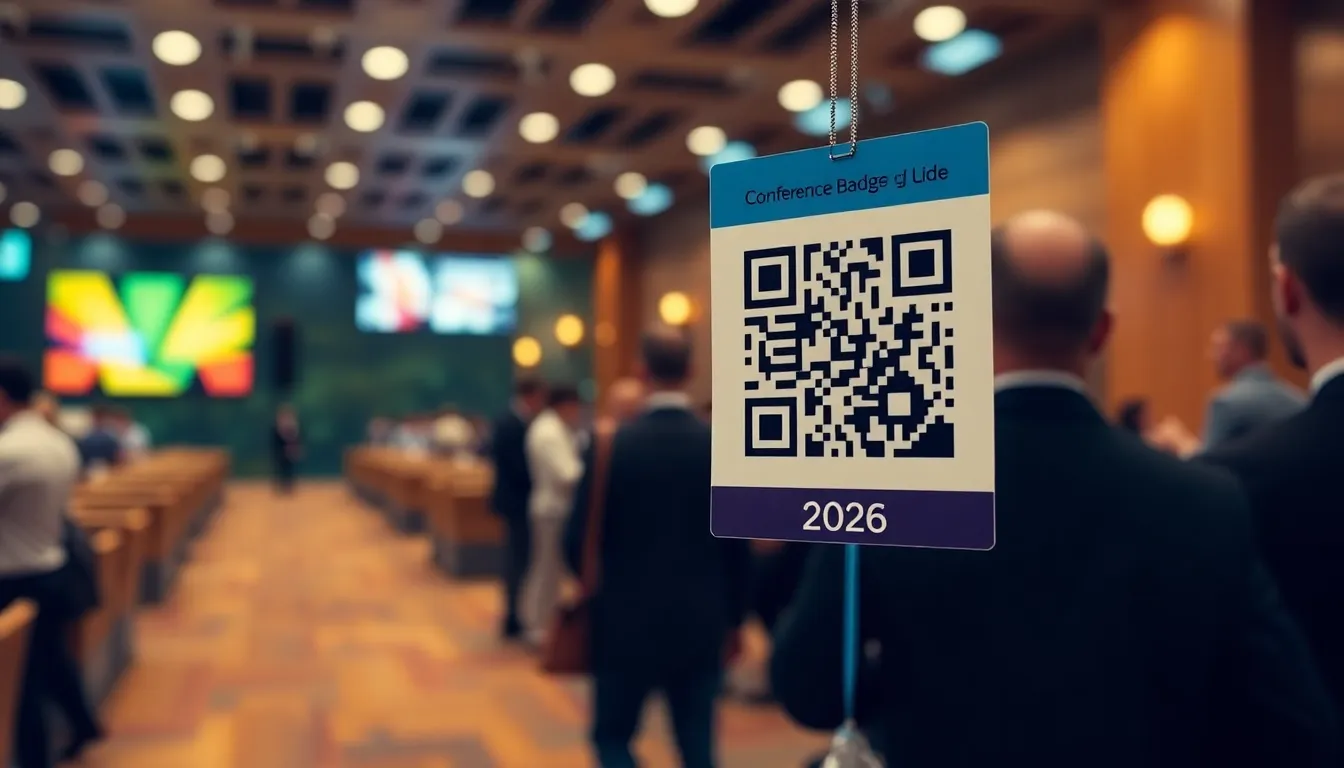
You're organizing a conference and dreading the long check-in lines. Attendees are waiting, staff are stressed, and you're worried about gatecrashers with fake tickets. What if you could check everyone in with a quick scan, track attendance automatically, and make the whole process smoother? QR codes on event tickets solve these exact problems, and setting them up is simpler than you might think with tools like a event ticket QR code generator.
Why QR Codes Work Better for Event Check-In
Traditional check-in methods like paper lists or manual verification create bottlenecks. With QR codes, each attendee's ticket contains unique data that scanners can read instantly. This means faster entry, reduced errors, and better security. You can also collect valuable data about when people arrive, which sessions are popular, and overall attendance patterns.
For conferences specifically, QR codes on badges serve multiple purposes. They can handle initial check-in, grant access to different areas, and even facilitate networking when attendees want to exchange contact information. The same code that gets someone through the door can be repurposed throughout the event.
Setting Up Your Event Ticket QR Codes
Creating effective QR codes for conference tickets involves a few key decisions. First, decide what information each code should contain. At minimum, it needs a unique identifier for each attendee. Many organizers also include name, ticket type, and purchase date.
Next, choose between static and dynamic QR codes. Static codes contain fixed information that can't be changed after creation. They're perfect for simple check-in where you just need to verify that someone has a valid ticket. Dynamic codes can be updated even after printing, which lets you change redirect URLs or add last-minute information. With OwnQR, static codes are completely free with no sign-up required, while dynamic codes cost $15 as a one-time payment with no subscription fees.
When designing your tickets, remember that QR codes need sufficient contrast and space. The minimum recommended size is 2x2 centimeters for close-range scanning. For badges that might be scanned from a distance, use this formula: scanning distance divided by 10 equals the minimum QR code size in centimeters. So if staff might scan from 50 centimeters away, your code should be at least 5 centimeters square.
Practical Implementation Steps
Here's how to implement QR code check-in for your next conference:
- Generate unique QR codes for each attendee using a tool like OwnQR's event ticket QR code generator. You can upload attendee data in bulk to create hundreds of codes at once.
- Download the codes in appropriate formats. For printed badges, SVG format works best because it scales without losing quality. For digital tickets sent via email, PNG format is usually sufficient.
- Print the QR codes on conference badges or include them in digital tickets. Make sure there's enough white space around each code (at least 4 times the width of one module).
- Set up scanning stations with tablets or smartphones running QR scanning apps. Many free apps work well, or you can use dedicated hardware scanners for high-volume events.
- Train your staff on the scanning process. They should know what to do when a code doesn't scan (check lighting, distance, and angle) and how to handle special cases.
With dynamic QR codes from OwnQR, you get additional benefits like scan analytics. You can see exactly when each attendee checked in, what device they used, and even their approximate location. This data helps you optimize future events and understand attendee behavior.
Design and Customization Tips
Your event tickets should reflect your conference's branding while remaining functional. QR codes don't have to be boring black and white squares. You can customize colors to match your event theme, as long as you maintain sufficient contrast between the code and background. Dark codes on light backgrounds work best.
Consider adding your conference logo to the center of the QR code. This makes tickets look more professional while still scanning reliably. Just make sure the logo doesn't cover more than 30% of the code area, and test several samples before printing all your badges.
Frames around QR codes can also enhance the design while providing instructions. A simple "Scan here for check-in" frame helps attendees and staff understand the code's purpose. OwnQR offers customizable frames that you can adapt to your event's visual identity.
Common Pitfalls to Avoid
Even well-planned QR code systems can encounter problems if you're not careful. The most common issue is printing codes too small. Remember the 2x2 centimeter minimum for close scanning, and scale up for situations where scanners might be farther away.
Another mistake is placing QR codes where they'll get damaged. On conference badges, avoid placing codes near fold lines or areas that will be handled frequently. Laminated badges protect codes from wear and tear.
Test your entire system before the event. Print sample badges and scan them with the same devices your staff will use. Check lighting conditions at different times of day if your check-in area has natural light. Verify that your scanning app works offline if internet connectivity might be unreliable.
Finally, have a backup plan. Even the best technology can fail, so prepare manual check-in sheets as a fallback. This ensures your event starts smoothly regardless of technical issues.
Real-World Use Cases
TechForward Summit 2025: This annual technology conference in San Francisco previously used manual check-in with printed lists, causing 45-minute wait times during peak hours. They switched to OwnQR dynamic QR codes on attendee badges, with each code linked to a unique ID and session access permissions. After implementation, average check-in time dropped to under 30 seconds per person, and staff could track real-time attendance across 15 parallel sessions. Post-event analytics showed a 92% check-in rate, with data used to optimize session scheduling for 2026.
Global Health Symposium 2025: A medical conference in London needed secure access control for restricted research areas alongside general admission. Using OwnQR, they created tiered QR codes: basic codes for general attendees and enhanced codes with additional encryption for researchers. The system prevented 12 attempted unauthorized entries during the 3-day event. The conference organizers reported a 40% reduction in staffing costs for security checkpoints compared to previous years, while maintaining compliance with data protection regulations.
Startup Launchpad Expo 2025: A trade show in Berlin with 200 exhibitors and 5,000 attendees implemented QR codes for both attendee check-in and lead capture at booths. Exhibitors could scan attendee badges to collect contact information digitally. Using OwnQR's analytics, organizers discovered that 68% of attendees visited between 2-4 PM, allowing them to optimize food service distribution. The QR system generated 15,000 verified leads for exhibitors, with 85% of attendees opting in for future communications.
Want to follow along? Create a Event QR Code now
It's free to start. Upgrade to $15 lifetime when you need editable dynamic QR codes.
Step-by-Step: How to Do It with OwnQR
- Access the OwnQR platform and select the event ticket QR code generator tool. This specialized tool is optimized for bulk creation and includes templates for conference badges, ensuring proper sizing and formatting from the start.
- Upload your attendee list in CSV or Excel format. Include columns for unique ID, name, ticket type, and any other relevant data. OwnQR processes this data to generate individualized codes while maintaining data privacy through encryption.
- Choose between static or dynamic QR codes. For most conferences, dynamic codes are recommended because they allow post-print updates and provide analytics. The $15 lifetime pricing for dynamic codes eliminates recurring subscription costs that accumulate with annual events.
- Customize the design with your conference colors, logo, and optional frame. OwnQR provides preview functionality to test scanability before finalizing. Ensure sufficient contrast between code and background for reliable scanning in various lighting conditions.
- Download your QR codes in appropriate formats. For printed badges, select SVG for vector quality that maintains sharpness at any size. For digital tickets, PNG format works well for email distribution and mobile display.
- Integrate the codes into your badge design or ticket template. Maintain the recommended minimum size and white space requirements. For large conferences, consider sequential numbering of codes to simplify physical organization.
- Set up scanning stations with tablets or smartphones. OwnQR provides compatible scanning apps, or you can use third-party applications. Test the entire workflow with sample badges before the event.
- Monitor check-in analytics in real-time through the OwnQR dashboard. Track arrival patterns, identify bottlenecks, and generate attendance reports for post-event analysis and future planning.
Common Mistakes and How to Avoid Them
Insufficient code size: The most frequent error is creating QR codes too small for reliable scanning. For conference badges typically scanned from 20-50cm away, use the distance/10 formula: a 50cm scanning distance requires a minimum 5cm square code. Test with your actual scanning equipment before mass production.
Poor contrast design: While customizing colors to match branding, some organizers reduce contrast too much. QR codes require at least 70% contrast difference between dark and light elements. Use online contrast checkers and scan test samples under various lighting conditions before finalizing designs.
Overcrowding the code area: Adding logos, text, or decorative elements that cover too much of the QR code can prevent scanning. Keep logos centered and covering no more than 30% of the total code area. Maintain the quiet zone (white border) at four times the module width.
Inadequate testing: Assuming QR codes will work without comprehensive testing leads to event-day failures. Test with multiple devices, various scanning angles, different lighting conditions, and with the actual badge materials. Create a testing protocol that mimics real event conditions.
Ignoring offline functionality: Many conferences have unreliable internet in large venues. Ensure your scanning solution works offline, with data syncing when connectivity returns. OwnQR provides offline-capable scanning options that store data locally until connection is restored.
Pricing Comparison
| Feature | OwnQR | Subscription Alternative A | Subscription Alternative B |
|---|---|---|---|
| Pricing Model | $15 one-time lifetime | Monthly subscription (verify current pricing at vendora.com) | Annual subscription (verify current pricing at vendorb.com) |
| Dynamic QR Codes | Unlimited | Limited by plan tier | Limited by plan tier |
| Scan Analytics | Included | Premium add-on | Enterprise plan only |
| Bulk Generation | Unlimited | Up to 500/month on basic plan | Up to 1,000/month on standard plan |
| Custom Design | Full customization | Limited colors only | Logo addition extra fee |
| Offline Scanning | Supported | Not available | Enterprise plan only |
| API Access | Included | Additional monthly fee | Contact sales for pricing |
| Long-term Cost (3 years) | $15 | $540+ (estimated $15/month) | $360+ (estimated $120/year) |
The pricing comparison reveals significant advantages for OwnQR's $15 lifetime model, particularly for conference organizers who run annual or recurring events. Subscription models typically charge monthly or annual fees that accumulate over time, while OwnQR provides permanent access for a single payment. For a conference that occurs yearly, subscription costs would exceed OwnQR's lifetime price within the first year. Beyond cost savings, OwnQR includes features often reserved for premium tiers with competitors, such as unlimited dynamic codes, comprehensive analytics, and API access. The lifetime model also provides budget predictability, eliminating surprise fee increases or plan changes that can disrupt event planning cycles. For organizations managing multiple events annually, the savings become even more substantial, as most subscription models charge per event or have strict usage limits. OwnQR's approach aligns with the practical needs of event professionals who require reliable, cost-effective solutions without ongoing financial commitments.
Frequently Asked Scenarios
Q: What happens if an attendee loses their badge with the QR code?
A: With OwnQR dynamic codes, you can deactivate the lost code in your dashboard and generate a replacement with updated information. The original code will no longer scan validly, maintaining security. For printed events, keep a few blank badges on hand for reprinting, or use digital tickets that attendees can redownload from their email.
Q: How do we handle VIP or speaker access with different permissions?
A: OwnQR allows you to create tiered QR codes with different data payloads. VIP codes can include additional access flags that scanners recognize for restricted areas. You can batch generate codes with specific permissions during the upload process, or update individual codes post-creation through the dashboard interface.
Q: Can we use the same QR codes for session attendance tracking?
A: Yes, dynamic QR codes from OwnQR can be reprogrammed for multiple uses. After initial check-in, you can update the codes to serve as session check-in tools. The analytics dashboard will track both initial entry and session participation, providing comprehensive attendance data without requiring additional hardware or codes.
Q: What's the maximum number of attendees we can manage with OwnQR?
A: OwnQR supports unlimited QR code generation regardless of event size. The system has successfully handled events with 50,000+ attendees. Bulk upload processes large datasets efficiently, and the dashboard provides filtering and search tools to manage large attendee lists. Performance remains consistent regardless of scale.
Ready to streamline your conference check-in? Create your event ticket QR codes with OwnQR. Start with free QR code generator options for basic verification, or upgrade to dynamic codes through our $15 lifetime pricing for scan analytics and post-print updates. Both options include SVG and PNG downloads, custom colors, and logo integration to match your conference branding. OwnQR provides event organizers with professional tools that simplify implementation while delivering robust functionality for conferences of any size.
Tags
Frequently Asked Questions
How do QR codes work for event ticket check-in?
Each attendee receives a unique QR code containing their ticket data. Staff scan these codes with smartphones or dedicated scanners to instantly verify validity and record attendance. The process typically takes under 2 seconds per person, compared to 15-30 seconds for manual check-in. For optimal results, QR codes should be at least 2x2 cm on printed badges.
What size should QR codes be on conference badges?
For close-range scanning at check-in desks, QR codes need a minimum size of 2x2 centimeters. If scanning from farther away, use this formula: scanning distance in centimeters divided by 10 equals minimum code size. So a 50 cm distance requires a 5 cm code. OwnQR generates codes in SVG format for crisp printing at any size.
Can I track who attended my conference with QR codes?
Yes, dynamic QR codes provide scan analytics showing when each attendee checked in, their device type, and approximate location. This data helps measure session popularity and overall attendance patterns. With OwnQR's $15 lifetime dynamic codes, you get these analytics without monthly subscriptions, unlike services like Bitly that require ongoing payments.
Why would I choose dynamic over static QR codes for events?
Dynamic QR codes let you update information after printing, useful for last-minute venue changes or schedule updates. They also provide scan analytics. Static codes work for simple verification but can't be changed. OwnQR offers both: free static codes and $15 one-time dynamic codes, compared to Beaconstac's subscription model where you'd need to verify current pricing.
What's the best QR code generator for conference tickets?
Look for generators offering both static and dynamic options with no watermarks. OwnQR provides free static codes and $15 lifetime dynamic codes with SVG/PNG downloads and custom branding. Unlike QRFY's subscription model, OwnQR's one-time payment includes unlimited scans and updates. Always test sample codes before your event to ensure reliable scanning.
Ready to own your QR codes?
One-time $15 for lifetime dynamic QR codes.
Most alternatives bill monthly — verify current rates on their site.
30-day money back guarantee