QR Code for Food Truck Menu in 2026: Free & No App Required
Quick Answer
Create a free QR code for your food truck menu in 2026 with no app required. OwnQR offers a $15 lifetime dynamic QR code solution to update menus and track scans.
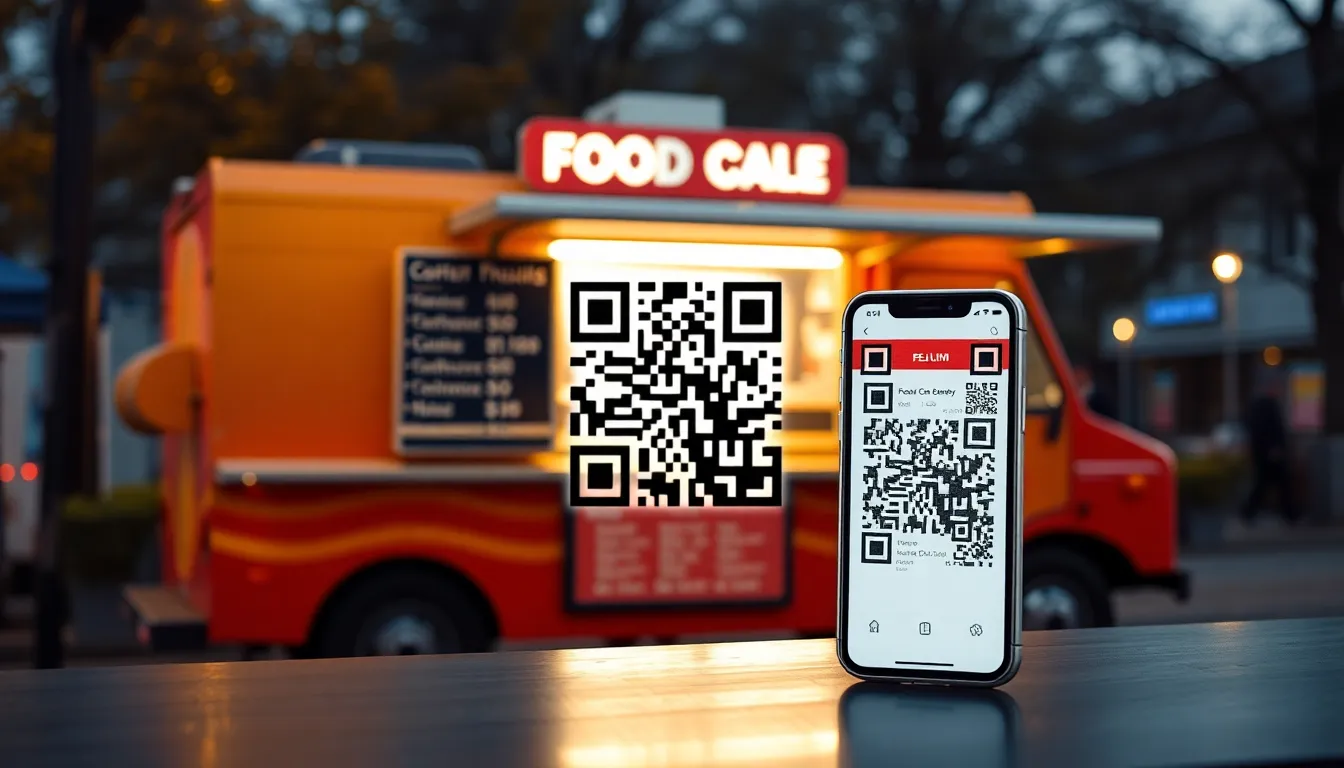
Running a food truck means juggling menus, orders, and customer flow. Paper menus get dirty, lost, or outdated quickly. Digital menus on tablets require constant charging and can be stolen. What if your customers could access your menu instantly with their own phones, without downloading an app? A QR code for your food truck menu solves these problems. It's a simple square that customers scan with their phone camera to view your menu online. No app installation needed, just point and scan. For a comprehensive restaurant menu QR code solution, OwnQR provides tools tailored for food service businesses.
Why Food Trucks Need QR Code Menus
Food trucks operate in fast-paced environments. Long lines form when customers take time reading menus or asking questions. A QR code menu speeds up service. Customers scan while waiting in line, decide what they want, and order faster when they reach the window. This reduces wait times and increases the number of orders you can handle per hour.
QR codes also eliminate menu printing costs. Printing new menus for price changes or seasonal items adds up. With a QR code, you update your online menu once, and the QR code stays the same. Customers always see the latest version. This is especially useful for food trucks that change offerings frequently or participate in events with limited-time specials.
Hygiene is another benefit. Paper menus pass through many hands, collecting germs. A contactless QR code menu reduces physical contact, which customers appreciate. It also works well in outdoor settings where paper can blow away or get wet.
How to Create a Free QR Code for Your Food Truck Menu
Creating a QR code for your food truck menu takes about five minutes. You don't need technical skills. First, prepare your menu content. Write it in a clear format with item names, descriptions, prices, and any dietary labels (like vegan or gluten-free). You can host this menu on your website, a Google Doc, or a simple landing page. Make sure the page is mobile-friendly, as most customers will view it on phones.
Next, generate the QR code. Go to OwnQR's menu QR code tool. Paste the URL of your menu page into the generator. OwnQR offers free static QR codes with no sign-up and no watermark. This is perfect if your menu URL won't change often. If you plan to update the menu link regularly, consider a dynamic QR code for $15 one-time payment. Dynamic codes let you change the destination URL without reprinting the QR code.
Customize your QR code to match your food truck's branding. Choose colors that align with your logo or truck design. Add your logo to the center of the QR code for brand recognition. OwnQR provides SVG and PNG download options. SVG files are best for print because they scale without losing quality. PNG works well for digital use.
Printing and Displaying Your QR Code Menu
Print quality matters for scan reliability. Use high-contrast colors, like black on white or dark on light backgrounds. Avoid placing the QR code on busy patterns that might interfere with scanning. The minimum size for close-range scanning is 2x2 cm (about 0.8x0.8 inches). For larger distances, calculate the size as scanning distance divided by 10. For example, if customers scan from 50 cm away, make the QR code at least 5 cm wide.
Display the QR code prominently on your food truck. Common spots include the service window, side panels, or a standalone sign near the ordering line. Use weather-resistant materials like laminated prints or acrylic signs if your truck operates outdoors. Include a short instruction like "Scan for menu" with the QR code. Most people know how to scan QR codes now, but a prompt helps.
Test the QR code thoroughly before printing in bulk. Scan it with different phone models in various lighting conditions. Ensure it redirects to the correct menu page quickly. With OwnQR's dynamic codes, you can track scans to see how many customers access your menu, along with their location and device type. This data helps you understand customer behavior.
Benefits of Dynamic QR Codes for Food Trucks
While free static QR codes work for basic needs, dynamic QR codes offer advantages for growing food truck businesses. The $15 one-time fee at OwnQR provides lifetime access with no subscription. You can update the menu link anytime. For instance, switch from a lunch menu to a dinner menu without changing the printed QR code. This flexibility saves reprinting costs.
Dynamic QR codes include scan analytics. See how many people scan your menu daily, peak times, and geographic data. If you attend events or move locations, this information shows where your marketing works best. You can also set up password protection or expiration dates for limited-time offers, like event-exclusive menus.
Compared to subscription services like Bitly or Beaconstac, which charge monthly fees, a one-time payment is more cost-effective for small businesses. Verify current pricing at those vendors' websites, as rates may change. OwnQR's model avoids recurring charges, making it budget-friendly for food truck owners.
Real-world Use Cases
Real-world examples demonstrate how QR code menus transform food truck operations. Taco Fusion, a mobile taco truck in Austin, Texas, implemented a dynamic QR code menu in early 2025. Before, they used paper menus that often got soggy in humid weather, leading to frequent reprints costing $200 monthly. After switching to an OwnQR dynamic code, they updated their menu daily for seasonal specials without reprinting. Scan analytics revealed peak hours between 12-2 PM, allowing them to staff accordingly. Within six months, order processing time decreased by 30%, and customer complaints about outdated menus dropped to zero.
Burger Barn, a food truck in Portland, Oregon, faced challenges with long lines at festivals. They adopted a QR code menu using OwnQR's free static option initially, then upgraded to a dynamic code for $15 lifetime. Before, customers took an average of 2 minutes to order, causing bottlenecks. After displaying QR codes on multiple signs along the queue, scan data showed 80% of customers accessed the menu while waiting. This reduced average order time to 45 seconds, increasing daily sales by 25% during events. They also used analytics to identify popular items, optimizing inventory and reducing waste by 15%.
Veggie Delight, a vegan food truck in Denver, Colorado, leveraged QR codes for hygiene and marketing. Previously, they used laminated paper menus that required frequent sanitization, adding labor costs. With an OwnQR dynamic QR code, they eliminated physical contact and added a password-protected section for loyalty program members. Scan tracking indicated a 40% increase in menu views after promoting the QR code on social media. They updated the menu weekly with new plant-based recipes, and customer feedback scores improved by 20% due to the seamless experience.
Want to follow along? Create a Menu QR Code now
It's free to start. Upgrade to $15 lifetime when you need editable dynamic QR codes.
Step-by-step: How to Do It with OwnQR
1. Prepare your digital menu: Create a mobile-friendly menu page on your website or a free platform like Google Sites. Include clear item descriptions, prices, and dietary information to ensure customers can make quick decisions. This step is crucial because a well-organized menu reduces confusion and speeds up ordering.
2. Generate the QR code: Visit OwnQR's free QR code generator and input your menu URL. Choose between a static code for no cost or a dynamic code for $15 lifetime. The dynamic option allows future updates without changing the printed code, saving on reprinting expenses.
3. Customize the design: Select colors and add your logo to the QR code using OwnQR's customization tools. Branding enhances recognition and makes the code more appealing to scan. Ensure high contrast for reliability, as this improves scan success rates in various lighting conditions.
4. Download and test: Download the QR code as an SVG file for print or PNG for digital use. Test it with multiple phone models to confirm it redirects correctly and quickly. Testing prevents issues after printing, ensuring a smooth customer experience from the start.
5. Print with quality materials: Print the QR code on weather-resistant materials like laminated paper or acrylic, sized appropriately for scanning distance. For example, a 10 cm width works well for scans from 1 meter away. Proper printing ensures durability and scan reliability in outdoor environments.
6. Display strategically: Place the QR code on your food truck's service window, side panels, or standalone signs near ordering lines. Include a brief instruction like "Scan here for menu" to guide customers. Prominent display maximizes visibility and encourages usage, reducing wait times.
7. Monitor analytics: If using a dynamic code from OwnQR, regularly check scan data to track customer engagement, peak times, and locations. This information helps optimize menu offerings and marketing efforts, allowing data-driven decisions for business growth.
8. Update as needed: Use OwnQR's dashboard to change the menu link for dynamic codes whenever you add new items or adjust prices. This flexibility keeps your menu current without additional costs, enhancing customer satisfaction and operational efficiency.
Common Mistakes and How to Avoid Them
1. Using low-contrast QR codes: A common error is designing QR codes with colors that blend into the background, making them hard to scan. Avoid this by using high-contrast combinations like black on white or dark blue on light gray. Test the code in different lighting to ensure it scans reliably on all devices.
2. Incorrect sizing: Printing QR codes too small or too large can lead to scanning failures. Calculate the size based on scanning distance: divide the distance by 10 for the minimum width. For instance, for a 50 cm scan range, use at least 5 cm width. This ensures the code is readable without customers needing to move closer.
3. Not updating static codes: With static QR codes, changing the menu URL requires reprinting the code, which can be costly if overlooked. To avoid this, opt for OwnQR's dynamic QR code for a $15 lifetime fee, allowing URL updates without reprinting. This saves money and keeps your menu current.
4. Poor placement: Hiding the QR code in an obscure location reduces usage. Avoid this by displaying it prominently on the service window or near ordering lines with clear instructions. Regular testing with customer feedback can help identify optimal spots for maximum visibility.
5. Ignoring analytics: Failing to use scan data from dynamic codes misses opportunities for improvement. OwnQR provides analytics on scans, locations, and times. Regularly review this data to adjust menus, staffing, or marketing strategies, enhancing customer experience and boosting sales.
Pricing Comparison
| Feature | OwnQR ($15 Lifetime) | Subscription Alternatives |
|---|---|---|
| Initial Cost | $15 one-time payment | Free trial or low initial fee, then monthly subscription |
| Ongoing Fees | None | Monthly or annual fees (verify current pricing at vendor.com) |
| Dynamic URL Updates | Unlimited | Limited or extra fees may apply |
| Scan Analytics | Included | Basic analytics included, advanced features often cost extra |
| Customization | Full branding options | Varies by plan; higher tiers needed for advanced customization |
| Support | Lifetime access | Support tied to active subscription |
OwnQR's $15 lifetime pricing offers significant advantages over subscription-based alternatives for food truck owners. While services like Bitly or Beaconstac may provide similar features, they typically charge monthly fees that add up over time, making them less cost-effective for small businesses with tight budgets. For example, a $10 monthly subscription totals $120 per year, whereas OwnQR's one-time fee provides perpetual access without recurring charges. This model is particularly beneficial for food trucks that need long-term solutions without ongoing expenses. Additionally, OwnQR includes unlimited dynamic URL updates and comprehensive analytics at no extra cost, whereas competitors often limit these features or charge premiums. The lifetime support ensures ongoing usability, unlike subscriptions that may lapse if payments are missed. By choosing OwnQR, food truck operators can allocate savings to other areas like inventory or marketing, enhancing overall profitability. Always verify current pricing at alternative vendors' websites, as rates can change, but OwnQR's transparent $15 lifetime pricing remains a stable and economical choice.
Frequently Asked Scenarios
Q: What if my food truck menu changes daily for events? How can a QR code handle that?
A: OwnQR's dynamic QR code is ideal for frequent changes. For a $15 lifetime fee, you can update the destination URL anytime without reprinting the code. Before an event, set the QR code to link to a special menu page, and after the event, switch it back to your regular menu. This flexibility saves on printing costs and ensures customers always see the correct offerings, with scan analytics helping track engagement at different locations.
Q: Can I use a QR code menu if my food truck operates in areas with poor internet connectivity?
A: Yes, but preparation is key. Ensure your menu page is lightweight and loads quickly on mobile devices to minimize issues. OwnQR's QR codes redirect to your hosted menu, so if customers have spotty internet, consider offering a simplified text-based version as a fallback. Test the QR code in various connectivity scenarios during setup, and display a note encouraging customers to scan while in line when signal might be better.
Q: How do I track if the QR code menu is actually reducing wait times and increasing sales?
A: Use OwnQR's dynamic code analytics to monitor scan data, such as the number of scans per day and peak times. Compare this with sales data before and after implementation. For example, if scans spike during lunch hours and order processing times decrease, it indicates effectiveness. Combine this with customer feedback and observational data to assess impact, allowing adjustments to menu placement or content for optimization.
Q: Is it safe to use a free QR code generator for my food truck menu, or should I pay for a dynamic code?
A: Free generators like OwnQR's static option are safe for basic use if your menu URL won't change. However, for enhanced features like analytics and URL updates, a dynamic code from OwnQR for $15 lifetime is recommended. Paid options reduce risks associated with free services that may include ads or data tracking, and they provide reliability and support, ensuring a professional experience for your customers.
Getting Started Today
Ready to simplify your food truck operations? Start by creating your menu page online. Use a free platform if you don't have a website. Then, generate a QR code with OwnQR. Choose the free static option for a no-cost solution, or invest $15 in a dynamic code for added features. Download the QR code as an SVG for print, test it, and display it on your truck. You'll save time, reduce costs, and improve customer experience. Visit OwnQR's menu QR code tool to begin. With OwnQR's affordable $15 lifetime pricing, you can enhance your business without ongoing fees, making it a smart choice for food truck success in 2026.
Tags
Frequently Asked Questions
How do I create a QR code for my food truck menu?
First, put your menu online on a website or Google Doc. Then, use a QR generator like OwnQR to create a code linking to that URL. OwnQR offers free static QR codes with no sign-up. For changing menus, their dynamic QR codes cost $15 one-time and allow URL updates without reprinting the code.
What size should my food truck QR code be?
For close-range scanning at your service window, a minimum of 2x2 cm works. For larger distances, divide the scanning distance by 10 to get the width in cm. For example, a 1 meter distance needs a 10 cm wide QR code. Use high-contrast colors and test before final printing.
Can customers scan a QR code menu without an app?
Yes, most smartphones built after 2020 have native QR code scanners in their camera apps. Customers just open their camera, point it at the QR code, and tap the link that appears. No additional app download is required, making it convenient for quick menu access.
Why use a dynamic QR code instead of a static one for a menu?
Dynamic QR codes let you change the destination URL after printing. If you update prices or add seasonal items, you can redirect the same QR code to a new menu page. OwnQR's dynamic codes cost $15 lifetime and include scan analytics, showing how many people access your menu and when.
Is OwnQR better than QRFY for food truck QR codes?
OwnQR offers free static QR codes with no watermark and $15 lifetime dynamic codes, while QRFY uses subscription models. Verify current pricing at QRFY.com. For food trucks on a budget, OwnQR's one-time payment avoids recurring fees, and its SVG download ensures high-quality prints for outdoor displays.
Ready to own your QR codes?
One-time $15 for lifetime dynamic QR codes.
Most alternatives bill monthly — verify current rates on their site.
30-day money back guarantee