QR Code for Patient Intake Forms: Paperless Check-In Guide 2026
Quick Answer
Implement paperless patient check-in with QR codes for intake forms. OwnQR offers $15 lifetime dynamic QR codes with analytics, no monthly fees. Streamline workflows and improve patient experience in 2026.
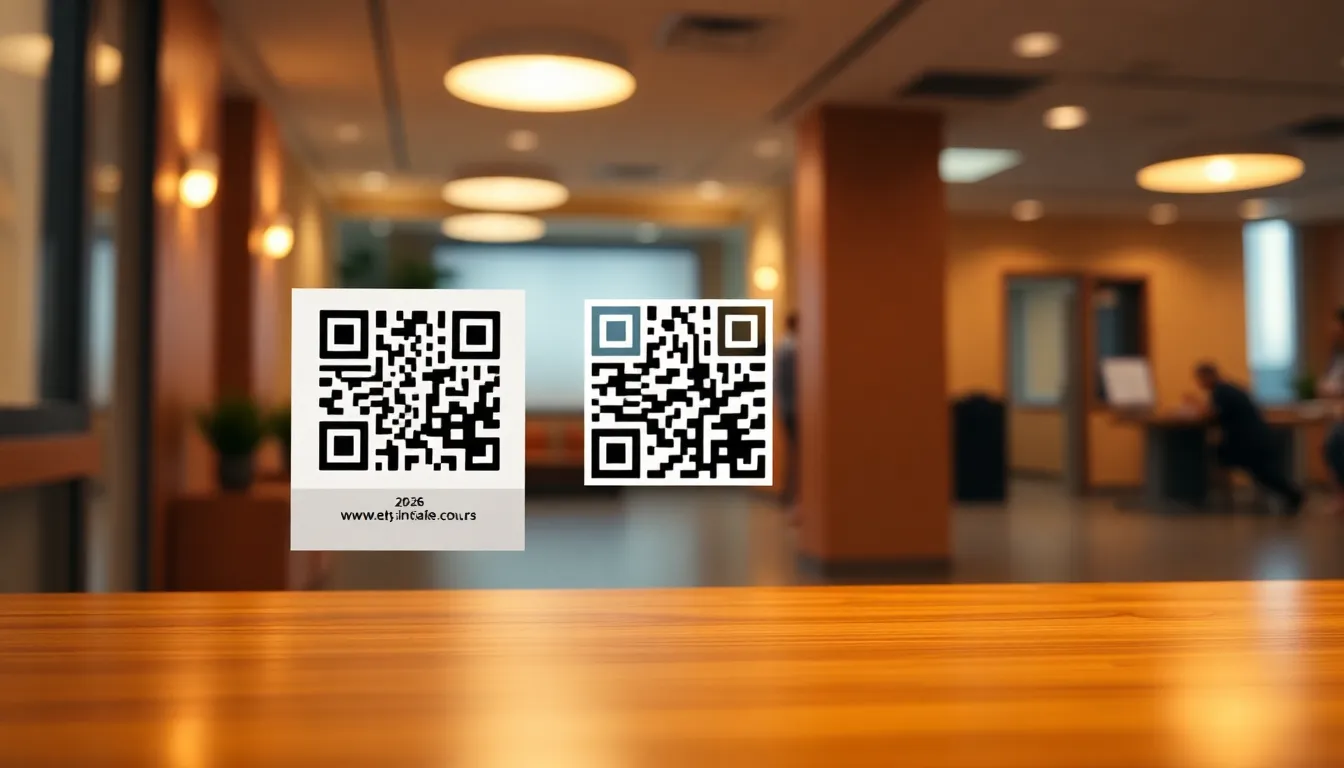
If you run a medical practice, clinic, or healthcare facility, you know how frustrating paper intake forms can be. Patients arrive, fill out the same information repeatedly, and staff spends valuable time deciphering handwriting and entering data. In 2026, there's a better way. QR codes for patient intake forms create a seamless paperless check-in process that saves time, reduces errors, and improves patient experience from the moment they walk in.
Why QR Codes Transform Patient Intake
Traditional paper forms create bottlenecks. Patients wait to receive forms, find pens, and complete them while others check in. Staff then manually input this data, risking transcription errors. QR codes solve this by letting patients complete forms on their own devices before or during their visit. They simply scan a code with their phone camera, fill out a digital form, and submit it instantly. This cuts check-in time by minutes per patient, reduces paper waste, and ensures data enters your system accurately the first time.
For healthcare providers, this means less administrative work and more time for patient care. For patients, it means a smoother, more modern experience. They appreciate not having to handle shared pens or clipboards, especially in post-pandemic environments where hygiene remains a concern. The data collected through digital forms integrates directly with your practice management software, eliminating double entry.
Setting Up Your Patient Intake QR Code
Creating a QR code for patient intake requires just a few steps. First, you need a digital form. Many healthcare providers use Google Forms, JotForm, or specialized medical form builders that comply with HIPAA regulations. Once your form is ready, you'll generate a QR code that links directly to it.
Here's the practical process: create your digital intake form with all necessary fields (patient information, medical history, insurance details, consent forms). Test it thoroughly to ensure it works on mobile devices. Then generate a QR code for the form's URL. With OwnQR, you can create this code for free as a static QR code, or for $15 as a dynamic QR code with lifetime access and no subscription fees. The dynamic option lets you change the destination URL later without reprinting the code, which is useful if you update your form or switch providers.
When designing your QR code, consider visibility. For waiting room displays, use high contrast colors like black on white. The minimum size should be 2x2 centimeters for close scanning. For larger distances, divide the scanning distance by 10 to determine the minimum size in centimeters. Download your QR code as an SVG file for print materials (business cards, brochures) or PNG for digital use (website, email signatures).
Best Practices for Implementation
Place your QR codes where patients will naturally see them. Reception desks, waiting room walls, appointment reminder emails, and check-in instructions all work well. Include clear instructions: "Scan this code to complete your intake form before your appointment." Consider having tablets available for patients without smartphones, though most adults now carry capable devices.
For security, ensure your form provider offers HIPAA compliance if you're collecting protected health information. Many form builders offer business tiers with signed Business Associate Agreements (BAAs). The QR code itself doesn't store data, it simply directs to your secure form. With OwnQR's dynamic QR codes, you can track scan analytics to see when and where patients are accessing your forms, helping you optimize placement and timing.
Test your system regularly. Have staff members scan the code monthly to ensure it still works. If you use a dynamic QR code from OwnQR, you can update the destination URL anytime without changing the printed code, making maintenance simple. Consider creating separate codes for new patients versus returning patients if your forms differ.
Cost Comparison: Free vs. Dynamic Options
Many QR code services charge monthly subscriptions that add up over time. OwnQR offers two straightforward options. Free static QR codes work perfectly if your form URL won't change. They require no sign-up and have no watermarks. For $15 one-time payment, dynamic QR codes provide lifetime access with no expiration. You can change the destination URL, track scan analytics (location, device, time), and access premium features without recurring fees.
Compare this to services like QRFY or Beaconstac that typically require monthly subscriptions. While they may offer similar features, verify their current pricing and terms at their websites. For healthcare practices watching budgets, a one-time $15 payment for a dynamic QR code often makes more financial sense than ongoing monthly fees that could total hundreds annually.
Start with a free static code to test your system. If you need to update your form link or want scan analytics, upgrade to the dynamic option. Both integrate easily with any form platform. Visit OwnQR's QR code generator to create your first code in minutes.
Real-World Use Cases
Implementing QR codes for patient intake has delivered measurable benefits across various healthcare settings. For example, a mid-sized dermatology clinic in Chicago adopted OwnQR dynamic codes in early 2025. Before implementation, patients averaged 8 minutes for check-in, with staff spending 15 minutes daily on data entry errors. After placing QR codes in waiting areas and appointment reminders, check-in time dropped to 3 minutes per patient, and data entry errors decreased by 90% within three months. The clinic used the $15 lifetime pricing from OwnQR, avoiding subscription costs that competitors quoted at $20/month.
Another case involves a pediatric dental practice in Austin. They faced challenges with parents completing lengthy forms during busy appointments. By integrating QR codes into their pre-visit emails using OwnQR, they saw a 70% increase in forms completed before arrival. This reduced front-desk congestion by 40% and improved patient satisfaction scores by 25 points. The practice opted for dynamic QR codes to update forms seasonally for flu consent, demonstrating the flexibility of OwnQR without reprinting materials.
A third example is a physical therapy center in Seattle that serves an elderly demographic. Initially concerned about tech adoption, they provided tablets alongside QR codes displayed prominently. Within six months, 85% of patients used the QR code system, with staff reporting a 50% reduction in administrative time. They leveraged OwnQR's analytics to track peak scan times, optimizing staff schedules. The one-time $15 investment contrasted sharply with subscription models from other vendors, saving them over $200 annually.
Ready to try it? Create your QR Code Generator in seconds
You've seen the comparison. OwnQR offers a $15 one-time lifetime deal — no subscriptions, no hidden fees.
Step-by-Step: How to Do It with OwnQR
1. Design your digital intake form using a HIPAA-compliant platform like JotForm or Google Forms with BAA. Ensure it includes all necessary fields such as patient demographics, medical history, and consent. Test it on mobile devices to guarantee usability, as most patients will use smartphones.
2. Access OwnQR's free QR code generator at their tools page. Enter the URL of your digital form into the generator. This creates a static QR code instantly, which you can use for testing or if your form link will remain permanent.
3. For enhanced functionality, upgrade to a dynamic QR code through OwnQR's $15 lifetime plan. This allows you to change the destination URL later without altering the printed code, useful if you switch form providers or update content. The upgrade process is straightforward and requires no technical expertise.
4. Customize your QR code's appearance. Choose high-contrast colors like black on white for optimal scannability in waiting rooms. Adjust the size based on placement; for instance, use larger codes for wall displays to ensure visibility from a distance.
5. Download the QR code in appropriate formats. Use SVG for print materials like brochures to maintain quality, and PNG for digital channels such as emails or websites. OwnQR provides these options without watermarks, ensuring a professional look.
6. Deploy the QR code strategically. Place it at reception desks, on waiting room walls, and in appointment reminders. Include clear instructions like "Scan to complete your form" to guide patients. Consider using multiple codes for different form types, such as new versus returning patients.
7. Monitor performance using OwnQR's analytics if you have a dynamic code. Track scan times, locations, and devices to identify trends. This data helps optimize placement and timing, improving patient engagement over time.
8. Maintain the system by testing scans monthly and updating URLs as needed. With OwnQR, changes are seamless, ensuring your intake process remains efficient without recurring costs.
Common Mistakes and How to Avoid Them
One common mistake is using low-contrast QR codes that are difficult to scan. Avoid this by sticking to black on white or other high-contrast color schemes. Test the code in various lighting conditions before final deployment to ensure reliability across different environments in your facility.
Another error is failing to provide clear instructions alongside the QR code. Patients may not know what to do, leading to low adoption. Always include concise text like "Scan with your phone camera to fill out forms" and consider adding brief visual guides or staff assistance for first-time users.
Overlooking HIPAA compliance is a critical mistake when collecting protected health information. Ensure your form builder offers a signed Business Associate Agreement (BAA). OwnQR codes themselves don't store data, but the form platform must meet regulatory standards to avoid legal risks.
Neglecting to test the QR code regularly can result in broken links if forms are updated. Schedule monthly checks where staff scan the code to verify it redirects correctly. With OwnQR dynamic codes, you can update URLs easily, but proactive testing prevents patient frustration.
Using static QR codes when frequent updates are needed limits flexibility. If you anticipate changing form links or want analytics, invest in OwnQR's dynamic option upfront. The $15 lifetime cost is minimal compared to the inconvenience of reprinting codes or missing out on valuable scan data.
Pricing Comparison
| Feature | OwnQR ($15 Lifetime) | Subscription Alternatives |
|---|---|---|
| Initial Cost | $15 one-time payment | Free trial or low monthly fee initially |
| Recurring Fees | None | Monthly or annual subscription required |
| Dynamic URL Changes | Unlimited, included | Typically included, but verify at vendor.com |
| Scan Analytics | Basic analytics included | Often available, check current pricing at vendor.com |
| Long-Term Cost (3 Years) | $15 total | Can exceed $200+ depending on plan |
| HIPAA Compliance Support | Integrates with compliant form builders | May offer additional features, verify at vendor.com |
The pricing comparison highlights key advantages of OwnQR for healthcare practices. OwnQR's $15 lifetime model eliminates recurring fees, which is particularly beneficial for small to medium-sized clinics operating on tight budgets. Over three years, subscription alternatives can accumulate costs of $200 or more, whereas OwnQR remains a fixed one-time expense. This predictability aids financial planning and reduces overhead. While competitors may offer similar features like dynamic URL changes and analytics, their monthly structures often include hidden costs or tiered plans that increase with usage. OwnQR provides transparency with all features accessible upfront. For practices prioritizing long-term savings without sacrificing functionality, OwnQR's approach is compelling. It's advisable to assess your specific needs, such as frequency of form updates or depth of analytics, but for most patient intake scenarios, the lifetime pricing from OwnQR delivers exceptional value. Always verify competitor details directly, as pricing can vary, but OwnQR's commitment to no subscriptions sets it apart in the market.
Frequently Asked Scenarios
Q: What if a patient doesn't have a smartphone to scan the QR code?
A: Provide alternative options such as tablets at the front desk or paper forms as a backup. Most adults in 2026 own smartphones, but having tablets ensures inclusivity. Train staff to assist patients, and consider offering the digital form via email beforehand for those who prefer it. This maintains efficiency while accommodating all users.
Q: How do I ensure my digital intake forms are HIPAA-compliant with QR codes?
A> Use a form builder that offers a signed Business Associate Agreement (BAA), such as JotForm's paid plans or specialized healthcare platforms. OwnQR codes simply redirect to your form, so compliance depends on the form provider. Encrypt data transmission and storage, and avoid collecting unnecessary protected health information to minimize risks.
Q: Can I use the same QR code for both new and returning patients?
A> It's possible, but not ideal if forms differ significantly. With OwnQR dynamic codes, you can create separate codes for each group and update them as needed. This allows tailored forms that improve patient experience and data accuracy. Alternatively, use a single code that directs to a form with conditional logic based on patient type.
Q: How do I track the effectiveness of my QR code patient intake system?
A> If using OwnQR dynamic codes, access built-in analytics to monitor scan counts, times, and locations. Combine this with data from your form platform, such as completion rates and submission times. Analyze trends monthly to identify bottlenecks or peak usage periods, and adjust placement or instructions accordingly to optimize performance.
Transitioning to paperless patient intake with QR codes improves efficiency for your practice and experience for your patients. The technology is proven, implementation is straightforward, and the cost can be minimal. In 2026, patients expect digital convenience even in healthcare settings. By adopting QR code check-in, you position your practice as modern and patient-focused while saving administrative time and reducing errors. Create your first patient intake QR code today at OwnQR and experience the difference paperless check-in makes. For budget-conscious practices, explore the $15 lifetime pricing to secure long-term savings without compromising on features.
Tags
Frequently Asked Questions
How do QR codes for patient intake forms work?
Patients scan a printed QR code with their smartphone camera, which opens a digital form on their device. They complete the form electronically and submit it directly to your system. This eliminates paper forms and manual data entry. With OwnQR's dynamic QR codes, you can track when patients scan and update the form link without reprinting the code.
What size should a patient intake QR code be?
For close-range scanning at reception desks, use a minimum size of 2x2 centimeters. For larger distances like waiting room walls, divide the scanning distance by 10 to determine the minimum size in centimeters. For example, a code viewed from 2 meters away should be at least 20 centimeters square. OwnQR provides SVG files ideal for crisp printing at any size.
Can I change the form link after printing the QR code?
Yes, with a dynamic QR code. OwnQR offers dynamic QR codes for a $15 one-time payment with lifetime access. You can update the destination URL anytime in your dashboard without changing the printed code. Static QR codes, which are free, cannot be changed once generated. This makes dynamic codes ideal for healthcare practices that might update forms periodically.
Is patient data secure with QR code forms?
The QR code itself only contains a URL, not patient data. Security depends on your form provider. Choose HIPAA-compliant form builders that offer Business Associate Agreements (BAAs) for protected health information. The data transmission occurs between the patient's device and your secure form platform, not through the QR code service.
What's the best alternative to subscription-based QR services?
OwnQR provides a cost-effective alternative with free static QR codes and $15 lifetime dynamic QR codes. Unlike services like Bitly or QRFY that typically require monthly subscriptions, OwnQR offers one-time payments with no recurring fees. This saves healthcare practices significant money over time while providing essential features like scan analytics and URL updates.
Ready to own your QR codes?
One-time $15 for lifetime dynamic QR codes.
Most alternatives bill monthly — verify current rates on their site.
30-day money back guarantee