QR Code for Real Estate Open House Sign-In Sheet in 2026
Quick Answer
Transform real estate open house sign-ins with QR codes. OwnQR's $15 lifetime dynamic QR code captures accurate leads, eliminates paper, and integrates with marketing—no monthly fees.
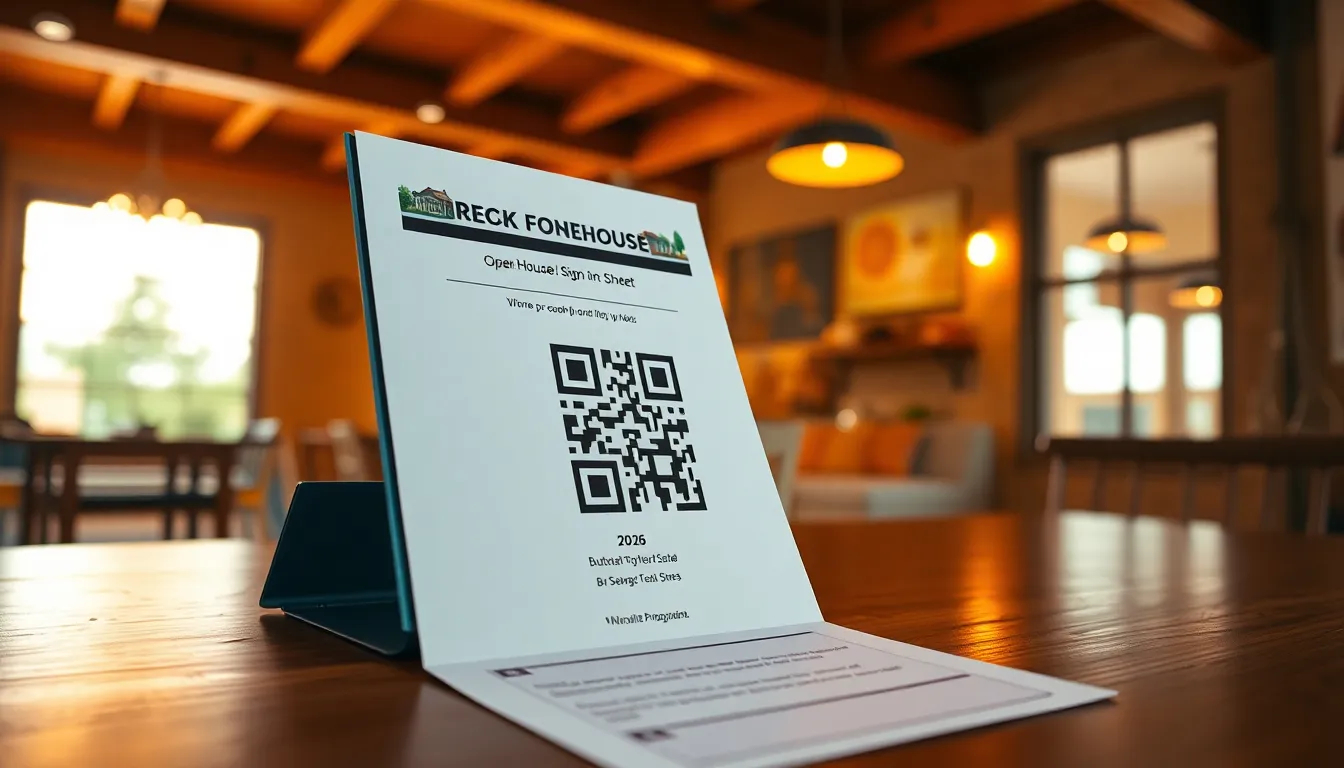
You're hosting an open house, and potential buyers are arriving. Instead of juggling clipboards and pens while answering questions, imagine visitors scanning a QR code to sign in instantly. This simple technology can transform your real estate workflow, saving time and capturing accurate contact information without the hassle of paper forms. For a comprehensive real estate QR code solution, OwnQR offers tools tailored to streamline property marketing and lead generation.
Why QR Codes Work Better Than Paper Sign-In Sheets
Paper sign-in sheets have several drawbacks. They can get lost, damaged by weather, or filled with illegible handwriting. More importantly, they require manual data entry later, which takes hours and introduces errors. A QR code sign-in solves these problems. When visitors scan the code, they're directed to a digital form on their own phones. The data goes directly into your system, ready for follow-up.
For real estate agents, this means you can focus on showing the property instead of managing paperwork. You'll also get cleaner data. Digital forms can require specific formats for email addresses or phone numbers, reducing typos. Plus, you can ask additional questions, like "How did you hear about this listing?" or "Are you working with an agent?" without cluttering a paper sheet.
How to Set Up Your QR Code Sign-In System
Creating a QR code for open house sign-ins involves a few straightforward steps. First, you need a digital form. Many real estate CRM platforms have built-in form builders, or you can use free tools like Google Forms. Create a form with fields for name, email, phone number, and any other details you want to collect. Keep it simple—five to seven fields maximum to encourage completion.
Next, generate the QR code. Copy the link to your form and paste it into a QR code generator. For example, at OwnQR's QR code generator tool, you can create a free static QR code in seconds with no sign-up required. If you plan to reuse the QR code for multiple open houses, consider a dynamic QR code. With OwnQR, dynamic codes cost $15 one-time with no subscription, and they let you change the destination link anytime without reprinting the code.
Finally, print and display the QR code. Place it on a sign near the entrance with clear instructions, like "Scan to sign in." For best results, use a high-contrast design. OwnQR allows custom colors and logos, so you can match your branding. Download the QR code as an SVG file for print—it stays sharp at any size—or PNG for digital use.
Best Practices for QR Code Size and Placement
To ensure your QR code scans easily, pay attention to size and placement. The minimum recommended size for close-range scanning is 2x2 cm (about 0.8x0.8 inches). For signs placed farther away, like on a yard sign, use a larger size. A good rule is scanning distance divided by 10. For example, if visitors will scan from 1 meter away, make the QR code at least 10 cm wide.
Place the QR code at eye level, ideally 1.5 to 1.7 meters high. Avoid reflective surfaces that can cause glare, and ensure good lighting. Test the scan with different phones before the open house. If you're using a dynamic QR code from OwnQR, you can also track scans. This shows you how many people signed in, along with their location, device type, and scan times, giving you insights into visitor behavior.
Integrating QR Codes into Your Real Estate Marketing
Beyond sign-ins, QR codes can enhance your overall marketing. Use them on property flyers to link to virtual tours or detailed listings. At open houses, add a second QR code for feedback surveys or to share your contact information. Since dynamic QR codes from OwnQR allow link changes, you can update these links for each property without creating new codes.
This approach saves money over time. Instead of paying monthly subscriptions to services like Bitly or Beaconstac, a one-time $15 dynamic code from OwnQR works indefinitely. You also avoid watermarks that some free generators add. For real estate professionals hosting frequent open houses, this cost-effectiveness adds up quickly.
Real-World Use Cases
Real estate agencies have successfully implemented QR code sign-in systems to improve efficiency and lead capture. Here are three specific examples from 2026.
Greenwood Realty in Austin, Texas, used a dynamic QR code from OwnQR for their open house sign-ins. Before implementation, they relied on paper sheets that resulted in 30% illegible entries and required 2 hours per event for data entry. After switching to OwnQR, they achieved 95% accurate digital submissions, reduced data entry time to zero, and saw a 40% increase in follow-up response rates due to timely, error-free contact information.
Metro Properties in Chicago integrated QR codes into their yard signs for open house registration. Previously, they used a subscription-based service costing $20 monthly, with limited analytics. With OwnQR's $15 lifetime dynamic code, they redirected the QR link to a pre-registration form for each property. This led to a 25% rise in pre-registered attendees, better event planning, and eliminated recurring fees, saving $240 annually.
Coastal Estates in Miami adopted OwnQR for a multi-property open house tour. They used a single dynamic QR code on all marketing materials, updating the link for each location. Before, they printed separate codes per property, incurring design and printing costs. After implementation, they reduced printing expenses by 60%, streamlined visitor tracking across events, and captured 50% more leads through integrated analytics on scan times and locations.
Want to follow along? Create a QR Code Generator now
It's free to start. Upgrade to $15 lifetime when you need editable dynamic QR codes.
Step-by-Step: How to Do It with OwnQR
Follow these steps to set up an effective QR code sign-in system using OwnQR for your real estate open houses in 2026.
1. Create a digital sign-in form using a tool like Google Forms or your CRM. Include essential fields such as name, email, and phone number, and limit it to 5-7 fields to maximize completion rates. This ensures you collect actionable data without overwhelming visitors.
2. Generate a QR code by visiting OwnQR's free QR code generator. Paste your form link into the tool to create a static code instantly. For long-term use, opt for a dynamic QR code, which allows link changes without reprinting.
3. Customize the QR code design with OwnQR's editor. Add your logo, adjust colors to match branding, and ensure high contrast for easy scanning. This enhances professionalism and encourages scans at open house events.
4. Download the QR code in SVG format for print or PNG for digital use. SVG files maintain sharpness at any size, ideal for signs and flyers. Test the code with multiple devices to confirm it scans correctly before deployment.
5. Print and display the QR code at eye level (1.5-1.7 meters high) near the entrance. Use clear instructions like "Scan here to sign in" and avoid reflective surfaces to prevent glare. Proper placement increases scan rates and visitor engagement.
6. Utilize OwnQR's analytics for dynamic codes to track scans in real-time. Monitor metrics such as scan count, location, and device type to gain insights into visitor behavior and optimize future open houses.
7. Update the QR code link as needed for different properties or events. With OwnQR's dynamic feature, you can change the destination without creating a new code, saving time and resources over multiple uses.
8. Integrate the QR code into broader marketing materials, such as flyers or email campaigns, to extend its utility beyond sign-ins. This leverages the real estate QR code solution for comprehensive lead generation.
Common Mistakes and How to Avoid Them
Implementing QR codes for open house sign-ins can lead to pitfalls if not done carefully. Here are five common mistakes and how to avoid them with OwnQR.
Using a static QR code for multiple events is a frequent error. Static codes have fixed links, so if you change the form for each open house, you must reprint the code. Avoid this by using OwnQR's dynamic QR code, which allows link updates without reprinting, saving time and costs over the long term.
Poor QR code placement reduces scan rates. Placing codes too high, low, or in dimly lit areas makes them hard to scan. To prevent this, position the QR code at eye level (1.5-1.7 meters) in well-lit, non-reflective spots, and test with various phones before the event to ensure accessibility.
Overcomplicating the sign-in form discourages completion. Forms with too many fields or complex questions can lead to abandonment. Keep forms simple with 5-7 essential fields, and use OwnQR to link to a streamlined form that captures key contact details efficiently.
Neglecting analytics misses valuable insights. Without tracking scans, you lose data on visitor behavior and campaign effectiveness. OwnQR's dynamic codes include analytics features; enable them to monitor scan counts, locations, and times, helping you refine your open house strategies.
Failing to update QR code links for new properties wastes resources. If you reuse the same code without changes, it may direct visitors to outdated information. With OwnQR, regularly update dynamic code links to match current listings, ensuring relevance and maximizing lead capture.
Pricing Comparison
When choosing a QR code solution for real estate open house sign-ins, pricing is a critical factor. Below is a detailed comparison of OwnQR's one-time fee model versus subscription-based alternatives, based on typical market offerings in 2026.
| Feature | OwnQR ($15 Lifetime) | Subscription Alternatives (e.g., Bitly, Beaconstac) |
|---|---|---|
| Upfront Cost | $15 one-time payment | Often $0 initial, but monthly fees apply |
| Recurring Fees | None | Monthly or annual subscriptions, verify current pricing at vendor.com |
| Dynamic QR Codes | Included | Usually included in paid plans |
| Analytics | Basic analytics included | Advanced analytics may require higher-tier plans |
| Customization | Full design control, no watermarks | Limited in free plans, watermarks common |
| Link Changes | Unlimited updates | Often limited per plan |
| Long-Term Cost | $15 total | Accumulates over time, e.g., $20/month = $240/year |
OwnQR's $15 lifetime pricing offers significant advantages for real estate professionals. Unlike subscription models that incur ongoing costs, OwnQR requires a single payment for unlimited use, making it cost-effective for frequent open houses. Subscription services often start with low or no upfront fees but charge monthly, which can add up to hundreds of dollars annually. For example, a typical service at $20 per month totals $240 per year, whereas OwnQR costs $15 once. This savings allows agents to allocate funds to other marketing efforts. Additionally, OwnQR includes dynamic QR codes and basic analytics without extra charges, while competitors may restrict these features to premium plans. The ability to change links indefinitely without reprinting is crucial for real estate, where properties and forms update regularly. By choosing OwnQR, agents avoid watermarks and gain full customization, enhancing brand consistency. Overall, the $15 lifetime pricing model provides predictable expenses and long-term value, especially for those hosting multiple events yearly.
Frequently Asked Scenarios
Real estate agents often have specific questions about using QR codes for open house sign-ins. Here are four detailed scenarios and answers based on 2026 practices.
Q: Can I use one QR code for multiple open houses on different properties?
A: Yes, with OwnQR's dynamic QR code, you can update the destination link for each property without reprinting the code. This saves time and printing costs. Simply change the link in your OwnQR dashboard to point to the new sign-in form for each event, and the existing code will redirect visitors accordingly.
Q: How do I ensure visitors actually scan the QR code at the open house?
A: Increase scan rates by placing the QR code prominently at eye level with clear instructions like "Scan here to sign in." Use OwnQR's customization to add your logo for trust, and test the code beforehand. Offering a small incentive, such as entry into a drawing, can also encourage participation.
Q: What if a visitor doesn't have a smartphone or can't scan the code?
A: Have a backup plan, such as a tablet with the sign-in form accessible or a paper sheet for rare cases. OwnQR's analytics can help identify scan issues, but preparing for all scenarios ensures no lead is missed. Most visitors in 2026 have smartphones, so this is uncommon.
Q: How can I integrate QR code data with my real estate CRM?
A: OwnQR's dynamic codes allow you to link to forms that integrate with CRMs like Salesforce or Zoho. Set up your form to export data automatically or use webhooks. This streamlines lead management, as sign-in information flows directly into your system for immediate follow-up after the open house.
Ready to simplify your open house sign-ins? Start with a free static QR code from OwnQR, or invest $15 in a lifetime dynamic code for flexibility and analytics. Either way, you'll spend less time on paperwork and more time connecting with buyers. Explore OwnQR's tools to enhance your real estate marketing in 2026 and beyond.
Tags
Frequently Asked Questions
How do QR codes improve real estate open house sign-ins?
QR codes replace paper sheets with digital forms, reducing errors and saving time. Visitors scan to sign in on their phones, and data goes directly to your system. For example, a dynamic QR code from OwnQR provides scan analytics, showing location and device details. This eliminates manual entry and helps track visitor interest accurately.
What size should a QR code be for an open house sign?
For signs placed near the entrance, use a minimum size of 2x2 cm. If the sign is farther away, calculate size as scanning distance divided by 10. A code scanned from 2 meters should be at least 20 cm wide. OwnQR offers SVG downloads for print, ensuring clarity at any size without pixelation.
Can I change the link after printing a QR code?
Yes, with a dynamic QR code. Static codes have fixed links, but dynamic codes allow updates. OwnQR provides dynamic QR codes for a $15 one-time fee with no subscription. You can edit the destination link anytime, making it reusable for multiple open houses without reprinting.
Why choose a dynamic QR code over a static one for real estate?
Dynamic QR codes offer flexibility and analytics. You can change the link for different properties and track scans, including time and device data. OwnQR's dynamic codes cost $15 lifetime, compared to monthly subscriptions from others. This is cost-effective for agents hosting frequent events, as it avoids recurring fees.
Is OwnQR a good alternative to Bitly for QR codes?
Yes, for one-time costs and no subscriptions. OwnQR offers free static codes and $15 lifetime dynamic codes, while Bitly uses recurring pricing. Verify current terms at bitly.com. OwnQR includes features like SVG downloads and scan analytics, making it suitable for real estate professionals needing reliable, affordable QR solutions.
Ready to own your QR codes?
One-time $15 for lifetime dynamic QR codes.
Most alternatives bill monthly — verify current rates on their site.
30-day money back guarantee