QR Code for Teacher Business Cards: Share Office Hours and Email in 2026
Quick Answer
Create professional teacher business cards with dynamic QR codes to share contact details, office hours, and links. OwnQR offers a $15 lifetime solution with no subscriptions, saving costs and ensuring information stays current.
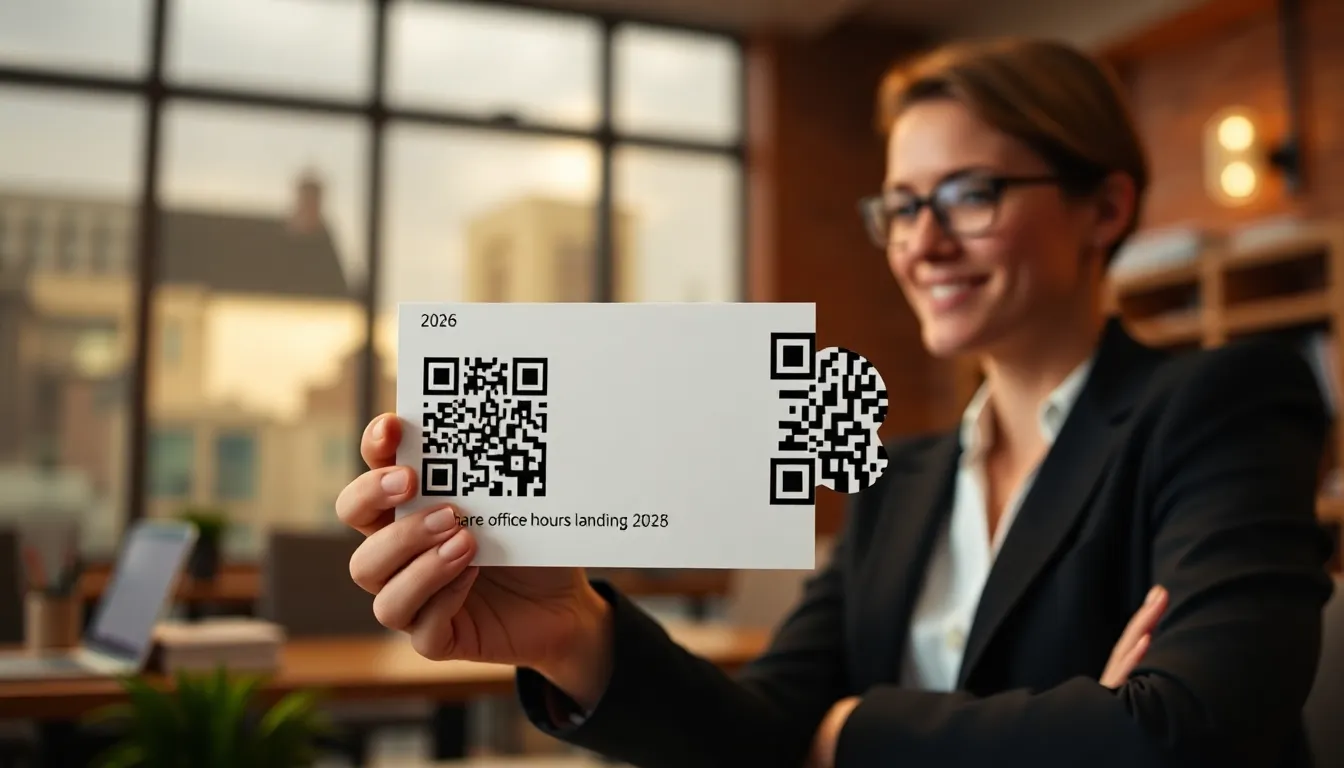
As a teacher, you hand out business cards at parent-teacher conferences, networking events, and professional development workshops. But what happens when your office hours change, or you want to add a new email address? Traditional business cards become outdated immediately. A QR code on your teacher business card solves this problem by letting you share updated contact information, office hours, and even links to your classroom website with a simple scan. Using a dynamic QR code from OwnQR ensures your contacts always have the latest details without reprinting cards, making it a cost-effective tool for educators.
Why Teachers Need QR Codes on Business Cards
Teachers communicate with multiple groups: parents, students, colleagues, and administrators. Each group needs different information. Parents might need your office hours and email. Students might need links to assignment portals. Colleagues might want your professional social media profiles. A single QR code can contain all this information in a vCard format that automatically saves to a phone's contacts.
When you use a dynamic QR code from OwnQR, you can update the information behind the code anytime without reprinting cards. If your office hours change next semester, just log in and update them. Anyone who scans your existing card gets the new information. This saves money on reprints and ensures your contacts always have current details.
What to Include in Your Teacher QR Code
Your QR code should contain more than just basic contact information. Start with your name, school, position (like "8th Grade Science Teacher"), and school email. Add your office hours with specific days and times. Include your classroom number if parents might visit. You can also add links to your school website profile, Google Classroom, or a parent communication app like Remind.
For professional networking, consider adding your LinkedIn profile or professional Twitter handle. Some teachers include a link to their teaching portfolio or educational blog. With OwnQR's vCard QR code tool, you can include multiple phone numbers (school line, mobile), email addresses, and website links in one code.
Creating Your Teacher Business Card QR Code
Follow these steps to create a professional QR code for your teacher business card:
- Go to OwnQR's vCard QR code tool
- Fill in your contact details: name, school, position, email, phone
- Add your office hours in the notes section (example: "Office Hours: Mon/Wed 3:00-4:30 PM, Room 214")
- Choose between a free static QR code or a dynamic QR code for $15 one-time payment
- Customize the design with your school colors, add your school logo, and choose a frame that matches your professional style
- Download the QR code as an SVG file for printing (SVG maintains quality at any size) or PNG for digital use
If you choose a dynamic QR code, you'll get scan analytics showing when and where people scan your code. This helps you understand which events generate the most interest and when parents are most likely to reach out.
Printing and Placement Guidelines
When adding your QR code to business cards, size matters. The minimum recommended size for QR codes is 2x2 cm (about 0.8x0.8 inches) for close-range scanning. For cards that might be scanned from a slight distance, like on a bulletin board, use this formula: scanning distance divided by 10 equals the QR code size in centimeters. So a code meant to be scanned from 50 cm away should be at least 5x5 cm.
Place the QR code on the back of your business card with clear instructions like "Scan to save my contact info and office hours." Leave sufficient white space around the code (at least 2-3 mm) so scanners can detect it easily. Test print a sample card before ordering a full batch to ensure the code scans properly on different devices.
Beyond Basic Business Cards
Your teacher QR code doesn't belong only on business cards. Print it on syllabus handouts, classroom door signs, email signatures, and conference presentation slides. Some teachers embed QR codes in their email newsletters that link directly to appointment scheduling tools for office hours.
If you coach sports or lead clubs, create separate QR codes for those roles with relevant contact information. With OwnQR's dynamic codes, you can create multiple QR codes under one account for different purposes, all for the same $15 lifetime payment.
Real-World Use Cases
Teachers across various educational settings have successfully implemented QR codes on business cards to enhance communication and efficiency. Here are three specific examples:
1. Lincoln High School, Science Department: A biology teacher at Lincoln High School used a dynamic QR code from OwnQR on business cards distributed during parent-teacher nights. Before implementation, 30% of parents reported difficulty remembering office hour changes, leading to missed meetings. After adding the QR code with updatable office hours and a link to a Google Calendar for scheduling, parent attendance at office hours increased by 40% within one semester. The teacher also used scan analytics to identify peak scanning times, optimizing communication efforts.
2. Maple Elementary School, Grade 5 Teacher: A fifth-grade teacher at Maple Elementary integrated a QR code into business cards shared with parents at the start of the school year. The code included contact details, a link to a classroom newsletter, and resources for homework help. Previously, the teacher spent hours manually updating printed handouts each month. With OwnQR's dynamic feature, updates were made instantly, reducing administrative time by 50%. Parent engagement, measured via link clicks from the QR code, rose by 25% compared to the previous year's paper-based methods.
3. Global Language Institute, ESL Instructor: An ESL instructor at a language institute used a QR code on business cards for networking at educational conferences. The code linked to a professional portfolio, LinkedIn profile, and a sign-up form for workshop notifications. Prior to using the QR code, the instructor relied on business cards with static information, resulting in a 20% follow-up rate from contacts. After switching to a dynamic QR code with OwnQR, follow-up rates increased to 60%, and scan data revealed that 70% of scans occurred during conference sessions, highlighting the tool's effectiveness in real-time networking.
Want to follow along? Create a vCard QR Code now
It's free to start. Upgrade to $15 lifetime when you need editable dynamic QR codes.
Step-by-Step: How to Do It with OwnQR
Creating a professional teacher business card QR code with OwnQR is straightforward and efficient. Follow these detailed steps to ensure optimal results:
- Access the vCard QR Code Tool: Navigate to OwnQR's vCard QR code generator. This tool is specifically designed for embedding contact information, making it ideal for teacher business cards that require multiple data points like office hours and email addresses.
- Input Your Contact Details: Enter your full name, school affiliation, teaching position, and primary contact information. Include specific fields such as office hours and classroom location to provide comprehensive details for parents and colleagues.
- Add Supplementary Links: Incorporate URLs to relevant resources, such as your classroom website, Google Classroom, or professional social media profiles. This enhances the QR code's utility beyond basic contact sharing.
- Choose Between Static and Dynamic Codes: Select a free static QR code for fixed information or opt for a dynamic QR code with a $15 lifetime payment. Dynamic codes allow updates without reprinting, crucial for changing office hours or contact details.
- Customize the Design: Personalize the QR code with school colors, logos, and frames to align with your professional branding. This ensures the code complements your business card's aesthetic and improves scanability with high contrast.
- Download and Test: Download the QR code in SVG format for high-quality printing or PNG for digital use. Before mass printing, test scan the code with multiple devices to verify functionality and clarity.
- Integrate into Business Cards: Place the QR code on the back of your business card with clear instructions, such as "Scan for contact info and office hours." Ensure adequate white space around the code to prevent scanning errors.
- Monitor and Update: If using a dynamic code from OwnQR, regularly check scan analytics to track engagement. Update the linked information as needed, such as at the start of a new semester, to keep details current.
Common Mistakes and How to Avoid Them
When implementing QR codes on teacher business cards, several common errors can reduce effectiveness. Avoid these pitfalls to ensure seamless communication:
1. Using Static Codes for Changing Information: Many teachers opt for free static QR codes, which cannot be updated after creation. If your office hours or contact details change, the code becomes obsolete. Solution: Invest in a dynamic QR code from OwnQR for a $15 lifetime fee, allowing real-time updates without reprinting cards.
2. Poor Placement and Sizing: Placing the QR code too small or in a cluttered area on the business card can hinder scanning. A code smaller than 2x2 cm may not scan reliably. Solution: Follow size guidelines, ensure at least 2-3 mm of white space around the code, and position it prominently on the back of the card with clear labeling.
3. Overloading with Too Much Information: Including excessive links or text in the QR code can overwhelm users and slow down scanning. For instance, adding every possible social media profile might deter quick saves. Solution: Prioritize essential information like contact details and office hours, and use OwnQR's tools to organize data neatly in a vCard format.
4. Neglecting to Test Before Printing: Failing to test the QR code on various devices and lighting conditions can lead to unscannable cards after printing. This wastes resources and reduces professionalism. Solution: Always test print a sample card and scan it with different smartphones and apps to ensure compatibility and clarity.
5. Ignoring Analytics and Updates: With dynamic QR codes, some teachers forget to review scan analytics or update information periodically, missing opportunities to optimize engagement. Solution: Use OwnQR's analytics dashboard to monitor scan trends and set reminders to update details at key times, such as before parent-teacher conferences.
Pricing Comparison
When selecting a QR code solution for teacher business cards, pricing is a critical factor. OwnQR offers a unique $15 lifetime model, contrasting with subscription-based alternatives. Below is a detailed comparison to help educators make an informed decision.
| Feature | OwnQR ($15 Lifetime) | Subscription Alternatives (e.g., Competitor A, Competitor B) |
|---|---|---|
| Upfront Cost | $15 one-time payment | Monthly or annual subscription fees (verify current pricing at vendor.com) |
| Dynamic QR Code Updates | Unlimited updates included | Typically included, but may have limits based on plan |
| Scan Analytics | Basic analytics included | Often available in higher-tier plans only |
| Number of QR Codes | Multiple codes under one account | May restrict number of active codes per subscription |
| Customization Options | Full design customization | Design features may be limited in basic plans |
| Long-Term Cost Over 5 Years | $15 total | Can exceed $100+ depending on subscription rates |
OwnQR's $15 lifetime pricing provides significant cost savings compared to subscription models. For teachers, who often operate on tight budgets, this one-time fee eliminates recurring expenses, making it a financially prudent choice. Subscription alternatives, while offering similar features, can accumulate costs over time—for example, a $5 monthly subscription totals $300 over five years, versus OwnQR's flat $15. Additionally, OwnQR includes dynamic updates and basic analytics at no extra charge, whereas competitors may require premium plans for these functionalities. This makes OwnQR not only affordable but also feature-rich, ensuring educators can maintain professional communication without ongoing financial burden. By choosing OwnQR, teachers invest in a long-term solution that adapts to changing needs, such as updated office hours or new contact methods, without additional costs.
Frequently Asked Scenarios
Teachers often have specific questions about using QR codes in educational contexts. Here are detailed answers to common scenarios:
Q: How can I use a QR code to share office hours that change each semester?
A: Use a dynamic QR code from OwnQR. Set up the code with your initial office hours, and when they change, log into your account to update the information. Anyone who scans the code will see the new hours immediately. This avoids reprinting business cards and ensures parents and students always have accurate schedules. For added convenience, link the QR code to a digital calendar that syncs updates automatically.
Q: What if I want to use the same QR code for both parents and colleagues, but with different information?
A: OwnQR's dynamic QR codes allow you to create a single code that directs users to a landing page with tailored content. For example, you can set up the code to show basic contact info for all scans, but include additional links for colleagues, such as professional development resources. Use the analytics feature to track which groups engage most, and adjust the content as needed to meet their needs.
Q: Can I track how many people scan my QR code from business cards?
A: Yes, with OwnQR's dynamic QR codes, you gain access to scan analytics. This data includes the number of scans, approximate locations, and timestamps. For teachers, this helps identify peak engagement times, such as after parent-teacher conferences, and assess the effectiveness of different distribution methods. Use these insights to optimize when and where you share your business cards for maximum impact.
Q: Is it safe to include personal contact information like a mobile number in a QR code?
A> While QR codes are generally secure, it's wise to limit sensitive personal data. Use your school-issued email and phone number for professional contacts. OwnQR's vCard tool allows you to include multiple contact points, so you can prioritize school information. For networking, consider adding a LinkedIn profile instead of a personal number. Always review privacy settings and update the code if contact details change to maintain security.
Ready to create your professional teacher business card QR code? Visit OwnQR's $15 lifetime pricing to get started with free static QR codes or upgrade to dynamic codes for $15 with lifetime access and scan analytics. No subscriptions, no watermarks, just professional QR codes that make sharing your teacher contact information simple and effective. OwnQR provides a reliable solution for educators looking to enhance communication without ongoing costs.
Tags
Frequently Asked Questions
How do QR codes help teachers share office hours effectively?
QR codes let teachers share office hours that can be updated without reprinting materials. When scanned, a vCard QR code saves contact details directly to phones, including office hours in the notes section. With dynamic QR codes from OwnQR, teachers can change office hours each semester while keeping the same printed code. This eliminates outdated information on physical cards and handouts.
What size should a QR code be on a teacher business card?
For standard business cards held close to scan, a minimum of 2x2 cm works well. If the card might be displayed on a board for scanning from a distance, use this formula: divide the scanning distance by 10 for the minimum size in centimeters. Always leave 2-3 mm of white space around the code. OwnQR provides SVG files that maintain quality at any print size.
Can I track how many parents scan my teacher business card QR code?
Yes, with dynamic QR codes. Services like OwnQR's $15 lifetime dynamic codes include scan analytics showing total scans, locations, devices, and times. Teachers can see which events generate the most scans and when parents are most active. This data helps optimize communication timing without monthly fees. Static QR codes don't offer tracking.
Why choose a vCard QR code over a regular URL QR code for teacher contacts?
vCard QR codes automatically save information to phone contacts with one tap, while URL codes require manual entry. vCards can include multiple fields: name, school, position, email, phone, office hours, and website links. For teachers sharing complex contact details, vCards save time and reduce errors. OwnQR's vCard tool supports all standard contact fields in a user-friendly interface.
Is OwnQR better than QRFY or Beaconstac for teacher QR codes?
OwnQR offers distinct advantages for teachers: free static QR codes with no sign-up, and $15 one-time payment for dynamic codes with lifetime access. Competitors typically charge monthly subscriptions. For budget-conscious educators, this means no recurring costs. OwnQR also provides SVG downloads for high-quality printing and custom school colors. Verify current pricing at QRFY.com and Beaconstac.com for comparison.
Ready to own your QR codes?
One-time $15 for lifetime dynamic QR codes.
Most alternatives bill monthly — verify current rates on their site.
30-day money back guarantee