QR Code for Trade Show Booth: Link to Product Demo (2026 Guide)
Quick Answer
Maximize trade show leads in 2026 with QR codes linking to product demos. Use OwnQR's $15 lifetime dynamic codes for real-time updates and analytics without subscriptions.
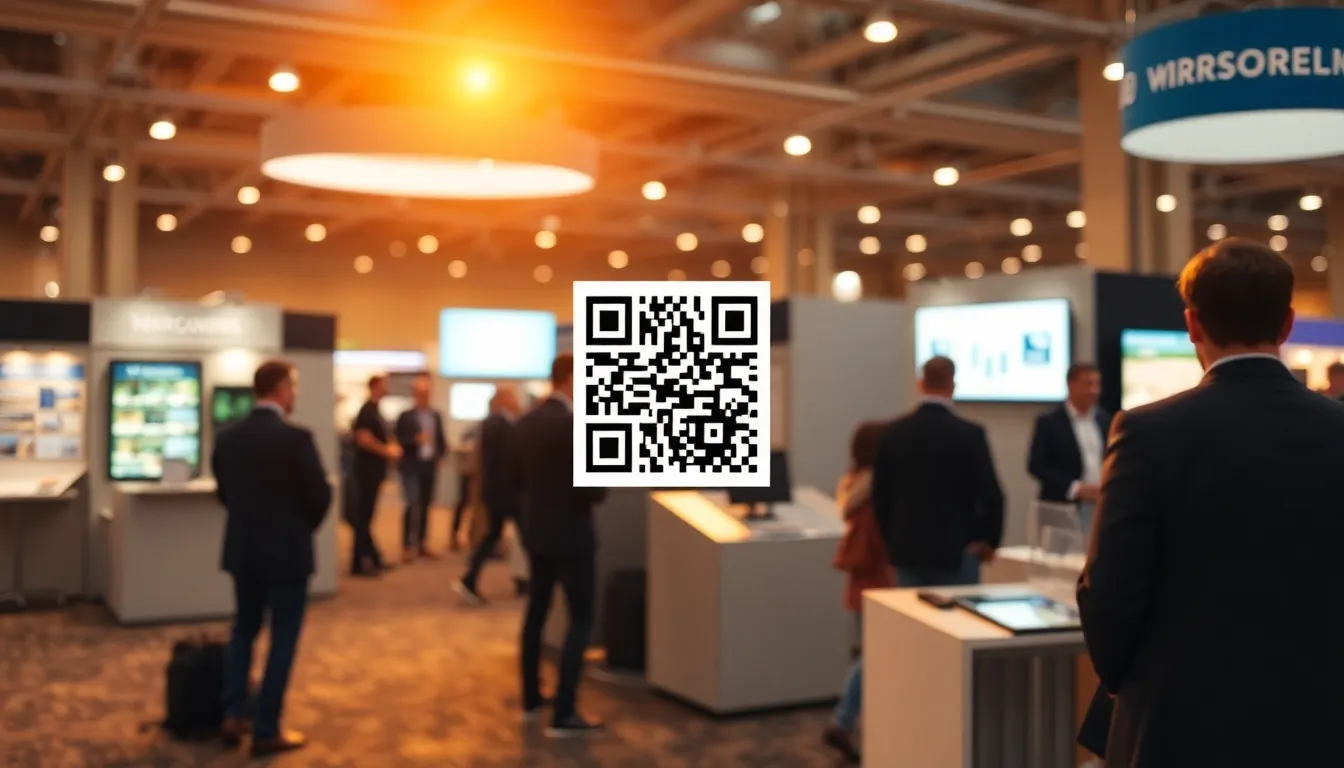
You're at a trade show, surrounded by potential customers. Someone asks about your product demo, but you can't show it right now. Instead of losing that lead, you can direct them to a QR code that links directly to your demo video or interactive presentation. This simple solution turns booth visitors into engaged prospects instantly. For a cost-effective setup, consider OwnQR's $15 lifetime pricing for dynamic codes that adapt to your needs.
Why QR Codes Work at Trade Shows
Trade shows are busy environments. People move quickly between booths, and attention spans are short. A QR code solves several common problems. First, it eliminates the need for visitors to type long URLs. Second, it provides immediate access to detailed information when you're busy with other conversations. Third, it captures interest at the exact moment someone shows curiosity about your product.
When someone scans your QR code, they can watch your product demo on their own device. This works better than trying to gather a crowd around a single screen. Each visitor gets a personalized viewing experience. They can pause, rewind, or share the demo with colleagues later.
For the 2026 trade show season, QR codes have become standard practice. Most attendees now expect to find them at booths. Not having one might make your setup look outdated.
Setting Up Your Trade Show QR Code
Creating an effective QR code for your booth requires careful planning. Start by deciding what your QR code will link to. The most effective options include a dedicated landing page with your demo video, an interactive product tour, or a sign-up form for a live demo later.
Make sure your destination page is mobile-friendly. Most trade show attendees will scan with their smartphones. The page should load quickly and work well on smaller screens. Include clear calls to action, like "Schedule a meeting" or "Download spec sheet."
When generating your QR code, consider using a dynamic QR code. These allow you to change the destination URL without reprinting materials. If you notice visitors aren't converting well, you can update the landing page between trade show days. With OwnQR's dynamic codes, this costs $15 one time with no subscription fees. You also get scan analytics showing when and where people scanned your code.
For static QR codes that won't need changes, you can use OwnQR's free generator. These require no sign-up and have no watermarks, perfect for simple demo links.
Physical Display Best Practices
Where and how you display your QR code matters. Place it at eye level on your booth backdrop. Include it on tabletop signs, product displays, and handouts. The code should be visible from several feet away.
Size is critical for scanning reliability. For close-range scanning (within arm's reach), your QR code should be at least 2x2 cm. For larger distances, use this formula: scanning distance divided by 10 equals the minimum QR code size in centimeters. So if you want people to scan from 2 meters away, your code needs to be at least 20 cm square.
Add a clear call to action near the QR code. Text like "Scan to see our product demo" or "Watch the full demo here" tells visitors exactly what to expect. Consider including a brief benefit statement, such as "See how it works in 90 seconds."
Test your printed QR code before the event. Scan it with multiple devices in different lighting conditions. Trade show halls often have mixed lighting that can affect scanning.
Tracking and Following Up
The real value comes after the scan. With dynamic QR codes from OwnQR, you can see analytics about who scanned your code. This includes location data (helpful for multi-city trade shows), device types, and scan times. You'll know which days and times generated the most interest.
Use this data to improve your follow-up strategy. If you notice most scans happen in the afternoon, schedule your follow-up emails for the next morning. If certain devices dominate, optimize your demo page for those platforms.
Consider creating a special offer for QR code scanners. This could be extended demo access, additional resources, or priority scheduling for post-show meetings. Track which offers generate the best response rates.
After the event, analyze your scan data alongside other lead capture methods. Compare QR code conversions to business card collections or sign-up sheet responses. This helps you allocate resources better for future events.
Design Considerations for Maximum Scans
Your QR code design affects scanning rates. While you can customize colors and add logos, maintain sufficient contrast between the code and background. Dark codes on light backgrounds work best in most lighting conditions.
OwnQR lets you download QR codes in both PNG and SVG formats. SVG is vector-based, meaning it scales perfectly for any print size without losing quality. This is ideal for large booth graphics.
Add your company logo to the center of the QR code. This builds brand recognition and makes the code look more professional. Keep the logo relatively small so it doesn't interfere with scanning. The QR code's error correction can handle some obstruction, but test your design thoroughly.
Consider creating multiple QR codes for different purposes. One might link to your main product demo, another to customer testimonials, and a third to schedule meetings. This lets visitors choose what interests them most.
Real-world Use Cases
Real-world examples demonstrate how QR codes can transform trade show outcomes. TechFlow Solutions, a software company, used a dynamic QR code from OwnQR at a 2025 tech expo. They linked it to an interactive demo of their project management tool. Before implementation, they relied on live demos that reached only 30 visitors per day. After adding the QR code, scans averaged 150 per day, with 40% converting to trial sign-ups. This allowed their team to engage more prospects simultaneously without increasing staff.
GreenGrow Farms, an agricultural startup, implemented QR codes at a sustainability conference. They placed codes on product displays linking to video testimonials from farmers. Previously, they collected leads via paper forms, resulting in 50 leads per event. With QR codes, they captured 200 scans, and 25% scheduled follow-up calls within a week. The analytics from OwnQR showed peak scanning during lunch hours, prompting them to adjust booth staffing for better engagement.
MediCare Devices, a medical equipment manufacturer, used QR codes at a healthcare trade show to link to detailed spec sheets and compliance documentation. Before, they handed out printed brochures that often went unread. After switching to QR codes, they saw a 60% increase in downloads of technical documents, and scan data revealed that 70% of scanners were from hospitals, helping them target follow-ups more effectively. This approach reduced printing costs by 40% while improving lead quality.
Want to follow along? Create a QR Code Generator now
It's free to start. Upgrade to $15 lifetime when you need editable dynamic QR codes.
Step-by-step: How to Do It with OwnQR
1. Sign up for an OwnQR account to access dynamic QR code features. This allows you to create codes that can be updated later without reprinting, essential for adapting to trade show feedback. The process takes under two minutes and requires only an email.
2. Choose the type of QR code based on your needs. For product demos, select a URL code and enter the link to your demo video or landing page. OwnQR supports various content types, but URLs are ideal for trade shows as they direct visitors to rich media.
3. Customize the QR code design using OwnQR's editor. Adjust colors to match your branding, but ensure high contrast for reliable scanning. Add your logo to the center to enhance brand recognition, but keep it small to avoid interference.
4. Download the QR code in SVG or PNG format. SVG is recommended for large booth prints as it scales without quality loss, while PNG works well for digital displays or handouts. Test the code with multiple devices to confirm it scans correctly.
5. Set up analytics tracking in your OwnQR dashboard. Enable features to monitor scan times, locations, and devices. This data helps you understand visitor behavior and optimize your trade show strategy in real-time.
6. Print and display the QR code at your booth. Place it at eye level with clear call-to-action text. Use the size formula (distance/10 in cm) to ensure it's scannable from relevant distances, and test in different lighting conditions.
7. Monitor scans during the event using OwnQR's real-time analytics. Check for trends, such as peak scanning times, and adjust your booth activities accordingly. If scans are low, consider updating the linked content to something more engaging.
8. After the event, analyze the data to improve future campaigns. Use insights on device types and locations to refine your follow-up emails and resource allocation. OwnQR's lifetime access means you can reuse the code for multiple events without extra costs.
Common Mistakes and How to Avoid Them
One common mistake is using a static QR code for content that may need updates. If your demo link changes or you want to test different landing pages, a static code requires reprinting. Avoid this by using OwnQR's dynamic codes, which allow URL changes without altering the printed code, saving time and materials.
Another error is placing the QR code in poor lighting or at awkward angles. This can cause scanning failures and frustrate visitors. To prevent this, test the code in various lighting conditions before the event and position it where natural or booth lighting enhances contrast, ensuring it's visible from multiple directions.
Failing to include a clear call to action near the QR code is a frequent oversight. Visitors might not know what to expect, reducing scan rates. Avoid this by adding concise text like "Scan for a 2-minute demo" or "Watch our product in action," which sets expectations and encourages engagement.
Neglecting mobile optimization for the linked content can lead to high bounce rates. If your demo page doesn't load quickly or display well on smartphones, visitors may abandon it. Prevent this by testing your landing page on multiple devices and using responsive design, ensuring a smooth experience for all scanners.
Over-customizing the QR code design to the point of reducing scannability is another pitfall. While branding is important, excessive colors or large logos can interfere with the code's readability. Avoid this by keeping customization minimal, using OwnQR's design tools to maintain at least 30% contrast, and always testing the final design before printing.
Pricing Comparison
| Feature | OwnQR ($15 Lifetime) | Subscription Alternatives |
|---|---|---|
| Upfront Cost | $15 one-time payment | Monthly or annual fees (verify current pricing at vendor.com) |
| Dynamic QR Codes | Unlimited, with lifetime access | Often limited by tier, with higher costs for more codes |
| Analytics | Basic scan tracking included | May require premium plans for detailed data |
| URL Changes | Free updates anytime | Usually included, but tied to ongoing payments |
| Customization | Color and logo options | Varies by provider, often with extra fees |
| Long-term Value | Cost-effective for repeated use | Can accumulate high costs over multiple events |
When comparing pricing, OwnQR's $15 lifetime model offers significant advantages for trade show marketers. Subscription alternatives typically charge monthly or annual fees, which can add up quickly, especially for businesses attending multiple events per year. For example, if a competitor charges $10 per month, over two years, that totals $240, far exceeding OwnQR's one-time cost. OwnQR provides unlimited dynamic QR codes and basic analytics without recurring charges, making it ideal for budget-conscious teams. The lifetime access ensures you can reuse codes across events, whereas subscriptions may limit usage or increase prices over time. Additionally, OwnQR's model eliminates the risk of service interruption due to missed payments, crucial for time-sensitive trade shows. While some subscription services offer advanced features like CRM integrations, OwnQR focuses on core functionality that meets most trade show needs, such as real-time updates and scan tracking. For businesses seeking a straightforward, cost-effective solution, OwnQR's $15 lifetime pricing provides excellent value without the long-term financial commitment of subscriptions.
Frequently Asked Scenarios
Q: What if my product demo video changes after I've printed the QR codes for a trade show?
A: With OwnQR's dynamic QR codes, you can update the destination URL at any time without reprinting. Simply log into your dashboard, edit the link, and all future scans will direct to the new content. This flexibility is crucial for trade shows where you might need to swap demos based on audience feedback or add time-sensitive offers.
Q: How can I ensure my QR code works for all attendees, including those with older smartphones?
A: Optimize for compatibility by using a standard QR code format (like URL type) and avoiding overly complex designs. OwnQR generates codes that are scannable by most devices, but test with various models before the event. Also, ensure your linked page is lightweight and loads quickly on slower connections common in crowded venues.
Q: Can I track how many people scanned my QR code during a multi-day trade show?
A: Yes, OwnQR provides basic analytics that show total scans, along with data on scan times and locations. You can monitor this in real-time during the event to gauge engagement peaks. For more detailed insights, consider placing multiple codes for different purposes and comparing their performance in your dashboard.
Q: What's the best way to integrate QR codes with other lead capture methods at my booth?
A: Combine QR codes with in-person interactions for a hybrid approach. For example, after a brief conversation, direct visitors to scan for a deeper demo, then use a sign-up form on the linked page to capture contact info. OwnQR's analytics can help correlate scan data with other metrics, allowing you to assess which methods drive the highest-quality leads.
Ready to create your trade show QR code? Start with OwnQR's generator for free static codes or $15 lifetime dynamic codes with analytics. Test different placements and messages at your next event to see what generates the most engagement. For ongoing support, OwnQR's lifetime access ensures you can adapt to future trade show trends without additional costs.
Tags
Frequently Asked Questions
How do I create a QR code for my trade show booth?
Use a QR code generator like OwnQR. First, prepare your demo landing page URL. Then generate either a free static code or a $15 lifetime dynamic code with tracking. Customize colors and add your logo. Download as SVG for print (best quality) or PNG for digital use. Test the scan before printing.
What size should my trade show QR code be?
For close scanning at your booth table, use at least 2x2 cm. For larger displays people scan from a distance, calculate size as scanning distance divided by 10. So a code scanned from 1.5 meters away needs to be 15 cm square. Always test print samples before final production.
Can I track who scans my trade show QR code?
Yes, with dynamic QR codes. Services like OwnQR provide analytics showing scan counts, locations, devices, and times. This costs $15 one time with no subscription. You'll see which trade show days had most engagement and can optimize follow-ups. Static codes don't offer tracking.
Why use QR codes instead of business cards at trade shows?
QR codes provide instant access to rich content like demo videos, while business cards only offer contact info. Scans happen when interest is highest. You can update dynamic QR destinations between events without reprinting. QR codes also work for people who prefer digital interaction over physical items.
Is OwnQR better than QRFY for trade show QR codes?
OwnQR offers free static codes and $15 lifetime dynamic codes with no subscriptions. QRFY uses monthly billing models (verify current pricing at qrfy.com). For trade shows where you might reuse codes across multiple events, OwnQR's one-time payment often costs less long-term. Both offer customization, but compare current features.
Ready to own your QR codes?
One-time $15 for lifetime dynamic QR codes.
Most alternatives bill monthly — verify current rates on their site.
30-day money back guarantee