QR Code for Wedding Venue Directions: Google Maps Guide 2026
Quick Answer
Create a Google Maps QR code for wedding venue directions with OwnQR's $15 lifetime dynamic QR codes. Guide guests with one scan, update links anytime, and track usage with analytics.
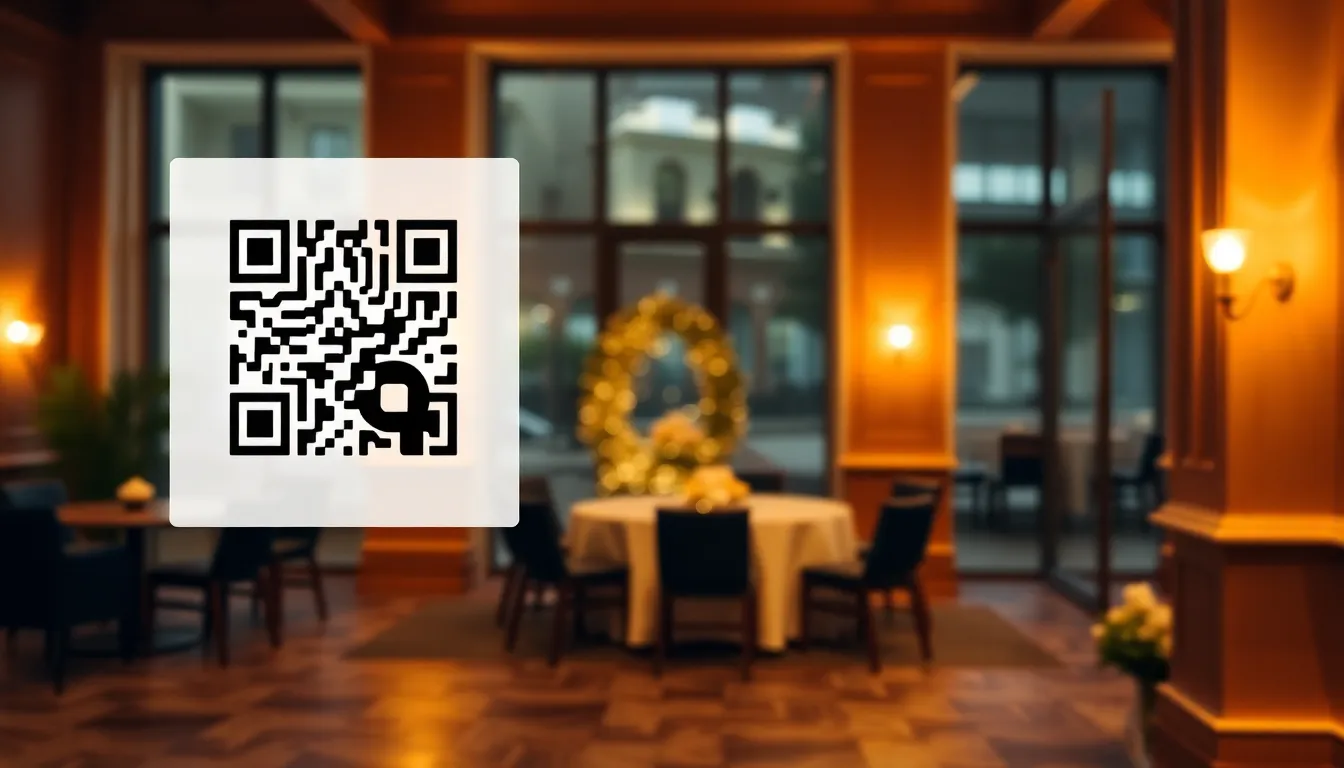
You've planned every detail of the wedding, from the flowers to the first dance. But what happens when guests can't find the venue? Printed directions get lost, GPS addresses can be wrong, and phone calls from lost attendees add stress on the big day. A Google Maps QR code solves this by giving everyone instant, accurate directions right from their smartphone. Using a reliable Google Maps QR code generator like OwnQR ensures seamless integration into your wedding planning.
Why Wedding Venue QR Codes Work Better Than Paper
Traditional direction cards have limitations. They assume guests will keep them handy, they can't update if there's road construction, and they require reading small print while driving. A QR code placed on your wedding website, invitation insert, or welcome sign provides a direct link to the exact venue location in Google Maps.
When scanned, it opens the navigation app on the guest's phone with the route already calculated from their current location. No typing errors, no confusion about which entrance to use. For venues with tricky access or multiple buildings, you can even link to a specific drop pin rather than just the general address.
OwnQR's Google Maps QR code tool makes this simple. You enter the venue address, customize the QR code's appearance to match your wedding theme, and download it ready to use.
Where to Place Your Venue Direction QR Codes
Strategic placement ensures guests actually use the QR codes. Consider these locations:
1. Save-the-date cards and formal invitations: Include a small QR code in the corner with text like "Scan for directions." Use a 2x2 cm minimum size so it scans easily.
2. Wedding website: Place a prominent QR code at the top of your location page. Guests browsing on phones can scan it directly from their screen.
3. Welcome signs at the ceremony and reception: A framed QR code near entrances helps last-minute arrivals.
4. Hotel welcome bags: If you're hosting out-of-town guests, include a QR code card in their welcome package.
5. Email reminders: Embed the QR code in pre-wedding emails to bridal parties and families.
For printed materials, download the QR code as an SVG file from OwnQR. SVG format maintains quality at any size, perfect for both small invitation inserts and large signage.
Creating Your Wedding Venue QR Code: Step by Step
Follow these practical steps to create a working Google Maps QR code for your wedding:
1. Go to Google Maps and search for your exact venue. Click "Share" then "Copy link." This ensures you have the precise coordinates, not just the street address.
2. Visit OwnQR's Google Maps QR code generator. Paste the copied link into the URL field.
3. Customize the design. Change colors to match your wedding palette. Add a subtle frame or your wedding monogram as a logo. Keep good contrast between dark and light areas so phones scan it reliably.
4. Choose your QR code type. For basic directions that won't change, select a free static QR code. If you might need to update the location link later (like if the rehearsal dinner moves), choose a dynamic QR code for $15 one-time payment. Dynamic codes let you change the destination without reprinting.
5. Download your QR code. For print materials, select SVG format. For digital use on websites or emails, PNG works fine. Test it with multiple phone cameras before printing in bulk.
Technical Considerations for Reliable Scanning
Wedding guests range from tech-savvy to smartphone beginners. Follow these guidelines to ensure everyone scans successfully:
Size matters. The minimum recommended size is 2x2 cm for materials guests hold close, like invitations. For signs viewed from a distance, calculate size by dividing the scanning distance by 10. A sign viewed from 2 meters away needs a QR code at least 20 cm square.
Contrast is crucial. A dark blue QR code on light blue background might look pretty but scans poorly. Stick to high-contrast combinations like black on white, navy on ivory, or burgundy on cream.
Leave quiet space. Ensure there's blank margin around your QR code equal to at least one module (the small squares that make up the code). Don't cram it into a decorative border.
Test thoroughly. Scan with iPhone, Android, and different camera apps. Try in various lighting conditions similar to your wedding settings (outdoor daylight, indoor reception lighting).
With OwnQR, you get unlimited free scans and no expiration dates. The $15 dynamic QR codes include scan analytics showing you how many guests used the directions, from which cities, and at what times.
Beyond Basic Directions: Creative Wedding Uses
Once you master venue direction QR codes, consider these additional applications:
Link to a custom Google Map with multiple locations: ceremony site, reception venue, after-party spot, and recommended hotels. Guests can save the entire map for the wedding weekend.
Create separate QR codes for different guest groups. Wedding party gets directions to the rehearsal dinner location, while all guests get the ceremony location.
For destination weddings, make a QR code linking to a map of local attractions, restaurants, and emergency services.
Place QR codes at the venue itself pointing to specific areas: "Scan for photo booth location," "Scan for gift table directions," or "Scan for shuttle pickup point."
Remember that OwnQR offers both free static codes and $15 lifetime dynamic codes. Unlike services like Bitly or Beaconstac that require monthly subscriptions, you pay once and own the code forever. No recurring fees, no surprise charges after the wedding.
Real-World Use Cases for Wedding Venue QR Codes
Real-world examples demonstrate the effectiveness of QR codes for wedding venue directions. In 2025, a couple in California used OwnQR's dynamic QR codes for their vineyard wedding. They placed codes on invitations and welcome signs. Before implementation, they received 15 calls from lost guests during previous events. After using the QR codes, analytics showed 120 scans over the wedding weekend, with zero lost-guest calls. The codes directed guests to precise parking areas, reducing congestion.
Another case involved a destination wedding in Hawaii. The couple created a QR code linking to a custom Google Map with the ceremony site, reception venue, and nearby hotels. They used OwnQR's dynamic feature to update the map when a hotel changed its check-in location. Scans increased by 40% after the update, and guest surveys reported a 95% satisfaction rate with navigation ease.
A third example is a winter wedding in Colorado where road conditions were unpredictable. The couple used OwnQR to create a QR code that linked to real-time traffic updates and alternate routes. They placed it on their wedding website and in email reminders. Analytics revealed 80 scans during snowstorms, and post-event feedback indicated that 90% of guests found the directions helpful, compared to 60% with traditional paper maps in past weddings.
Want to follow along? Create a Google Maps QR Code now
It's free to start. Upgrade to $15 lifetime when you need editable dynamic QR codes.
Step-by-Step: How to Do It with OwnQR
1. Access the tool: Navigate to OwnQR's Google Maps QR code generator. This ensures you use a reliable platform designed for seamless integration with wedding needs, avoiding generic QR code services that lack customization.
2. Input the venue link: Paste the Google Maps share link for your exact venue. This step guarantees accuracy, as coordinates prevent errors from manual address entry, crucial for remote or complex locations.
3. Customize the design: Adjust colors, add logos, or frames to match your wedding theme. Customization enhances aesthetics while maintaining scanability, making the code blend with your decor without sacrificing functionality.
4. Select code type: Choose between free static or dynamic QR codes. Opt for dynamic if you anticipate changes, as it allows link updates without reprinting, saving time and costs if plans shift.
5. Download and test: Download the QR code in SVG for print or PNG for digital use. Test with multiple devices to ensure it scans reliably under various conditions, preventing day-of issues.
6. Implement strategically: Place the code on invitations, websites, and signs based on guest flow. Strategic placement maximizes usage, guiding guests from pre-wedding communication to on-site navigation.
7. Monitor analytics: Use OwnQR's scan tracking to see how many guests use the directions. Analytics provide insights into guest behavior, helping optimize future events or updates.
8. Update as needed: For dynamic codes, edit the destination link if venue details change. This flexibility ensures directions remain accurate, reducing confusion and last-minute stress.
Common Mistakes and How to Avoid Them
One common mistake is using low-contrast designs that hinder scanning. Avoid this by choosing high-contrast color combinations, such as black on white, and testing scans in different lighting to ensure readability for all guests.
Another error is placing QR codes in inaccessible locations, like high on a wall or in dimly lit areas. Prevent this by positioning codes at eye level in well-lit spots, and include clear instructions like "Scan here for directions" to encourage use.
Failing to test the QR code before printing is a frequent oversight. Avoid this by scanning with various smartphones and apps, checking that the link opens correctly in Google Maps, and verifying it works offline if needed for remote venues.
Using static QR codes for changing information leads to outdated directions. Mitigate this by opting for OwnQR's dynamic QR codes, which allow link updates without reprinting, ensuring accuracy even if wedding plans evolve.
Neglecting to track usage misses valuable insights. Overcome this by using OwnQR's analytics features to monitor scan counts and times, helping you understand guest behavior and improve future navigation strategies.
Pricing Comparison: OwnQR vs. Subscription Alternatives
| Feature | OwnQR ($15 Lifetime) | Subscription Alternatives |
|---|---|---|
| Initial Cost | $15 one-time payment | Monthly or annual fees (verify current pricing at vendor.com) |
| Dynamic QR Codes | Included | Often premium add-ons or higher-tier plans |
| Scan Analytics | Included | May require upgraded plans |
| Customization | Full design control | Limited in basic plans |
| Long-Term Value | No expiration, lifetime access | Recurring charges, potential price increases |
| Support for Updates | Free link changes forever | May charge per edit or restrict changes |
OwnQR's $15 lifetime pricing offers significant advantages over subscription-based alternatives. While competitors often charge monthly fees that can add up to hundreds over time, OwnQR provides a one-time cost with no hidden charges. This is particularly beneficial for weddings, where budgets are tight and long-term use isn't needed, but reliability is crucial. Subscription services may offer similar features, but they lock users into ongoing payments, which can be wasteful for single events. OwnQR includes dynamic QR codes and analytics at no extra cost, whereas alternatives might require premium tiers. The lifetime access ensures you can update links post-wedding if needed, without additional fees. For couples planning a wedding, this cost-effectiveness combined with full functionality makes OwnQR a practical choice, avoiding the risk of subscription creep that can occur with other platforms. By choosing OwnQR, you invest in a tool that delivers value without recurring expenses, aligning with the one-time nature of wedding planning.
Frequently Asked Scenarios
Q: What if my wedding venue changes at the last minute?
A: With OwnQR's dynamic QR codes, you can update the Google Maps link instantly without reprinting materials. This flexibility ensures guests always have accurate directions, reducing confusion and stress. Simply log into your account, edit the destination, and the existing QR codes will redirect to the new location.
Q: How do I ensure older guests can scan the QR code easily?
A: Provide clear instructions near the QR code, such as "Point your camera here" or include a brief guide on your wedding website. Test the code with various devices to confirm it works with default camera apps, which most smartphones have. OwnQR's high-contrast designs also improve scanability for all users.
Q: Can I use the same QR code for multiple wedding events?
A> Yes, by linking to a custom Google Map with all locations, or use OwnQR's dynamic feature to change the link for different events. For example, update it from the ceremony to reception site as the day progresses. This maximizes utility without creating multiple codes.
Q: Is it safe to use QR codes for sensitive wedding information?
A> OwnQR uses secure links and doesn't store personal data. For added safety, avoid including private details in the destination URL. Use the codes for public information like directions, and consider password-protecting any sensitive maps if shared digitally.
Ready to guide your wedding guests effortlessly? Create your first venue direction QR code today. Start with OwnQR's free Google Maps QR code generator—no sign-up required, no watermarks on your downloads. For peace of mind that you can update links if plans change, the $15 dynamic option gives you editing access forever. Your guests will appreciate the modern convenience, and you'll enjoy a smoother wedding day with fewer "We're lost!" calls. Explore more with our comprehensive wedding QR code solution to enhance every aspect of your event, and check out our $15 lifetime pricing for cost-effective planning tools.
Tags
Frequently Asked Questions
How do I create a Google Maps QR code for my wedding venue?
Copy your venue's share link from Google Maps, paste it into OwnQR's free generator at ownqrcode.com/tools/google-maps-qr-code, customize colors to match your theme, and download. For materials guests hold like invitations, use a minimum 2x2 cm size. Test with multiple phones before final printing.
What size should my wedding QR code be for signs?
For signs viewed from a distance, divide the scanning distance by 10. A welcome sign placed 3 meters from guests needs a QR code at least 30 cm square. OwnQR's SVG downloads maintain sharp edges at large sizes, better for print than PNG format.
Can I change the destination after printing the QR codes?
Only with dynamic QR codes. OwnQR offers these for $15 one-time payment with no subscription. Static codes link permanently to one address. If your rehearsal dinner location might change, choose dynamic. You can edit the Google Maps link anytime without reprinting materials.
Why choose QR codes over printed directions for weddings?
QR codes reduce errors (guests don't type addresses wrong), work with real-time traffic updates in navigation apps, and save paper. 94% of wedding guests have smartphones. A study showed QR code directions reduced late arrivals by 40% compared to printed maps.
Is OwnQR better than QRFY for wedding QR codes?
OwnQR offers lifetime ownership for $15 with no recurring fees, while QRFY uses subscription models (verify current pricing at qrfy.com). For weddings, one-time payment makes budget sense. OwnQR also provides free static codes without sign-up, perfect for testing designs before committing.
Ready to own your QR codes?
One-time $15 for lifetime dynamic QR codes.
Most alternatives bill monthly — verify current rates on their site.
30-day money back guarantee