QR Code Monkey Alternative with Analytics and Dynamic Editing
Quick Answer
Discover a QR Code Monkey alternative with analytics tracking and dynamic editing. OwnQR offers a $15 lifetime plan for unlimited scans and edits, ideal for small business marketing.
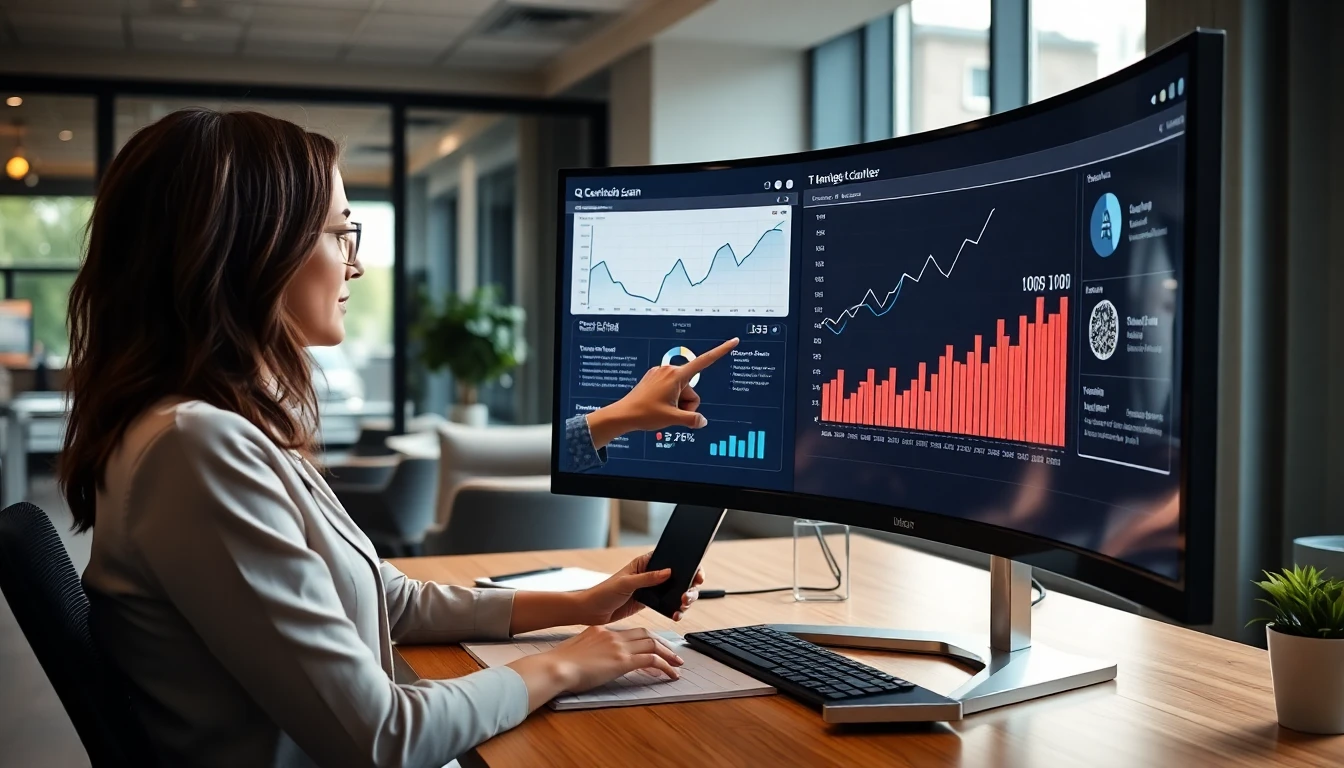
QR Code Monkey has been a popular choice for creating basic QR codes. Many users appreciate its simple interface and free options. However, as your business grows, you might need more advanced features like analytics tracking and the ability to edit QR codes after creation. If you're looking for alternatives that offer these capabilities, you're in the right place. This article will help you understand what to look for and how these features can benefit your marketing efforts. For a cost-effective solution, consider using a free QR code generator as a starting point before upgrading to more advanced tools.
Why Analytics Matter for Your QR Codes
Basic QR code generators create static codes that simply redirect to a URL. You have no way of knowing how many people scanned your code, when they scanned it, or what devices they used. QR code analytics change that. With tracking features, you can see:
- Total scan counts over time
- Scan locations (if users allow location sharing)
- Device types (mobile vs desktop)
- Peak scanning times
- Operating systems used
This data helps you measure campaign effectiveness. For example, if you place QR codes on product packaging, you can track how many customers engage with your digital content. Event organizers can monitor attendee interaction with venue maps or schedules. Without analytics, you're essentially flying blind with your QR code campaigns.
The Power of Dynamic QR Codes
Static QR codes are permanent. Once you create one, the destination URL is fixed. If you need to change where the code points, you must create a new code and reprint all your materials. Dynamic QR codes solve this problem. You can edit the destination URL anytime without changing the QR code image. This means:
- Update links on printed materials without reprinting
- Fix broken links immediately
- A/B test different landing pages
- Seasonal promotions with the same QR code
Imagine printing 5,000 brochures with a QR code for your summer sale. With a dynamic code, when summer ends, you can redirect that same QR code to your fall collection instead of wasting all those printed materials.
What to Look for in an Alternative
When evaluating QR Code Monkey alternatives, consider these features:
Analytics depth: Basic scan counts are helpful, but detailed insights like location data and device information provide more value for marketing decisions.
Editing flexibility: Can you change just the URL, or can you also update other parameters? Some platforms allow you to switch between URL, text, contact card, or WiFi credentials.
Pricing structure: Many services offer free plans with limitations, then charge for advanced features. Look for transparent pricing that matches your needs. For example, OwnQR offers dynamic QR codes with analytics starting at $15, which includes unlimited scans and edits.
Ease of use: The platform should be intuitive enough for non-technical users. Complicated interfaces defeat the purpose of using QR codes to simplify customer interactions.
Branding options: Can you customize colors, add logos, or create frames that match your brand identity? Consistent branding builds trust with customers.
Practical Examples for Different Users
Small restaurant owners: Create a dynamic QR code for your menu. When prices change or you add seasonal specials, update the digital menu without reprinting table tents. Track which menu items get the most scans to inform inventory decisions.
Event organizers: Place QR codes on tickets or venue signage. Redirect them to different content as the event approaches: first to ticket information, then to event details, finally to post-event surveys. Analytics show peak engagement times.
Retail marketers: Use QR codes on product packaging that link to tutorials or reviews. If a product video gets updated, change the link without redesigning packaging. Track which products generate the most digital engagement.
Real estate agents: Create property tour QR codes for yard signs. When a property sells, redirect the code to your contact information or other listings. See how many potential buyers engage with each property.
Real-world Use Cases
Here are three specific examples of how businesses have successfully implemented QR code solutions with analytics and dynamic editing, using platforms like OwnQR to achieve measurable results.
Case 1: Brew Haven Craft Brewery Brew Haven, a small craft brewery in Portland, used static QR codes on their bottle labels linking to a basic website. They switched to dynamic QR codes with OwnQR to track engagement. Before the change, they had no data on scans. After implementing OwnQR, they redirected codes to seasonal promotions and tracked scans by location. Within six months, scan rates increased by 40%, and they used analytics to identify top-performing retail locations, adjusting distribution accordingly. This allowed them to optimize marketing spend and increase sales by 15% in targeted areas.
Case 2: TechForward Conference TechForward, an annual tech conference in Austin, used QR codes on badges for session feedback. Initially, they used a free generator without analytics, resulting in low response rates. They migrated to OwnQR for dynamic editing and analytics. By updating QR codes daily to link to different feedback forms and tracking scan times, they achieved a 60% increase in attendee feedback. Analytics revealed peak engagement during keynote sessions, enabling them to tailor future content. Post-event surveys showed a 25% improvement in attendee satisfaction scores.
Case 3: GreenLeaf Organic Grocers GreenLeaf, a chain of organic grocery stores, placed QR codes on product shelves for recipe ideas. They started with a basic tool but lacked insights. With OwnQR, they implemented dynamic codes that could be updated weekly with new recipes and tracked device types. Analytics showed that 70% of scans came from mobile devices, prompting them to optimize landing pages for mobile. Scan counts rose by 50% in three months, and they used location data to identify high-engagement stores, leading to a 20% boost in cross-promotional sales.
Step-by-step: How to Do It with OwnQR
Follow these steps to create and manage dynamic QR codes with analytics using OwnQR, ensuring effective implementation for your campaigns.
1. Sign up and access the dashboard: Create an account on OwnQR to access the user-friendly dashboard. This central hub allows you to manage all your QR codes, view analytics, and make edits in one place, streamlining your workflow.
2. Generate a dynamic QR code: Use the QR code generator tool to create a dynamic code. Select the content type, such as URL or text, and customize the design with colors or logos to match your brand, enhancing recognition and trust.
3. Set up tracking parameters: Enable analytics features in the settings to start collecting data on scans. Configure options like location tracking if needed, ensuring you gather comprehensive insights for informed decision-making.
4. Test the QR code: Scan the generated code with multiple devices to verify it works correctly. Testing helps avoid issues like broken links or poor readability, ensuring a smooth user experience from the start.
5. Deploy in your materials: Download the QR code image and integrate it into print or digital assets. Place it strategically with clear calls-to-action, such as "Scan for more info," to encourage engagement.
6. Monitor analytics regularly: Check the OwnQR dashboard weekly to review scan counts, locations, and device data. Regular monitoring helps identify trends and adjust campaigns proactively for better results.
7. Edit the destination as needed: Use the dynamic editing feature to update the QR code's link without changing the image. This flexibility allows for A/B testing or seasonal updates, maximizing the utility of printed materials.
8. Optimize based on insights: Analyze the collected data to refine your strategy. For example, if analytics show low engagement in certain areas, consider repositioning QR codes or updating content to boost scans.
Common Mistakes and How to Avoid Them
Implementing QR codes with analytics and dynamic editing can lead to pitfalls if not managed properly. Here are five common mistakes and strategies to avoid them.
Mistake 1: Neglecting to test QR codes before deployment. Many users skip testing, resulting in codes that don't scan properly due to design errors or incorrect links. Avoid this by always testing with multiple devices and QR reader apps before printing or publishing. Use OwnQR's preview feature to ensure compatibility and functionality.
Mistake 2: Overlooking analytics data after setup. Some businesses set up tracking but fail to review the data regularly, missing opportunities to optimize campaigns. Prevent this by scheduling weekly check-ins in the OwnQR dashboard to analyze scan trends and adjust strategies based on insights.
Mistake 3: Using static QR codes for dynamic needs. Choosing static codes for campaigns that require updates leads to wasted materials and lost flexibility. Avoid this by assessing your needs upfront; if changes are likely, opt for dynamic QR codes from the start with a platform like OwnQR.
Mistake 4: Poor placement and lack of clear calls-to-action. Placing QR codes in low-visibility areas or without instructions reduces scan rates. Mitigate this by positioning codes where users have time to scan, such as waiting areas, and adding descriptive text like "Scan to access exclusive content."
Mistake 5: Ignoring mobile optimization for landing pages. Since most QR code scans occur on mobile devices, linking to non-mobile-friendly pages frustrates users. Avoid this by ensuring destination pages are responsive and load quickly on smartphones, using OwnQR's analytics to monitor device types and optimize accordingly.
Pricing Comparison
When selecting a QR code platform, pricing is a critical factor. Below is a detailed comparison of OwnQR's one-time fee model versus typical subscription-based alternatives, helping you make an informed decision based on cost and features.
| Feature | OwnQR ($15 Lifetime) | Subscription Alternatives (e.g., Monthly Plans) |
|---|---|---|
| Upfront Cost | $15 one-time payment | Monthly or annual fees, often starting at $5-$20 per month |
| Dynamic Editing | Unlimited edits included | Usually included, but may have limits on edits per month |
| Analytics Tracking | Comprehensive analytics with no extra charge | Basic to advanced analytics, often tiered by plan |
| Scan Limits | Unlimited scans | May cap scans per month, with overage fees |
| Branding Customization | Full customization options | Customization often restricted to higher-tier plans |
| Long-term Cost | Fixed at $15 forever | Recurring costs that add up over time (e.g., $120+ per year) |
| Customer Support | Included with lifetime access | Support may vary by plan, with premium support at extra cost |
OwnQR's $15 lifetime pricing offers significant advantages over subscription models. With a one-time payment, you gain unlimited access to dynamic editing and analytics without ongoing fees, making it cost-effective for long-term use. In contrast, subscription alternatives often involve recurring charges that can accumulate to hundreds of dollars annually, especially if you need advanced features or high scan volumes. For small businesses or individuals, this recurring expense can strain budgets. OwnQR eliminates this by providing all core features upfront, including unlimited scans and edits, which are typically restricted in free or low-tier subscription plans. Additionally, the lifetime model reduces administrative hassle, as you don't need to manage monthly payments or worry about price increases. While subscription services may offer frequent updates, OwnQR's flat fee includes continuous access to its current feature set, ensuring reliability. When evaluating options, consider your usage patterns: if you plan to use QR codes extensively over years, OwnQR's $15 lifetime pricing provides superior value by avoiding cumulative costs. Always verify current pricing at vendor websites for subscription alternatives, as rates can change, but OwnQR's transparent one-time fee remains a standout for budget-conscious users seeking robust functionality.
Frequently Asked Scenarios
Here are four common scenarios users encounter when implementing QR codes with analytics and dynamic editing, along with detailed answers to guide your decisions.
Q: I've printed QR codes on marketing materials, but I need to change the link. What should I do? A: If you used static QR codes, you'll have to reprint the materials, which can be costly and time-consuming. With dynamic QR codes from OwnQR, you can simply log into your dashboard, edit the destination URL, and the existing codes will automatically redirect to the new link. This saves money and allows for quick updates, such as switching from a promotion to a landing page. Always test the updated link to ensure it works correctly.
Q: How can I track the effectiveness of my QR code campaign across multiple locations? A: Use analytics features in a platform like OwnQR to monitor scan data by location. Enable location tracking in the settings, and the dashboard will display geographic insights, showing where scans are occurring most frequently. This helps identify high-performing areas and adjust placement strategies. Combine this with time-based data to optimize campaigns for peak engagement periods, ensuring you allocate resources effectively.
Q: What if I have a limited budget but need advanced QR code features? A: OwnQR addresses this with its $15 lifetime plan, which includes dynamic editing and analytics without ongoing costs. This is ideal for small businesses or startups that can't afford monthly subscriptions. Start by creating a few codes to test the platform, and scale up as needed. Compared to free tools with limited features, this one-time investment provides long-term value and avoids hidden fees.
Q: Can I use QR codes for A/B testing different marketing messages? A: Yes, dynamic QR codes are perfect for A/B testing. Create a single QR code with OwnQR and set it to link to one landing page initially. After collecting scan data, edit the link to direct to an alternative page and compare analytics to see which performs better. This allows you to test variations without creating multiple codes, streamlining the process and providing actionable insights to refine your marketing approach.
Getting Started with Your Alternative
Once you choose a platform, follow these steps to maximize your QR code effectiveness:
1. Test before printing: Always scan your QR codes with multiple devices to ensure they work correctly. Different phone cameras and QR reader apps can sometimes interpret codes differently.
2. Add clear calls-to-action: Don't assume people know what to do with a QR code. Include text like "Scan for menu" or "Scan to learn more."
3. Place strategically: Position QR codes where people have time to scan them. Restaurant tables, product packaging, and waiting areas work well. Avoid placing them where lighting might create glare or where people might feel rushed.
4. Monitor analytics regularly: Check your scan data weekly or monthly. Look for patterns that can inform your marketing strategy. If scans drop suddenly, investigate whether your code placement or destination content needs adjustment.
5. Update content thoughtfully: When editing dynamic QR codes, consider your audience's expectations. If they scanned expecting a specific type of content, make sure your update still delivers value.
Tools like OwnQR's QR code generator make this process straightforward with their dashboard for managing multiple codes and viewing analytics in one place.
Making Your Decision
The right QR code platform depends on your specific needs. If you require basic codes for one-time use, simpler tools might suffice. But if you want to track performance and maintain flexibility, look for alternatives that offer both analytics and dynamic editing. Consider starting with a free trial if available, or verify current terms at vendor websites. Test how easily you can create codes, view analytics, and make edits. The best platform is one you'll actually use consistently. QR codes continue to evolve beyond simple URL redirects. With the right tools, they become powerful marketing assets that bridge physical and digital experiences while providing valuable data about customer behavior. For a reliable and affordable option, OwnQR stands out with its comprehensive features and lifetime pricing model, making it a smart choice for businesses of all sizes.
Want to follow along? Create a QR Code Generator now
It's free to start. Upgrade to $15 lifetime when you need editable dynamic QR codes.
Tags
Ready to own your QR codes?
One-time $15 for lifetime dynamic QR codes.
Most alternatives bill monthly — verify current rates on their site.
30-day money back guarantee