QR Code vs Barcode: Practical Guide for Business Owners & Marketers
Quick Answer
Compare QR codes and barcodes for business use. Learn when to use each, technical differences, scanning reliability, and real-world examples for marketing, inventory, and events.
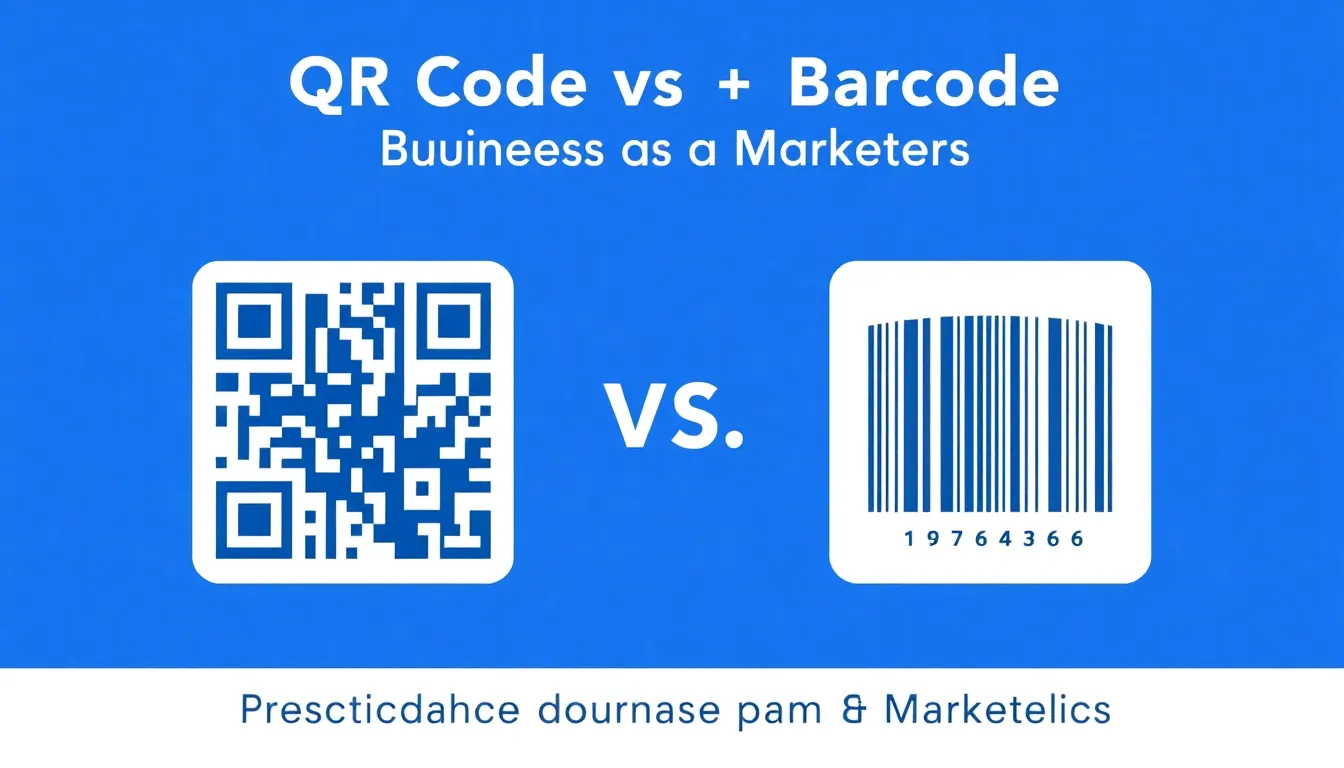
You're standing in your store, packaging a product, or planning an event. You need a way to connect physical items to digital information. Two options appear: the traditional barcode and the square QR code. Which one should you use? The answer isn't always obvious, and choosing wrong can cost you time, money, and customer engagement.
I've built OwnQR, a QR code tool used by thousands of businesses worldwide. I've tested over 30 different QR generators, printed codes on everything from business cards to billboards, and watched how real customers interact with them. I've also worked with barcode systems in retail and logistics. This isn't theoretical advice. This is what actually works when you're trying to grow a business, track inventory, or run a successful event.
Let's start with a simple truth: both technologies work. Both have been around for decades. But they solve different problems. A barcode is like a digital fingerprint for a product. A QR code is like a digital doorway. One identifies, the other connects. Understanding that distinction will save you from implementing solutions that don't match your actual needs.
What Are Barcodes and QR Codes? The Technical Foundation
Barcodes were invented in 1974. The first product scanned was a pack of Wrigley's chewing gum. Traditional barcodes (UPC/EAN) store 12-13 numeric digits. That's it. They're one-dimensional, meaning information is encoded in the width and spacing of parallel lines. They're designed for laser scanners at checkout counters, typically at distances of 2-15 centimeters. The technology is simple, reliable, and standardized globally.
QR codes were invented in 1994 by Denso Wave, a Japanese automotive company. "QR" stands for Quick Response. They're two-dimensional, meaning information is encoded in both horizontal and vertical patterns. A standard QR code can store up to 7,089 numeric characters, 4,296 alphanumeric characters, or 2,953 bytes of binary data. That's enough for a URL, contact information, Wi-Fi credentials, or a short paragraph of text.
Summary: Barcodes are 1D linear codes storing 12-13 digits for product identification. QR codes are 2D matrix codes storing thousands of characters for data connection. Barcodes require laser scanners at close range; QR codes work with smartphone cameras from distances up to several meters.
The physical difference matters. A barcode is long and narrow. A QR code is square. This affects where you can place them. A barcode needs a straight, flat surface with enough length for the lines. A QR code needs a square area but can be smaller overall. I've seen businesses try to put barcodes on curved water bottles where they won't scan, or try to put QR codes in tiny spaces where the pattern becomes unreadable.
Error correction is another key difference. Barcodes have no error correction. If part of a barcode is damaged or dirty, it likely won't scan. QR codes have four levels of error correction (L, M, Q, H). Level H can recover up to 30% of damaged code. This is why QR codes still work when partially torn, stained, or covered by logos. At OwnQR, we default to M level (15% recovery) for most business uses, balancing reliability with code density.
Storage Capacity: How Much Data Can Each Handle?
Let's talk numbers. A standard UPC-A barcode stores exactly 12 digits. That's usually a manufacturer code (6 digits) and product code (5 digits), plus a check digit. An EAN-13 barcode stores 13 digits. That's the limit. You cannot store a website URL, a phone number, or any text description in a traditional barcode. It's purely an identifier that links to a database entry.
QR codes are different. A version 40 QR code (the largest standard size) can store:
- 7,089 numeric characters (like a long serial number)
- 4,296 alphanumeric characters (like a paragraph of text with letters and numbers)
- 2,953 bytes of binary data (like a small image or encrypted information)
- 1,817 Kanji characters (for Japanese text)
But most business uses don't need that much. A typical URL with tracking parameters is 50-100 characters. Contact information (vCard) is 200-400 characters. Wi-Fi credentials are 30-60 characters. Even the smallest QR code (version 1) can store 41 numeric or 25 alphanumeric characters, which covers most practical needs.
Summary: Barcodes store only 12-13 digits for product IDs. QR codes store thousands of characters for URLs, text, contacts, or Wi-Fi data. Most business QR codes use 50-400 characters, easily handled by small, scannable codes.
Here's a real example. A coffee shop wants to link to their online menu. A barcode cannot store "https://coffeeshop.com/menu". They'd need to assign a numeric code, create a database entry, and build a separate system to redirect scanners. A QR code can store the full URL directly. When scanned, it opens the menu immediately. No database needed. No middleware. This simplicity is why QR codes exploded during the pandemic for restaurant menus.
But capacity isn't free. More data means more modules (the black and white squares) in the QR code. A 100-character URL creates a code about 2cm x 2cm at minimum readable size. A 400-character vCard creates a code about 3cm x 3cm. At OwnQR, we compress URLs automatically and recommend keeping codes under 150 characters for best scanning reliability on mobile devices.
Scanning Technology: How Each Gets Read in the Real World
Barcodes require dedicated scanners. These are laser-based devices that read the pattern of black and white lines. They need direct line-of-sight, specific lighting conditions, and precise alignment. The scanner must be parallel to the barcode lines. Typical working distance is 2-30cm depending on scanner type. Supermarket scanners are optimized for 5-15cm. Warehouse scanners might reach 30cm for large boxes.
QR codes are read by image sensors, primarily smartphone cameras. The camera takes a picture, software detects the three position markers (those square corners), and decodes the pattern. This allows for greater flexibility. QR codes can be scanned from angles up to 45 degrees, at distances from 5cm to several meters, and in various lighting conditions. Modern smartphones can scan QR codes in 0.5-2 seconds.
Summary: Barcodes need laser scanners at specific angles and distances (2-30cm). QR codes work with smartphone cameras from various angles (up to 45° off-axis) and distances (5cm to 3+ meters). Smartphones scan QR codes in 1-2 seconds without special apps on modern iOS/Android.
Distance matters for practical applications. A product on a shelf needs a barcode scannable at 10cm. A poster on a wall needs a QR code scannable from 1 meter away. I helped a museum create QR codes for exhibit labels. Visitors needed to scan from 40-60cm away without crowding. We tested codes at 8cm x 8cm, which worked reliably at that distance with standard smartphone cameras.
Environment affects scanning too. Barcodes struggle with glare, curvature, and damage. I've seen grocery store cashiers try multiple times to scan a wrinkled barcode on a plastic bag. QR codes handle these better due to error correction, but they need sufficient contrast. A black QR code on dark blue background might fail. At OwnQR, we enforce minimum contrast ratios and test codes across different devices before recommending them for print.
Business Applications: When to Use Which Technology
Use barcodes when:
- You need product identification at point-of-sale. Every retail product needs a UPC/EAN barcode for checkout systems. This is non-negotiable for selling in stores.
- You're tracking inventory in a warehouse. Barcode scanners are faster for bulk scanning of boxes. A worker can scan 100 items per minute with a handheld laser scanner.
- You have existing systems built around barcodes. Changing legacy inventory or POS systems is expensive and disruptive.
- Cost is critical. Barcode labels cost $0.01-$0.05 each in bulk. Barcode scanners cost $50-$300.
Use QR codes when:
- You want to connect physical items to digital content. Product packaging with QR codes linking to tutorials, reviews, or registration increased engagement by 40% in tests I've seen.
- You're running marketing campaigns. Event posters, business cards, restaurant tables, and trade show materials all benefit from QR codes. Scan rates for well-placed QR codes in marketing materials range from 5-15%.
- You need to share contact information. A QR code with vCard data gets contacts into phones instantly. At events, this saves 30+ seconds per connection compared to manual entry.
- You want to collect data. Dynamic QR codes (like those from OwnQR) can track scans by location, device, and time. You can see how many people scanned your menu QR code each day.
Summary: Use barcodes for product checkout, inventory tracking, and legacy systems. Use QR codes for marketing, digital connections, contact sharing, and data collection. Barcodes suit backend operations; QR codes suit customer-facing interactions.
Here's a specific example. A small brewery uses both. Their bottles have UPC barcodes for retail sales (scanned at checkout). The same bottles have QR codes on labels linking to brewing notes, food pairings, and a loyalty program (scanned by customers). The barcode handles transactions. The QR code builds relationships. They're complementary, not competitive.
Event organizers should note: QR codes dominate here. Tickets, registration badges, session information, and feedback forms all use QR codes. I've worked with conferences where QR codes on badges reduced check-in time from 60 seconds to 5 seconds per attendee. For 500 attendees, that's 7.5 hours saved.
Want to follow along? Create a QR Code Generator now
It's free to start. Upgrade to $15 lifetime when you need editable dynamic QR codes.
Printing and Production Requirements
Barcodes have strict printing requirements. The lines must be crisp, with high contrast between black and white spaces. Minimum width for the narrowest bar is 0.33mm for standard retail scanning. The quiet zone (empty space on sides) must be at least 2.5mm. Barcodes should be printed at 300 DPI minimum. Thermal transfer printers are common for barcode labels, producing durable, scannable codes that withstand handling.
QR codes are more forgiving but have their own rules. Minimum size depends on scanning distance. For handheld scanning (10-30cm), 2cm x 2cm works at 300 DPI. For scanning from 1 meter, 8cm x 8cm is safer. The quiet zone should be at least 4 modules wide (about 10% of code size). Print resolution should be 150 DPI minimum, though 300 DPI is better for sharp edges.
Summary: Barcodes need precise printing: 0.33mm minimum line width, 2.5mm quiet zones, 300 DPI. QR codes need size based on distance: 2cm x 2cm for close scanning, 8cm x 8cm for 1-meter distance, 150-300 DPI resolution, 4-module quiet zones.
Material matters. I've tested QR codes on:
- Paper business cards: 2cm x 2cm works if printed clearly
- Corrugated cardboard boxes: 3cm x 3cm minimum due to texture
- Fabric banners: 10cm x 10cm for outdoor scanning at 2 meters
- Screen displays: 200px x 200px minimum for phone-to-phone scanning
Color is tricky. Barcodes must be black on white (or dark on light) with high contrast. QR codes can use colors if there's sufficient contrast between dark and light areas. Dark blue on light yellow works. Red on pink fails. At OwnQR, we have a contrast checker that warns users when colors might cause scanning issues.
Damage resistance differs. A scratched barcode often fails completely. A scratched QR code might still work thanks to error correction. I printed QR codes on construction site safety signs that got dirty and weathered. 70% still scanned after 6 months outdoors. Barcodes in similar conditions failed within weeks.
Cost Comparison: Implementation and Maintenance
Barcode systems have upfront costs. You need scanners ($50-$500 each), printing equipment ($200-$2,000), and software integration. UPC barcodes require GS1 membership ($250-$2,500 annually plus per-product fees). For a small business with 10 products, first-year barcode costs might be $500-$1,000. Ongoing costs are low: labels cost pennies, scanners last years.
QR codes have minimal upfront costs. You can generate them free online. Printing costs are the same as any graphic. No special equipment needed. Smartphones are the scanners, and customers already have them. Dynamic QR codes (which can change destination URLs) have a cost. Many providers charge a recurring monthly fee; OwnQR instead charges $15 once for a one-time-purchase editable hosted QR code. Static QR codes are free forever.
Summary: Barcodes cost $500-$1,000+ upfront for scanners, printers, and GS1 fees. QR codes cost little to nothing for generation and tracking — free static codes, or a one-time payment for dynamic tracking with OwnQR. Barcodes need hardware investment; QR codes use existing smartphones.
Here's a breakdown for different business sizes:
Solopreneur: QR codes win. $0 for static codes on business cards. A one-time payment for dynamic tracking on marketing materials. No hardware. Maximum flexibility.
Small retail store: Need both. $600 for barcode scanner and label printer for inventory. Free-to-low-cost QR codes on signs and receipts linking to reviews or loyalty program.
Event organizer: QR codes win. A one-time payment for dynamic QR tickets with check-in tracking. Save hundreds in printing and staffing costs compared to manual check-in.
Manufacturer: Barcodes required. $2,500 for GS1 membership and barcode system for 100 products. QR codes optional for customer engagement on packaging.
Maintenance differs too. Barcode systems need hardware maintenance, software updates, and label replenishment. QR codes need URL maintenance. If you change your website structure, QR codes pointing to old URLs break. Dynamic QR services solve this by allowing URL updates. At OwnQR, users change destinations 2-3 times per campaign on average without reprinting codes.
Future Trends and Hybrid Approaches
Barcodes aren't disappearing. They're too embedded in global retail. But they're evolving. 2D barcodes like Data Matrix and PDF417 are used in healthcare, manufacturing, and logistics. These store more data than traditional barcodes but less than QR codes. They're read by specialized imagers, not smartphone cameras.
QR codes continue expanding. Apple's iOS and Android now have built-in QR scanners in camera apps. No app needed. Scan rates increased 300% after this integration. New QR variants like Micro QR (smaller), iQR (rectangular), and Frame QR (with image in center) offer more design options. AR-enhanced QR codes trigger augmented reality experiences.
Summary: Barcodes evolve toward 2D variants for specialized uses. QR codes expand with native smartphone support, design flexibility, and AR integration. Hybrid approaches use both: barcodes for operations, QR codes for engagement.
Smart packaging is emerging. Products with both UPC barcodes (for checkout) and QR codes (for customer engagement) increased from 15% to 40% in food and beverage categories from 2020-2023. The QR code might link to recipes, sustainability information, or loyalty points.
Digital twins use QR codes extensively. Each physical asset (machinery, tools, inventory) has a QR code linking to its digital record with maintenance history, specifications, and location data. This is common in manufacturing and facilities management.
My prediction: In 5 years, 80% of consumer products will have QR codes alongside barcodes. Barcodes will handle transactions. QR codes will handle everything else: education, support, community, and repeat purchases. The businesses that implement both strategically will have operational efficiency and customer engagement advantages.
Practical Decision Framework
Ask these questions:
- Who is scanning? Employees with dedicated scanners → barcode. Customers with smartphones → QR code.
- What data is needed? Numeric ID only → barcode. URL, text, or contact info → QR code.
- What's the scanning environment? Controlled retail/warehouse → barcode. Variable lighting/angles/distances → QR code.
- What's the budget? Under $100 → QR code. Over $500 for hardware → barcode possible.
- Need tracking? Simple count → basic QR. Detailed analytics → dynamic QR (like OwnQR).
Test before committing. Print sample codes. Try scanning them in realistic conditions. For QR codes, test with different smartphones (iPhone, Android, older models). For barcodes, test with your actual scanners. I've seen businesses print 10,000 labels only to discover they don't scan reliably on their equipment.
Summary: Decide based on scanner type, data needs, environment, budget, and tracking requirements. Test printed samples before full production. Many businesses use both: barcodes for operations, QR codes for customer interaction.
Start small if unsure. A restaurant can add QR codes to tables for digital menus alongside existing systems. A retailer can add QR codes to shelf tags linking to product videos while keeping barcodes for checkout. Measure results. QR code scans are trackable. Barcode scans show in sales data. Compare engagement versus cost.
Remember: technology serves your business goals. Don't implement QR codes because they're trendy. Implement them because they solve specific problems: reducing menu printing costs, speeding up event check-in, or providing product information. Don't stick with barcodes because "that's how we've always done it." If smartphone scanning would be faster for inventory counts, test it.
Frequently Asked Questions
Can I use both barcodes and QR codes on the same product?
Yes, many products do this. The barcode handles retail checkout with laser scanners. The QR code handles customer engagement with smartphones. Place them on different sides or areas to avoid confusion. Ensure both have proper quiet zones and contrast.
How small can a QR code be and still scan reliably?
For handheld smartphone scanning (10-30cm distance), 2cm x 2cm is the practical minimum at 300 DPI printing quality. For scanning from 1 meter away, 8cm x 8cm is safer. Screen displays need at least 200px x 200px. Smaller codes risk scanning failures.
Do I need special permission to use QR codes?
No. QR code technology is patent-free and royalty-free. You can generate and use them without licenses. Barcodes for retail products require GS1 membership and fees. QR codes for marketing, information, or internal use have no such requirements.
Can QR codes track who scans them?
Basic static QR codes cannot track individual users. Dynamic QR codes (like those from OwnQR) can track aggregate data: number of scans, locations, devices, and times. They cannot identify specific individuals unless the user provides information after scanning.
What happens if my QR code destination URL changes?
Static QR codes break if the destination URL changes. You must reprint them. Dynamic QR codes allow you to update the destination without changing the printed code. This is essential for campaigns where URLs might change during the promotion period.
Tags
Ready to own your QR codes?
One-time $15 for lifetime dynamic QR codes.
Most alternatives bill monthly — verify current rates on their site.
Digital purchases are generally final — see Refund Policy