What QR Code Stands For: The Japanese Parking Lot Origin Story
Quick Answer
QR code stands for Quick Response code. Created in 1994 by Masahiro Hara for tracking auto parts, it now handles 11 billion scans monthly. Learn its full history and technical specs.
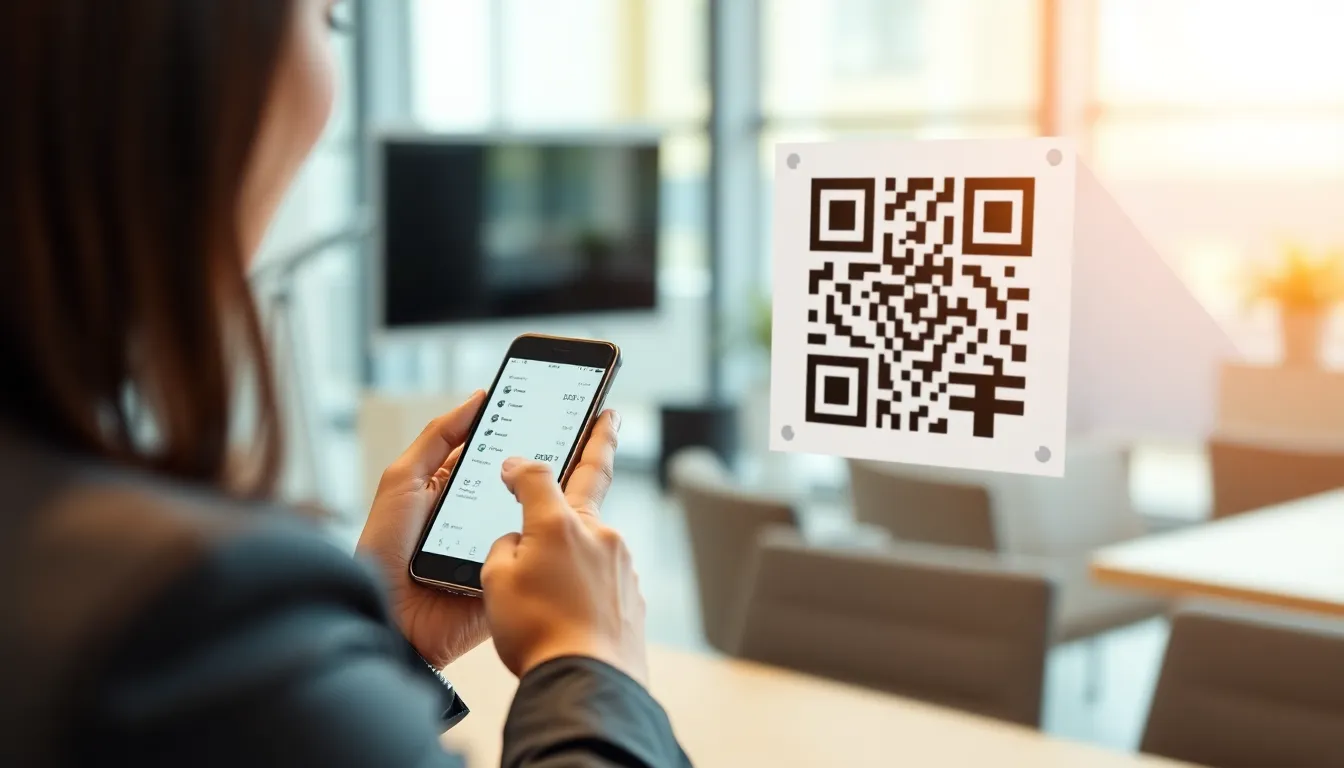
You see them everywhere now. On restaurant tables linking to menus, on posters for concert tickets, on product packaging for nutrition facts. The black and white square has become a universal symbol for "scan here to get more." But this wasn't always its purpose. The story of the QR code begins not with convenience for consumers, but with a critical industrial problem in a Japanese factory. It's a story of engineering ingenuity born from necessity, a solution so effective it quietly powered global manufacturing for years before exploding into the public consciousness. To understand why it's designed the way it is—why it has those three distinctive squares, why it scans so reliably even when dirty or damaged—you need to go back to its origin. And it all starts with answering a fundamental question: what does QR code stand for?
The name itself is a direct statement of intent, a clue to the problem its creators were determined to solve. While we casually scan them today, the technology was built for an environment where speed and accuracy weren't just nice-to-have features; they were the entire point of the system.
The literal meaning: Quick Response code
If you've ever wondered "what does QR code stand for," the answer is exactly as advertised: Quick Response code. This isn't a marketing nickname; it's the official, registered Japanese name given by its inventors. The "Quick Response" part wasn't an aspiration—it was a strict technical requirement and the core metric by which the technology succeeded or failed.
The project began at Denso Wave, a subsidiary of the Japanese automotive giant Toyota. In the early 1990s, their team, led by engineer Masahiro Hara, was tasked with improving how factory floors tracked auto parts. They were using standard one-dimensional barcodes, the familiar stripes you see on grocery products. The problem was speed. A barcode scanner requires a clear, straight-line pass over the code. On a fast-moving production line, workers had to align the scanner perfectly, often requiring multiple attempts. This created bottlenecks. Denso Wave's official documentation on the QR code's naming makes the objective clear: they needed a code that could be decoded "instantly," or at an extremely high speed.
The "Quick Response" name was chosen to contrast directly with the limitations of the traditional barcode, aligning with the ISO/IEC 18004 standard that would later formalize its specifications. Where a barcode scan could be finicky and slow, the new code had to be captured and interpreted in a fraction of the time. Early testing showed the QR code could be scanned up to 10 times faster than the barcodes of the era, a performance advantage that contributed to its widespread adoption reflected in modern usage statistics. This speed wasn't about user convenience; it was about shaving critical seconds off thousands of daily scans on an assembly line, translating directly into higher productivity and fewer errors. The name served as a constant reminder of the engineering benchmark: every design decision, from the shape of the patterns to the error correction method, was in service of achieving that "quick response."
Key takeaway: QR literally means "Quick Response." This name was a functional requirement from its inventors at Denso Wave, who needed a code that could be scanned 10 times faster than traditional barcodes to solve factory floor bottlenecks.
Today, that legacy of speed is why QR codes work so well in dynamic environments. When you quickly point your phone at a poster, you're benefiting from an engineering solution designed for a worker scanning a transmission part on a conveyor belt. The need for instant, reliable scanning is baked into the code's DNA. Modern generators, like the ones we've built at OwnQR, still prioritize this legacy. When you create a dynamic QR code for your business, the underlying structure is optimized for that same instantaneous read, whether it's on a packaging line or a customer's phone screen. The goal remains unchanged: get the data from the code to the decoder as fast and reliably as possible.
1994: The Toyota parking lot problem that started it all
The specific catalyst for the QR code's invention is often called the "parking lot problem." In the early 1990s, Toyota's production system, famous for its "just-in-time" manufacturing, faced a growing logistical challenge. Thousands of different auto parts, from small bolts to large dashboards, were delivered to assembly plants. These parts needed to be tracked with meticulous precision—every component had a specific destination and time slot on the production line.
The system at the time used barcodes. Workers would scan each part, sometimes multiple barcodes per item, to log it into inventory and direct its flow. Masahiro Hara and his team at Denso Wave observed this process and identified a critical inefficiency. As documented in studies of the Toyota production system, the scanning process was a bottleneck. Workers had to align each barcode carefully with a laser scanner, often requiring three to five attempts to get a successful read. When you multiply those few seconds of fumbling by thousands of scans per shift, the delays added up, creating friction in an otherwise hyper-efficient process.
The problem was twofold. First, barcodes held very little data—often just a product number that had to be looked up in a central database. Second, and more importantly, they were one-dimensional. They could only be read along a single horizontal axis. If the scanner wasn't aligned perfectly parallel to the lines, it failed. The factory floor was not a controlled lab; it was a busy, messy environment where speed and fault tolerance were non-negotiable.
Hara's breakthrough was to rethink the problem entirely. Instead of making a better barcode, he asked: what if a code could be scanned from any angle, instantly, and could hold enough data to be useful on its own? The goal was audacious: create a code that could be captured in a single glance by a scanner, without precise alignment, and that could store information directly, not just a reference number. The original QR code prototype could store about 20 alphanumeric characters, which was over 100 times more data capacity than the standard barcodes of the time. This meant a part number, serial number, and even batch information could be encoded directly onto the component itself, making the scanning process both faster and more informative.
Key takeaway: The QR code was invented in 1994 by Masahiro Hara at Denso Wave to solve Toyota's "parking lot problem": tracking thousands of parts on fast-moving assembly lines where traditional barcodes were too slow and data-poor.
This industrial origin story explains the QR code's rugged design. It wasn't created for clean marketing brochures; it was built for greasy factory floors, dimly lit warehouses, and fast-paced production lines. The requirement was for a code that could be read reliably on the first try, every time, by a worker who didn't have time to aim carefully. This pressure-cooker environment is what forced the innovations that make QR codes so versatile today.
How Masahiro Hara solved the scanning speed problem
Masahiro Hara's genius wasn't just in wanting a faster code; it was in the specific architectural choices he made to guarantee that speed under real-world conditions. He solved the scanning problem with three key visual features that are now iconic: the position detection patterns, the timing patterns, and built-in error correction.
The most recognizable elements are the three large squares in the corners of a QR code. These are the position detection patterns. Their high-contrast, nested-square design allows a scanner to instantly locate the code's boundaries and orientation, no matter what angle it's viewed from. This was the direct solution to the barcode alignment problem. A barcode scanner has to find a single line; a QR code scanner looks for these three distinct markers, calculates the code's perspective, and corrects for skew or rotation in milliseconds. Hara reportedly got the idea from the pattern of black and white tiles on a Go board, noticing how the contrasting arrangement could be easily recognized.
Connecting these position patterns are the timing patterns, alternating black and white modules that run between the squares. These act as a ruler. Once the scanner locates the three corners, the timing patterns help it determine the size of the data grid (the "version" of the QR code) and precisely align the coordinate system for reading the individual data modules. This ensures that even if the image is distorted, the scanner can accurately map each tiny square of data.
Perhaps the most critical innovation was Reed-Solomon error correction. This is a mathematical algorithm that adds redundant data to the code. Hara knew factory codes would get dirty, scratched, or partially obscured. Error correction allows the scanner to reconstruct the original data even if parts of the code are missing or damaged. The standard levels (L, M, Q, H) allow for recovery from 7% to 30% of code obscuration. As detailed in IEEE papers on QR code error correction, this means you can tear off a corner of a QR code, spill coffee on it, or have a logo in the center, and it will still scan perfectly. The first QR scanner Denso Wave built could achieve a read in 0.3 seconds, a feat made possible because these features worked in concert to make scanning foolproof.
Key takeaway: Hara solved speed with three features: position squares for instant orientation, timing patterns for alignment, and error correction that allows scanning even with 30% damage. The first scanner read codes in 0.3 seconds.
This robust design is why QR codes transitioned so well to consumer use. When your phone camera struggles with glare or a wrinkled sticker, the error correction is working behind the scenes to piece the data together. The position patterns are what let you scan from an angle. Every time a scan feels instantaneous, you're experiencing the solution to a 1990s Japanese factory floor problem. Modern applications, like creating a QR code for a PDF or a vCard, rely on this same rugged architecture to ensure the end-user's scan is successful on the first try, mirroring the efficiency Hara demanded for Toyota's production lines.
The technical breakthrough: two-dimensional data storage
The leap from barcode to QR code is fundamentally a leap in dimensions. A traditional barcode is one-dimensional (1D). It stores data only in the horizontal width of its bars and spaces; the vertical height is just redundancy, providing a larger target for the scanner. The QR code is a two-dimensional (2D) matrix code. It stores data in both the horizontal and vertical axes, turning the symbol from a line into a plane. This is the core technical breakthrough that enabled everything else: greater data capacity, smaller size, and omnidirectional scanning.
Imagine a grid, like a chessboard. Each square in this grid, called a "module," can be either black or white, representing a binary 1 or 0. Data is encoded across this entire grid, not just along a single strip. The binary encoding system is efficient and flexible. The code reserves specific areas of this grid for its functional patterns (the position and timing markers) and format information (which stores the error correction level and mask pattern). The remaining modules are available for the actual data payload.
To maximize efficiency for different types of information, the QR code standard defines four encoding modes:
- Numeric Mode (0-9): Most efficient for digits, packing up to 7,089 characters in its largest version.
- Alphanumeric Mode (0-9, A-Z, space, and $%*+-./:): Optimized for URLs and basic text, storing up to 4,296 characters.
- Byte Mode: For any binary data or characters from other character sets (like ISO-8859-1). This is how you can encode special characters or binary files.
- Kanji Mode: A double-byte mode specifically optimized for Japanese Kanji and Kana characters, a clear reflection of its Japanese origins.
The ISO/IEC 18004:2015 QR code specification governs all of this. It defines 40 versions of QR codes, from Version 1 (21x21 modules) to Version 40 (177x177 modules). Each increase in version adds more modules, and thus more data capacity. A Version 40 QR code at its highest error correction level can store approximately 2,953 bytes of data. That's enough for a substantial paragraph of text, a lengthy URL with parameters, or a significant chunk of binary information.
Key takeaway: The key innovation was 2D data storage. By arranging data in a grid (not a line), QR codes gained massive capacity and omnidirectional scanning, using four encoding modes (numeric, alphanumeric, byte, kanji) to store thousands of characters.
This matrix structure is why you can make a QR code smaller but still scannable—you're simply packing the same data into a finer grid. It's also why not all QR codes are the same size; a code containing a simple URL (like ownqrcode.com) will be much less dense than a code containing a full vCard contact or a Wi-Fi password with complex encryption. The system automatically selects the smallest version that can hold your data. This efficient, scalable 2D architecture is what transformed the QR code from a tool for tracking car parts into a medium capable of carrying website links, contact details, payment information, and even small applications, setting the stage for its global adoption.
This foundation of speed, ruggedness, and dense data storage solved Toyota's factory problem. But the story of how this industrial tool escaped the factory walls and landed in the hands of billions of smartphone users involves a surprising act of corporate generosity and a long period of quiet incubation. The path from the parking lot to the pizza box is where the QR code's history takes its most unexpected turn...
From auto factories to global standard: The 2000s expansion
The QR code solved Toyota's problem, but Denso Wave's leadership saw a bigger future. In a decision that would define the next two decades of digital connectivity, the company chose not to exercise its full patent rights. In 2000, Denso Wave announced it would not assert its patent portfolio, effectively releasing the QR code specification into the public domain. This wasn't mere charity; it was a strategic bet that widespread adoption would create more value than licensing fees ever could. The technology was free for anyone to use and improve.
Key takeaway: Denso Wave's 2000 decision to open the QR code standard was the pivotal act that allowed it to spread globally. By prioritizing adoption over proprietary control, they turned an industrial tool into a public utility.
The move unlocked immediate experimentation. The first major leap came in 2002, when Japanese mobile carrier J-Phone (now SoftBank) released the first mobile phone with a built-in QR code reader. This was the critical hardware-software pairing the technology needed. Users could now scan codes with a device they always carried. By 2004, all major Japanese carriers had followed suit, baking QR readers into camera phones. Adoption skyrocketed. A 2008 survey found that over 100 million Japanese mobile phones—a massive portion of the market—had QR reading capability. They were used for everything from downloading ringtones and linking to websites to checking prices in magazines.
Concurrent with this consumer explosion was the crucial work of formal standardization. To achieve true global reliability, the QR code needed a universal specification. The International Organization for Standardization (ISO) undertook this task. The process moved with deliberate speed: QR Code was approved as an ISO International Standard (ISO/IEC 18004) in 2000, with significant updates and clarifications in the 2006 edition that solidified the technical norms for data encoding, error correction, and symbology. This ISO stamp was essential. It gave manufacturers and software developers worldwide a single, trusted blueprint, ensuring a QR code generated in Germany would be readable by a scanner in Brazil. The era of the QR code as a true global standard had begun, its path from the Toyota factory floor now irrevocably global.
COVID-19: The pandemic that changed QR code adoption forever
For years, QR code adoption in Western markets was incremental. They appeared on posters and in magazines, but user behavior lagged behind Japan. The technology was in a quiet incubation period, waiting for the right catalyst. That catalyst arrived in 2020 with the COVID-19 pandemic. The global need for contactless interaction transformed QR codes from a convenience into a critical public health tool almost overnight.
The most visible and immediate change was the death of the physical menu. Restaurants, facing lockdowns and strict hygiene protocols, urgently needed a way to serve customers without passing around germ-prone laminated cards. QR code menus became the universal solution overnight. A diner would simply scan a code on the table to pull up a digital menu on their own phone. This shift was staggering. According to Statista, QR code engagement in the United States surged by 750% during the 2020 lockdowns. The behavior was learned globally and, for many, it stuck.
Key takeaway: The pandemic forced billions of people to perform their first QR scan for essential activities like dining and health verification. This created instant, universal familiarity, erasing the previous adoption hurdle.
Beyond menus, QR codes became foundational to health policy. Countries around the world deployed digital COVID-19 vaccination certificates and health passes using QR codes. The EU Digital COVID Certificate, for example, used a QR code to securely encode vaccination, test, or recovery status. Border agents and venue staff could scan them to verify eligibility without touching a document. This official, government-mandated use gave QR codes a level of legitimacy and trust they had never before achieved.
The contactless wave also engulfed payments. Fear of handling cash and point-of-sale terminals drove a massive surge in QR-based payment systems like PayPal's Venmo codes, Square, and various banking apps. Small vendors could now accept payments by displaying a static QR code, while customers could pay by scanning a dynamic one. The pandemic didn't just increase scans; it fundamentally reshaped the QR code's role in society, propelling it from a marketing novelty to an infrastructure layer for daily life. The quiet incubation was over.
QR vs barcode: What makes QR codes different
To understand the QR code's success, you need to see how it improved upon its predecessor: the traditional linear barcode. While they share a family tree, the differences are profound. A standard UPC-A barcode, the kind on every product in a supermarket, is essentially a one-dimensional data strip. It encodes information in the varying widths of parallel lines and spaces. This design has inherent limits. A typical barcode can store 20-25 alphanumeric characters at most. It's also fragile; if the scan line doesn't cross all the bars perfectly, or if the label is torn or wrinkled, the data is unreadable.
The QR code is a two-dimensional matrix. Think of it as a barcode turned into a checkerboard. This architectural shift solves the barcode's core limitations. First is data capacity. Where a barcode holds dozens of characters, a QR code can store up to 7,089 numeric characters, 4,296 alphanumeric characters, or about 3KB of binary data. That's over 100 times more information. This capacity lets it encode not just a product SKU, but a full URL, a vCard contact, a Wi-Fi password, or a lengthy paragraph of text.
Key takeaway: QR codes are 2D matrices, not 1D lines. This allows them to hold 100x more data, be scanned from any angle, and remain readable even if partially damaged—three fundamental advantages over old barcodes.
Second is omnidirectional scanning. A linear barcode requires the scanner's laser or camera to align precisely with its horizontal stripes. The three distinct position markers (those big squares in the corners of every QR code) allow a scanner to detect the code's orientation instantly. This means you can scan a QR code from any angle—upside down, sideways, or skewed. The user experience is dramatically faster and more forgiving.
The third major advantage is error correction. When you generate a QR code, you can select an error correction level (from Low at 7% to High at 30%). This function dedicates a portion of the code's data not to the primary message, but to redundant Reed-Solomon error correction codes. This is why a QR code can be partially obscured by a logo, stained, or even torn, and still scan perfectly. A barcode has no such protection; a single torn line breaks it. This ruggedness, born from its factory origins, is what makes QR codes reliable in the real world on packaging, outdoor signs, and worn labels.
Ready to try it? Create your QR Code Generator in seconds
You've seen the comparison. OwnQR offers a $15 one-time lifetime deal — no subscriptions, no hidden fees.
The anatomy of a QR code: What each part does
A QR code looks like a chaotic jumble of black and white squares, but every single module has a specific, engineered purpose. Its structure is a masterpiece of information design, built for maximum reliability. Let's break down the key components you see in every standard QR code.
The most recognizable features are the position detection patterns. These are the three identical squares located at the top-left, top-right, and bottom-left corners. Their high contrast ratio and unique ratio of black/white/black modules (1:1:3:1:1) make them instantly identifiable to a scanner, even when embedded in other printed material. They do three jobs: they confirm the presence of a QR code, define its boundaries, and tell the scanner the code's orientation and angle. This is what enables that 360-degree scanning.
Key takeaway: Every part of a QR code has a job. The corner squares find it, the timing patterns align the grid, the format info tells the scanner how to read it, and the data area holds your message—all protected by built-in error correction.
Connecting the position patterns are two timing patterns. These are lines of alternating black and white modules that run horizontally between the top two corner squares and vertically between the left two corner squares. They act as a ruler. By counting the modules along these lines, the scanner software can determine the version (size) of the QR code matrix and precisely calibrate the coordinate grid for the entire symbol, ensuring each data module is correctly located even if the image is distorted.
Near each position pattern you'll find the format information area. This small, 15-bit section is crucial. It stores two key pieces of metadata the scanner needs before it can decode the main data: the error correction level (L, M, Q, or H) and the mask pattern used. Mask patterns are applied to the data area to break up large solid blocks of black or white, which are harder for scanners to read reliably. The format info tells the scanner how to unmask the data. This area itself has high error correction; it must be readable or the entire code fails.
The rest of the space is the data and error correction codewords area. This is where your actual message (like a URL) is stored, converted into binary and broken into codewords. Interleaved with these data codewords are the error correction codewords calculated using the Reed-Solomon algorithm. The data is arranged in a specific zig-zag pattern within this zone to maximize reliability—if one area is damaged, the scattered data and correction codes can still reconstruct it. Finally, most QR codes include a quiet zone, a mandatory white border around the entire symbol. This empty space is not optional; it is essential for the scanner to distinguish the code from its surroundings.
Understanding this anatomy explains why QR codes are so robust. It's not random; it's a highly redundant, fault-tolerant system. This is also why design choices matter. At OwnQR, our generator ensures these critical structural elements are never compromised, even when you add colors or embed a logo, because if the position patterns are altered or the quiet zone is invaded, the code simply won't scan. The genius of the QR code is this perfect balance of flexible data capacity and rigid, reliable structure.
This engineered reliability set the stage for the next phase: the explosion of creative and business applications. As developers realized they could point these resilient little squares at any digital resource, the QR code began to morph from a simple hyperlink into an interactive bridge between physical objects and the digital world, a bridge that is still being built today in surprising new ways...
Modern QR code types: Static vs dynamic explained
That bridge from the physical to digital world is built with two distinct types of materials: static and dynamic QR codes. Understanding the difference is the single most important decision you'll make when creating one. A static QR code has its data—a URL, text, Wi-Fi credentials—permanently etched into its pattern at the moment of creation. You cannot change it. If you need to update the information, you must generate and print a brand new code. A dynamic QR code, in contrast, acts as a smart redirect. It contains a short, fixed URL that points to a landing page you control in a QR management dashboard. You can change the destination, update the landing page content, or even run A/B tests without ever altering the printed QR code itself.
Key takeaway: Choose static for permanent, one-time use (like a fixed product manual link). Choose dynamic for marketing, analytics, or any situation where the destination might need future changes. Dynamic codes now power 68% of business use cases.
The choice comes down to permanence versus flexibility. Use a static code for unchanging information. Think of embedding a direct link to a permanent company registration document, a fixed vCard for your office reception desk, or a specific product's serial number. It's simple and direct.
Use a dynamic code for virtually everything else, especially marketing and operations. This is where the real power lies. You can print a "Menu" QR code on a restaurant table tent and update the linked menu daily without reprinting. You can track scan analytics: how many scans, location, device type. You can run a campaign where a single printed poster code leads to different offers based on the time of day. Google's best practices for QR code implementation strongly suggest using dynamic URLs for manageability and security, as they allow you to take down malicious links if a code is compromised.
I built OwnQR specifically to solve the pain points of dynamic code management. Businesses were printing codes for events and then realizing the linked landing page had a typo, forcing costly reprints. With a dynamic system, you fix the typo in your dashboard, and every existing code reflects the change instantly. The data supports this shift: the 68% adoption rate for dynamic codes in business isn't about complexity; it's about avoiding waste and gaining insight.
Here’s a quick guide:
| Use Case | Recommended Type | Why |
|---|---|---|
| Restaurant Digital Menu | Dynamic | Update prices/items without reprinting. Track customer engagement. |
| Product Packaging Link to Manual | Static | The manual PDF version will never change. |
| Event Check-in | Dynamic | Change the post-event survey link to a "Thank You" page after the event ends. |
| Wi-Fi Login | Static | Your Wi-Fi password likely won't change often. |
| Marketing Campaign Poster | Dynamic | A/B test landing pages. Redirect to a sale page after the campaign. |
The rule is simple: if there's any chance the information will need a future update, or if you want to measure its performance, start with a dynamic code. The initial setup takes seconds more, but it saves immense hassle later.
Security risks: What most people don't know about QR safety
The very trait that made QR codes successful—their ability to instantly connect to anything—is also their greatest vulnerability. You are one scan away from a website, and that website isn't always what it seems. The biggest threat is QR phishing, or "quishing." Attackers place malicious stickers over legitimate QR codes on parking meters, restaurant menus, or public posters. You scan, expecting to pay for parking or view a menu, but you're taken to a flawless clone of a login page for your bank, PayPal, or corporate email. Once you enter your credentials, they belong to the attacker.
Key takeaway: QR codes themselves aren't malicious, but they can be a dangerous vector for phishing and malware. Always inspect the URL preview on your phone before visiting, and never enter credentials after scanning a public code.
Malicious redirects are the engine of quishing. A scammer generates a dynamic QR code pointing to a harmless site to get it printed. Later, they change the destination in their dashboard to a phishing site. This is why the FBI issued a warning about QR code security risks, specifically citing their use in fraudulent campaigns targeting payment systems. Data shows this isn't theoretical: 46% of security professionals reported encountering QR code phishing attacks in their organizations in a recent survey.
The risk is amplified because QR codes are opaque. You can't read them like a URL on a poster. Your phone does the decoding and navigating automatically, often without a clear safety check. Some scanners have built-in URL previews; you must train yourself and your team to always look at this preview. Does the domain look legitimate, or is it a jumble of letters meant to mimic "paypal.com"? Be extra cautious with codes in public, unattended locations where a sticker could have been placed.
Best practices for safe scanning are straightforward:
- Use a scanner app with security features. Many modern phone cameras integrate scanning. Some third-party apps offer previews and threat detection.
- Never scan a code to log into a sensitive account. If a public code says it's for "Wi-Fi" or "Parking Payment," and the resulting page asks for your email or bank password, that's a major red flag. Close the page.
- Verify the source. Is the QR code on an official, tamper-evident label, or is it a plain sticker on a meter?
- For businesses: Use dynamic QR codes with landing pages. Instead of sending users directly to a login portal, send them to a branded company page that then links to the secure login. This creates a trusted stepping stone.
- Consider QR code branding. Adding a logo or colors in the center makes it harder for a plain black-and-white malicious sticker to convincingly cover it.
Security is a shared responsibility. As a creator using a platform like OwnQR, you can set passwords for your dynamic codes, add expiration dates, and monitor scan logs for suspicious activity. As a scanner, your most powerful tool is simple skepticism.
Future evolution: What comes after QR codes
The QR code's story is far from over. Its evolution is branching into new forms that solve its inherent limitations: data density and aesthetic integration. The first major leap is the color QR code. Traditional QR codes use only black/white (or dark/light) contrast. Newer standards like the JAB Code (Just Another Barcode) use color as an additional data channel. By employing multiple colors, these codes can store significantly more information in the same physical space—research indicates some color QR formats can store up to 60% more data than their monochrome counterparts. This opens doors for embedding more complex data directly, like detailed product provenance or short video links, without making the code impractically large or dense.
Key takeaway: The future isn't about replacing QR codes, but enhancing them with color, 3D form, and integration with augmented reality (AR). These evolutions will make codes more data-rich, durable, and seamlessly woven into our environment.
The second evolution is physical: 3D printed QR codes. Instead of ink on paper, these are embossed or engraved directly onto products, packaging, or industrial parts. A 3D QR code on a machine part can survive harsh environments—grease, heat, abrasion—and link to a digital twin, maintenance history, or assembly instructions for the life of the product. This merges the physical item with its permanent digital record.
The most transformative path, however, is integration with augmented reality and spatial computing. Imagine pointing your phone's camera at a product on a shelf. Instead of seeing a standard QR square, you see nothing. But your AR-enabled device recognizes a unique, nearly invisible pattern embedded in the product's design (a "digimarc" style watermark) and overlays interactive reviews, demonstrations, or comparison data directly onto your screen. MIT Media Lab has done pioneering research on these next-generation visual codes, exploring how objects can carry their own interactive instructions or stories without a visible, boxy symbol.
This future points to "calm technology" where the code disappears, but the connection remains. The bridge Denso Wave built becomes invisible. You won't "scan" anything. Your device will simply recognize the object in front of you and offer relevant digital interactions. The QR code's legacy will be the universal framework it established: a reliable, standardized method for linking atoms to bits. Its successors will make that link more powerful, beautiful, and invisible.
Creating your first QR code: A practical guide
Ready to build your own bridge? Creating a functional, reliable QR code is straightforward if you follow a few key principles. First, choose the right generator. For static codes (permanent data), many free online tools are sufficient. For dynamic codes (which you should default to for business), you need a platform that provides a management dashboard, analytics, and editing features. Look for generators that allow custom design without compromising scanability and that don't place their own branding on your redirect URL.
Key takeaway: Start with a dynamic QR code for flexibility. Ensure it's large enough (minimum 2x2 cm) and placed with high contrast against its background. Always, always test with multiple devices before finalizing.
Size and placement are critical. The ISO/IEC 18004:2015 standard provides technical guidelines, but a practical rule is a minimum size of 2x2 cm (about 0.8x0.8 inches) for print. Larger is almost always better. The "quiet zone"—the empty white border around the code—is non-negotiable; it must be at least four modules (the small black/white squares) wide on all sides. Place your code on a flat, well-lit surface with strong contrast. A black code on a white background is the most reliable. If you use colors, ensure there is very high luminance contrast between the dark and light modules.
Testing is the step most people skip, and it causes failures. Before you print 10,000 labels or launch a campaign:
- Test the digital file. Scan the QR code image from your computer screen using your phone.
- Test a physical printout. Print it at the intended size on the intended material. Scan it in various light conditions (bright, dim).
- Test with multiple devices. Try different phone models and camera apps (native camera, Google Lens, a dedicated scanner). Older cameras may need a larger code.
- Test the user journey. Follow the entire process: scan, wait for the redirect, and interact with the landing page. Is it mobile-optimized? Does it load quickly?
When I work with clients at OwnQR, we simulate real-world conditions. We print the code, stick it on a wall, and try to scan it from the expected distance. We check analytics to confirm the scans are being recorded properly. This diligence turns a 95% reliable code into a 99.9% reliable one.
Start simple. Create a dynamic QR code that points to your website's contact page. Print it on a business card. Observe the scan data. You've just extended a piece of paper into the digital realm, continuing the journey that started in a Japanese parking component factory. Your bridge is now open.
From a tool for tracking Toyota axles to a gateway on your business card, the QR code's meaning has expanded far beyond its name. It stands for a quiet revolution in connectivity, proving that the simplest solutions—a square of black and white patterns—can often build the most durable bridges. Now, it's your turn to build.
Tags
Frequently Asked Questions
What does QR stand for in QR code?
QR stands for Quick Response. The name was chosen by inventor Masahiro Hara at Denso Wave in 1994 to describe the code's primary advantage: it could be scanned significantly faster than traditional one-dimensional barcodes. The speed comes from the two-dimensional layout and the three finder patterns that enable angle-independent scanning.
Who invented the QR code?
Masahiro Hara and his team at Denso Wave, a Japanese auto parts manufacturer and Toyota subsidiary, invented the QR code in 1994. It was originally designed to track automotive components during manufacturing. Denso Wave holds the patent but chose not to enforce it, allowing free global adoption. The technology became an international standard (ISO/IEC 18004) in 2000.
Is a QR code the same as a barcode?
A QR code is a type of barcode, specifically a two-dimensional (2D) barcode. Traditional barcodes are one-dimensional — they store data in horizontal lines. QR codes store data in a two-dimensional grid, allowing them to hold roughly 350 times more data than a standard barcode. QR codes also scan faster, work from any angle, and include error correction that barcodes lack.
Are QR codes free to use?
Yes. Denso Wave holds the patent on QR code technology but does not enforce licensing fees. The QR code standard (ISO/IEC 18004) is freely implementable, meaning anyone can create QR code generators, scanners, or applications without paying royalties. This open approach is the primary reason QR codes achieved global adoption over competing proprietary formats.
Can QR codes store information other than website links?
Yes. QR codes can encode any text data, including URLs, plain text, email addresses, phone numbers, Wi-Fi network credentials, vCard contact information, calendar events, geographic coordinates, and binary data. The QR code does not interpret the data — it simply stores it. The scanning device or app determines how to handle the decoded content (e.g., opening a URL in a browser, adding a contact, or connecting to a Wi-Fi network).
Ready to own your QR codes?
One-time $15 for lifetime dynamic QR codes.
Most alternatives bill monthly — verify current rates on their site.
30-day money back guarantee