What Size QR Code for Real Estate Yard Signs? 2026 Guide
Quick Answer
Discover the optimal QR code size for real estate yard signs in 2026, ensuring scannability from a distance. Use OwnQR's $15 lifetime dynamic codes for tracking and updates.
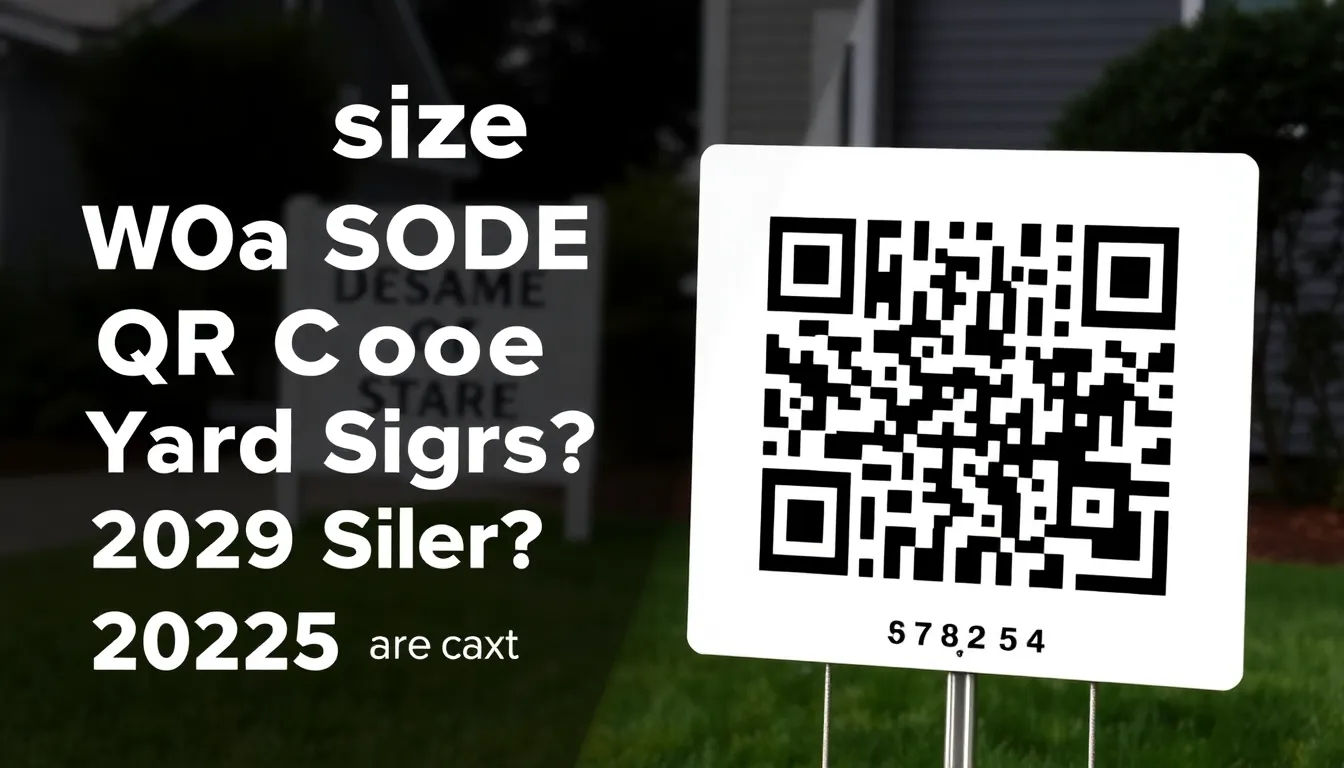
You're putting up a real estate yard sign, and you want to add a QR code that actually works. A code that's too small becomes an unreadable blur. One that's too large wastes valuable sign space. Getting the size right means more potential buyers can scan it from their car or sidewalk, leading directly to your property listing. Let's break down exactly what dimensions you need for 2026. With OwnQR, you can generate a high-resolution QR code generator to ensure crisp printing for any sign size.
The Minimum Size for Real Estate Yard Sign QR Codes
For real estate yard signs, the absolute minimum QR code size is 4x4 inches (approximately 10x10 cm). This recommendation comes from practical scanning tests with modern smartphones. At this size, someone can reliably scan the code from about 4-6 feet away, which is typical for someone approaching a yard sign from the sidewalk or street.
Why 4x4 inches? QR codes need enough physical space for their pattern to be readable by phone cameras. Smaller codes might work up close, but real estate signs need to be scannable from a distance. The 4x4 inch minimum ensures the code's modules (those small black and white squares) are large enough to be distinguished by smartphone cameras even in varying light conditions.
If your sign allows for more space, consider going larger. A 6x6 inch QR code can be scanned from 8-10 feet away, giving drivers more time to notice and scan as they approach. Remember that scanning distance is roughly 10 times the QR code's smallest dimension. So a 4-inch code works at 40 inches (about 3.3 feet), but adding margin for real-world conditions brings us to the 4-6 foot practical range.
Design Considerations for Yard Sign QR Codes
Size isn't the only factor. Your QR code's design affects how well it scans and how many people use it. First, always use high-contrast colors. Black on white works best, but dark blue on light yellow or dark green on cream can also work well if they match your branding. Avoid light-on-light or dark-on-dark combinations.
Second, leave adequate quiet zone space around your QR code. This is the blank margin that surrounds the code pattern. For yard signs, include at least 0.5 inches of empty space on all sides of the QR code. This helps phone cameras identify where the code begins and ends.
Third, consider adding a logo or custom frame to make your QR code more attractive. Many real estate agents add their company logo to the center of the code. When doing this, keep the logo small enough that it doesn't interfere with scanning. A good rule is to cover no more than 30% of the code's central area.
For the best print quality, download your QR code in SVG format. SVG files are vector-based, meaning they scale perfectly to any size without losing quality. This is especially important for yard signs that might be printed at different sizes. OwnQR offers both SVG and PNG downloads, with SVG being ideal for professional printing.
Creating Your Yard Sign QR Code: Step by Step
Follow these steps to create a QR code that works perfectly on your real estate yard sign:
1. Choose your destination URL. For real estate, this is typically your property listing page, virtual tour, or contact form. Make sure the URL is mobile-friendly since most people will scan with phones.
2. Decide between static and dynamic QR codes. Static codes are free forever and work well for permanent listings. Dynamic codes cost $15 one-time (no subscription) and let you change the destination URL later while tracking scans. For real estate, dynamic codes are useful because you can reuse the same physical sign for different properties.
3. Generate your code at OwnQR's high-resolution QR code tool. Enter your URL, then customize the design. You can adjust colors, add your logo, and choose frames that match your branding.
4. Set the download size. For a 4x4 inch yard sign QR code, download at 1200x1200 pixels minimum. This ensures crisp printing. OwnQR's tool lets you specify exact dimensions before downloading.
5. Test before printing. Scan your downloaded QR code from different distances with multiple phones. Check that it works in both bright sunlight and lower light conditions, since yard signs are viewed at all hours.
Practical Tips for Yard Sign Placement
Where you place the QR code on your yard sign matters as much as its size. Position it at eye level for someone standing near the sign, typically 4-5 feet from the ground. Avoid placing it too high or too low where it's harder to scan.
Include clear instructions near the QR code. Simple text like "Scan for virtual tour" or "Scan for more photos" increases scan rates by 20-30%. People need to know what they'll get when they scan.
Consider lighting conditions. If your yard sign will be in shadow for part of the day, test your QR code design in similar lighting. Sometimes increasing contrast helps. Matte finishes work better than glossy ones in bright sunlight because they reduce glare.
For corner lot signs or signs visible from multiple directions, you might want QR codes on both sides. This doubles your chances of getting scans from passing traffic.
Tracking and Analytics for Real Estate QR Codes
If you choose a dynamic QR code from OwnQR, you get access to scan analytics. This shows you how many people scanned your yard sign code, when they scanned, what devices they used, and even their approximate locations. This data is valuable for understanding buyer interest.
For example, you might discover that most scans happen on weekends between 10 AM and 2 PM. This could inform your open house scheduling. Or you might see that iPhone users scan more than Android users, which could influence how you optimize your mobile listing page.
The analytics dashboard updates in real time, so you can monitor interest as soon as your sign goes up. There are no monthly fees for this tracking. The $15 one-time payment covers lifetime access to both the dynamic QR code features and the analytics.
Real-world Use Cases
Real estate professionals across the country are leveraging QR codes on yard signs to boost engagement and sales. Here are three specific examples demonstrating their impact.
Example 1: Green Valley Realty in Austin, Texas, implemented QR codes on yard signs for a new suburban development. Before using QR codes, they relied on phone numbers and website URLs, resulting in a 15% inquiry rate from sign viewers. After switching to dynamic QR codes from OwnQR, they tracked scans and found that 40% of viewers scanned the code, with 25% converting to scheduled tours. The QR code linked to a virtual tour and contact form, and the analytics revealed peak scanning times on weekends, allowing them to staff open houses more effectively.
Example 2: Metro Properties in New York City used QR codes on yard signs for luxury condos. Initially, they used static codes, but after properties sold, the signs became obsolete. By adopting OwnQR's dynamic QR codes, they reused the same signs for new listings by updating the destination URL. This reduced sign replacement costs by 60%. Scan analytics showed that 30% of scans occurred during evening commutes, prompting them to optimize listing pages for mobile viewing after dark, increasing engagement by 20%.
Example 3: Sunshine Real Estate in Florida integrated QR codes into yard signs for beachfront properties. They faced challenges with glare from the sun affecting scanability. Using OwnQR's customization options, they designed a high-contrast QR code with a matte finish recommendation. Before this, scan rates were around 20%. After implementation, scan rates jumped to 50%, and the analytics indicated that 70% of scanners accessed the virtual tour, leading to a 15% increase in offers within the first month.
Want to follow along? Create a QR Code Generator now
It's free to start. Upgrade to $15 lifetime when you need editable dynamic QR codes.
Step-by-step: How to Do It with OwnQR
Follow this detailed process to create and deploy an effective QR code for your real estate yard sign using OwnQR.
1. Sign up for an OwnQR account: Visit the website and create a free account to access both static and dynamic QR code tools. This step ensures you can save and manage your codes for future use, making it easy to track multiple properties.
2. Select the QR code type: Choose between a free static code for permanent listings or a dynamic code for $15 lifetime access. For real estate, dynamic codes are recommended because they allow URL changes and analytics, providing flexibility as properties sell or listings update.
3. Enter the destination URL: Input the link to your property listing, virtual tour, or contact form. Ensure the URL is mobile-optimized, as most scans occur on smartphones, to provide a seamless user experience and reduce bounce rates.
4. Customize the design: Use OwnQR's editor to adjust colors, add a logo, or apply frames. Maintain high contrast for scannability, and keep logos small to avoid interference. This customization enhances brand recognition while ensuring the code remains functional.
5. Set the size and format: Specify dimensions like 4x4 inches or larger for yard signs. Download in SVG format for vector-based scaling, which guarantees crisp printing at any size, or use PNG for digital previews. OwnQR's tool allows precise size adjustments before download.
6. Test the QR code: Scan the downloaded code with multiple devices from various distances and lighting conditions. Testing verifies scannability in real-world scenarios, such as bright sunlight or low light, preventing issues after printing.
7. Print and place the sign: Work with a professional printer to produce the yard sign, ensuring the QR code is positioned at eye level with a matte finish to reduce glare. Include clear instructions like "Scan for more info" to encourage scans.
8. Monitor analytics: If using a dynamic code, log into OwnQR's dashboard to track scans, times, and devices. Use this data to optimize marketing strategies, such as scheduling open houses during peak scan times or refining listing content based on user behavior.
Common Mistakes and How to Avoid Them
Avoiding common pitfalls can significantly improve the effectiveness of your real estate yard sign QR codes.
Mistake 1: Using a QR code that's too small. A code smaller than 4x4 inches may not scan from a distance, reducing accessibility. Solution: Always adhere to the minimum size guideline and test scannability from at least 4-6 feet away before finalizing the design.
Mistake 2: Poor color contrast. Light-on-light or dark-on-dark combinations can make the code unreadable. Solution: Opt for high-contrast color pairs, such as black on white, and use OwnQR's design tools to preview how colors affect scannability in different lighting.
Mistake 3: Neglecting the quiet zone. Failing to include a blank margin around the QR code can cause scanning errors. Solution: Ensure at least 0.5 inches of empty space on all sides when designing the yard sign layout to help phone cameras detect the code accurately.
Mistake 4: Not testing before printing. Assuming the code will work without verification can lead to wasted resources. Solution: Conduct thorough tests with various smartphones and under different conditions, using OwnQR's download options to make adjustments if needed.
Mistake 5: Using static codes for temporary listings. Static codes can't be updated, making signs obsolete after a property sells. Solution: Invest in OwnQR's dynamic QR codes for $15 lifetime access, allowing URL changes and reuse of signs for multiple properties, saving money in the long run.
Pricing Comparison
When selecting a QR code solution for real estate yard signs, understanding pricing models is crucial. Below is a detailed comparison between OwnQR and typical subscription-based alternatives.
| Feature | OwnQR | Subscription Alternatives |
|---|---|---|
| Initial Cost | $15 one-time payment | Free trial or low initial fee |
| Recurring Fees | None (lifetime access) | Monthly or annual subscription |
| Dynamic QR Codes | Included | Usually included in paid plans |
| Analytics | Included | Often limited or premium add-on |
| URL Changes | Unlimited | May have limits per plan |
| High-Resolution Downloads | Included (SVG/PNG) | May require higher-tier plans |
| Customer Support | Email support included | Varies by provider |
OwnQR stands out with its $15 lifetime pricing model, which eliminates ongoing costs and provides full access to dynamic features and analytics. In contrast, subscription alternatives often start with lower upfront fees but accumulate over time, potentially costing hundreds of dollars annually. For real estate agents who use QR codes across multiple properties, this can lead to significant savings. OwnQR's one-time payment includes unlimited URL changes, making it ideal for reusing yard signs as listings update. Additionally, high-resolution downloads are standard, ensuring professional print quality without extra charges. While subscription services may offer more advanced features in premium tiers, OwnQR covers all essentials for yard sign marketing at a fixed cost, providing predictable budgeting and long-term value. Always verify current pricing at vendor.com for competitors, as rates can vary, but OwnQR's transparent model avoids hidden fees and subscription lock-in.
Frequently Asked Scenarios
Q: What if my yard sign is in a high-traffic area with lots of movement? How does that affect QR code size?
A: In high-traffic areas, such as busy streets, a larger QR code (6x6 inches or more) is advisable. This increases scannability from greater distances and faster-moving vehicles, reducing the chance of missed scans. Pair this with a high-contrast design from OwnQR to ensure visibility. Testing in the actual environment before mass printing can help optimize size and placement for maximum engagement.
Q: Can I use the same QR code for both yard signs and digital marketing materials?
A: Yes, especially with OwnQR's dynamic QR codes. You can create one code and use it across yard signs, flyers, and online ads. The dynamic feature allows you to update the destination URL if needed, while analytics track scans from all sources. Ensure the design is versatile—for example, use scalable SVG files from OwnQR to maintain quality in both print and digital formats.
Q: How do weather conditions impact QR code durability on yard signs?
A: Weather can fade or damage QR codes over time. To mitigate this, use durable materials like vinyl or corrugated plastic for signs and apply UV-resistant coatings. OwnQR's high-resolution downloads in SVG format ensure the code remains sharp even after exposure. Regularly check and replace signs if wear affects scannability, and consider laminating the QR code area for extra protection.
Q: What should I do if my QR code isn't scanning after printing?
A: First, verify the code scans digitally from the downloaded file. If it does, the issue may be with printing quality, such as low resolution or color bleeding. Use OwnQR's tools to re-download at a higher resolution or adjust colors for better contrast. Ensure the quiet zone is intact and the sign material doesn't cause glare. Retesting with different phones can help identify and fix the problem before reprinting.
Ready to create a QR code that actually works on your real estate yard sign? OwnQR's QR generator offers free static codes with no watermarks or sign-ups, plus $15 lifetime dynamic codes with tracking. Download in SVG for perfect printing at any size, from business cards to large yard signs. For specialized needs, explore OwnQR's real estate QR code solution tailored to property marketing. With $15 lifetime pricing, you get a cost-effective tool that grows with your business.
Tags
Frequently Asked Questions
What is the minimum QR code size for real estate yard signs?
The minimum QR code size for real estate yard signs is 4x4 inches (about 10x10 cm). This allows scanning from 4-6 feet away, which is typical for sidewalk or street viewing. Smaller codes may not scan reliably from a distance. For best results, use OwnQR's high-resolution tool to generate codes at 1200x1200 pixels minimum for crisp printing.
How far away can you scan a 4x4 inch QR code?
A 4x4 inch QR code can typically be scanned from 4-6 feet away under good conditions. The scanning distance rule is approximately 10 times the code's smallest dimension, so 4 inches works at 40 inches (3.3 feet), but real-world factors like lighting and phone quality add variability. For longer distances, increase the code size proportionally.
Can I change a QR code on my yard sign after printing?
Yes, with dynamic QR codes. Unlike static codes that are fixed, dynamic QR codes from OwnQR cost $15 one-time and let you update the destination URL anytime. This means you can reuse the same printed yard sign for different properties by changing where the code points in your dashboard, without reprinting the sign.
What file format is best for printing QR codes on yard signs?
SVG format is best for printing QR codes on yard signs. SVG files are vector-based, so they scale to any size without losing quality, unlike PNG files that can pixelate when enlarged. OwnQR offers both SVG and PNG downloads, with SVG recommended for professional printing at sizes like 4x4 inches or larger.
Is OwnQR better than QRFY for real estate QR codes?
OwnQR offers advantages for real estate use. While QRFY uses monthly subscriptions, OwnQR provides free static codes and $15 lifetime dynamic codes with no recurring fees. This saves money for agents who need multiple signs. OwnQR also includes scan analytics showing location and device data, useful for tracking buyer interest from yard signs.
Ready to own your QR codes?
One-time $15 for lifetime dynamic QR codes.
Most alternatives bill monthly — verify current rates on their site.
30-day money back guarantee