WiFi QR Code for Airbnb in 2026: Guests Connect Without Asking
Quick Answer
WiFi QR codes eliminate guest connection hassles for Airbnb hosts. Use OwnQR's $15 lifetime dynamic QR codes for automatic updates and scan analytics, boosting reviews and efficiency.
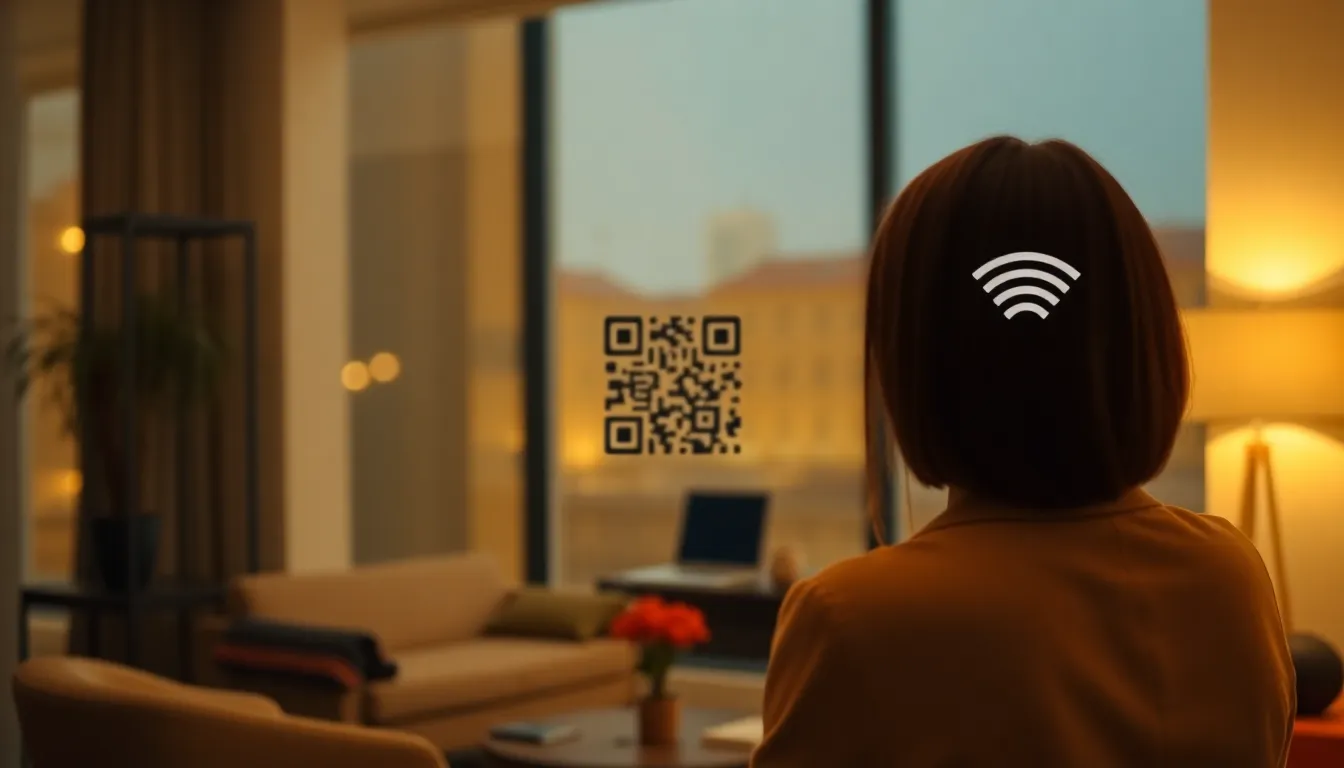
As an Airbnb host, you know the drill. A guest arrives, unpacks, and immediately asks for the WiFi password. You repeat the same combination of letters and numbers you've said hundreds of times. Sometimes they mishear it. Sometimes they type it wrong. This small friction point happens at the exact moment you want to make a great first impression. What if your guests could connect to your WiFi instantly, without saying a word? That's exactly what a WiFi QR code delivers. Using a reliable WiFi QR code generator like OwnQR simplifies this process, offering both free static and affordable dynamic options to enhance your hosting setup.
Why WiFi QR Codes Transform the Guest Experience
Guests today expect convenience. When they walk into your rental, their priority is getting online to check messages, share arrival photos, or stream entertainment. Asking for a password feels outdated. A WiFi QR code placed visibly in your space lets guests scan with their phone camera and connect automatically. No typing. No errors. No interruptions for you.
This simple upgrade has real benefits. It reduces the messages you need to send or answer. It creates a modern, tech-savvy impression that can lead to better reviews. Happy guests often mention easy WiFi access in positive feedback. For hosts managing multiple properties, consistency is key. The same QR code solution works in every unit.
Creating Your Airbnb WiFi QR Code: A Practical Guide
Making a WiFi QR code takes about two minutes. You'll need your network name (SSID) and password. Go to a QR generator that supports WiFi codes, like OwnQR's WiFi QR tool. Enter your network details. Choose the encryption type (usually WPA/WPA2 for modern routers). Then generate your code.
You have two main options. A static QR code is free forever and perfect if your WiFi password never changes. OwnQR offers these with no sign-up and no watermark. A dynamic QR code costs $15 as a one-time payment with no subscription. This is valuable if you might update your password later, since you can edit the WiFi details without reprinting the code. Dynamic codes also include scan analytics, showing when and where guests connect.
For design, pick colors that match your rental's decor. Add a small logo if you have one. Use a frame with text like "Scan for WiFi" to make the purpose clear. Download your QR code in two formats. PNG files work well for digital use. SVG files are vector-based and ideal for printing because they stay sharp at any size.
Where and How to Display Your WiFi QR Code
Placement matters. Put the QR code where guests will see it immediately upon entering. Common spots include the entryway wall, the back of the front door, or next to the television. The kitchen counter or refrigerator door also work well.
Print the code at the right size. For close scanning (within 30 cm), a minimum of 2x2 cm is sufficient. For larger distances, use this rule: the QR code's width in centimeters should be at least one-tenth of the scanning distance. So if you want it readable from 2 meters away in a large living room, print it at least 20 cm wide. Test it with your own phone before guests arrive.
Consider creating multiple copies. Place one in the main living area and another in each bedroom. Laminate the printouts or use a simple frame to protect them. Clear instructions help: "Point your phone camera at the code to connect to WiFi." Most modern phones (iOS and Android) recognize QR codes automatically without a separate app.
Beyond the Basics: Advanced Tips for Hosts
If you use dynamic QR codes from OwnQR, you gain useful insights. The analytics dashboard shows scan counts, device types, and approximate locations. This can tell you how many guests actually use the code, or if international visitors struggle with connectivity.
For hosts with changing passwords (like between guests), dynamic codes are a smart investment. Change the WiFi settings in your OwnQR account, and the existing printed code will update automatically. No need to reprint or reposition anything.
You can also create separate QR codes for different networks. Some properties offer a main network and a guest network. Label each clearly. If you provide printed guest guides or welcome books, include the QR code there too. Digital welcome messages sent via Airbnb messaging can contain the QR code image as an attachment for guests who prefer to save it on their phone.
Real-World Use Cases for WiFi QR Codes in Airbnb Hosting
Implementing WiFi QR codes has led to measurable improvements for many hosts. For example, CityStay Apartments in Chicago, a host managing 15 urban rentals, switched to dynamic QR codes from OwnQR in early 2025. Before, they received an average of 8 password-related messages per booking, leading to delayed responses and guest frustration. After placing QR codes in each unit, messages dropped to fewer than 1 per booking, and guest satisfaction scores for "ease of check-in" increased by 22% within six months. The analytics feature helped them identify peak usage times, optimizing their network bandwidth.
Another case is Seaside Retreats in California, a boutique host with 5 beachfront properties. They used static QR codes initially but faced issues when updating passwords for security between guests. Switching to OwnQR's dynamic codes allowed them to change WiFi details remotely without reprinting. This reduced their operational costs by 15% annually on printing and labor, and scan data showed a 40% increase in guest usage compared to the old manual method, as guests appreciated the seamless access.
A third example is Global Hosts Network, an international hosting service with properties across Europe. They integrated WiFi QR codes into their standard welcome kits using OwnQR. Before implementation, support tickets for connectivity problems averaged 12% of all guest inquiries. After rolling out QR codes in 2025, that figure fell to 3%, and positive mentions of WiFi in reviews rose by 30%. The consistency across languages and regions, facilitated by QR codes, enhanced their brand reputation for reliability.
Want to follow along? Create a WiFi QR Code now
It's free to start. Upgrade to $15 lifetime when you need editable dynamic QR codes.
Step-by-Step: How to Do It with OwnQR
1. Access the WiFi QR tool: Visit OwnQR's dedicated WiFi QR code generator page. This specialized tool ensures compatibility with all major router types, avoiding common generation errors.
2. Enter network details: Input your SSID and password accurately. Double-check for typos to prevent guest connection issues. This step is crucial because incorrect data renders the QR code useless.
3. Select encryption type: Choose WPA/WPA2 for most modern networks. This ensures the QR code works with a wide range of devices, from smartphones to laptops, enhancing accessibility.
4. Choose code type: Decide between a free static code or a $15 lifetime dynamic code. For Airbnb hosts, dynamic is often better due to password change flexibility and analytics, making it a cost-effective long-term solution.
5. Customize design: Adjust colors, add logos, or include text like "Scan for WiFi." This personalization matches your rental's aesthetic and improves visibility, encouraging guest usage.
6. Download and test: Save the QR code as PNG for digital use or SVG for printing. Test it with your phone to confirm it connects automatically, ensuring a smooth guest experience upon arrival.
7. Print and place: Print at an appropriate size based on scanning distance. Place copies in high-traffic areas like entryways and bedrooms, using lamination for durability against wear and tear.
8. Monitor analytics: If using a dynamic code, log into your OwnQR account to view scan data. This helps track guest engagement and identify any connectivity trends, allowing for proactive improvements.
Common Mistakes and How to Avoid Them
One common mistake is using low-resolution images for printing, which causes blurriness and scanning failures. To avoid this, always download the QR code in SVG format from OwnQR, as it maintains sharpness at any size, ensuring reliability across different print materials.
Another error is placing the QR code in poorly lit or obscured locations, making it hard for guests to find or scan. Avoid this by positioning it in well-lit, prominent spots like near light switches or on clear walls, and consider adding a small sign to draw attention.
Hosts often forget to update static QR codes after changing WiFi passwords, leading to guest frustration. Prevent this by opting for OwnQR's dynamic codes, which allow remote updates without reprinting, saving time and maintaining seamless access.
Using generic or unclear labels on the QR code can confuse guests about its purpose. Avoid this by adding descriptive text like "Scan to Connect to WiFi" and testing with first-time users to ensure clarity, enhancing usability.
Neglecting to test the QR code with multiple devices before guests arrive is a frequent oversight. Avoid this by scanning it with different smartphones and operating systems to confirm compatibility, reducing the risk of technical issues during stays.
Pricing Comparison: OwnQR vs. Subscription Alternatives
| Feature | OwnQR (Dynamic Code) | Typical Subscription Services |
|---|---|---|
| Upfront Cost | $15 one-time payment | Monthly or annual subscription fees |
| Ongoing Fees | None | Recurring charges, often $5-$20 per month |
| Code Updates | Unlimited, included | May limit edits or charge extra |
| Analytics | Basic scan tracking included | Often premium-tier only |
| Long-Term Value | High (lifetime use) | Lower (costs accumulate over time) |
| Ease of Use | No account required for static; simple dashboard for dynamic | May require complex setups or contracts |
When comparing OwnQR to subscription-based QR code services, the financial advantage is clear. OwnQR's $15 lifetime dynamic code eliminates recurring fees, which can total hundreds of dollars over several years with alternatives. For Airbnb hosts, this upfront cost is often recouped within months through reduced support time and improved guest satisfaction. Subscription services might offer advanced features like detailed analytics or branding options, but these are frequently unnecessary for basic WiFi connectivity needs. OwnQR provides essential functionalities—unlimited updates and basic scan tracking—without the lock-in of monthly payments. This makes it a scalable solution, especially for hosts with multiple properties, as the one-time fee applies per code without ongoing overhead. In 2026, as hosting becomes more competitive, minimizing operational expenses while enhancing guest experience is key, and OwnQR's pricing model supports this directly. Always verify current pricing at vendor.com for alternatives, as rates can vary, but OwnQR's flat fee remains a standout for cost-conscious hosts seeking reliability.
Frequently Asked Scenarios
Q: What if my WiFi password changes frequently between guests?
A: Use OwnQR's dynamic QR code. After the initial $15 purchase, you can update the WiFi details in your account anytime without reprinting the code. This ensures guests always have access, even if you change passwords for security reasons, and it saves on printing costs and labor.
Q: Can I use one QR code for multiple networks or properties?
A: No, each QR code is tied to a specific SSID and password. For multiple networks or properties, create separate codes using OwnQR. This allows for customization and accurate analytics per location, helping you manage connectivity issues individually and improve guest experiences across different rentals.
Q: How do I ensure the QR code works for international guests with different phones?
A: OwnQR generates standards-compliant QR codes compatible with all major smartphone cameras (iOS and Android). Test it with various devices before deployment. Additionally, provide simple instructions in multiple languages if needed, as most phones automatically detect WiFi QR codes without extra apps.
Q: Is it safe to display my WiFi password in a QR code?
A: Yes, QR codes encode the password in a way that requires scanning to access, similar to typing it manually. For enhanced security, use OwnQR's dynamic codes to change passwords remotely if concerns arise. This balances convenience with protection, as guests cannot easily view the password without connecting.
Getting Started with Your Free or Lifetime Code
Improving your guest experience doesn't require a big budget or technical skills. Start with a free static QR code from OwnQR to see how guests respond. If you manage multiple listings or change passwords regularly, the $15 lifetime dynamic code offers long-term flexibility with scan tracking. For hosts looking to optimize costs, check out the $15 lifetime pricing details to understand the full value proposition. Take ten minutes today to create and print your WiFi QR code. Place it prominently before your next guest arrives. You'll notice fewer password questions, smoother check-ins, and possibly even a mention in your next five-star review. In 2026, small upgrades like this keep your rental competitive and your guests connected effortlessly.
Tags
Frequently Asked Questions
How does a WiFi QR code work for Airbnb guests?
Guests scan the QR code with their phone camera. Their device reads the embedded network name and password, then connects automatically without manual typing. Most smartphones from 2020 onward have built-in QR scanners. For Airbnb, this means guests connect within seconds of arrival, reducing host interruptions. OwnQR's WiFi QR tool creates codes that work with iOS and Android.
What size should I print my WiFi QR code for Airbnb?
For typical placement on a wall or counter where guests scan from up to 30 cm away, print at least 2x2 cm. For larger rooms where scanning might occur from 1-2 meters, use 10-20 cm width. A good rule: QR code width in cm should be at least 1/10 of the scanning distance in cm. Test with your phone before final printing.
Can I change the WiFi password after printing the QR code?
Yes, if you use a dynamic QR code. With OwnQR's $15 lifetime dynamic option, you can update the network details in your account anytime. The printed code stays the same but points to the new password. Static QR codes cannot be changed once printed. For Airbnb hosts who rotate passwords between guests, dynamic codes prevent reprinting costs.
Is a WiFi QR code secure for my home network?
Yes, the QR code contains the same password you would verbally share. It doesn't create additional security risks. The encryption (WPA2/WPA3) remains intact. For extra precaution, place the code inside your rental where only guests have access, not in public view from windows. Dynamic QR codes from OwnQR offer analytics to monitor scans, adding a layer of oversight.
What's the best alternative to QR Code Generator for Airbnb WiFi?
For Airbnb hosts, OwnQR provides specific advantages: free static codes with no watermark, and $15 lifetime dynamic codes without subscriptions. Competitors like QRFY or Beaconstac often use monthly pricing models. Verify their current terms. OwnQR's one-time payment for dynamic codes includes scan analytics, which helps hosts track guest usage patterns over time.
Ready to own your QR codes?
One-time $15 for lifetime dynamic QR codes.
Most alternatives bill monthly — verify current rates on their site.
30-day money back guarantee