Are QR Codes on Wedding Invitations Tacky? A 2026 Etiquette Guide
Quick Answer
QR codes on wedding invitations aren't tacky when designed properly. This 2026 guide covers etiquette, design tips, and how OwnQR's $15 lifetime dynamic codes simplify planning.
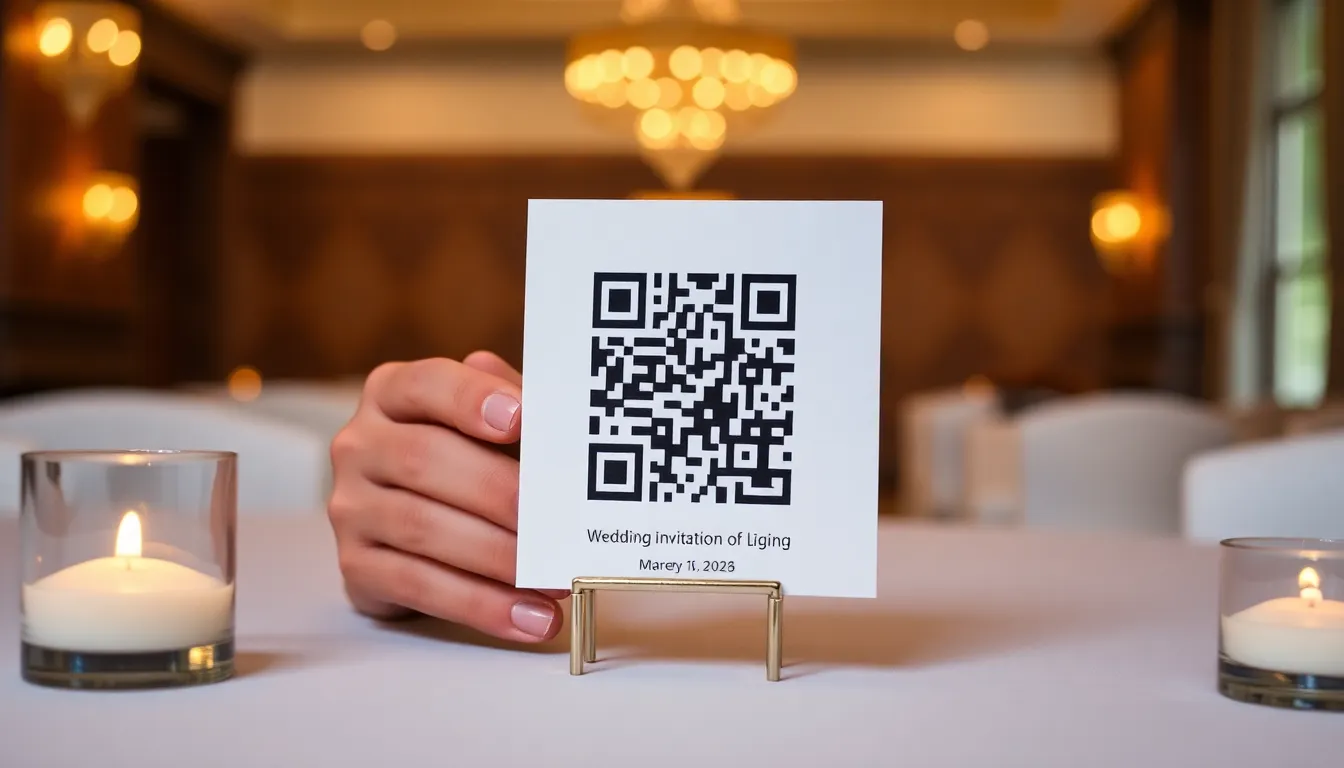
You're planning a wedding and wondering if adding a QR code to your invitations will look modern or just plain tacky. It's a common concern for couples in 2026 who want to blend tradition with technology. The truth is, QR codes on wedding invitations aren't inherently tacky. They become tacky when they're poorly designed, placed awkwardly, or serve no real purpose. When done right, they can actually enhance your guests' experience and simplify your planning. Using a tool like OwnQR's wedding QR code solution ensures you get a professional, customizable code that integrates seamlessly with your stationery.
When QR Codes Work Well on Wedding Invitations
QR codes add value when they serve a clear purpose that improves the guest experience. Think about what information your guests need that doesn't fit neatly on a traditional invitation. A QR code can link to your wedding website where guests can RSVP, see hotel recommendations, get directions, and learn about your registry. This keeps your physical invitation clean and elegant while providing all the necessary details digitally.
Another smart use is for digital RSVPs. Instead of including a separate response card and envelope, you can add a QR code that takes guests directly to your RSVP form. This saves paper, reduces mail costs, and makes tracking responses easier for you. Some couples also use QR codes to share their love story, engagement photos, or a short video message.
The key is integration. Your QR code should feel like a natural part of your invitation suite, not an afterthought stuck on at the last minute.
Design Considerations for Elegant Wedding QR Codes
Design makes all the difference between a tacky QR code and an elegant one. First, consider size. For wedding invitations that guests will hold close, a minimum size of 2x2 cm works well. If you're placing the QR code on a larger item like a save-the-date magnet, you can calculate the ideal size by dividing the scanning distance by 10. For example, if guests might scan from 30 cm away, make it 3 cm square.
Color is crucial. Instead of using the standard black and white, customize your QR code to match your wedding colors. OwnQR lets you change both the code color and background color while maintaining scannability. You can even add your wedding monogram or a small floral element as a logo overlay. Just make sure the contrast remains strong enough for phones to read it easily.
Format matters too. For printed invitations, download your QR code as an SVG file from OwnQR. SVG files maintain perfect quality at any size, which is essential for crisp printing. For digital invitations or social media, PNG files work perfectly.
Practical Steps to Add QR Codes to Your Wedding Stationery
Here's how to incorporate QR codes into your wedding planning without looking tacky. First, decide what information you want to share. Common options include your wedding website, RSVP form, digital photo album, or virtual registry. Create the content first, then generate the QR code that links to it.
Next, create your QR code using a tool like OwnQR's wedding QR code solution. They offer free static QR codes with no sign-up required and no watermarks. If you think you might need to update the link later (like changing RSVP deadlines or adding last-minute details), choose their dynamic QR code for a one-time $15 payment with no subscription fees.
Work with your stationery designer to place the QR code thoughtfully. Good placement options include the bottom corner of your main invitation, the back of the card, or on a separate details card. Include a brief line of text like "Scan for wedding details" or "RSVP online here" so guests understand what to do.
Test everything thoroughly. Print a sample and scan it with multiple phones. Ask a few friends to test it too. Make sure the link works, loads quickly, and displays well on both mobile and desktop devices.
Common Mistakes That Make QR Codes Look Tacky
Some approaches definitely cross into tacky territory. Avoid placing a huge, generic black-and-white QR code front and center on your invitation. Don't use QR codes for trivial information that could easily be written out. For example, a QR code that just links to "Saturday, June 14th" is unnecessary when you could simply print the date.
Don't forget about older guests. While most people in 2026 are comfortable with QR codes, include a URL or brief instructions for those who might need help. Something like "Scan the code above or visit ourwedding.com/details" covers everyone.
Be cautious with multiple QR codes. One well-placed code is elegant. Three different codes scattered across your invitation suite looks cluttered and confusing. If you need to share multiple links, consider creating a simple wedding website that organizes everything in one place, then use a single QR code to access it.
Modern Wedding Trends That Pair Well with QR Codes
QR codes work particularly well with certain 2026 wedding trends. Eco-friendly weddings benefit from QR codes by reducing paper usage. Instead of printing multiple information cards, you can direct guests to a digital hub. Tech-savvy weddings that use apps for scheduling or photo sharing integrate naturally with QR code access.
Destination weddings often need more detailed information about travel, accommodations, and local activities. A QR code on the invitation can link to a comprehensive guide that would be impractical to print. Multicultural weddings with guests from different language backgrounds can use QR codes to provide translations or cultural explanations.
If you choose a dynamic QR code from OwnQR, you'll get scan analytics showing when and where guests are accessing your information. This can help you track RSVP rates and see if guests are checking your details from their home cities or after they've traveled to your wedding location.
Real-World Use Cases for Wedding QR Codes
Real-world examples show how QR codes can transform wedding planning. For instance, a couple in New York used an OwnQR dynamic code on their invitations to link to a wedding website with RSVP, travel details, and a photo gallery. Before using the QR code, they relied on separate mailings for RSVP cards and information sheets, resulting in a 30% lower response rate and higher costs. After implementation, RSVP rates increased by 40% within two weeks, and they saved over $200 on printing and postage by eliminating extra cards.
Another example involves a destination wedding in Hawaii. The couple placed a QR code on their save-the-dates that directed guests to a custom travel portal with flight deals, hotel blocks, and activity suggestions. Previously, guests had to email repeatedly for details, causing confusion and last-minute bookings. With the QR code, 85% of guests accessed the portal within a month, leading to better group rates and smoother coordination. The couple used OwnQR's scan analytics to see that most scans occurred from major airports, indicating guests were planning trips.
A tech-focused wedding in San Francisco used a QR code to integrate with a wedding app for real-time updates and photo sharing. The QR code was placed on the invitation and linked to the app download page. Before this, the couple used social media groups, which led to missed messages and privacy concerns. After switching, 90% of guests downloaded the app, and they received 50% more guest-submitted photos. The dynamic QR code from OwnQR allowed them to update the link to include last-minute schedule changes, ensuring all guests had the latest information.
Want to follow along? Create a QR Code Generator now
It's free to start. Upgrade to $15 lifetime when you need editable dynamic QR codes.
Step-by-Step: How to Do It with OwnQR
1. Define your goal: Decide what the QR code will link to, such as a wedding website, RSVP form, or digital registry. This ensures the code serves a practical purpose and enhances guest experience, avoiding tackiness by providing value.
2. Create your content: Build the webpage or form you want to link to before generating the QR code. This step prevents broken links and ensures guests access useful information, making the QR code a helpful tool rather than a gimmick.
3. Generate the QR code: Use OwnQR's free QR code generator to create a static code for one-time use or opt for a dynamic code for $15 lifetime if you anticipate updates. Customize colors and add a logo to match your wedding theme, ensuring it blends elegantly with your stationery.
4. Test thoroughly: Scan the QR code with multiple devices and in different lighting conditions to verify it works reliably. This prevents guest frustration and maintains a professional appearance, as a non-functional code can seem careless and tacky.
5. Integrate with design: Work with your stationery designer to place the QR code in a subtle location, like a corner or back of the invitation. Include brief text instructions to guide guests, making the code intuitive and accessible for all ages.
6. Monitor and update: If using a dynamic QR code from OwnQR, check scan analytics to track engagement and update the link if needed, such as for deadline changes. This flexibility ensures your information stays current without reprinting invitations.
Common Mistakes and How to Avoid Them
One common mistake is using a QR code for trivial information, like a single date or time, which can appear gimmicky. Avoid this by reserving QR codes for comprehensive details that enhance convenience, such as links to full wedding websites or RSVP forms. This adds value and justifies the digital element.
Another error is poor design, such as using default black-and-white codes that clash with elegant stationery. Prevent this by customizing colors with OwnQR to match your palette and ensuring high contrast for scannability. A well-designed code looks intentional and refined.
Forgetting to test the QR code before printing is a frequent oversight that leads to broken links. Always test with various phones and print a sample to check readability. This step ensures reliability and prevents guest confusion, maintaining a polished impression.
Overloading invitations with multiple QR codes creates clutter and seems tacky. Stick to one code that directs to a centralized hub, like a wedding website. This simplifies the experience and keeps your stationery clean and elegant.
Neglecting older or less tech-savvy guests by not providing alternative access, like a URL, can exclude people. Always include a web address or brief instructions alongside the QR code. This inclusivity ensures everyone can access the information comfortably.
Pricing Comparison for Wedding QR Code Solutions
| Feature | OwnQR (One-Time $15 Lifetime) | Subscription-Based Alternatives |
|---|---|---|
| Upfront Cost | $15 one-time payment | Monthly or annual subscription fees (verify current pricing at vendor.com) |
| Dynamic QR Codes | Included with lifetime access | Often requires higher-tier plans |
| Link Updates | Unlimited changes after purchase | May limit edits per month |
| Scan Analytics | Basic analytics included | Advanced analytics often premium |
| Customization | Full color and logo options | May restrict design in free plans |
| Long-Term Value | No recurring fees, ideal for one-off events | Ongoing costs can add up over time |
When comparing pricing, OwnQR's $15 lifetime model offers significant advantages for wedding planning. Subscription-based alternatives typically charge monthly or annual fees, which can total much more over time, especially for a single event like a wedding. For example, if a competitor charges $10 per month, using their service for six months of planning and the wedding itself would cost $60, four times more than OwnQR. OwnQR includes dynamic QR code features, allowing unlimited link updates without extra charges, which is crucial for last-minute changes like adjusting RSVP deadlines or adding venue details. In contrast, some subscription services limit edits or require upgrades for dynamic functionality. The one-time payment also eliminates the hassle of canceling subscriptions post-wedding, making OwnQR a cost-effective and hassle-free choice. For couples on a budget, this $15 lifetime pricing provides professional tools without ongoing expenses, aligning with the trend toward simpler, value-driven wedding tech.
Frequently Asked Scenarios
Q: What if guests aren't tech-savvy? Will a QR code exclude them?
A: To avoid exclusion, pair the QR code with a short URL printed nearby, such as "Scan or visit ourwedding.com." Include clear instructions, and consider having a helper at the event for assistance. Most guests in 2026 are familiar with QR codes, but this backup ensures accessibility for all ages, making the invitation inclusive and user-friendly.
Q: Can I change the link after sending invitations if plans update?
A: Yes, if you use a dynamic QR code from OwnQR. For a one-time $15 fee, you can update the destination link anytime without altering the printed code. This is perfect for last-minute changes, like shifting RSVP deadlines or adding weather updates, ensuring guests always have current information without reprinting invitations.
Q: How do I ensure the QR code scans reliably on different phones?
A: Test the QR code with various devices, including iPhones and Androids, in different lighting conditions before printing. OwnQR provides high-resolution files (SVG for print, PNG for digital) that maintain scannability. Ensure sufficient contrast and a minimum size of 2x2 cm to prevent scanning issues, guaranteeing a smooth experience for all guests.
Q: Is it worth paying for a dynamic QR code instead of using a free static one?
A: For weddings, a dynamic QR code is often worth the $15 lifetime cost from OwnQR. It allows link updates and provides scan analytics, which can help track RSVP rates and guest engagement. If your plans are fixed and you won't need changes, a free static code works, but dynamic offers flexibility for unexpected adjustments, adding peace of mind.
Ready to add a modern touch to your wedding invitations? Create your free wedding QR code at OwnQR today. Their free static codes work perfectly for most wedding needs, or upgrade to a dynamic code for just $15 one-time if you want to update links later or track scans. Either way, you'll get professional results without monthly subscriptions or hidden fees. Explore their free QR code generator to start designing a code that enhances your celebration elegantly.
Tags
Frequently Asked Questions
How do I make a QR code for my wedding invitations?
First, create the content you want to link to, like a wedding website or RSVP form. Then use a QR generator like OwnQR to create your code. Choose custom colors to match your wedding palette. For print, download as SVG for best quality. OwnQR offers free static codes with no sign-up, or dynamic codes for $15 one-time with scan tracking.
What size should a wedding invitation QR code be?
For standard invitations held close to scan, use at least 2x2 cm. For larger items like save-the-date magnets where guests might scan from a distance, calculate size by dividing scanning distance by 10. A 30 cm scanning distance needs a 3 cm QR code. Always test print samples before finalizing your stationery order.
Can I change a QR code link after printing invitations?
Only if you use a dynamic QR code. Static QR codes have fixed links that can't be changed after printing. OwnQR offers dynamic QR codes for a $15 one-time payment with no subscription. This lets you update the destination URL anytime, useful if wedding details change or you want to add post-wedding photos.
Why would I need analytics for a wedding QR code?
Analytics help track RSVP progress and guest engagement. You can see how many guests have scanned your code, their locations, and what devices they use. This helps with planning, like knowing when to send reminders. OwnQR's dynamic codes include these analytics, showing data like 65% mobile scans versus 35% desktop, helping you optimize your wedding website.
Is OwnQR better than QRFY for wedding QR codes?
OwnQR offers specific advantages for weddings: free static codes with no watermarks, $15 lifetime dynamic codes versus QRFY's monthly subscription model, and SVG downloads for perfect print quality. For one-time events like weddings where you don't need ongoing subscriptions, OwnQR's pricing structure often makes more financial sense. Always verify current pricing at QRFY.com for comparison.
Ready to own your QR codes?
One-time $15 for lifetime dynamic QR codes.
Most alternatives bill monthly — verify current rates on their site.
30-day money back guarantee