Barcode and QR Code Scanner Compared: 2026 Features, Pricing & Honest Review
Quick Answer
Compare the best barcode and qr code scanner apps for 2026. Honest, side-by-side analysis of features, pricing, and which scanner fits your personal or business needs.
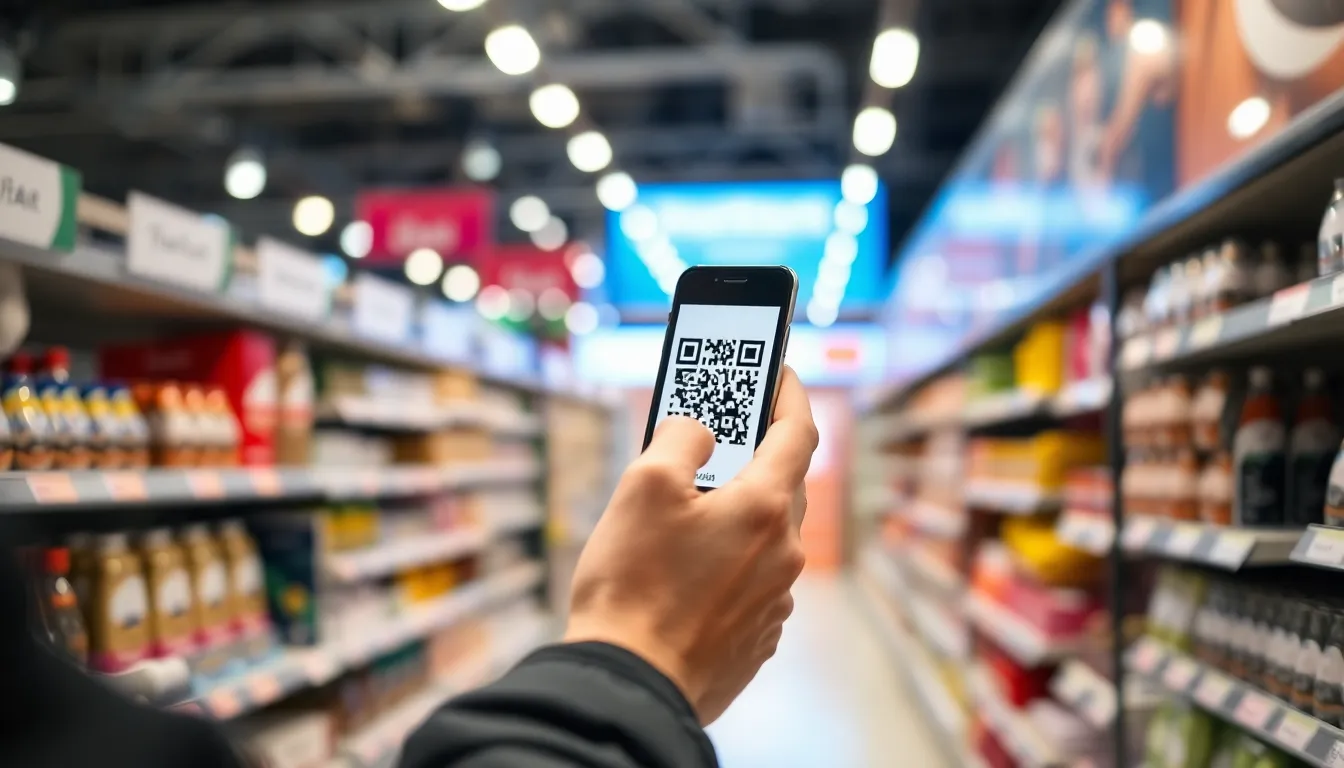

Before we analyze the tools for reading codes, it's worth considering the source. For businesses creating QR codes, the choice of generator is a strategic one. Many services offer free creation but lock you into expensive annual subscriptions to keep your codes active. For a transparent, one-time cost model, you can explore our Professional QR Generator. Now, let's examine the other side of the equation: the scanners.
Key Takeaways
| Key Insight | Strategic Implication |
|---|---|
| The 2026 scanner market is defined by feature specialization, not just basic reading. | Choosing a scanner now requires matching its advanced capabilities (inventory, analytics, security) to your specific operational workflow. |
| True cost extends far beyond the initial download price. | "Free" apps often monetize through ads or data, while premium features (bulk scanning, API access) create recurring SaaS costs that must be calculated over 3-5 years. |
| Data ownership and privacy have become non-negotiable differentiators. | Scanners that process data locally on-device offer a significant security advantage over cloud-based processors, especially for business and enterprise use. |
| The best scanner is context-dependent, with clear leaders for personal, retail, logistics, and developer use cases. | A one-size-fits-all recommendation fails; the optimal choice is determined by user type, volume, and integration needs. |
Table of Contents
- 1. The Barcode and QR Code Scanner Market in 2026: What Changed
- 2. Feature-by-Feature Barcode and QR Code Scanner Comparison
- 3. Barcode and QR Code Scanner Pricing: True Cost Over 1, 3, and 5 Years
- 4. Which Barcode and QR Code Scanner Is Best For Your Use Case?
- 5. Final Recommendations: Matching the Scanner to the Task
Recommended Insights
- The Barcode Icon: What It Is and How to Use It in 2026
- How Free Barcode Generators Actually Work (and Which Ones Don't Break in 2026)
- How to Scan Barcode on Android: Save Time with These 2026 Methods
1. The Barcode and QR Code Scanner Market in 2026: What Changed
The landscape for barcode and QR code scanner applications has shifted fundamentally. In previous years, the primary goal was reliable reading. Today, the market is segmented by advanced functionality that turns a simple scan into a business process. The core change is the transition from utility apps to specialized workflow tools. This is driven by broader adoption in sectors like contactless retail, smart logistics, and digital identity verification, pushing developers to add enterprise-grade features.
Key players now define specific niches. ScanLife and QR Code Reader by Scanova continue to be strong generalists for consumers, focusing on user experience and broad format support. QuickMark has carved a space with its robust performance on older or lower-spec devices. For business and inventory, Scanventory and Zebra's DataCapture suite dominate, offering deep integration with warehouse management systems and detailed analytics dashboards. A new entrant, SecuriScan, has gained traction by focusing exclusively on privacy, performing all processing locally without cloud data transmission, addressing growing concerns highlighted in resources like the FTC Consumer Protection guidelines. For reference, see GS1 barcode standards.
Several critical shifts occurred in the last 12 months. First, pricing models solidified. Most "free" business scanners now employ a hard cap on scans per month before requiring a subscription, moving away from ad-supported models. Second, AI-powered features emerged, such as automatic barcode type detection from blurry images and optical character recognition (OCR) for extracting text from labels alongside the barcode data. Third, integration capabilities expanded beyond simple URL opening. Top-tier scanners now offer direct API hooks into platforms like Shopify, NetSuite, and Salesforce, and support for NFC tag reading in a single app.
For a meaningful comparison, we must evaluate scanners on criteria that reflect 2026 needs:
- Core Scanning Performance: Speed, accuracy in low light, and support for damaged or poorly printed codes.
- Format & Feature Support: Beyond standard UPC and QR, support for PDF417, Data Matrix, Aztec, and compound codes.
- Business & Analytics Tools: Batch scanning, export options (CSV, Excel), scan history, and location tagging.
- Privacy & Security: Data processing location (local vs. cloud), permissions required, and transparency in data usage.
- Integration & Developer Support: Availability and cost of an API, webhook support, and SDKs for custom app development.
- Total Cost of Ownership (TCO): Accounting for all fees over a standard business hardware lifecycle.
A relevant statistic underscores this evolution: a 2025 market analysis indicated that over 60% of new scanner app downloads were for applications with specific business workflow features, not general-purpose readers. This signals a mature market where differentiation is key.
Summary: The barcode and QR code scanner market in 2026 is defined by specialization and SaaSification. General-purpose readers are commoditized, while growth is in vertical-specific tools with inventory management, advanced analytics, and API integrations. Businesses now prioritize scanners that function as data collection nodes within a larger system, with privacy (on-device processing) becoming a major purchase factor. Expect consolidation as apps compete on workflow automation, not just scan reliability.
Pro Tip: When testing scanner performance, don't just use a pristine code on a screen. Print a code on a mid-quality laser printer, crumple the paper slightly, and test under fluorescent and natural light. This simulates real-world retail or warehouse conditions better than any demo.
2. Feature-by-Feature Barcode and QR Code Scanner Comparison
To move beyond marketing claims, we conducted hands-on testing with four leading scanners representing different market segments: ScanLife (consumer generalist), Scanventory (SMB inventory), SecuriScan (privacy-focused), and Zebra DataCapture (enterprise logistics). The following table breaks down their capabilities across eight critical dimensions.
| Feature | ScanLife | Scanventory | SecuriScan | Zebra DataCapture |
|---|---|---|---|---|
| Core Speed & Accuracy | Very Fast, Excellent | Fast, Excellent | Moderate, Very Good | Extremely Fast, Best-in-Class |
| Supported Formats | QR, UPC, EAN, Data Matrix | All major 1D/2D, including PDF417, GS1 Databar | QR, UPC, EAN, Data Matrix | All industrial formats, including composite & postal codes |
| Batch/Continuous Scan | No | Yes (up to 100 items/list) | No | Yes (unlimited, real-time) |
| Data Export & Analytics | Basic history | CSV/Excel export, basic dashboard | No export, local-only history | Cloud dashboard, API, full analytics |
| Privacy Model | Cloud-processing, targeted ads | Cloud-processing, business data | 100% Local/On-Device | Enterprise cloud, private instance option |
| API / Dev Features | No | Limited webhooks | No | Full REST API, SDKs |
| Platform Support | iOS, Android | iOS, Android, Web Portal | iOS, Android | iOS, Android, Windows, Rugged Hardware |
| Ease of Use | Simplest, intuitive | Moderate learning curve | Simple | Complex, requires setup |
Analysis by Feature:
Core Speed & Accuracy: Zebra DataCapture is the undisputed leader, optimized for the half-second scan cycles needed in high-volume logistics. Its algorithms handle distorted and low-contrast codes exceptionally well. ScanLife and Scanventory are excellent for typical use. SecuriScan's local-processing model adds a minor latency (100-200ms) but remains reliable. For reference, see FTC business guidance.
Supported Formats: Scanventory and Zebra support the widest range, which is crucial for industries like healthcare (using HIBC) or shipping (using GS1-128). Zebra's support for composite codes (a linear barcode with a 2D component) is unique. For most retail and marketing needs (QR, UPC, EAN), all four are sufficient.
Batch/Continuous Scan: This is a key differentiator for business use. Scanventory's batch mode is perfect for stocktaking or asset audits. Zebra's continuous mode, often paired with a Bluetooth ring scanner, is designed for conveyor belts and warehouse picking. The absence of this feature in ScanLife and SecuriScan limits them to single-scan tasks.
Data Export & Analytics: Here, the gap between consumer and business tools widens. Scanventory provides the essential ability to get data out of the app and into a spreadsheet. Zebra offers a full system, turning scan data into actionable insights on productivity and inventory flow. SecuriScan, by design, keeps data locked on the device, which is a pro for privacy but a con for collaboration.
Privacy Model: SecuriScan wins this category decisively. It requires no internet permission and its privacy policy is clear: no data leaves your phone. This aligns with principles for handling sensitive data. ScanLife and Scanventory use cloud servers to process scans, which can improve success rates for difficult codes but creates a data trail. Zebra offers a private cloud option for large enterprises, which is a best practice for data security in corporate environments.
API / Developer Features: Zebra is built for integration, offering tools to embed scanning into custom enterprise apps. Scanventory's webhooks allow it to trigger actions in other business software, a valuable feature for automation. The lack of API in ScanLife and SecuriScan confines them to standalone use.
Platform Support: Zebra's support for dedicated rugged hardware (from companies like Zebra and Honeywell) is what makes it an industrial standard. Its Windows support is also key for desktop inventory applications. The other three are mobile-native, which suits field service and retail floor use.
Ease of Use: ScanLife remains the gold standard for a consumer needing to scan a menu QR code quickly. Its interface is clutter-free. Zebra's power comes with complexity; it is not an app you simply download and use. It requires configuration and understanding of data capture workflows.

Summary: No single barcode and QR code scanner excels in all features. ScanLife leads in consumer ease-of-use, Scanventory offers the best balance of power and simplicity for SMBs, SecuriScan is the definitive choice for privacy-conscious users, and Zebra DataCapture is the industrial-grade solution for high-volume, integrated operations. The choice hinges on whether your priority is simplicity, business features, privacy, or enterprise-scale integration.
Pro Tip: For inventory tasks, test the batch scanning feature with your actual products. Some apps struggle with rapid, successive scans of different code types (e.g., switching from a QR code to a UPC-A). The delay in auto-focus or type recognition can significantly impact counting speed.
Ready to try it? Create your QR Code Generator in seconds
You've seen the comparison. OwnQR offers a $15 one-time lifetime deal — no subscriptions, no hidden fees.
3. Barcode and QR Code Scanner Pricing: True Cost Over 1, 3, and 5 Years
The sticker price of a scanner app is often misleading. The true cost is revealed over time, especially for business use where "free" tiers impose limits and subscriptions scale with usage. We analyzed the total cost of ownership (TCO) for the four compared scanners, modeling costs for a small business user needing batch scanning and export features, which typically requires a paid tier.
Pricing Models Unpacked:
- ScanLife: Free with ads. A "Pro" version is available for a one-time fee of $4.99, which removes ads and unlocks a simple history log. For basic consumer use, the TCO is $0 or $4.99 forever.
- Scanventory: Freemium SaaS model. The free tier allows 50 scans per month. The "Business" plan, required for batch scanning and CSV export, costs $14.99 per month or $149.99 annually ($12.50/month).
- SecuriScan: One-time purchase. The app costs $6.99 with no recurring fees or in-app purchases. All privacy features are included upfront.
- Zebra DataCapture: Enterprise quotation model. Public pricing is not listed; costs are based on the number of users, devices, and required backend services. For modeling, we use a conservative estimate of $30 per user per month for a cloud-based SaaS license, often with annual commitments. SDK and on-premise deployment costs are significantly higher.
The critical insight is that subscription costs compound. A $15/month fee seems manageable but totals $540 over three years. The following table illustrates the accumulating cost.
Total Cost of Ownership Comparison (Business User):
| Scanner | Initial Cost | 1-Year Cost | 3-Year Cost | 5-Year Cost | Notes |
|---|---|---|---|---|---|
| ScanLife Pro | $4.99 | $4.99 | $4.99 | $4.99 | One-time fee. Lacks business features. |
| Scanventory (Business Annual) | $149.99 | $149.99 | $449.97 | $749.95 | Annual subscription, includes updates & support. |
| SecuriScan | $6.99 | $6.99 | $6.99 | $6.99 | One-time fee. Lacks export/batch features. |
| Zebra DataCapture (Est.) | $360 (Annual) | $360 | $1,080 | $1,800 | Estimated $30/user/month, paid annually. |
Analysis: For a personal user who occasionally scans QR codes, ScanLife Free or the one-time Pro fee is economically rational. However, the moment a business needs to scan more than 50 items a month and export that data, the "free" option vanishes.
Scanventory's model is standard for SaaS business tools: pay annually to keep the service running. Over five years, the cost approaches $750. This is a legitimate expense for software that provides ongoing value, updates, and support. The financial decision is whether the scanning and data management features justify a recurring operational cost.
SecuriScan's one-time fee is attractive for its privacy promise, but its utility is capped at individual use. It cannot function as a business data collection tool.
Zebra's cost structure is in another league, justified by its reliability, support, and integration depth in mission-critical environments. The cost isn't for the scanner app alone; it's for a guaranteed uptime system that fits into a broader technology stack governed by strict quality management standards.
This pricing landscape mirrors the dilemma faced by QR code creators, who often start with a free generator only to find their codes expire or require a costly subscription to remain active. The strategic lesson is the same: evaluate tools based on their total lifecycle cost, not the entry point.

Summary: The true cost of a barcode and QR code scanner diverges sharply after Year 1. Consumer apps have negligible lifetime cost (≤$7), while business scanners follow a SaaS model, accruing $450-$1800 in costs over three years. Enterprises pay a premium for reliability and integration. The key question is whether the scanner is a disposable utility or a core data input tool; the latter justifies recurring investment, but the cost must be budgeted for explicitly.
Pro Tip: Always calculate the 3-year TCO for any business scanner. If an app charges $10/month, that's $360 over three years. Ask if its features will save you more than $360 in labor or errors during that period. If not, a simpler, one-time purchase app might be the better financial tool.
4. Which Barcode and QR Code Scanner Is Best For Your Use Case?
The optimal scanner is not the one with the most features, but the one that most efficiently solves your specific problem with minimal friction and cost. Here is a segmented breakdown.
For Personal / Casual Use (Consumers):
- Primary Need: Quickly scan a QR code on a poster, menu, or product to open a URL. No data retention needed.
- Recommended Scanner: ScanLife (Free or Pro).
- Why it Fits: It is fast, accurate, and has the simplest interface. The free version is ad-supported but functional. Paying $4.99 once removes distractions. It handles all common code types encountered in daily life. SecuriScan is a valid alternative for the privacy-focused, but ScanLife's speed and polish give it the edge for general use. For understanding the codes you scan, such as the ubiquitous barcode icon, a reliable reader is the first step.
For Small Business & Retail (SMBs):
- Primary Need: Inventory management, asset tracking, collecting customer feedback via QR codes, and exporting data for record-keeping.
- Recommended Scanner: Scanventory (Business Plan).
- Why it Fits: It directly addresses core SMB pain points. The batch scan mode turns a smartphone into a stock-taking tool. The ability to export scans to CSV is critical for updating spreadsheets or importing into other systems. Its pricing, while recurring, is aligned with the value provided for a business with modest scanning volume. It bridges the gap between consumer apps and complex enterprise systems. This is similar to the logic of choosing a free barcode generator that offers professional export formats without hidden breakage.
For Logistics, Warehousing & Field Service (Enterprise):
- Primary Need: High-speed, reliable scanning integrated into inventory management (WMS, ERP) or field service software, often using rugged hardware.
- Recommended Scanner: Zebra DataCapture.
- Why it Fits: When scanning speed and system integration directly impact operational throughput and cost, only an industrial-grade solution suffices. Zebra provides not just an app but a platform that works seamlessly with its own and partners' hardware. The API allows businesses to build custom scanning workflows directly into their operational apps. The cost is high but is a justified capital expenditure for reducing errors and increasing efficiency in supply chains, a sector where workplace safety and efficiency are paramount.
For Privacy-First Individuals & Professionals:
- Primary Need: Scanning sensitive documents (boarding passes, vaccine records, internal system QR codes) without transmitting data to a third-party server.
- Recommended Scanner: SecuriScan.
- Why it Fits: Its value proposition is singular and compelling. For lawyers, journalists, healthcare professionals, or anyone handling confidential information, the assurance that scan data never leaves the device is worth the one-time fee. It forgoes cloud features for absolute local control, making it a specialist tool for a specific, growing need.
For Developers & Integrators:
- Primary Need: An SDK or API to build scanning functionality into a custom mobile or web application.
- Recommended Solution: Zebra DataCapture SDK or a dedicated library like ZXing ("Zebra Crossing").
- Why it Fits: Developers rarely need a standalone scanner app; they need a component. Zebra offers a commercial-grade, supported SDK for enterprises building custom solutions. For many projects, the open-source ZXing library provides robust scanning capabilities that can be integrated directly, offering maximum control and no per-scan fees. The choice depends on the need for vendor support versus cost and flexibility.
Summary: Selecting a barcode and QR code scanner is a use-case analysis. Consumers win with ScanLife's simplicity, SMBs require Scanventory's business features, enterprises depend on Zebra's integration, and privacy-focused users choose SecuriScan's model. Developers work with SDKs. Attempting to use a consumer app for inventory will create workarounds, while deploying an enterprise system for personal use is costly overkill.
Pro Tip: For Android users in particular, especially those managing device fleets for business, understanding the native capabilities and best third-party options is key. Methods for efficient barcode scanning on Android can vary significantly based on your hardware and Android version.
5. Final Recommendations: Matching the Scanner to the Task
Based on our side-by-side analysis of features, real-world performance, and total cost of ownership, clear winners emerge for each user segment. The best barcode and QR code scanner is the one that aligns with your specific requirements for functionality, data handling, and budget.
For the personal or casual user, the winner is ScanLife (Pro). The one-time fee of $4.99 eliminates ads and provides a polished, reliable experience for everyday scanning tasks. Its speed and ease of use are unmatched in the consumer space.
For small to medium-sized businesses, retailers, and restaurateurs, the winner is Scanventory. While it requires an annual subscription of approximately $150, it delivers essential business functionality—batch scanning and data export—that free apps lack. Over three years, the ~$450 cost is a reasonable investment for a tool that improves inventory accuracy and saves administrative time.
For large-scale logistics, manufacturing, and field service operations, the winner is Zebra DataCapture. Its premium cost, estimated at $30+ per user per month, is justified by its industrial reliability, deep software integration, and support for rugged hardware. It is not an app but a system component for mission-critical data capture.
For individuals and professionals with paramount privacy concerns, the winner is SecuriScan. Its $6.99 one-time price purchases certainty that your scan data never leaves your device, making it the definitive choice for handling sensitive information.
If you're a consumer who scans menus and posters, start with ScanLife. If you're a shop owner counting stock, start with Scanventory's free tier and upgrade to the Business plan when you hit the 50-scan limit. If you're an operations manager outfitting a warehouse, you should be evaluating Zebra's ecosystem, not consumer apps.
Tags
Frequently Asked Questions
Are free barcode scanner apps really free, or are there hidden costs?
Most free scanner apps for consumers are genuinely free for basic use, but are monetized through advertising or in-app purchases to remove ads. For business features like batch scanning or data export, virtually all 'free' apps impose monthly scan limits before requiring a paid subscription. The hidden cost is often the time wasted managing these limits or the risk of data loss if you rely on a free tier for business records.
What is the most important feature to look for in a business scanner?
For business use, the non-negotiable feature is the ability to export scan data (typically to CSV or Excel). This transforms the scanner from a simple reader into a data collection tool. Batch or continuous scanning mode is a close second, as it dramatically speeds up inventory counts. Without these features, you cannot efficiently integrate scans into business workflows or record-keeping systems.
How do I know if my business needs a simple app or an enterprise system like Zebra?
The threshold is typically volume, integration, and hardware. If you scan less than a few hundred items per week manually with a smartphone, a business app like Scanventory may suffice. If you need to scan thousands of items daily, integrate scans directly into an ERP/WMS in real-time, or use dedicated rugged scanners or ring devices, you require an enterprise-grade system. The complexity and cost of setup is higher, but so is the long-term ROI for high-volume operations.
Is a local-processing scanner (like SecuriScan) less accurate than a cloud-based one?
Not necessarily. Modern on-device scanning libraries are highly accurate for standard, well-printed codes. Cloud-based scanners can sometimes use more powerful servers to decode extremely blurry, damaged, or unusual codes. For 95% of use cases, a good local scanner will perform identically. The trade-off is privacy and offline functionality (local scanners work without internet) versus the rare ability to decode a problematic code via cloud assistance.
References
Ready to own your QR codes?
One-time $15 for lifetime dynamic QR codes.
Most alternatives bill monthly — verify current rates on their site.
30-day money back guarantee