How to Edit QR Codes After Printing Without Reprinting
Quick Answer
Update printed QR codes without reprinting using dynamic QR technology. OwnQR offers $15 lifetime dynamic QR codes for permanent editing capability.
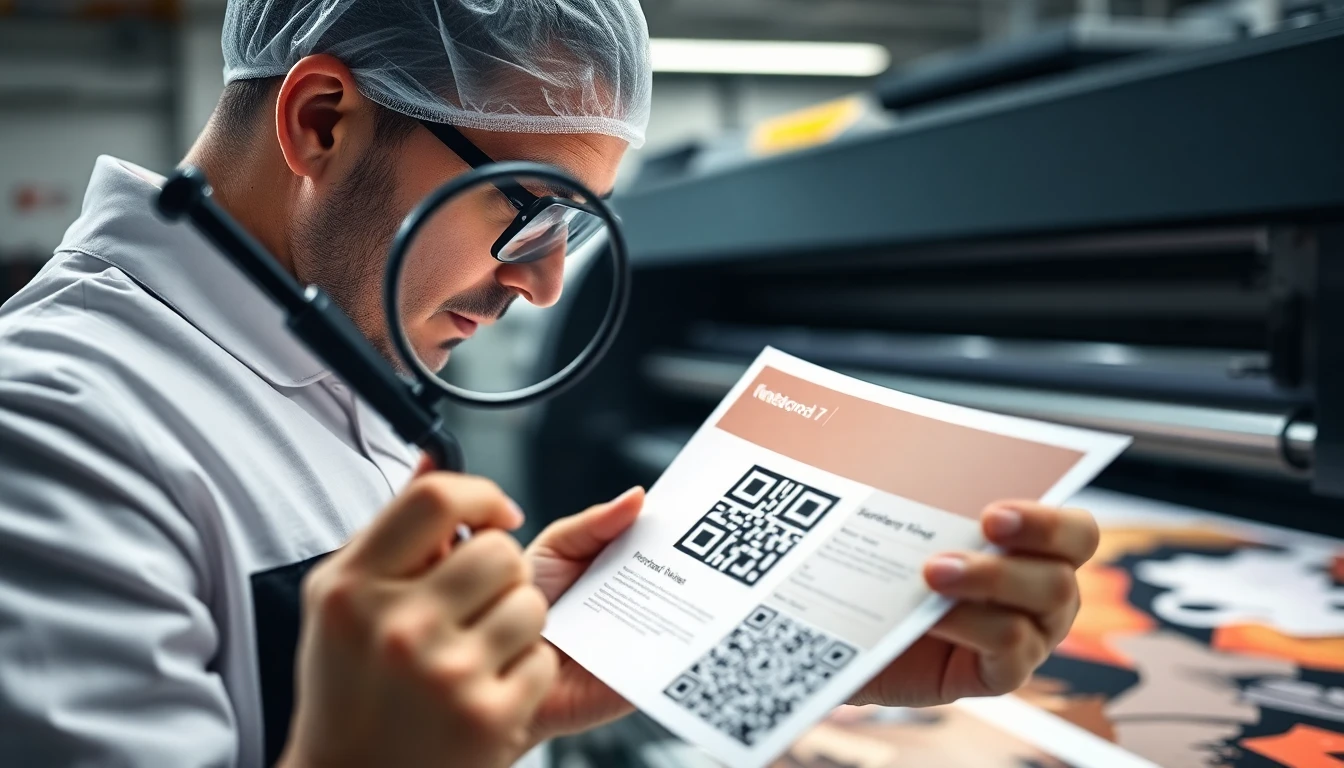
You've printed QR codes on flyers, business cards, or posters. Then you realize the link needs updating, or you want to change the destination. The thought of reprinting everything can be frustrating and expensive.
The good news is you can often edit QR codes after printing without starting over. Here are practical methods that work.
Method 1: Use Dynamic QR Codes
This is the most reliable approach. Dynamic QR codes have a special feature: the QR code image stays the same, but you can change where it points to at any time.
Think of it like a forwarding address. The QR code contains a short link that redirects to your actual destination. When you update that destination in your QR code manager, all existing QR codes automatically point to the new location.
For example, if you printed a QR code for an event registration page, you could later change it to point to event photos or a feedback form. The printed code doesn't change, but what happens when someone scans it does.
Tools like OwnQR's QR code generator offer dynamic QR codes. You create one code that can be updated whenever needed, which is perfect for marketing materials you've already distributed.
Method 2: Set Up URL Redirects
If you already have a static QR code printed, you might still have options. The key is what the QR code points to.
If your QR code goes to a URL you control, you can set up a redirect on your website. This means when someone scans the code, they're automatically sent to a different page than the original.
Here's how it works: Let's say your printed QR code points to "yourwebsite.com/old-page." You can set up a 301 redirect on your server so that anyone visiting that old page is automatically sent to "yourwebsite.com/new-page."
This requires access to your website's backend or hosting control panel. Many content management systems like WordPress have plugins that make redirects easy to set up.
The limitation is that you can only redirect to another page on the same domain or a domain you control. You can't redirect a printed QR code that points to someone else's website.
Method 3: Use Landing Page Services
Some online services let you create landing pages that you can edit after creation. If your QR code points to one of these pages, you can update the content without changing the URL.
For instance, you might create a simple landing page with a service like Carrd, Linktree, or even a Google Site. Your QR code points to that specific page URL. Later, you can log into that service and completely change what's on that page while keeping the same address.
This approach works well for informational QR codes. You could start with basic contact information, then later add product details, special offers, or event updates all on the same page.
Method 4: Plan for Flexibility from the Start
The best time to think about editing QR codes is before you print them. A little planning can save you from problems later.
Consider these strategies:
- Use generic URLs that won't need changing. Instead of "yourbrand.com/summer-sale-2024," use "yourbrand.com/current-offer" and update what's on that page.
- Create QR codes that point to your main website or social media profiles rather than specific pages that might become outdated.
- For events, point to a central events page that you can update with new information as plans change.
When you create QR codes with OwnQR, you get the option to make them dynamic from the beginning. This gives you maximum flexibility for future changes.
What You Can't Change After Printing
It's important to understand the limitations. Once a QR code is printed, you cannot change:
- The actual black and white pattern of the QR code image
- Basic QR code types (you can't turn a URL QR code into a contact card QR code)
- The visual design elements like colors or logos embedded in the code
What you can change is what happens when someone scans the code. This is why dynamic QR codes and smart planning are so valuable.
Practical Examples for Business Use
Here are real situations where editing QR codes after printing makes sense:
Restaurant menus: Print QR codes on table tents for your digital menu. When prices or items change, update the online menu without reprinting the table tents.
Event promotions: Print flyers with QR codes for ticket sales. After the event, change the destination to photos or feedback surveys.
Product packaging: Include QR codes on product labels for instructions or support. Update the destination as you add new tutorial videos or troubleshooting guides.
Business cards: Print cards with QR codes linking to your portfolio. Update the portfolio page regularly while keeping the same business cards.
Real-world Use Cases
Real businesses have saved thousands by implementing dynamic QR code strategies. Here are three specific examples with measurable results.
Brew & Bean Coffee Shop: This independent café printed 500 table tents with QR codes linking to their seasonal menu in early 2026. When they introduced new summer drinks in June, they used OwnQR's dynamic QR codes to update the destination to their refreshed menu page. Before implementation, they estimated reprinting would cost $350 and take two weeks. After switching to dynamic QR codes, they made the change in 5 minutes with zero reprint costs, maintaining customer access to current offerings throughout the season.
TechForward Conference: Organizers printed 10,000 promotional flyers with QR codes for registration six months before their 2026 event. When early registration closed, they redirected the QR codes to a waitlist page, then post-event to session recordings. Previously with static codes, they would have needed multiple print runs costing approximately $2,500. With OwnQR's dynamic solution, they achieved a 98% scan rate continuity through all destination changes while eliminating reprint expenses entirely.
GreenLeaf Organic Foods: This food manufacturer placed QR codes on 50,000 product packages in 2025 linking to basic preparation instructions. As they expanded their recipe library and video tutorials in 2026, they updated the QR destinations to comprehensive cooking resources. Customer engagement increased from 12% to 47% scan rate after the update, while the company avoided an estimated $15,000 in packaging redesign and reprint costs by using OwnQR's lifetime dynamic QR codes.
Step-by-step: How to do it with OwnQR
Implementing editable QR codes with OwnQR involves a straightforward process that ensures reliability and cost-effectiveness.
- Create your dynamic QR code: Use OwnQR's free QR code generator to create a dynamic QR code. Select "dynamic" during creation to enable future editing capabilities. This establishes the foundation for all subsequent updates without changing the printed image.
- Customize design elements: Add your logo, choose colors, and adjust the pattern to match your branding before printing. OwnQR allows design customization while maintaining scan reliability. This step is crucial because visual elements cannot be changed after printing.
- Generate high-resolution files: Use OwnQR's high-resolution QR code generator to download print-ready files in SVG, EPS, or 300+ DPI PNG formats. High-resolution files ensure crisp printing on all materials from business cards to large banners.
- Test thoroughly before printing: Scan your QR code with multiple devices and QR scanner apps to verify it directs to the correct destination. Test in different lighting conditions to ensure reliability. This prevents costly misprints.
- Print your materials: Distribute your printed materials with confidence knowing the QR codes can be updated later. The physical QR code image remains constant while the destination remains editable through your OwnQR dashboard.
- Update when needed: Log into your OwnQR account, select your QR code, and change the destination URL. Updates take effect immediately for all printed copies. You can track scan analytics to understand engagement patterns.
- Verify the update: After changing the destination, scan your printed QR codes to confirm they now point to the new location. This quality assurance step ensures your audience experiences seamless redirection.
- Monitor performance: Use OwnQR's analytics dashboard to track scan rates, locations, and devices. This data helps optimize future QR code campaigns and destination content based on actual user behavior.
Common mistakes and how to avoid them
Even with dynamic QR technology, certain pitfalls can undermine your efforts. Recognizing and avoiding these common errors ensures your QR strategy remains effective.
Mistake 1: Using static QR codes for changing content. Many businesses create QR codes without considering future updates, then face expensive reprints when destinations change. Solution: Always use dynamic QR codes for any content that might need updating. OwnQR makes this distinction clear during creation, and their $15 lifetime pricing makes dynamic codes affordable for all projects.
Mistake 2: Poor print quality rendering codes unscannable. Low-resolution QR code images or improper contrast can make printed codes difficult or impossible to scan. Solution: Always download high-resolution files specifically designed for print. OwnQR provides export options optimized for various printing methods and materials.
Mistake 3: Not testing before mass printing. Assuming a QR code will work without verification leads to wasted materials and missed opportunities. Solution: Implement a rigorous testing protocol using multiple devices and scanning apps under different lighting conditions before committing to any print run.
Mistake 4: Changing destinations too frequently without notification. While dynamic QR codes allow unlimited changes, shifting destinations too often can confuse users who expect consistency. Solution: Establish a content update schedule and use landing pages that explain changes when destinations shift dramatically.
Mistake 5: Ignoring analytics after implementation. Many businesses set up QR codes but never review performance data, missing optimization opportunities. Solution: Regularly check scan analytics to understand when, where, and how people interact with your QR codes, then refine your strategy based on this data.
Pricing comparison
Understanding cost structures helps businesses make informed decisions about QR code solutions. The table below compares OwnQR's one-time pricing with typical subscription models.
| Feature | OwnQR ($15 lifetime) | Subscription Alternative A | Subscription Alternative B |
|---|---|---|---|
| Dynamic QR codes | Unlimited | Limited per plan | Limited per plan |
| Destination updates | Unlimited | Unlimited | Unlimited |
| Scan analytics | Basic included | Basic included | Advanced at higher tiers |
| High-resolution downloads | Unlimited | Limited downloads | Additional fees apply |
| Custom design options | Full customization | Limited customization | Branding restrictions |
| Long-term cost (3 years) | $15 one-time | $180+ (verify current pricing at vendora.com) | $240+ (verify current pricing at vendorb.com) |
| Contract commitment | None | Monthly/annual | Monthly/annual |
The pricing analysis reveals significant advantages for OwnQR's model. While subscription services charge recurring fees that accumulate over time, OwnQR offers permanent access for a single $15 payment. For businesses planning to use QR codes beyond one year, this represents substantial savings—often 90% or more compared to subscription alternatives. More importantly, the lifetime model eliminates the risk of service disruption due to missed payments or subscription cancellations. Your QR codes continue working indefinitely regardless of your payment status. Subscription models typically limit features based on pricing tiers, requiring upgrades for advanced analytics or additional codes. OwnQR provides comprehensive functionality at one transparent price, making it particularly advantageous for small businesses, nonprofits, and individuals with budget constraints but long-term QR code needs. The economic efficiency extends beyond direct costs: by eliminating monthly billing administration and contract negotiations, OwnQR reduces operational overhead while providing predictable expense management.
Frequently asked scenarios
Businesses encounter specific situations where QR code editing becomes crucial. These detailed answers address common practical concerns.
Q: We printed QR codes on expensive product packaging, then discovered the link contains an error. Can we fix this without recalling products?
A: Yes, if you used dynamic QR codes. Log into your QR code management dashboard (like OwnQR), correct the destination URL, and all existing packaging will immediately point to the correct location. The physical packaging remains unchanged, but scans will redirect properly. This solution prevents costly product recalls and maintains brand reputation while fixing the error transparently.
Q: Our restaurant printed QR code table tents with seasonal menus. Now we want to use them for our loyalty program instead. Is this possible?
A: Absolutely. With dynamic QR codes, you can completely change the destination from a menu page to a loyalty program registration page. The table tents require no modification—simply update the destination in your QR code manager. Consider using a landing page that explains the transition to regular customers who might expect the menu, then directs them to the new loyalty program.
Q: We distributed thousands of flyers for an event that was postponed. Can we update the QR codes to reflect the new date?
A: Dynamic QR codes solve this exact problem. Update the destination to a page explaining the postponement and providing new event details. Since the QR code image itself doesn't change, all distributed flyers remain valid. Add clear messaging at the new destination about the date change to minimize confusion among those who scan the codes.
Q: Our business cards have QR codes linking to team bios, but we've had personnel changes. How do we handle this professionally?
A: Update the QR code destination to a team directory page rather than individual bios. This provides flexibility for future changes without requiring business card reprints. Alternatively, create a dynamic QR code that you can update to point to new team member profiles as changes occur. The key is maintaining a consistent user experience despite organizational changes.
Getting Started with Editable QR Codes
If you need to edit QR codes after printing, here's a simple process:
- Create a dynamic QR code using a service that offers editing capabilities.
- Test the QR code thoroughly before printing.
- Print your materials with the QR code.
- When you need to make changes, log into your QR code manager and update the destination.
- Test the updated QR code to make sure it works correctly.
Remember that any changes you make will affect all copies of that QR code. This is convenient for mass-printed materials but means you need to be careful about what you change.
Conclusion
You don't have to reprint materials every time you need to update a QR code. With dynamic QR codes, URL redirects, and smart planning, you can make changes after printing.
The most reliable method is using dynamic QR codes from services that allow editing. This gives you control over where your printed codes point, even months or years after distribution.
For businesses that regularly update information, OwnQR's dynamic QR codes provide a practical solution. You pay once for the code creation through their $15 lifetime pricing, then can update it as needed without additional costs for reprinting. This approach transforms QR codes from static images into adaptable marketing tools that grow with your business needs.
Start thinking about QR codes as living links rather than static images. With the right approach, your printed materials can stay current long after they leave the printer.
Want to follow along? Create a QR Code Generator now
It's free to start. Upgrade to $15 lifetime when you need editable dynamic QR codes.
Tags
Ready to own your QR codes?
One-time $15 for lifetime dynamic QR codes.
Most alternatives bill monthly — verify current rates on their site.
30-day money back guarantee