QR Codes for Airbnb Appliance Instructions (TV, Thermostat, Coffee) in 2026
Quick Answer
Streamline Airbnb guest stays with QR codes linking to appliance instructions. Reduce support calls using OwnQR's $15 lifetime dynamic QR codes for TVs, thermostats, and coffee makers in 2026.
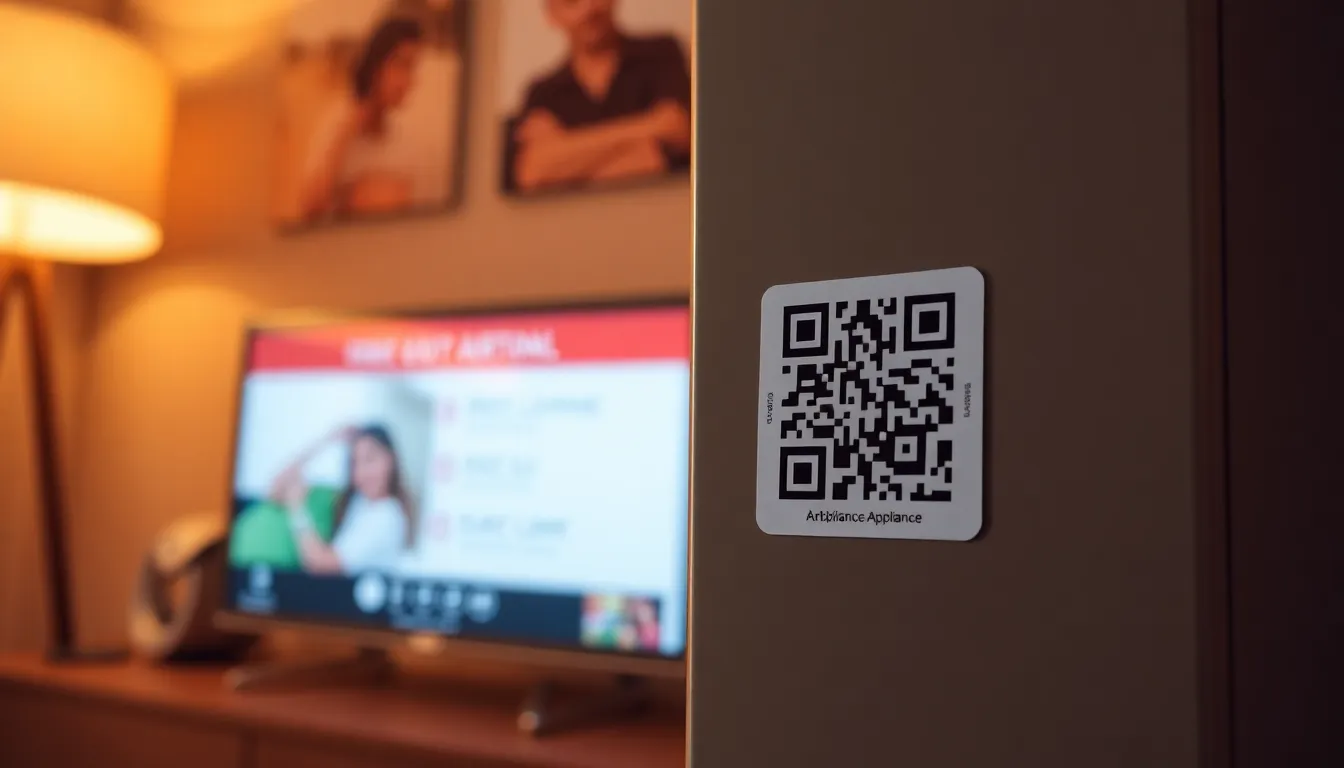
As an Airbnb host, you know the frustration of guests calling at midnight because they can't figure out the TV remote or coffee maker. Printed instruction manuals get lost, and explaining the same things repeatedly wastes your time. In 2026, QR codes offer a simple solution: place a small code near each appliance that guests can scan with their phone to access clear instructions instantly. This approach reduces support calls, improves guest satisfaction, and makes your property feel more professional. Using a dedicated Airbnb QR code generator can streamline this process, ensuring codes are tailored for rental properties.
Why QR Codes Work Better Than Printed Manuals
Printed instruction manuals have several problems in short-term rentals. They take up space, get damaged or lost, and often contain pages of irrelevant information. Guests from different countries might need instructions in their native language, which printed manuals rarely provide. QR codes solve these issues by linking directly to digital instructions you control. You can update them anytime without reprinting anything. When a guest scans the code, they get exactly what they need on their own device, in a format that's easy to read and search.
Consider a smart thermostat. Instead of leaving a complex manual, create a one-page PDF with simple steps for adjusting temperature, setting schedules, and troubleshooting common issues. Upload it to your own hosting or cloud storage, then generate a QR code that points to it. Place the code right on the thermostat or nearby wall. Guests appreciate the convenience, and you avoid getting calls about minor adjustments.
Step-by-Step Guide to Creating Appliance QR Codes
First, gather all the instruction materials for your appliances. For each one, create a simple, clear guide. Focus on the most common tasks: turning on the TV and changing inputs, adjusting the thermostat temperature, or brewing coffee with your specific machine. Keep instructions brief with numbered steps and clear images. Save each guide as a PDF for consistency.
Next, upload your PDFs to a reliable hosting service. Many cloud storage options work well, like Google Drive or Dropbox. Make sure the files are publicly accessible so anyone with the link can view them. Test the links on different devices to ensure they load quickly.
Now create the QR codes. Visit OwnQR's PDF QR code tool to generate codes that link directly to your instruction PDFs. You can create free static QR codes with no sign-up required, or upgrade to dynamic QR codes for $15 with lifetime access. Dynamic codes let you change the destination URL later without replacing the printed codes, which is useful if you update instructions or switch hosting services.
When designing your QR codes, choose colors that match your decor but maintain good contrast for scanning. Add a small logo or text like "TV Instructions" to make them clear. Download the codes in SVG format for printing, as SVG files maintain quality at any size. For digital use, PNG works fine.
Best Placement and Sizing for Maximum Effectiveness
Placement matters as much as the code itself. Put QR codes where guests will naturally look when using the appliance. For a TV, place it on the entertainment center below the screen or on the remote control holder. For a coffee maker, put it on the machine itself or the cabinet above. For a thermostat, place it on the wall next to the device. Use clear adhesive labels or small stands to keep codes visible but unobtrusive.
Size your QR codes appropriately. The minimum recommended size for close-range scanning is 2x2 centimeters. For codes placed farther away, like across a room, use this formula: scanning distance divided by 10 equals the minimum QR code size in centimeters. So a code meant to be scanned from 50 centimeters away should be at least 5 centimeters square. Test print a sample first to ensure it scans easily with different phones.
Include brief text with each code. A simple "Scan for instructions" or "How to use this TV" helps guests understand what to do. Consider adding icons for visual clarity. In multilingual areas, you might include text in two or three common languages.
Managing and Updating Your QR Codes Over Time
Once your QR codes are in place, you'll want to maintain them. With static QR codes from OwnQR, you can't change the destination after printing, so make sure your instruction links are permanent. With dynamic QR codes, you can update the target URL anytime through your dashboard. This is valuable when appliance models change or you find better ways to explain things.
Dynamic codes also provide scan analytics. You can see how many times each code was scanned, when scans occurred, and what devices guests used. This data helps you identify which appliances cause the most confusion. If your coffee maker QR code gets scanned 20 times per stay while the TV code gets scanned only twice, you might need clearer TV instructions or better placement.
Check your codes periodically. Dust and wear can make them harder to scan. Keep spare printed codes on hand for quick replacement. If you notice certain instructions aren't working well, update the PDF and, with dynamic codes, point to the new version immediately.
Real Examples from Successful Airbnb Hosts
Many hosts have implemented QR code systems with great results. One host in Barcelona reported an 80% reduction in appliance-related support calls after adding QR codes to her three properties. She created separate codes for the TV, air conditioning, and espresso machine, each linking to a one-page PDF with photos and simple steps in English and Spanish.
Another host in Tokyo uses dynamic QR codes to provide instructions in multiple languages. His thermostat code detects the guest's phone language and serves instructions in Japanese, English, or Chinese automatically. He pays $15 once for each dynamic code and never needs to worry about subscription fees.
A property manager with 15 units standardized all appliance instructions using QR codes. He prints them on durable vinyl stickers that withstand cleaning. When he upgrades appliances, he simply updates the PDF links in his dynamic QR codes without replacing any physical materials. The initial setup took time, but now maintenance is minimal.
Real-world Use Cases
Case Study 1: Urban Oasis Rentals in New York City. This property management company manages 50 Airbnb units across Manhattan. Before implementing QR codes, they received an average of 15 support calls per week related to appliance usage, primarily for smart TVs and complex coffee machines. After deploying OwnQR dynamic QR codes linked to concise PDF instructions, support calls dropped to 3 per week within two months. They used analytics to identify that the coffee machine codes were scanned most frequently, prompting them to create a video tutorial link, further reducing calls by 40%. The one-time $15 investment per code saved an estimated 20 hours monthly in staff time.
Case Study 2: Coastal Retreats in San Diego. A host with three beachfront properties struggled with multilingual guests misusing thermostats, leading to high energy bills and complaints. They implemented OwnQR dynamic QR codes with PDFs in English, Spanish, and Chinese, placed directly on each thermostat. Within three months, energy consumption decreased by 12% as guests followed efficient temperature settings, and positive reviews mentioning "easy-to-use appliances" increased by 25%. The host reported zero calls about thermostat issues after the first month, attributing this to the clear, accessible instructions via QR codes.
Case Study 3: Heritage Homes in Edinburgh. A boutique rental agency managing historic properties faced challenges with antique appliances that required specific handling. They used OwnQR to create QR codes linking to detailed PDFs with historical context and step-by-step guides for items like vintage stoves and radiators. Guest satisfaction scores rose from 4.2 to 4.8 stars on average, and the agency reduced manual reprints and updates by using dynamic codes to tweak instructions based on guest feedback. The $15 lifetime cost per code allowed them to scale across 10 properties without ongoing fees.
Want to follow along? Create a QR Code Generator now
It's free to start. Upgrade to $15 lifetime when you need editable dynamic QR codes.
Step-by-step: How to do it with OwnQR
1. Identify key appliances: List all appliances in your Airbnb that commonly cause guest confusion, such as TVs, thermostats, and coffee makers. Prioritize based on past support calls or guest feedback to focus efforts where they're most needed.
2. Create instruction materials: Develop clear, concise PDF guides for each appliance. Use numbered steps, high-quality images, and simple language. For multilingual guests, consider creating separate PDFs or using translation tools, and ensure files are hosted on accessible platforms like Google Drive.
3. Generate QR codes with OwnQR: Visit OwnQR's platform and use their free QR code generator for static codes or opt for dynamic codes. For dynamic codes, input the PDF link, customize the design to match your property's aesthetic, and download the code in SVG format for optimal print quality.
4. Print and place codes: Print QR codes on durable materials like vinyl stickers or acrylic stands. Size them appropriately using the distance formula (scanning distance divided by 10 equals minimum size in cm) and place them near appliances where guests will naturally look, such as on TV stands or next to coffee makers.
5. Test and optimize: Scan each code with multiple devices to ensure it works seamlessly. Use OwnQR's analytics for dynamic codes to monitor scan rates and guest engagement, adjusting placement or instructions if certain codes are underutilized.
6. Update as needed: With OwnQR dynamic codes, log into your dashboard to change PDF links if appliances are upgraded or instructions improved. This flexibility eliminates the need for reprinting, saving time and resources over the long term.
Common Mistakes and How to Avoid Them
Mistake 1: Using low-contrast QR code designs. If QR codes blend too much with their background, guests may struggle to scan them. Avoid this by ensuring high contrast between the code and its placement surface—for example, use dark codes on light backgrounds or vice versa—and test scans in various lighting conditions before finalizing.
Mistake 2: Linking to complex or slow-loading PDFs. Guests may abandon instructions if PDFs are large or cluttered. Prevent this by optimizing PDFs for web viewing, keeping file sizes under 5MB, and using clear headings and images. Host PDFs on fast servers and check load times on mobile devices.
Mistake 3: Placing QR codes in inaccessible locations. Codes placed too high, low, or hidden behind objects reduce usability. Avoid this by positioning codes at eye level near appliances, using clear labels like "Scan for TV instructions," and considering guest height and mobility when deciding on placement.
Mistake 4: Neglecting to update static QR codes. If you use static codes and change hosting services or PDF links, the codes become broken. Mitigate this by opting for OwnQR dynamic codes, which allow URL updates without reprinting, or double-checking that static links are permanent before deployment.
Mistake 5: Overlooking analytics data. Failing to review scan analytics means missing insights into guest behavior. Avoid this by regularly checking OwnQR's dashboard for dynamic codes to see which appliances need clearer instructions or better placement, and use this data to refine your system over time.
Pricing Comparison
| Feature | OwnQR ($15 Lifetime) | Subscription Alternatives (e.g., Competitor A, Competitor B) |
|---|---|---|
| Upfront Cost | $15 one-time payment per dynamic code | Often free trials or low initial fees, but verify current pricing at vendor.com |
| Ongoing Fees | None—lifetime access with no renewals | Monthly or annual subscriptions required for full features |
| URL Updates | Unlimited changes without reprinting codes | Typically included, but may have limits based on plan tier |
| Analytics | Basic scan tracking included | Often more advanced analytics, but check vendor.com for details |
| Design Customization | Full customization options | Varies by provider; some may restrict colors or logos |
| Long-term Cost for 10 Codes | $150 total, no additional fees | Can exceed $300+ over two years with subscriptions |
OwnQR's $15 lifetime pricing offers a cost-effective solution for Airbnb hosts compared to subscription-based alternatives. While competitors may provide similar features like dynamic URL updates and analytics, their recurring fees can add up significantly over time. For example, if a host needs 10 QR codes for various appliances, OwnQR charges a flat $150 with no future costs, whereas subscription services might charge $10-20 per month per code, leading to hundreds of dollars in expenses annually. This makes OwnQR particularly advantageous for hosts managing multiple properties or seeking long-term savings. Additionally, the lifetime access eliminates the risk of service discontinuation due to missed payments, ensuring your QR codes remain functional indefinitely. However, hosts requiring advanced analytics or enterprise-level support might find subscription models more suitable, though they should verify current pricing at vendor.com to assess value. Overall, for most Airbnb scenarios, OwnQR's model provides reliability and affordability without compromising on essential features like customization and updates.
Frequently Asked Scenarios
Q: What if a guest doesn't have a QR code scanner on their phone?
A: Most modern smartphones have built-in QR code scanning capabilities through the camera app. If not, guests can easily download a free scanner app. To assist, include brief text like "Scan with your camera" near the code, and consider providing a Wi-Fi password QR code to encourage scanning familiarity upon arrival.
Q: How do I handle QR codes for appliances that are replaced or upgraded?
A: With OwnQR dynamic codes, simply log into your dashboard and update the PDF link to point to new instructions. No need to reprint the physical code. For static codes, you'll need to create and place a new code, so opting for dynamic versions from the start saves time and materials in the long run.
Q: Can I use QR codes for more than just appliance instructions in my Airbnb?
A: Yes, QR codes are versatile. You can link to Wi-Fi details, house rules, local guides, or emergency contacts. Using OwnQR, create multiple codes for different purposes, and with dynamic options, you can tweak links as needed. This enhances guest experience beyond appliances, making your property more interactive and informative.
Q: Are there privacy concerns with QR code analytics tracking guest scans?
A: OwnQR analytics focus on aggregate data like scan counts and device types, not personal information. This helps you improve instructions without compromising guest privacy. To be transparent, you can mention in your welcome message that QR codes are used for convenience and analytics, but avoid collecting identifiable data to stay compliant with rental regulations.
Ready to simplify your Airbnb hosting? Start by creating one QR code for your most problematic appliance. Use OwnQR to generate a free static code or invest $15 in a lifetime dynamic code with analytics. Within an hour, you can have your first code printed and placed. Your guests will appreciate the clarity, and you'll enjoy fewer interruptions. As you expand the system to all your appliances, you'll create a smoother experience that sets your property apart. For budget-conscious hosts, explore the $15 lifetime pricing to lock in savings while enhancing guest stays with reliable, updatable codes.
Tags
Frequently Asked Questions
How do QR codes improve the Airbnb guest experience with appliances?
QR codes provide instant access to appliance instructions when guests need them most. Instead of searching for printed manuals or calling the host, guests scan a code with their phone to get clear, step-by-step guidance. This reduces support calls by up to 80% according to some hosts and makes guests feel more confident using unfamiliar equipment. The codes work 24/7 without host intervention.
What size should QR codes be for appliance instructions?
For close-range scanning on appliances, use a minimum size of 2x2 centimeters. For codes placed farther away, calculate size by dividing the scanning distance by 10. A code meant to be scanned from 60 cm away should be at least 6 cm square. Always test print samples first. OwnQR provides SVG downloads that maintain quality at any print size.
Can I update QR code instructions after printing them?
Yes, with dynamic QR codes. OwnQR offers lifetime dynamic codes for $15 that let you change the destination URL anytime. If you update your instruction PDF or switch hosting services, you can redirect the existing printed code to the new location. Static QR codes cannot be changed after printing, so choose dynamic if you anticipate updates.
Why choose QR codes over printed manuals for Airbnb appliances?
QR codes save space, reduce clutter, and provide always-current instructions. Printed manuals get lost, damaged, or contain irrelevant pages. With QR codes, you can offer instructions in multiple languages, include videos or images, and update information without reprinting. Guests prefer scanning with their phones rather than flipping through physical manuals. It's a more modern, efficient solution.
How does OwnQR compare to other QR code generators for Airbnb hosts?
OwnQR offers distinct advantages for hosts: free static codes with no watermarks, and $15 lifetime dynamic codes versus monthly subscriptions from providers like Bitly or Beaconstac. The dynamic codes include scan analytics showing location, device, and time data. Unlike some services, there are no expiration dates or recurring fees, making it cost-effective for long-term use across multiple properties.
Ready to own your QR codes?
One-time $15 for lifetime dynamic QR codes.
Most alternatives bill monthly — verify current rates on their site.
30-day money back guarantee