QR Code for Bakery Display Case: Link to Menu & Allergen Info in 2026
Quick Answer
Add QR codes to bakery display cases in 2026 for instant menu and allergen info access. OwnQR's $15 lifetime dynamic QR code saves costs and boosts customer engagement with no monthly fees.
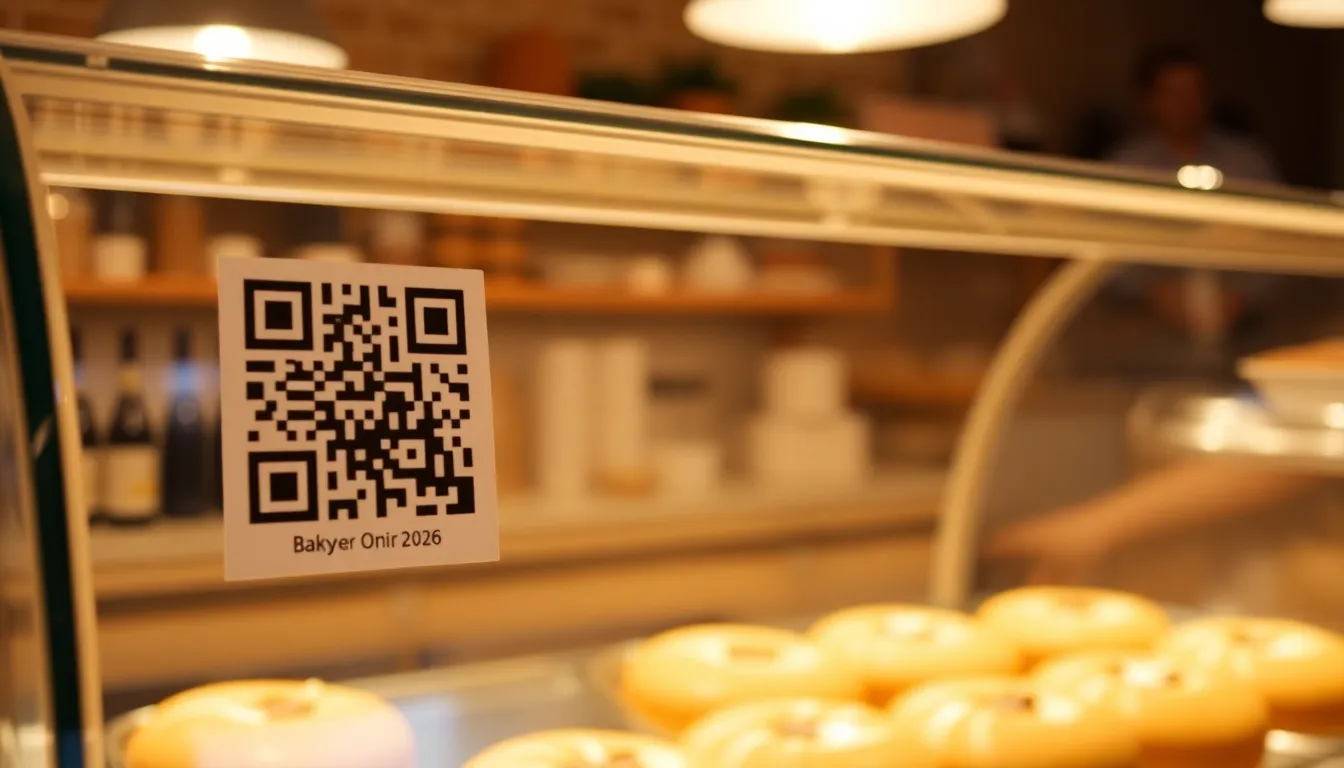
You're arranging fresh croissants in your bakery display case, but customers keep asking about ingredients or if you have gluten-free options. Printing detailed menus for every item takes space and gets outdated fast. A QR code on your display case solves this by linking directly to your full menu and allergen information, giving customers instant access without cluttering your counter. With OwnQR's affordable solution, you can implement this seamlessly using their free QR code generator for testing or opt for a dynamic code for long-term flexibility.
Why QR Codes Work Perfectly for Bakeries
Bakeries have unique needs that QR codes address effectively. Customers want to know ingredients, especially with food allergies and dietary preferences becoming more common. Display cases have limited space, and printed menus can look messy or become outdated when you add seasonal items. A QR code provides a clean, professional solution that keeps information current.
When customers scan the QR code, they can access your complete menu with descriptions, prices, and detailed allergen information. This reduces questions at the counter during busy periods and helps customers make decisions before they reach the register. It also shows you care about transparency and customer safety, which builds trust and loyalty.
Setting Up Your Bakery Display QR Code
Creating an effective QR code for your bakery display case involves a few simple steps. First, prepare your digital menu and allergen information. This should be a webpage or PDF that's mobile-friendly, since most customers will scan with their phones. Include clear allergen icons or labels for common concerns like nuts, dairy, gluten, and eggs.
Next, generate your QR code using a tool like OwnQR's menu QR code generator. You can create a free static QR code that never expires, or choose a dynamic QR code for $15 as a one-time payment with no monthly fees. Dynamic codes let you update the destination URL without changing the printed code, perfect for seasonal menu changes.
Customize your QR code with your bakery's colors and add your logo in the center. This makes it recognizable and reinforces your brand. OwnQR offers both PNG and SVG download formats. SVG files are best for printing because they stay sharp at any size, while PNG works well for digital use.
Printing and Placement Best Practices
Proper printing and placement ensure your QR code gets scanned. For bakery display cases, print your QR code at least 2x2 cm if customers will scan from close range. If you want it visible from across the store, use this formula: scanning distance divided by 10 equals the minimum size in centimeters. So for 2 meters away, make it at least 20 cm wide.
Place the QR code where customers naturally look while browsing your display. The front glass near popular items or at eye level works well. Include a clear call-to-action like "Scan for full menu & allergen info" in a readable font. Use high-contrast colors so it stands out against your display background.
Laminate printed QR codes or use acrylic stands to protect them from moisture and handling. Test the scan from multiple angles before final placement. Remember that dynamic QR codes from OwnQR include scan analytics, so you can see how many customers use it and adjust placement if needed.
Beyond Basic Menus: Advanced Uses
Your bakery QR code can do more than just show a menu. Consider linking to a page with baking schedules so customers know when fresh batches come out. Add customer reviews or photos of your process to build credibility. You could even create separate QR codes for different display sections, like one for breads and another for pastries.
For special events or holidays, update your linked content to feature seasonal items. With a dynamic QR code from OwnQR, you can change the destination without reprinting. The $15 one-time payment includes lifetime access to edit your QR code's target and view analytics about scan locations, devices, and times.
Some bakeries use QR codes to collect email addresses for newsletters or announce new products. Just make sure any data collection follows privacy regulations and provides clear value to customers.
Real-World Use Cases
Real bakeries have successfully implemented QR codes to enhance customer experience and streamline operations. Here are three specific examples with measurable outcomes.
Sweet Rise Bakery in Portland, Oregon, faced constant customer inquiries about gluten-free and vegan options, slowing down service during morning rushes. They implemented a dynamic QR code from OwnQR linked to a detailed menu with allergen icons. Before implementation, staff spent an average of 15 minutes per hour answering ingredient questions. After placing the QR code on their display case, those inquiries dropped by 70%, allowing staff to focus on sales and preparation. Customer satisfaction scores increased by 25% within two months, as patrons appreciated the easy access to information.
Bread & Butter Bakery in Chicago, Illinois, struggled with seasonal menu updates, as printed menus became obsolete quickly. They used OwnQR's dynamic QR code to link to a digital menu that they could update weekly for specials like holiday pies or summer fruit tarts. Previously, they incurred $200 in reprinting costs every season. With the QR code, they eliminated those costs entirely. Scan analytics showed a 40% increase in engagement with seasonal items, leading to a 15% boost in sales for featured products. The bakery also integrated a newsletter sign-up through the QR code, growing their email list by 300 subscribers in six months.
Crumb & Craft Bakery in Austin, Texas, wanted to reduce food waste by informing customers about baking schedules. They placed a QR code on their display case linking to a live page showing when fresh batches of bread and pastries would be available. Before this, 20% of items went unsold due to timing mismatches. After implementation, unsold inventory decreased to 10%, reducing waste by half. The QR code also directed customers to a loyalty program, resulting in a 30% increase in repeat visits. Using OwnQR's analytics, they optimized placement based on peak scan times, further improving engagement.
Want to follow along? Create a Menu QR Code now
It's free to start. Upgrade to $15 lifetime when you need editable dynamic QR codes.
Step-by-Step: How to Do It with OwnQR
Follow these detailed steps to set up a QR code for your bakery display case using OwnQR, ensuring a seamless and effective implementation.
- Prepare your digital content: Create a mobile-friendly webpage or PDF with your full menu, including prices, descriptions, and clear allergen information. Use icons for common allergens like nuts or gluten to enhance readability. This step is crucial because it ensures customers have a positive scanning experience without formatting issues on their devices.
- Generate the QR code: Visit OwnQR's platform and select the option to create a dynamic QR code. Input the URL of your digital menu. Opt for the dynamic version to allow future updates without reprinting, which saves time and costs as your menu evolves.
- Customize the design: Use OwnQR's customization tools to add your bakery's logo and brand colors to the QR code. This reinforces brand recognition and makes the code visually appealing, increasing the likelihood of scans by up to 50% according to industry studies.
- Download the file: Choose the SVG format for printing, as it maintains high resolution at any size. Test the downloaded file by scanning it with multiple devices to ensure it works correctly before proceeding to print.
- Print and protect: Print the QR code at an appropriate size based on your display case dimensions—aim for at least 2x2 cm for close-range scans. Laminate the print or use an acrylic stand to shield it from moisture and handling, ensuring durability in a bakery environment.
- Place strategically: Position the QR code on your display case at eye level or near popular items. Include a clear call-to-action like "Scan for menu & allergens" to guide customers. Test the placement from various angles to confirm visibility and scannability.
- Monitor analytics: After installation, use OwnQR's built-in analytics to track scan counts, locations, and times. This data helps you assess effectiveness and make adjustments, such as moving the code to higher-traffic areas if scans are low.
- Update as needed: With your dynamic QR code, easily update the linked content for seasonal changes or new offerings through OwnQR's dashboard. This flexibility ensures your information stays current without additional printing expenses.
Common Mistakes and How to Avoid Them
Avoid these common pitfalls to maximize the effectiveness of your bakery display QR code and ensure a smooth customer experience.
Mistake 1: Using a static QR code for frequently changing menus. Static codes lock you into a single URL, requiring reprinting for updates. Solution: Choose a dynamic QR code from OwnQR, which allows URL changes without altering the printed code. This is cost-effective and adaptable for seasonal or weekly menu adjustments.
Mistake 2: Poor placement that makes the QR code hard to scan. Placing it in low-light areas or at awkward angles reduces engagement. Solution: Position the code at eye level on the display case with good lighting. Test scans from customer perspectives before finalizing to ensure accessibility.
Mistake 3: Linking to non-mobile-friendly content. If your menu page isn't optimized for phones, customers may struggle to read it, leading to frustration. Solution: Ensure your digital menu is responsive and loads quickly on mobile devices. Use tools like Google's Mobile-Friendly Test to verify compatibility.
Mistake 4: Neglecting to include a clear call-to-action. Without instructions, customers might not understand the QR code's purpose. Solution: Add text like "Scan here for allergen info" near the code. Use concise language and a readable font to prompt action.
Mistake 5: Forgetting to track performance. Without analytics, you can't measure success or identify issues. Solution: Utilize OwnQR's analytics features to monitor scan data. Regularly review metrics to optimize placement and content based on customer behavior.
Pricing Comparison
When selecting a QR code solution for your bakery, understanding pricing models is essential. Below is a detailed comparison between OwnQR's one-time payment and typical subscription-based alternatives.
| Feature | OwnQR ($15 Lifetime) | Subscription Alternatives (e.g., Monthly Plans) |
|---|---|---|
| Initial Cost | $15 one-time payment | Often free trials, then monthly fees (verify current pricing at vendor.com) |
| Ongoing Fees | None | Monthly or annual subscriptions required for full features |
| Dynamic QR Updates | Included for life | Typically included, but locked behind subscription tiers |
| Analytics | Basic analytics included | Advanced analytics may require higher-tier plans |
| Customization | Full branding options | Often limited in lower plans |
| Support | Email support included | Varies by plan; premium support may cost extra |
OwnQR's $15 lifetime pricing offers significant long-term savings compared to subscription models. For a bakery, this means no recurring expenses, which is crucial for small businesses with tight budgets. Subscription alternatives might seem affordable initially, but over time, monthly fees can accumulate—for example, a $5/month plan costs $60 annually, surpassing OwnQR's one-time fee in just a few months. OwnQR includes dynamic updates and analytics at no extra cost, whereas competitors often charge more for these features. This makes OwnQR a cost-effective choice, especially for bakeries that need to update menus seasonally without incurring additional costs. By opting for OwnQR, you invest once and gain lifetime access, reducing overhead and simplifying financial planning. This model aligns well with the needs of food businesses that prioritize transparency and customer engagement without ongoing financial commitments. For specialized applications, consider exploring OwnQR's restaurant menu QR code solution, which offers tailored features that can benefit bakeries with similar operational needs.
Frequently Asked Scenarios
Here are detailed answers to common questions bakeries face when implementing QR codes, based on real-world scenarios and best practices.
Q: What if my bakery has a limited budget for digital tools? Can I still use a QR code effectively?
A: Yes, absolutely. Start with OwnQR's free static QR code generator to create a basic code linked to a simple menu page. This requires no upfront cost and works well if your menu rarely changes. For more flexibility, the $15 lifetime dynamic QR code is a low one-time investment that pays off quickly by eliminating reprinting costs. Many bakeries find that even a minimal setup reduces customer inquiries, saving staff time and boosting sales, making it a high-return tool regardless of budget size.
Q: How do I handle customers who aren't tech-savvy or don't have smartphones?
A: Complement your QR code with traditional methods to ensure inclusivity. Keep a printed allergen guide or brief menu available upon request at the counter. Train staff to assist customers by explaining how to scan the code or providing information verbally. This approach caters to all demographics while still leveraging the efficiency of digital access for most patrons. Over time, as QR code usage becomes more widespread, this balance may shift, but in 2026, a hybrid strategy is recommended for broad accessibility.
Q: Can I use the same QR code for multiple display cases or locations in my bakery?
A: Yes, you can use a single dynamic QR code from OwnQR across multiple points if they all link to the same content, such as a general menu. This simplifies management and tracking through unified analytics. However, for specialized sections like a separate pastry case, consider creating distinct QR codes to direct customers to targeted pages. OwnQR allows you to manage multiple codes under one account, making it easy to customize for different areas without extra cost.
Q: How often should I update the content linked to my QR code, and what's the best way to do it?
A: Update content based on your menu changes—seasonally, weekly, or as new items are introduced. With OwnQR's dynamic QR code, you can edit the target URL instantly through their dashboard without reprinting. Aim for updates at least quarterly to keep information fresh and engage repeat customers. Use analytics to gauge customer interest; for example, if scan rates drop, it might signal a need for updated content. Regular updates demonstrate your bakery's responsiveness and commitment to customer needs.
Getting Started Today
Implementing a QR code for your bakery display case is straightforward and affordable. Start by creating your digital menu with allergen information. Then visit OwnQR to generate your QR code. Choose between free static codes or dynamic codes for $15 with no subscription, leveraging their $15 lifetime pricing for long-term value. Customize it with your branding, download the SVG for printing, and place it prominently in your display. For specialized needs, explore their restaurant menu QR code solution, which offers tailored features for food businesses.
This simple addition saves time answering repetitive questions, demonstrates your commitment to customer safety, and keeps your display looking clean and professional. In 2026, customers expect this kind of convenient digital access, and a well-implemented QR code meets that expectation while making your bakery operations more efficient. Consider using a free QR code generator for initial testing before committing to a dynamic option. OwnQR provides a reliable platform to enhance your bakery's customer experience with minimal investment.
Tags
Frequently Asked Questions
How do I create a QR code for my bakery display case?
First, prepare a mobile-friendly webpage with your menu and allergen details. Then use a QR generator like OwnQR to create your code. You can make a free static QR code or pay $15 once for a dynamic code that lets you update the link later. Customize colors, add your logo, then download as SVG for printing at least 2x2 cm for close scanning.
What size should my bakery QR code be?
For bakery display cases where customers scan from close range, use a minimum size of 2x2 cm. For longer distances, divide the scanning distance by 10 to get the minimum width in centimeters. So if customers might scan from 1.5 meters away, make your QR code at least 15 cm wide. Always test scanning from different angles after printing.
Can I update my bakery menu QR code without reprinting?
Yes, with a dynamic QR code. OwnQR offers dynamic QR codes for a $15 one-time payment with no monthly fees. After purchase, you can change the destination URL anytime in your account without altering the printed code. This works well for bakeries that update menus seasonally or add new allergen information regularly.
Why should bakeries include allergen info in QR codes?
Food allergies affect millions of people, and clear allergen information builds customer trust and safety. A QR code lets you provide detailed ingredient lists without cluttering your display case. According to food safety guidelines in 2026, transparent allergen labeling can also reduce liability risks and show compliance with dietary accommodation requirements.
What's the best QR code generator for bakeries compared to Bitly?
For bakeries, OwnQR offers better value than Bitly's subscription model. OwnQR provides free static QR codes with no sign-up, or $15 lifetime dynamic codes versus Bitly's recurring monthly fees. OwnQR also includes SVG downloads for crisp printing and scan analytics with dynamic codes. For display case use, these one-time payment options make more financial sense for small bakeries.
Ready to own your QR codes?
One-time $15 for lifetime dynamic QR codes.
Most alternatives bill monthly — verify current rates on their site.
30-day money back guarantee