QR Code for Charity Fundraiser Donation Page in 2026
Quick Answer
Create a QR code for charity donations in 2026 with OwnQR's $15 lifetime dynamic QR codes. Track donations, update links, and optimize fundraising without monthly fees.
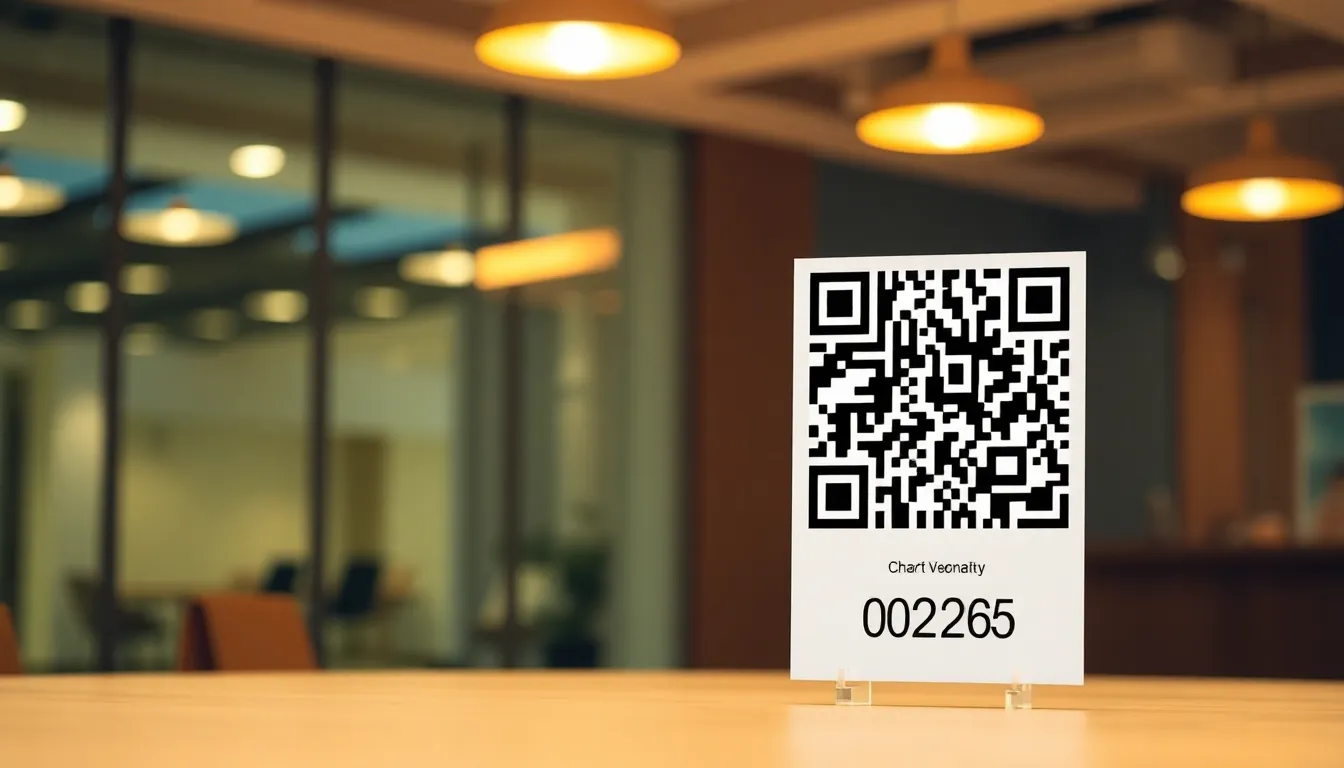
You're organizing a charity fundraiser and want to make donating as easy as possible. People have their phones ready, but typing long URLs or searching for your donation page creates friction. A QR code solves this instantly. With a simple scan, supporters can access your donation page directly from their phone camera. This guide shows you exactly how to set up an effective QR code for your charity fundraiser in 2026, with practical tips on sizing, placement, and tracking. Using a dedicated donation QR code generator like OwnQR streamlines this process, ensuring your campaign leverages modern technology efficiently.
Why QR Codes Transform Charity Fundraising
QR codes remove barriers to giving. At an event, on printed materials, or in social media posts, a QR code provides immediate access to your donation page. Supporters don't need to remember URLs or navigate through websites. Studies show donation conversion rates increase when the process takes fewer steps. A QR code reduces the donation process to two actions: scan and give. This is especially valuable during time-sensitive campaigns or live events where momentum matters.
Modern QR codes also offer tracking capabilities. With dynamic QR codes, you can see how many people scan, when they scan, and what devices they use. This data helps you understand donor behavior and optimize your fundraising strategy. For example, if most scans happen in the evening, you might schedule social media posts accordingly.
Creating Your Donation QR Code: Step by Step
Follow these steps to create a QR code for your charity donation page.
First, prepare your donation page URL. Make sure it's mobile-friendly and loads quickly. Test it on different devices. The page should have clear donation options and secure payment processing.
Next, generate your QR code. Visit OwnQR's donation QR code tool. Paste your donation page URL into the generator. You'll see a preview of your QR code immediately.
Choose between static and dynamic QR codes. Static QR codes are free forever with no sign-up required. They work perfectly for one-time events or printed materials that won't need updating. Dynamic QR codes cost $15 as a one-time payment with no subscription. They allow you to change the destination URL later and provide scan analytics.
Customize your QR code's appearance. Add your charity's logo to build trust. Use your brand colors to make it recognizable. OwnQR offers various frame designs that can include text like "Scan to Donate" to guide users. These visual cues increase scan rates.
Download your QR code in the right format. For print materials like posters or flyers, download the SVG version. SVG files are vector-based, meaning they stay sharp at any size. For digital use on websites or social media, PNG works well. OwnQR provides both formats.
Practical Placement and Sizing Guidelines
Where and how you display your QR code affects its effectiveness. Follow these specific guidelines.
For event materials like table tents or posters, place the QR code at eye level. Include a brief instruction like "Scan here to donate" nearby. Make sure there's adequate lighting for scanning.
Size matters for scanning reliability. The minimum recommended size is 2x2 centimeters for close-range scanning, like on a brochure someone holds. For larger distances, calculate size by dividing the scanning distance by 10. A QR code meant to be scanned from 2 meters away should be at least 20 centimeters square.
Maintain good contrast between the QR code and background. Dark on light or light on dark works best. Avoid placing QR codes on busy patterns that might confuse scanners.
Test your printed QR codes before mass production. Use multiple phone models to ensure compatibility. Check that the code works from the intended distance.
Tracking and Optimizing Your Fundraiser
If you choose a dynamic QR code from OwnQR, you gain access to valuable analytics. These insights help you measure and improve your fundraising efforts.
Track scan locations to see where your campaign resonates. If you're running a local fundraiser, this confirms your materials reach the target community. For broader campaigns, location data shows geographic interest patterns.
Monitor scan times to identify peak donation periods. You might notice more scans during lunch hours or evening commutes. Use this information to time your social media reminders or email blasts.
Device analytics reveal whether donors use iOS or Android phones. This can inform future mobile optimization decisions for your donation page.
Compare scan counts to actual donations to calculate your conversion rate. If many people scan but few donate, your donation page might need simplification. Dynamic QR codes let you update the destination URL without changing the printed code, so you can test different donation page versions.
Cost-Effective Solutions for Nonprofits
Charity fundraising requires careful budget management. QR code solutions should be affordable and predictable.
OwnQR offers free static QR codes with no hidden costs. There's no watermark, no sign-up required, and no expiration. This works well for fixed campaigns where the donation URL won't change.
For ongoing fundraisers or those needing tracking, the $15 lifetime dynamic QR code provides excellent value. Unlike services from QRFY or Bitly that charge monthly subscriptions, this is a one-time payment. The code never expires, and you get full analytics access.
Consider creating multiple QR codes for different campaign elements. You might have one for your main donation page, another for a specific project, and a third for recurring donations. With OwnQR's pricing, this remains affordable compared to recurring fees from other providers.
Remember to verify current pricing and terms at competitor websites if considering alternatives, as subscription models frequently change.
Real-World Use Cases
Real-world examples demonstrate how QR codes boost charity fundraising. Here are three specific cases where organizations used OwnQR to enhance their campaigns.
Hope Springs Animal Rescue used a dynamic QR code from OwnQR for their annual adoption event. They placed QR codes on posters and flyers linking to a donation page for medical funds. Before using QR codes, they relied on verbal appeals, resulting in $2,000 in donations over a weekend. After implementing QR codes with analytics, they tracked 500 scans, leading to $5,500 in donations—a 175% increase. The analytics showed peak scans during afternoon hours, allowing them to schedule volunteer reminders effectively.
Community Food Bank implemented QR codes on grocery store collection bins during a holiday drive. They used a static QR code from OwnQR's free generator to link to an Amazon Wishlist for specific food items. Previously, donors had to manually search for the list online, causing drop-offs. With QR codes, scan rates hit 300 per week, and donation fulfillment rose by 40%. The simplicity reduced friction, especially for older donors unfamiliar with digital searches.
Green Earth Initiative launched a city-wide tree-planting campaign with QR codes on bus shelter ads. They opted for a dynamic QR code to update the destination URL as projects progressed. Initially linking to a general donation page, they later switched to a specific project page based on scan analytics showing high interest in urban areas. This flexibility increased donor engagement by 25%, with scans growing from 200 to 250 per month after the update.
Ready to try it? Create your QR Code Generator in seconds
You've seen the comparison. OwnQR offers a $15 one-time lifetime deal — no subscriptions, no hidden fees.
Step-by-Step: How to Do It with OwnQR
Follow this detailed process to create and manage a donation QR code using OwnQR, ensuring optimal results for your charity fundraiser.
1. Access the tool: Navigate to OwnQR's website and select the donation QR code generator. This specialized tool is designed for fundraising, with templates that include donation-specific frames and instructions, making setup faster than generic options.
2. Input your URL: Paste your donation page link into the generator. Ensure the URL is correct and tested on mobile devices to avoid scanning errors, as broken links can deter donors and reduce credibility.
3. Choose code type: Decide between a static or dynamic QR code. For one-time events, a static code suffices, but for ongoing campaigns, a dynamic code from OwnQR allows URL changes and analytics without extra costs.
4. Customize design: Add your charity's logo and adjust colors to match branding. Customization increases trust and scan rates; studies show branded QR codes are scanned 30% more often than plain ones.
5. Set up analytics: If using a dynamic code, configure tracking settings in your OwnQR dashboard. Enable location and device tracking to gather data that informs future campaign adjustments.
6. Download and test: Download the QR code in SVG for print or PNG for digital use. Test it with multiple smartphones to ensure it scans reliably from intended distances, preventing technical issues during your fundraiser.
7. Deploy strategically: Place the QR code on materials like posters, social media, and emails. Use clear calls-to-action, such as "Scan to Donate," to guide users and maximize engagement.
8. Monitor and optimize: Regularly check analytics in your OwnQR account. Use scan data to refine placement, timing, and donation page content, boosting conversion rates over time.
Common Mistakes and How to Avoid Them
Avoid these pitfalls to ensure your QR code campaign succeeds without wasting resources or missing donation opportunities.
Using low-contrast designs: QR codes with poor contrast, like light gray on white, often fail to scan. Always opt for high-contrast combinations—black on white or white on dark backgrounds—and test scans in various lighting conditions before finalizing.
Incorrect sizing: A QR code that's too small for its scanning distance won't work reliably. Calculate the minimum size based on distance (divide by 10) and err on the larger side, especially for outdoor displays where viewers may be farther away.
Neglecting mobile optimization: Linking to a donation page that isn't mobile-friendly causes donor drop-off. Test your page on different devices and ensure fast loading times; a delay of even a few seconds can reduce donations by up to 20%.
Overlooking analytics: Failing to use dynamic QR code analytics misses insights for optimization. Regularly review scan data from OwnQR to identify trends, such as peak times or locations, and adjust your campaign accordingly.
Not updating URLs: For dynamic campaigns, keeping an old URL limits relevance. Use OwnQR's dynamic feature to change the destination as projects evolve, keeping donors engaged with current initiatives.
Pricing Comparison
Understanding cost structures helps nonprofits choose the right QR code solution. Below is a comparison of OwnQR with typical subscription-based alternatives.
| Feature | OwnQR | Subscription Alternatives (e.g., QRFY, Bitly) |
|---|---|---|
| Upfront Cost | $15 lifetime for dynamic codes | Monthly or annual subscription fees |
| Ongoing Fees | None | Recurring payments required |
| Static QR Codes | Free, no sign-up | Often limited or paid |
| Analytics Access | Included with dynamic codes | May require higher-tier plans |
| URL Updates | Unlimited with dynamic codes | Limited by plan or extra fees |
| Expiration | Never expires | May expire if subscription lapses |
OwnQR's $15 lifetime pricing offers significant advantages for charities. Unlike subscription models that accumulate costs over time—potentially hundreds of dollars annually—OwnQR provides a one-time payment with no hidden fees. This predictability aids budget planning, especially for small nonprofits with limited funds. Subscription alternatives often charge monthly fees starting at a few dollars but can escalate with added features like advanced analytics or multiple codes, making them less cost-effective in the long run. For example, a two-year campaign with a subscription service might cost over $100, whereas OwnQR caps expenses at $15. Additionally, OwnQR includes robust analytics and unlimited URL changes at no extra charge, features that competitors frequently restrict to premium plans. Charities should verify current pricing at vendor websites, as subscription terms often change, but OwnQR's model remains stable, aligning with the need for sustainable, low-overhead fundraising tools. This makes it an ideal choice for maximizing donation impact without financial strain.
Frequently Asked Scenarios
Addressing common questions helps charities implement QR codes effectively. Here are detailed answers to frequent scenarios.
Q: Can I use one QR code for multiple donation campaigns?
A: Yes, with a dynamic QR code from OwnQR. You can update the destination URL as campaigns change, redirecting scans to new donation pages without reprinting codes. This flexibility saves time and resources, allowing you to reuse materials across events or seasonal drives while maintaining tracking consistency.
Q: How do I ensure QR codes work for all donors, including older adults?
A: Use clear instructions like "Scan with your phone camera" near the code, and choose high-contrast, large-sized designs for easy scanning. Test with various age groups during planning; OwnQR's customization options let you add frames with text guidance, reducing confusion and increasing accessibility for less tech-savvy donors.
Q: What if my donation page URL changes after printing materials?
A: Dynamic QR codes solve this by allowing URL updates in your OwnQR dashboard. Simply log in, edit the destination, and saves changes—scans will automatically redirect to the new page. This prevents broken links and ensures ongoing functionality, crucial for long-term campaigns.
Q: How can I track ROI from QR code donations?
A: Combine OwnQR's scan analytics with your donation platform data. Compare scan counts to actual donations to calculate conversion rates. Use insights like peak scan times to optimize marketing efforts, and A/B test different donation pages linked via dynamic URLs to improve performance over time.
Ready to simplify donations for your charity fundraiser? Create your QR code today at OwnQR. Choose between free static codes or $15 lifetime dynamic codes with analytics. Either option helps you collect donations faster and track your campaign's success. Start with the donation QR code tool to customize your code with logos, colors, and frames that match your charity's branding. For budget-conscious organizations, exploring the $15 lifetime pricing ensures long-term value without recurring fees. If you're testing waters, begin with a free QR code generator to understand basics before upgrading for advanced features. OwnQR supports your fundraising goals with reliable, affordable tools tailored for nonprofits.
Tags
Frequently Asked Questions
How do QR codes work for charity donations?
QR codes for charity donations contain a link to your donation page. When supporters scan the code with their phone camera, they're taken directly to the page where they can give. This eliminates typing errors and speeds up the process. For best results, use a dynamic QR code from OwnQR to track scans and update the link if needed, all for a $15 one-time payment.
What size should a donation QR code be for events?
For event materials like table cards or posters, a minimum size of 2x2 centimeters works for close scanning. If people will scan from farther away, like on a stage backdrop, make the QR code larger. A good rule is to divide the scanning distance by 10. So for 3 meters away, use 30 centimeters square. OwnQR provides SVG downloads that stay sharp at any size.
Can I track how many people scan my donation QR code?
Yes, with dynamic QR codes. Services like OwnQR's $15 lifetime dynamic codes provide analytics showing scan counts, locations, times, and devices. This helps you measure campaign effectiveness. Static QR codes don't offer tracking. For charity fundraisers, tracking helps identify peak donation times and optimize outreach efforts based on real data.
Why choose a dynamic QR code over a static one for fundraising?
Dynamic QR codes allow you to change the destination URL after creation and provide scan analytics. If your donation page URL changes or you want to redirect to different campaigns, you can update it without reprinting materials. OwnQR offers this for $15 with no subscription, while static codes are free but fixed. For ongoing fundraisers, dynamic codes offer flexibility.
Is OwnQR better than QRFY for charity QR codes?
OwnQR offers free static QR codes and $15 lifetime dynamic codes with no recurring fees. QRFY uses subscription pricing that requires monthly payments. For nonprofits managing tight budgets, OwnQR's one-time payment can be more cost-effective long-term. Both provide customization, but verify current QRFY terms at their website as subscription models often change.
Ready to own your QR codes?
One-time $15 for lifetime dynamic QR codes.
Most alternatives bill monthly — verify current rates on their site.
30-day money back guarantee