QR Code for Church Bulletin: Giving, Announcements, Events in 2026
Quick Answer
Transform church bulletins with QR codes for giving, events, and announcements. OwnQR offers dynamic QR codes with analytics for a $15 lifetime fee—no subscriptions.
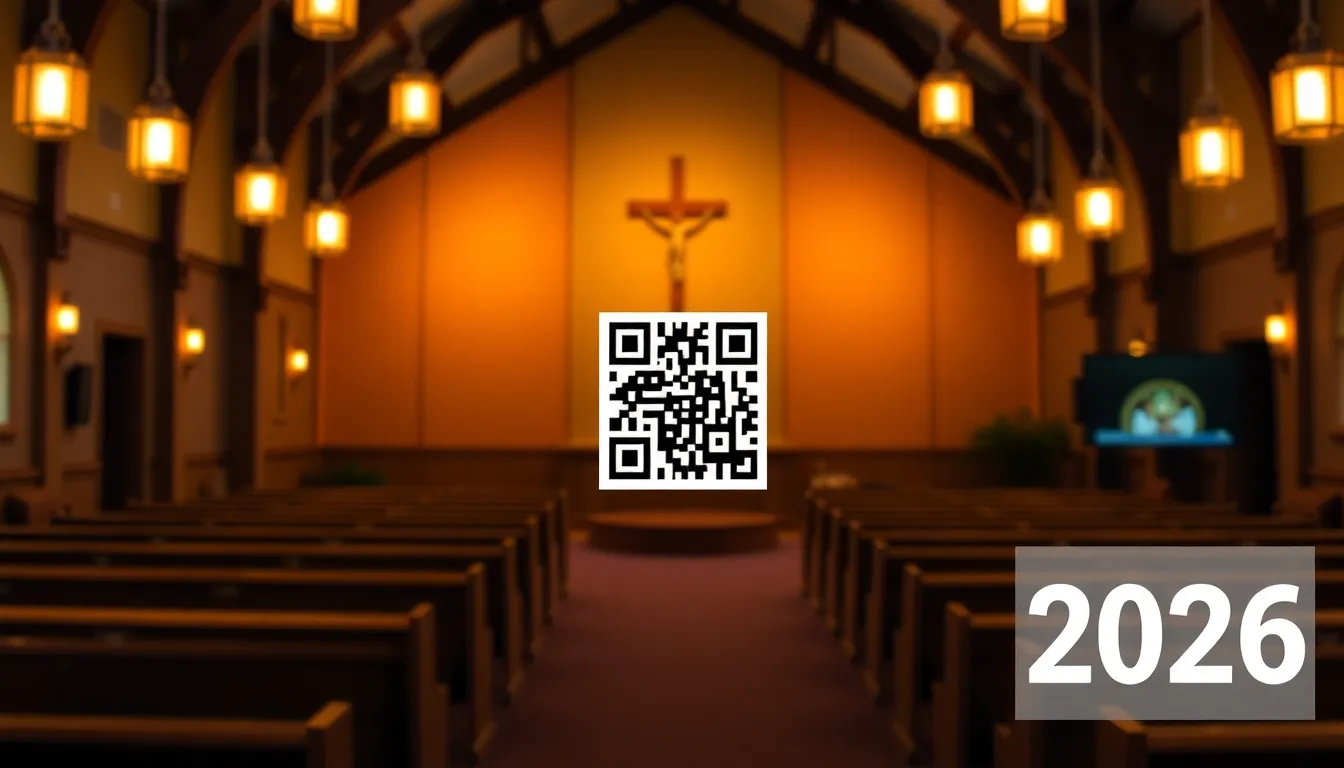
If you're managing a church bulletin, you know the challenge of fitting everything into limited space while keeping information accessible. Paper bulletins can quickly become cluttered with event details, giving information, and announcements. In 2026, many churches are solving this problem with QR codes that connect physical bulletins to digital resources. With OwnQR, you can generate these codes affordably, including a specialized donation QR code generator to streamline contributions.
Why QR Codes Work for Church Communications
QR codes bridge the gap between your printed bulletin and your digital presence. When someone scans a QR code in your bulletin, they can instantly access giving portals, event registration pages, sermon recordings, or announcement details. This approach reduces paper clutter while making information more accessible to your congregation.
Modern smartphones have built-in QR scanners in their camera apps, so people don't need to download special software. Just point the camera at the code, and a link appears on screen. This technology has become so common that even older members of your congregation are likely familiar with it by 2026.
Three Practical Uses for Church Bulletin QR Codes
Here are specific ways churches are using QR codes effectively:
1. Giving and Donations
Place a QR code in your bulletin that links directly to your online giving platform. This makes it easy for people to give during the service or later at home. You can use a dedicated donation QR code generator like OwnQR's donation tool to create codes specifically for this purpose.
2. Event Registration
Instead of listing all event details in the bulletin, include a QR code that takes people to a registration page. This works well for retreats, Bible studies, volunteer opportunities, and special services. You can track how many people scan the code to gauge interest.
3. Announcements and Resources
Use QR codes to link to sermon notes, prayer requests, ministry updates, or church directories. This keeps your bulletin clean while providing access to comprehensive information.
How to Create and Place QR Codes in Your Bulletin
Creating QR codes for your church bulletin is straightforward. Here's a practical approach:
Step 1: Choose Your Content
Decide what each QR code should link to. For giving, link directly to your donation page. For events, link to registration forms. For announcements, link to detailed pages on your website.
Step 2: Generate the QR Code
Use a QR code generator like OwnQR to create your codes. You have two options: free static QR codes that never expire, or dynamic QR codes for $15 one-time payment with no subscription. Dynamic codes let you change the destination URL later and provide scan analytics.
Step 3: Customize the Design
Make your QR codes match your church's branding. Add your church logo in the center, use your brand colors, or choose from different frame styles. This makes the codes more recognizable and trustworthy.
Step 4: Size and Placement
Print your QR codes at least 2x2 cm for close-range scanning. For bulletins that might be scanned from a distance (like from pews), use larger sizes. A good rule is scanning distance divided by 10 equals minimum size in centimeters. Place codes near relevant text with clear instructions like "Scan to give" or "Scan for event details."
Step 5: Download and Print
Download your QR codes as SVG files for print (they stay sharp at any size) or PNG for digital use. Test each code before printing your bulletins to ensure they work correctly.
Choosing Between Static and Dynamic QR Codes
For church bulletins, you'll want to consider both static and dynamic QR codes:
Static QR Codes
These are free, require no sign-up, and have no watermarks. Once created, the link is permanent. Use these for content that won't change, like links to your main giving page or church website.
Dynamic QR Codes
For $15 one-time payment (no recurring fees), dynamic QR codes offer more flexibility. You can change where they point after printing, which is useful for events that might move online or change dates. They also provide analytics showing when and where people scan them, helping you understand engagement.
Many churches use a combination: static codes for permanent links and dynamic codes for time-sensitive events or announcements that might need updating.
Best Practices for Church QR Code Success
To ensure your congregation actually uses the QR codes in your bulletin:
Include Clear Instructions
Not everyone remembers how to scan QR codes. Add simple text like "Open your camera app and point at the code" or "Tap the notification that appears."
Test Before Printing
Always test QR codes with multiple devices before printing hundreds of bulletins. Check that they work on both iOS and Android devices.
Use Consistent Placement
Put QR codes in the same general area of your bulletin each week so people know where to look. Consistency builds familiarity.
Provide Alternatives
Include short URLs alongside QR codes for people who prefer typing. This covers all preferences in your congregation.
Track Results
If you use dynamic QR codes, review the analytics to see which codes get the most scans. This helps you understand what information your congregation finds most valuable.
Real-World Use Cases
Churches across the country are leveraging QR codes to enhance engagement and streamline operations. Here are three specific examples with measurable outcomes.
Grace Community Church in Austin, Texas
Grace Community Church implemented QR codes in their bulletins for online giving and event registrations. Before using QR codes, their weekly giving via digital methods averaged $2,500, with event sign-ups requiring manual entry that led to errors. After adding a dynamic QR code from OwnQR linked to their donation portal, digital giving increased to $4,000 per week within two months. The church also used QR codes for a summer retreat registration, resulting in a 40% higher sign-up rate compared to previous paper-based methods, as members could register instantly during services.
First Baptist Church of Seattle, Washington
First Baptist Church faced challenges with cluttered bulletins that made it hard for members to find key information. They introduced QR codes for accessing sermon notes and ministry updates. Prior to this, only 30% of attendees accessed online resources post-service. By placing QR codes next to sermon titles, they saw a 70% increase in downloads of sermon notes within the first month. Using OwnQR's analytics, they tracked over 500 scans weekly, allowing them to tailor content based on popular topics and improve member engagement.
St. Mary's Catholic Parish in Chicago, Illinois
St. Mary's used QR codes to manage volunteer sign-ups for community outreach events. Previously, they relied on sign-up sheets that often got misplaced, leading to low participation. After implementing a dynamic QR code from OwnQR that linked to a volunteer registration form, volunteer participation rose by 50% for their annual food drive. The church also used the QR code to update event details when locations changed, avoiding confusion and ensuring smooth operations, with analytics showing consistent scan rates throughout the campaign.
Want to follow along? Create a Event QR Code now
It's free to start. Upgrade to $15 lifetime when you need editable dynamic QR codes.
Step-by-Step: How to Do It with OwnQR
Implementing QR codes in your church bulletin with OwnQR is a straightforward process. Follow these steps to ensure success.
Step 1: Sign Up for an Account
Visit OwnQR and create a free account to access both static and dynamic QR code features. This allows you to save and manage your codes, making it easy to update them as needed for different church activities.
Step 2: Select the QR Code Type
Choose between a static QR code for permanent links or a dynamic QR code for flexible, updatable content. For most church uses, dynamic codes are recommended due to their ability to change URLs and provide analytics, all for a $15 lifetime pricing model.
Step 3: Enter Your Destination URL
Input the link you want the QR code to direct to, such as a donation page, event registration form, or resource hub. Ensure the URL is correct and tested to avoid broken links that could frustrate users.
Step 4: Customize the Design
Use OwnQR's customization tools to add your church logo, adjust colors to match your branding, and select a frame style. This enhances recognition and trust, encouraging more scans from your congregation.
Step 5: Generate and Test the Code
Create the QR code and test it with multiple devices to confirm it works on iOS and Android. Scanning should instantly open the intended page without errors, ensuring a smooth user experience.
Step 6: Download and Integrate into Bulletin
Download the QR code in a high-resolution format like SVG for print. Place it in your bulletin layout with clear instructions, such as "Scan here to give," and ensure it's sized appropriately for easy scanning.
Step 7: Monitor Analytics
If using a dynamic QR code from OwnQR, regularly check the analytics dashboard to track scan counts, locations, and times. This data helps you understand engagement patterns and optimize future communications.
Step 8: Update as Needed
For dynamic codes, you can change the destination URL anytime without reprinting. Use this feature to keep information current, such as updating event details or switching to seasonal campaigns, maximizing the value of your investment.
Common Mistakes and How to Avoid Them
When implementing QR codes in church bulletins, avoid these pitfalls to ensure effectiveness and user satisfaction.
Mistake 1: Using Low-Quality Images
Printing QR codes at low resolution or small sizes can make them unscannable. Always use high-resolution formats like SVG from OwnQR and test print samples to ensure clarity. A minimum size of 2x2 cm is recommended, but adjust based on scanning distance to prevent frustration.
Mistake 2: Not Providing Instructions
Assuming everyone knows how to scan QR codes leads to low usage. Include simple, clear text near each code, such as "Open your camera and point at the code." Educate your congregation briefly during services to boost adoption rates.
Mistake 3: Linking to Broken or Incorrect URLs
If a QR code directs to a dead link or wrong page, it damages trust. Before printing, double-check all URLs and use OwnQR's preview feature to test functionality. For dynamic codes, verify updates don't introduce errors.
Mistake 4: Overcomplicating the Design
Overly decorative QR codes with excessive colors or complex patterns can reduce scannability. Stick to high-contrast designs and limit customization to logos and subtle branding elements. OwnQR offers templates that balance aesthetics and functionality.
Mistake 5: Ignoring Analytics
Failing to review scan data means missing insights into what resonates with your congregation. Regularly check OwnQR's analytics for dynamic codes to identify popular codes and adjust your strategy, ensuring continued engagement.
Pricing Comparison
When selecting a QR code solution for your church, cost is a key factor. Below is a detailed comparison of OwnQR's one-time fee model versus typical subscription-based alternatives.
| Feature | OwnQR ($15 Lifetime) | Subscription Alternatives (e.g., Vendor A, Vendor B) |
|---|---|---|
| Upfront Cost | $15 one-time payment | Monthly or annual subscription fees (verify current pricing at vendor.com) |
| Recurring Fees | None | Ongoing payments required |
| Dynamic QR Codes | Included | Often included, but may require higher-tier plans |
| Analytics | Basic analytics included | Varies by plan; advanced analytics may cost extra |
| Customization | Logo, colors, frames | Similar features, but may limit designs in lower tiers |
| URL Updates | Unlimited changes | May restrict updates per month or charge fees |
| Long-Term Value | High (no ongoing costs) | Lower (costs accumulate over time) |
OwnQR's $15 lifetime pricing offers significant advantages for churches, especially those with budget constraints. Unlike subscription models that require continuous payments, OwnQR provides a one-time investment for dynamic QR codes with analytics, customization, and unlimited URL updates. This makes it cost-effective over time, as churches can use the same codes for years without additional fees. Subscription alternatives, while sometimes offering similar features, often involve higher long-term costs due to recurring charges. For example, a monthly subscription of $5 adds up to $60 per year, exceeding OwnQR's fee in just a few months. Additionally, OwnQR's model eliminates the risk of service interruption from missed payments, ensuring reliable access to your QR codes. Churches can allocate saved funds to other ministries, making OwnQR a practical choice for enhancing bulletins without financial strain. By choosing OwnQR, you gain a durable tool that supports ongoing communication needs, backed by a free QR code generator option for static codes, providing flexibility for various use cases.
Frequently Asked Scenarios
Churches often have specific questions about implementing QR codes. Here are detailed answers to common scenarios.
Scenario 1: How can we use QR codes for time-sensitive events like holiday services?
Use a dynamic QR code from OwnQR to link to event details. As dates or locations change, update the URL without reprinting bulletins. For example, if a Christmas service moves online, modify the code to direct to a livestream page. This flexibility ensures accurate information and reduces waste, while analytics help track interest leading up to the event.
Scenario 2: What if our congregation includes older members unfamiliar with QR codes?
Provide clear, simple instructions in the bulletin, such as "Point your phone's camera at the code." Consider a brief tutorial during a service or in a newsletter. Offering short URLs alongside QR codes caters to all preferences. OwnQR's user-friendly design makes it easy to create codes that are scannable and trustworthy, encouraging adoption across age groups.
Scenario 3: Can we track donations specifically through QR codes?
Yes, by using a dedicated QR code for giving, you can monitor scans via OwnQR's analytics. While the code itself doesn't track donation amounts, it shows how many people access your giving page. Pair this with your donation platform's metrics to gauge effectiveness. For optimized results, use OwnQR's donation QR code generator to create a branded code that boosts credibility and usage.
Scenario 4: How do we handle multiple QR codes for different ministries in one bulletin?
Create separate QR codes for each ministry, such as youth group sign-ups or prayer chains. Use OwnQR to generate and manage them all from one account. Label each code clearly in the bulletin to avoid confusion. Dynamic codes allow you to update links individually, making it easy to adapt to changing needs without redesigning the entire bulletin layout.
QR codes can transform how your church communicates through bulletins. They make giving easier, events more accessible, and announcements more comprehensive without adding pages to your printed materials. Whether you choose free static codes or invest in dynamic codes for $15 one-time, you're providing a valuable service to your congregation. Start by creating your first QR code at OwnQR and see how it enhances your church communications. With OwnQR's affordable lifetime plan, you can implement these solutions without ongoing costs, ensuring long-term value for your ministry.
Tags
Frequently Asked Questions
How do QR codes help with church giving?
QR codes simplify giving by linking directly from printed bulletins to online donation pages. When placed in bulletins, they allow instant access to giving platforms during services or later. Using a dedicated tool like OwnQR's donation QR code generator creates codes specifically for this purpose, with options for free static codes or $15 lifetime dynamic codes that track scans.
What size should QR codes be in church bulletins?
For church bulletins, QR codes need proper sizing for reliable scanning. The minimum size is 2x2 cm for close-range use. For scanning from pews or distances, calculate size as scanning distance divided by 10 in centimeters. For example, a 3-meter distance needs at least 30 cm codes. Always test before mass printing to ensure functionality.
Can I change a QR code after printing church bulletins?
Yes, with dynamic QR codes. Unlike static codes with fixed links, dynamic QR codes let you update the destination URL after printing. This is useful when event details change or links need correction. OwnQR offers dynamic codes for $15 one-time payment with no subscription, making them cost-effective for churches needing flexibility.
Why use SVG format for printed QR codes?
SVG format is ideal for printed materials like church bulletins because it's vector-based, meaning images stay sharp at any size without pixelation. When you enlarge or reduce SVG QR codes for different bulletin placements, they maintain perfect clarity. Most QR generators, including OwnQR, offer SVG download alongside PNG options for digital use.
Is OwnQR better than QRFY for church QR codes?
OwnQR offers distinct advantages for churches, particularly with pricing and flexibility. While QRFY uses monthly subscriptions (verify current pricing at qrfy.com), OwnQR provides free static codes and $15 lifetime dynamic codes with no recurring fees. This one-time payment model is more budget-friendly for churches needing multiple codes for bulletins, events, and giving.
Ready to own your QR codes?
One-time $15 for lifetime dynamic QR codes.
Most alternatives bill monthly — verify current rates on their site.
30-day money back guarantee