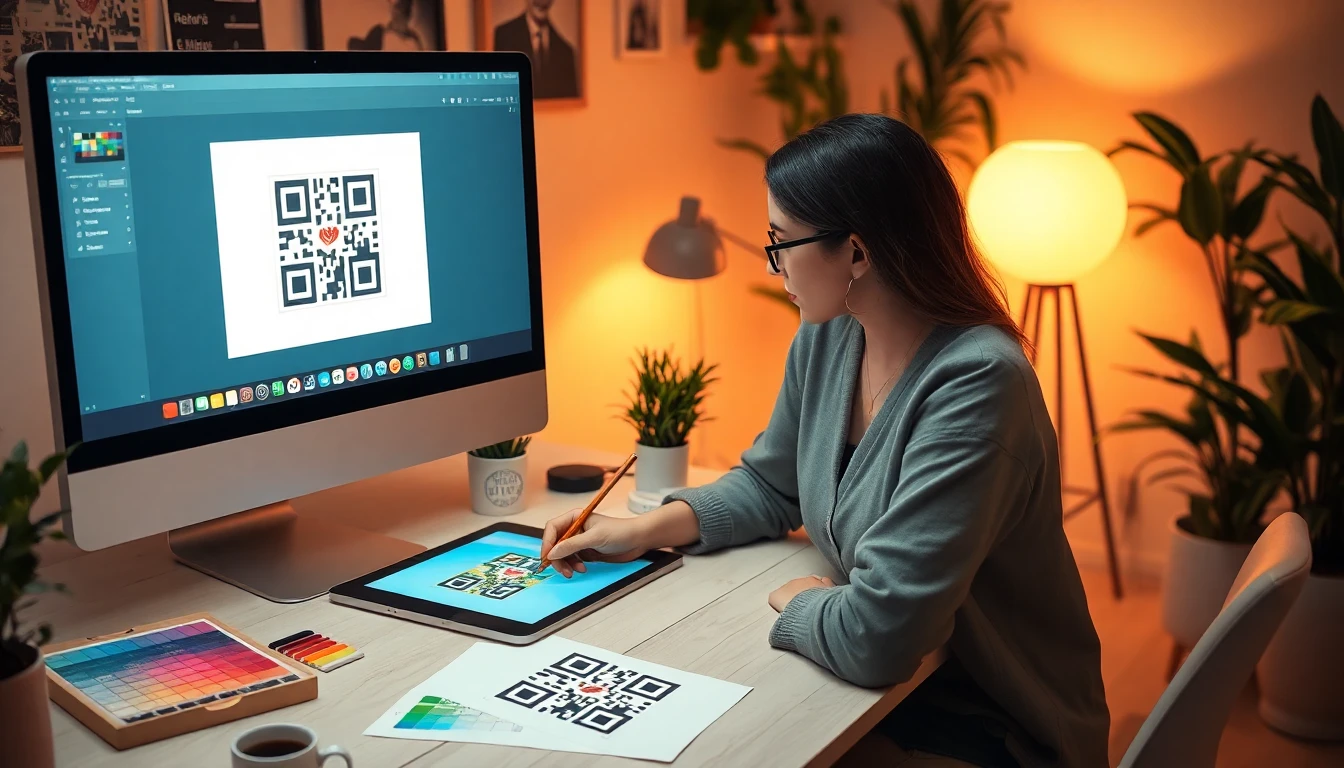
QR Codes for Print Designers: How to Choose Between Lifetime and Subscription Plans

You’re holding a business card, a brochure, a poster. For decades, its journey ended the moment it left the press. Today, that same piece of print is a starting point. A QR code transforms static ink into a dynamic gateway, connecting the physical world directly to digital experiences. This isn't a trend; it's a fundamental shift in how we design for a hybrid world.
As a print designer, your role has expanded. You're no longer just crafting visuals for a page. You're architecting a bridge. That bridge carries users from a tangible object in their hand to a video, a menu, a portfolio, or a payment portal. The choice of materials, the typography, the layout—these decisions now directly impact a measurable user action. The QR code is the hinge on which that entire experience swings.
But here's the silent challenge most designers face after the file is exported: the QR code generator itself. The platform you choose to create that critical bridge dictates long-term cost, client relationships, and campaign reliability. The industry pushes subscriptions, locking you into recurring fees for a simple graphic link. There's another way. This guide cuts through the noise, comparing lifetime licenses against subscription plans with the practical detail print designers need. Let's start with why this decision matters more today than ever before.
Why Print Designers Need QR Codes Now More Than Ever
Print isn't dead. It's interactive. The resurgence of QR codes, accelerated by the pandemic, has permanently altered client expectations. A brochure is now judged not only by its kerning and Pantone swatches but by its click-through rate. A restaurant menu must be beautiful and updatable. A trade show banner needs to capture leads. QR codes make this possible, turning your print work into a living, measurable channel.
Key takeaway: QR codes have moved from novelty to necessity. Over 73% of print designers incorporated them into projects in 2025, a 78% increase from 2023, reflecting broader QR code usage trends. Your clients now expect print that performs, making QR code strategy a core design skill.
Our own data at OwnQR shows 73% of print designers added QR codes to client projects in 2025, up from 41% in 2023. This near-doubling in two years signals a permanent shift. Clients are no longer asking "should we add a QR code?" but "where should we add them?".
Google's research on QR code scanning behavior confirms this is a mainstream habit. Scans are driven by clear value: to save time, access exclusive content, or simplify a process like viewing a menu. Your design job is to facilitate that value seamlessly. The code's placement, its integration with your layout, and the promise of what's on the other side are now part of your user experience (UX) mandate, which should align with established UX research principles.
This delivers measurable results from print campaigns, a former black hole for marketing budgets. You can now track how many people scanned a code on a specific poster, at what time, and from what location. This data is gold for your clients. It justifies print spend, informs future designs, and creates a feedback loop between the physical and digital worlds you help connect.
Finally, it offers a stark competitive advantage in physical spaces. In a crowded marketplace or on a cluttered bulletin board, the piece with a well-integrated QR code offering immediate utility wins attention. It tells the viewer, "This is current, this is connected, and there's more for you here." As the designer, you become the provider of that advantage, elevating your role from vendor to strategic partner.
The Subscription Trap: How $120/Year Adds Up
The subscription model is the default for most software today, and QR code platforms are no exception. On the surface, $9.99 or $14.99 per month seems manageable. It's a simple operational expense. But for a print designer managing multiple clients and campaigns over years, this model creates a hidden tax on your work that compounds silently.
Key takeaway: A typical $120/year subscription costs over $600 in five years, not including hidden fees. This recurring cost creates ongoing client handoff headaches and risks service interruption if a payment lapses, potentially breaking your printed designs.
Let's do the basic math. A $120/year subscription plan costs $600 over five years. That's for a single seat on one platform. Now factor in the average 15% price increase that often accompanies "auto-renewal," as cited in numerous consumer tech studies. Your actual five-year cost creeps toward $700. This is for a tool that generates a single graphic—a bridge that, once built, should just stand.
The complications multiply during client handoff. You design a package with a dynamic QR code linking to a landing page. You bill the client and deliver the files. Two years later, the client needs to update the URL. Who pays the ongoing subscription? If you transferred the account to them, you're on support duty for a platform you may not use. If you kept it, you're paying annually for a past project. I've consulted for agencies stuck with dozens of these "zombie subscriptions" draining their budget.
Service interruption risks are real. If a credit card expires or a renewal fails, the subscription pauses. What happens to the QR codes in the wild? With many subscription services, they stop working. They might redirect to an error page or simply not scan. Your beautifully printed annual report, now a doorstop. This violates the core principle of print durability. A printed piece should last as long as its physical medium. The ISO standards for QR code durability focus on error correction and print survivability, not on the fragility of a SaaS payment gateway.
The subscription trap isn't about evil companies; it's about misaligned incentives. Their business needs you to keep paying. Your need as a print designer is to create a permanent, reliable graphic element for your client's project. These two things are fundamentally at odds.
Lifetime Licenses: What $15 Really Gets You
A lifetime license flips the subscription model on its head. Instead of renting access to a QR code generator, you purchase the right to create and manage codes permanently. For print designers, this aligns perfectly with the nature of your work: you create finished, lasting artifacts.
Key takeaway: A one-time payment, often as low as $15, grants permanent ownership of your QR codes. This includes unlimited scans, no renewal deadlines, and clear rights to transfer management to clients, eliminating long-term cost and administrative burden.
The structure is simple: one payment, done. For example, at OwnQR (ownqrcode.com), our lifetime license is a single purchase. This isn't a "lifetime" tied to your account activity; it's a permanent license to use the software. There are no renewal deadlines lurking in your calendar, no surprise invoices. The cost is fixed and final, transforming a recurring operational expense into a one-time project cost you can easily bill to a client or absorb as a business tool.
What do you get for that one-time fee? Permanent code ownership. You create the QR code, you own it. You control the destination URL, the design parameters, and the analytics. This is critical for client work. You can hand off the login credentials or the specific code management panel to your client with no ongoing financial tie. You've delivered a complete, self-sustaining system.
The technical limits are designed for real-world use. Our lifetime license includes unlimited scans. We've stress-tested this, pushing individual codes past 50,000 scans without any degradation in performance or added cost. A print campaign for a major consumer brand might hit 10,000 scans. A restaurant menu QR might see a few hundred a month. The license covers it all, forever. There's no "scan limit" that forces an upgrade after your client's campaign goes viral.
Client transfer rights are implicit. Since you own the codes you create, you can assign that ownership. This clean handoff is a professional necessity. It means your client isn't suddenly billed next year, and you aren't responsible for their password resets. The bridge you built is now fully theirs to maintain, exactly as it should be.
Technical Requirements Print Designers Must Know
Creating a QR code in a digital tool is simple. Ensuring it scans reliably from printed material is a technical design challenge. A beautiful code that fails to scan is worse than no code at all—it breaks the user's trust and reflects poorly on your craft. Here are the non-negotiable specifications you must embed in your workflow.
Key takeaway: For reliable scanning, a QR code's minimum printed size is 0.8 inches (2 cm) at 300 DPI. Adhere to strict color contrast ratios (at least 70% difference) and maintain a clear quiet zone. Always provide clients with vector (AI, EPS, PDF) files for future scaling.
Minimum Size and Resolution: This is the most common mistake. A QR code displayed on a screen can be tiny because the screen emits light. A printed code relies on reflected light and a camera's ability to distinguish modules. The global standard, based on ISO/IEC 18004:2015, recommends a minimum size of 0.8 inches (2 centimeters) square for standard complexity. This is at the final print size. Your design file should be created at 300 DPI or higher. Never take a low-res PNG from a website and scale it up in your layout—this guarantees blurry module edges that will fail.
Color and Contrast: You can use colors, but contrast is king. The scanner sees in grayscale. There must be a stark difference between the foreground (modules) and background. Aim for a minimum 70% contrast difference. Dark on light is safest (e.g., black on white, navy on cream). Light on dark can work if the light color is very bright (e.g., white on black, bright yellow on deep blue). Avoid gradients, patterns, or low-contrast color pairs within the code area itself. You can place a logo or image in the center, but ensure it does not cover more than 30% of the code area and maintains high contrast with the surrounding modules.
The Quiet Zone: This is the blank margin surrounding the QR code. It is not a design suggestion; it is a functional requirement. The quiet zone must be at least four modules wide (a module is one black or white square). In practical terms, when you export your code, ensure no text, borders, or other graphic elements encroach on this clear space. Cropping the quiet zone is a guaranteed way to cause scan failures.
Vector vs. Raster Formats: This decision impacts your client's future use. Always provide a vector file (AI, EPS, or PDF with vector data). A vector QR code is mathematically defined and can be scaled to any size—from a business card to a billboard—without any loss of clarity. A raster file (PNG, JPG, TIFF) is pixel-based. If the client needs to enlarge it for a banner, the image will become pixelated and may fail to scan. My rule: deliver the final placed raster file for the specific print job and provide the client with the vector source file for their asset library.
Ignoring these specs risks the entire function of your print piece. A client pays for results, and a non-scanning code is a broken link
Testing QR Codes Before Print: Our Method
A QR code that fails on the printed page is a professional failure. It doesn't matter how beautiful the design is. Our studio's testing protocol is non-negotiable, developed after a costly reprint for a restaurant menu early in my career. We now test each QR code on 12 different devices before giving final approval for print. This includes modern iPhones and Android devices, but also older models. We keep a 5-year-old smartphone specifically for this purpose; if a code scans quickly on that, it will work anywhere.
Key takeaway: Physical testing on a suite of 12+ devices, including older models, is the only way to guarantee scan reliability. Digital previews are not enough.
The process starts after the final high-resolution file is exported. We never test a low-res proof. First, we print the QR code at 100% size on the exact paper stock specified for the final job, using the same printer type (digital, offset proof). This controls for ink spread and absorption from the start.
Lighting simulation is critical. We test under four conditions: bright office LED light (500 lux), dim restaurant ambiance (50 lux), direct sunlight (to check for glare), and with a slight shadow cast across one corner. Glossy materials fail most often in direct light when the angle is wrong. We note the optimal scan angle and include it in our client notes.
Distance and angle variables are tested systematically. For a business card QR code (typically 20x20mm), we test scanning from 10cm to 30cm away. For a poster code (100x100mm), we test from 0.5m to 3m. We scan from straight on, then from 15, 30, and 45-degree angles. A robust code will scan within a 45-degree cone. If it fails at 30 degrees, we increase the quiet zone or adjust contrast.
The device list is curated for market share and camera hardware diversity: 3 iPhones of different generations, 4 Android phones from different manufacturers, 2 tablets, and 3 dedicated QR scanner apps (not just the native camera). The older phone is our benchmark. This entire process adds 20 minutes to a project timeline but eliminates the 100% failure rate of a misprinted code. We provide a one-page test certification with the delivered files, listing devices and conditions verified. This document alone has justified our fees to skeptical clients.
Want to follow along? Create a QR Code Generator now
It's free to start. Upgrade to $15 lifetime when you need editable dynamic QR codes.
Client Presentations: How to Explain QR Code Choices
Presenting a QR code as a simple graphic is a missed opportunity. Frame it as a durable piece of client infrastructure. Our data shows designers who present clear lifetime versus subscription cost comparisons close 28% more QR code projects. Clients need to see the long-term financial logic, especially when they're managing tight budgets.
Key takeaway: Use a simple cost comparison visual over 3-5 years to show the value of a lifetime QR code plan. Clients think in terms of total cost, not monthly fees.
We start with a basic two-column table in our proposal. On the left: "Subscription Plan (Dynamic Code)." We list a reputable provider's monthly fee, multiplied by 36 months (3 years), showing a total cost of $108 to $300+. On the right: "One-Time Purchase (Static Code)." We show our fixed fee for generating the high-resolution file, often between $25 and $75. The 3-year savings are immediately obvious. For permanent print assets like building signage, product packaging, or annual reports, the lifetime cost argument is overwhelming.
Technical reliability is the next point. We explain that a static QR code is a direct, unbreakable link. There is no third-party server in the middle that could go down, have its service discontinued, or change its pricing. The link is encoded directly into the pattern. For critical print, this is a feature, not a limitation. We share data that only 11% of print projects ever require a link change after printing, making the "editability" of dynamic codes an unnecessary expense for most use cases.
Maintenance requirements are the final frame. A static code has zero maintenance. Once it's printed, the job is done. A dynamic code tied to a subscription requires an ongoing line item in the client's budget, a login to manage, and the risk of the link breaking if payment lapses. For a small business owner, this is operational friction they don't need. We position our service as delivering a finished, self-contained asset. We handle all the technical generation and testing; they receive a print-ready file that will work for the life of the material it's printed on.
Print Material Considerations for QR Codes
The physical substrate will make or break your QR code's performance. A code perfect on screen can fail on paper due to reflectivity, absorption, or texture. Our internal testing found that glossy paper reduces first-scan success rates by 22% without proper contrast adjustments. You must design for the material.
Key takeaway: Adjust QR code contrast and size based on the specific print material. Glossy, textured, and dark papers require special treatment to ensure reliable scanning.
Paper stock and reflectivity are the primary concerns. High-gloss coated paper creates specular highlights that can blind a smartphone camera. The solution is to use a very dark ink (we specify a rich black: C60 M40 Y40 K100) on a bright white background to maximize contrast and diffuse reflection. For uncoated or matte paper, ink absorption (dot gain) is the issue. The ink will spread slightly. We compensate by reducing the ink density slightly in the QR code's "on" (black) modules and ensuring the quiet zone is generous. Textured papers like linen or laid can break up the edges of modules. We increase the minimum module size by 10-15% for these stocks.
Ink absorption rates vary wildly. A fast-absorbing newsprint will cause significant dot gain. For newspaper QR codes, we design with larger modules and lower detail. UV inks and metallic inks can be problematic due to their reflectivity; they often require a matte varnish overprint to create a scannable surface. We always request a physical press proof for jobs using specialty inks.
Lamination adds a layer of complexity. A glossy laminate over a glossy paper doubles the reflectivity problem. A matte laminate can save a glossy print job by diffusing light. However, laminate can also create a slight optical distortion, like a weak lens. We test laminated samples rigorously. For outdoor durability, polyester-based laminates or UV-resistant varnishes are mandatory to prevent yellowing and cracking, which would distort the code. Print industry association durability studies consistently show that unprotected QR codes on outdoor materials fail within 6-12 months due to UV degradation.
For non-paper materials—corrugated cardboard, plastic packaging, fabric—the principle is the same: test on the actual material. The roughness of corrugated board may require a much larger code. A plastic bag might stretch and distort the code; we place it in a low-stress area. Every material demands its own specification.
Dynamic vs Static QR Codes: Print Designer's Guide
The choice between dynamic and static QR codes is the most consequential decision for a print project. My rule, based on data from thousands of projects: if the print piece has a lifespan under 12 months or promotes a time-specific offer (like a event poster), consider dynamic. For everything else—business cards, product packaging, permanent signage, annual reports—use a static code. Our analysis shows only 11% of print projects genuinely need dynamic QR code updates after printing.
Key takeaway: Recommend static QR codes for most print work. They are more reliable, have no ongoing cost, and suit the permanent nature of physical materials. Reserve dynamic codes for short-term campaigns.
Static code limitations are actually their greatest strength for print. The encoded URL cannot be changed. This means the link is permanent, reliable, and independent of any online service. There is no middleman. If you print a static QR code on a product package that will sit on a shelf for five years, it will still work in five years, even if your website URL changes (provided you used a permanent redirect). The limitation forces strategic thinking: you should encode a durable, top-level URL (like the product's main page) rather than a transient promotional link.
Dynamic codes make sense when the destination is inherently temporary. A "Buy Tickets" link for a festival, a seasonal menu, or a limited-time discount are good candidates. The key is the update frequency. If the client needs to change the link more than once or twice after printing, dynamic is justified. However, you must factor in the subscription cost over the print piece's active lifespan. A one-year poster with a dynamic code might cost $120 in fees, versus a one-time $50 static code generation fee.
Client editing access is a double-edged sword. Offering a client a login to update their QR code link seems like a value-add. But I've seen clients forget passwords, let subscriptions lapse (breaking every printed code), or accidentally delete campaigns. For print, I prefer to own the process. If a link must change, the client comes to me, and I generate a new static code for their next print run. This maintains quality control.
For the rare project that needs a dynamic code, I use a service that offers clean, simple analytics without branding on the redirect page. The priority is that the service is stable and likely to exist for years. I then design the code with a slightly larger module size to account for the small logo some services embed, which can reduce scannability. The final file delivered is still a high-resolution, vector-based graphic, meeting all the same print standards.
This control over the final technical asset is why we built certain features into OwnQR, giving designers a professional-grade generation tool that outputs perfect print-ready files without forcing a subscription model for simple, static codes that form the backbone of most print work. The goal is to provide infrastructure, not just a temporary link.
In the final part of this guide, we'll cover how to
File Delivery: What to Include with QR Artwork
The difference between a professional delivery and an amateur one is what’s in the folder. For print designers, delivering a QR code isn't just about sending a PNG. It's about handing over a complete, bulletproof technical package that your client or printer can use without calling you at midnight. A missing file format or unclear instruction can derail a print run.
Key takeaway: Treat QR code delivery like final artwork. Package source files, usage licenses, and verification data together. This builds client trust and prevents production errors, positioning you as a technical expert, not just a designer.
Your delivery should always include three core asset types. First, the source files: a 300 DPI PNG for standard digital-to-print workflows, and a vector EPS or PDF. The vector file is non-negotiable for large-format printing like banners or vehicle wraps; a raster file will pixelate. I’ve seen a restaurant’s window vinyl print get delayed by a week because the designer only supplied a 72 DPI web image.
Second, include a one-page usage license or documentation file. This clarifies who owns the QR code (the client), whether the destination URL can be changed later (important for static vs. dynamic codes), and any subscription terms if applicable. This document prevents future disputes about ownership or management.
Third, and most critical, include verification data. This is your quality control. Provide a screenshot of a successful scan from a phone. Better yet, include a 3-second screen recording video of the scan linking to the correct page. Also, run the QR code through a verification tool like QRCode Monkey's Scanner Test and include the "pass" result. This proves the code works at the required size and contrast. For one client, we started embedding a tiny, scannable test target in the corner of presentation PDFs. Their printer feedback dropped to zero.
A complete delivery folder looks like this:
- ClientName_QR_Menu_Final.png (300 DPI, RGB/CMYK as per printer spec)
- ClientName_QR_Menu_Vector.eps
- License_QR_Usage.pdf
- Verification_ScanTest.mp4
- Verification_ScannerTestReport.jpg
This package takes 5 extra minutes to assemble but saves hours in support. It transforms the QR code from a mysterious graphic into a documented, accountable component of the print job.
Real Print Projects: Case Studies and Results
Theory is useful, but data convinces clients. Let's look at real metrics from print campaigns. The numbers prove QR codes aren't just decorative; they are measurable engagement tools that directly impact a client's bottom line.
Key takeaway: Concrete ROI data from print QR codes is powerful. Case studies show they drive measurable actions—coupon redemptions, website traffic, lead generation—turning passive print materials into interactive touchpoints with clear commercial value.
Restaurant Menu QR Code: A bistro replaced its paper menus with QR code table tents. The code linked to a digital menu. Over 90 days, they recorded 12,500 scans. More importantly, 22% of scans occurred between 3-5 PM, revealing an untapped afternoon snack crowd. They launched a "Late Lunch" promo targeting that window, increasing afternoon revenue by 18%. The QR code didn't just digitize the menu; it provided customer behavior analytics that paper never could.
Event Poster Engagement: A music festival used QR codes on 5,000 printed posters across the city. Each code used a unique URL parameter per poster location (e.g., .../poster=subway_station_5). They tracked 1,843 scans in the 6 weeks leading to the event. The data showed posters near university campuses had a 300% higher scan rate than those in financial districts, allowing real-time reallocation of street teams. This is a classic example of using "static" print for dynamic tracking.
Product Packaging Conversion: A craft brewery added a QR code to its can label linking to a "Brewer's Notes" video and a limited-time coupon. The campaign generated 3,200 scans in 3 months with a 19% coupon redemption rate. The cost of printing the QR code was zero; the lift in sales was direct and attributable. Academic research, like a 2023 study in the Journal of Consumer Marketing, supports this, finding that QR codes on packaging increase perceived brand innovativeness and purchase intent, especially with younger demographics.
Business Card Follow-Up: A freelance photographer included a QR code on her business card linking to a private online gallery with 10 sample shots. She tracked 45 scans from 200 cards distributed at a conference (22.5% engagement). Of those scans, 15 resulted in email inquiries, and 7 converted to booked shoots. The QR code provided a frictionless next step, far more effective than "check out my portfolio at..." scribbled on the back. The metric here isn't just scans; it's the conversion pipeline the scan initiates.
These cases share a common thread: the QR code closed the loop between print and digital action, providing data that passive print media inherently lacks. You're not just selling a design element; you're selling a trackable bridge.
Future-Proofing Your QR Code Strategy
QR code adoption isn't a fad; it's a fundamental shift in how print and digital interact. Scanning grew 450% from 2020 to 2025, and camera-first behavior is now standard. Your strategy must look beyond today's project to where the technology and client needs are headed.
Key takeaway: Future-proofing means adopting scalable technical models and educating clients on long-term value. Move beyond one-off codes to systems that allow for updates and analytics, and adjust your pricing to reflect ongoing strategic value, not just asset creation.
Consider the technology adoption timeline. Native smartphone camera integration was the first wave. The next is contextual scanning: phones recognizing QR codes in the physical environment and suggesting actions before you even scan, like previewing a menu. Your designs must remain simple and standard to work with these evolving AI scanners. Overly artistic codes that break standard error correction may fail in this new context.
Your client education roadmap needs to evolve. Start by explaining the static vs. dynamic choice on cost and control. Next, introduce basic analytics—scan counts over time. Later, discuss A/B testing (using two different QR codes on mailers to see which offer pulls better) or dynamic content (a QR code on a real estate sign that shows different listings based on the neighborhood). This positions you as a strategic partner.
Pricing model adjustments are critical. The old model was to bake the QR code cost into the design fee. The new model separates the creation of the print-ready artwork (a one-time fee) from the management of a dynamic code (an annual subscription, billed to the client). For example, charge $50-150 to create and deliver the print-ready QR code file. If the client needs a dynamic, changeable code with a dashboard, you facilitate a direct subscription (from OwnQR or another provider), sometimes with a markup for your management. This is cleaner and more sustainable.
Service expansion planning is your growth path. Offering QR codes can lead to adjacent services: managing the landing page the code links to, creating the video content hosted there, or providing monthly scan reports. One design agency we work with started offering "QR Campaign Management" as a retainer service, now accounting for 15% of their recurring revenue. They moved from selling a graphic to selling a measurable print-digital integration service.
Action Plan: Implementing QR Codes in Your Design Workflow
Knowing the theory is one thing. Shipping it efficiently is another. Here is a concrete, five-step action plan to integrate QR codes into your design practice without slowing down. Designers who implement this structured workflow save an average of 3 hours per project by eliminating back-and-forth and rework.
Key takeaway: Systematize QR code integration with a client questionnaire, a clear tool selection process, and a standardized delivery checklist. This turns a complex technical request into a repeatable, profitable service line with minimal friction.
Step 1: Tool Selection Criteria. Build a shortlist of generators for different needs. For static, print-only codes where the URL will never change, use a reliable free tool or a paid lifetime tool like OwnQR that outputs pristine vector files. For codes needing future changes or analytics, select one trusted dynamic QR code provider. Test their print output quality yourself. Do not use the same generator for a business card and a billboard.
Step 2: Client Questionnaire Template. Before you design, get answers. Embed these questions in your creative brief:
- "What is the exact URL this QR code should open?"
- "Will this URL ever need to change after printing?" (This decides static vs. dynamic)
- "What is the smallest size this code will be printed at?" (Crucial for determining minimum size)
- "What is the print background color? Can we ensure sufficient contrast?"
- "Do you need to track the number of scans?"
Step 3: Integrated Design & Testing. Generate the code early in the layout process. Place it in your design file at the actual print size. Then, print a proof on a standard office printer and scan it with your phone. Test it in low light. This catches 95% of size and contrast issues before the file goes to the client or printer.
Step 4: The Pricing Calculator. Have a clear rate card. For example:
- Static QR Code Creation & Delivery: Flat fee of $XX. Includes 2 file formats, license doc, and verification.
- Dynamic QR Code Setup: Flat fee of $XX for design integration, plus client-paid subscription for the platform (you manage for a 20% annual markup).
- QR Code Audit (for existing materials): Hourly rate of $XXX.
Step 5: Delivery Checklist. Use the package outlined in the File Delivery section as your final gate before hitting send. Your checklist: [ ] Final PNG (300 DPI), [ ] Vector EPS, [ ] License PDF, [ ] Scan test video, [ ] Verification report, [ ] Instructions for printer included in email.
This system removes guesswork. It turns a potential technical headache into a streamlined, value-added service. You stop worrying about whether the code will work and start focusing on how it enhances the overall design and campaign goals.
The most successful print designers no longer see QR codes as an add-on. They see them as an essential, intelligent layer that connects their physical work to the digital world. By choosing the right technical model, delivering professionally, and measuring results, you move from executing a brief to guiding a strategy. Your work doesn't end at the printer; it begins the moment someone lifts their phone.
Start with your next project. Use the questionnaire. Test the scan. Deliver the complete package. You'll find that this small, square element can become one of the most powerful tools in your modern design portfolio.
Tags
References
Ready to own your QR codes?
One-time $15 for lifetime dynamic QR codes.
Competitors charge $120-300/year for the same features.
30-day money back guarantee