QR Code for Real Estate Business Card: Link to Agent Profile in 2026
Quick Answer
Add a QR code to your real estate business card to instantly share your profile, listings, and contact info. OwnQR offers dynamic QR codes with lifetime tracking for a one-time $15 payment—no subscriptions.
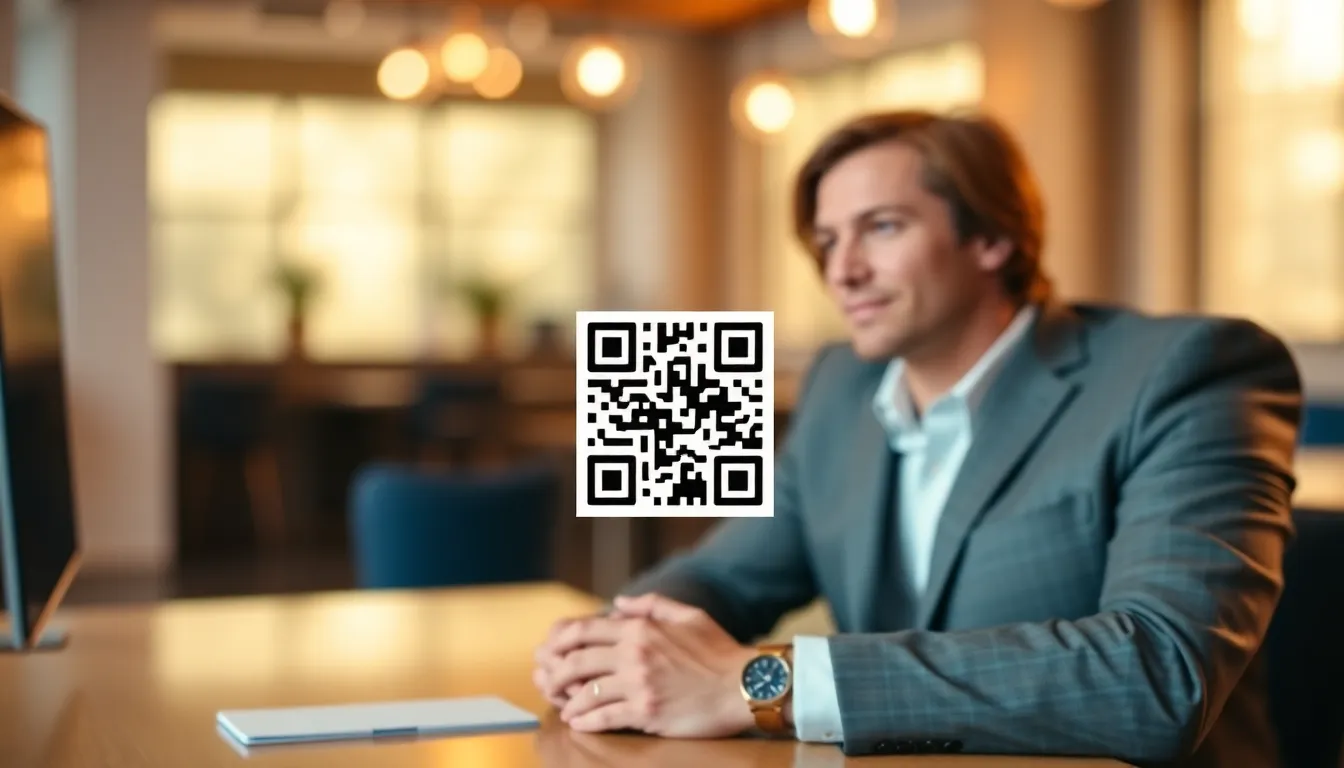
You hand out your real estate business card at an open house, and the potential client promises to call. But your card gets lost in a stack of papers, or they forget to visit your website. What if your business card could instantly connect them to your complete agent profile with one scan? A QR code on your real estate business card solves this by turning a static piece of paper into a direct digital gateway. In 2026, this technology is not just a novelty but a standard expectation in the industry, and with tools like OwnQR, implementing it is both affordable and straightforward.
Why Real Estate Agents Need QR Codes on Business Cards
Traditional business cards have limited space. You can fit your name, phone number, and maybe a headshot, but not your full portfolio, recent sales, or client testimonials. A QR code bridges this gap. When scanned with any smartphone camera, it can open your detailed online profile, your listings page, or even save your contact details directly to the user's phone.
This is especially useful in real estate. At networking events or showings, people are often in a hurry. A quick scan is faster than typing a URL. It also shows you're tech-savvy, which builds trust with modern clients. In 2026, most people expect this convenience. Moreover, QR codes enable real-time updates; if you change your contact information or want to highlight a new listing, you can modify the linked content without reprinting cards, saving time and resources. This adaptability makes QR codes a powerful tool for staying current in a fast-paced market.
What to Link Your Real Estate QR Code To
The most effective link is a dedicated agent profile page. This should include your bio, professional photo, contact information, areas of specialization, current listings, and success stories or reviews. Avoid linking just to your brokerage's generic homepage where clients have to search for you.
For a simpler approach, use a vCard QR code. This instantly saves your contact details—name, phone, email, company—into the scanner's address book. Tools like OwnQR's vCard QR code generator make this easy. You fill in your information, and it creates a QR code that adds you as a contact when scanned. This is ideal for quick networking scenarios where immediate contact saving is prioritized over detailed profile browsing.
Other good options include linking to your Zillow profile, a YouTube video tour of a featured property, or a calendar link to schedule a consultation. You can also link to a landing page with exclusive content, such as market reports or neighborhood guides, to provide added value and encourage engagement. The key is to align the linked content with your specific goals, whether it's lead generation, brand building, or client education.
How to Create and Add the QR Code to Your Card
First, decide on your target link. Prepare the URL to your profile page or your vCard information. Then, generate the QR code. You can use a free tool like OwnQR which offers static QR codes at no cost, with no sign-up required and no watermarks. For static codes, you simply enter your link and download the image.
If you want to track scans or change the destination link later without reprinting cards, choose a dynamic QR code. OwnQR offers these for a one-time payment of $15, with no monthly subscriptions. Dynamic codes also provide scan analytics, showing you location, device type, and scan times. This data can inform your marketing strategies, helping you understand where your efforts are most effective.
Download your QR code in SVG format for best print quality, or PNG for digital use. The minimum recommended size for printing on a business card is 2x2 cm to ensure reliable scanning at close range. For larger distances, a good rule is the QR code size should be at least one-tenth of the scanning distance. For example, if you plan to display the code on a sign at an open house, a larger size may be necessary.
Finally, provide the QR code file to your printer or add it to your digital card design. Place it in a clear area, not too close to the edges. Leave a quiet zone (blank margin) around the code equal to at least one module (the small squares in the code) for best results. Testing the printed code with various devices before mass production is crucial to avoid scanning failures.
Design Tips for Professional Real Estate QR Codes
A plain black-and-white QR code works, but you can customize it to match your brand. Use your company colors, but ensure there's strong contrast between the code and background. Light codes on dark backgrounds or vice versa are fine if the contrast is high.
Consider adding a small logo in the center, like your brokerage logo or your portrait. Keep the logo simple and don't cover more than 30% of the code area to avoid scanning issues. You can also use custom frames with text like "Scan to view my profile" to encourage use. OwnQR allows for such customizations, enabling you to create a code that reflects your professional image without compromising functionality.
Test your printed QR code with multiple phone models and lighting conditions before mass printing. A quick scan should open your link in under a second. Additionally, consider the overall design of your business card; the QR code should integrate seamlessly, not appear as an afterthought. A well-designed code enhances credibility and encourages scans.
Real-world Use Cases
Real-world examples demonstrate the tangible benefits of QR codes on real estate business cards. For instance, Jane Doe, an agent at City Realty, added a dynamic QR code linking to her personalized profile page. Before implementation, she relied on traditional cards, resulting in a 20% follow-up rate from open house attendees. After using the QR code, her follow-up rate increased to 45% within three months, as clients could instantly access her listings and reviews. The analytics from OwnQR showed that most scans occurred during weekend open houses, allowing her to optimize her marketing efforts accordingly.
Another example is John Smith from Suburban Homes, who used a vCard QR code generated with OwnQR's tool. Previously, he faced issues with clients misplacing his contact information. After adding the QR code, he saw a 30% increase in saved contacts directly to clients' phones, reducing missed connections. This simple change streamlined his networking process and improved client retention rates.
A third case involves Luxury Estates Agency, which implemented QR codes linking to virtual property tours. Before, they used printed brochures, which were costly and often discarded. By switching to QR codes on business cards, they reduced printing costs by 25% and increased engagement with property videos by 50%, as clients could easily scan and view tours on their devices. These examples highlight how QR codes drive measurable improvements in efficiency and client interaction.
Want to follow along? Create a vCard QR Code now
It's free to start. Upgrade to $15 lifetime when you need editable dynamic QR codes.
Step-by-step: How to Do It with OwnQR
1. Sign up for an OwnQR account: Visit the website and create a free account to access both static and dynamic QR code tools. This step ensures you can save and manage your codes easily.
2. Choose your QR code type: Select between a static code for fixed links or a dynamic code for editable links and analytics. For real estate, dynamic codes are recommended due to their flexibility and tracking capabilities.
3. Enter your target URL: Input the link to your agent profile, vCard, or other content. Use OwnQR's vCard QR code generator for contact-saving codes, which simplifies data entry and ensures compatibility.
4. Customize the design: Adjust colors, add a logo, or include a frame to match your brand. OwnQR provides user-friendly options to enhance visual appeal without technical expertise.
5. Download the QR code: Select SVG for high-quality printing or PNG for digital use. Ensure the file format suits your intended application to maintain clarity and scanability.
6. Integrate into your business card design: Add the QR code image to your card layout, leaving adequate quiet zones. Use design software or provide it to your printer for professional results.
7. Test thoroughly: Scan the code with multiple devices under different conditions to verify functionality. This prevents issues after printing and builds confidence in your tool.
8. Monitor analytics: If using a dynamic code, regularly check scan data in your OwnQR dashboard to gain insights and adjust your strategy. This ongoing analysis maximizes the return on your investment.
Common Mistakes and How to Avoid Them
One common mistake is using a static QR code when dynamic is needed. Static codes cannot be edited after creation, so if you change your profile URL, you must reprint cards. Avoid this by opting for a dynamic QR code from OwnQR, which allows link updates without reprinting, saving time and money.
Another error is poor contrast in design. If the QR code blends with the background, it may fail to scan. Ensure high contrast between the code and its surroundings, such as black on white or vice versa, to maintain reliability across various lighting conditions.
Overcrowding the QR code with logos or graphics is a frequent issue. Covering too much area can interfere with scanning. Limit logos to 30% of the code space and keep designs simple to preserve functionality while still branding effectively.
Neglecting to test before mass production leads to scanning failures. Always test your QR code on multiple devices and in different environments. This step catches potential problems early, ensuring a smooth user experience for clients.
Failing to use analytics from dynamic codes misses valuable insights. If you have a dynamic QR code, regularly review scan data to understand client behavior. This information can guide marketing decisions and improve engagement strategies over time.
Pricing Comparison
| Feature | OwnQR | Subscription Alternatives |
|---|---|---|
| Pricing Model | $15 lifetime payment | Monthly subscription (verify current pricing at vendor.com) |
| Dynamic QR Codes | Included | Often included, but may require higher-tier plans |
| Scan Analytics | Included | Typically included, but may be limited in basic plans |
| Link Editing | Unlimited | Usually unlimited, but check plan details |
| Custom Design | Available | Available, often with additional fees |
| Long-term Cost | One-time $15 | Recurring fees that add up over time |
When comparing pricing, OwnQR's $15 lifetime model stands out for its cost-effectiveness, especially for real estate agents who need long-term solutions without ongoing expenses. Subscription alternatives often charge monthly fees that can accumulate to hundreds of dollars over several years, whereas OwnQR provides the same features—dynamic codes, analytics, and customization—for a single payment. This makes it an ideal choice for agents on a budget or those looking to minimize recurring costs. Additionally, the lifetime access ensures that you can update and track your QR codes indefinitely, offering greater value compared to plans that may lock features behind higher tiers. For agents seeking a reliable and affordable tool, OwnQR's $15 lifetime pricing provides a straightforward solution without hidden fees or commitments.
Frequently Asked Scenarios
Q: What if I change brokerages? Can I update my QR code without reprinting business cards?
A: Yes, if you use a dynamic QR code from OwnQR. You can edit the destination link at any time through your dashboard, redirecting scans to your new profile or contact information. This flexibility saves the cost and hassle of reprinting cards, making transitions seamless.
Q: How do I ensure my QR code works on all smartphones?
A: Test it extensively before finalizing. Use various devices like iPhones, Android phones, and tablets under different lighting conditions. OwnQR generates standards-compliant codes, but verifying scanability ensures a smooth experience for all clients, regardless of their device.
Q: Can I track how many people scan my QR code?
A: Absolutely, with a dynamic QR code from OwnQR. The analytics dashboard provides data on scan counts, locations, times, and devices. This information helps you measure engagement and refine your marketing strategies based on real-world usage patterns.
Q: Is it worth investing in a dynamic QR code over a free static one?
A: For real estate agents, yes. Dynamic codes offer editable links and analytics, which are valuable for adapting to market changes and understanding client behavior. The one-time $15 cost with OwnQR is minimal compared to the long-term benefits of flexibility and insights.
Maximizing Impact with Your New Business Card
Once your cards are printed, use them strategically. Hand them out at open houses, community events, or client meetings. Mention the QR code when giving the card: "You can scan here to see my current listings and client reviews." This prompts immediate action.
If you use a dynamic QR code, review the analytics periodically. See where scans come from to identify which marketing efforts are working. You can even update the destination link if you move to a new brokerage or want to highlight a different property, all without changing your printed cards. This adaptability is a key advantage of using OwnQR for your real estate needs.
Remember, the goal is to make it effortless for potential clients to learn more about you. A QR code reduces friction and increases the chances they'll engage with your profile right away. By leveraging tools like OwnQR, you can enhance your professional image and stay competitive in the 2026 market.
Ready to upgrade your real estate business cards? Create your free static QR code or get a dynamic code with lifetime tracking for $15 at OwnQR. Start connecting with clients faster today, and explore our real estate QR code solution for tailored features that meet industry-specific demands.
Tags
Frequently Asked Questions
How do I create a QR code for my real estate business card?
First, decide what to link to, like your agent profile or vCard. Use a QR generator like OwnQR. Enter your URL or contact details, customize colors if desired, and download the QR image. For printing, use SVG format and ensure a minimum size of 2x2 cm. OwnQR offers free static codes or $15 lifetime dynamic codes with scan tracking.
What size should the QR code be on a business card?
The QR code should be at least 2x2 cm (0.8x0.8 inches) for reliable scanning when held close. For larger viewing distances, a good guideline is to make the code size about one-tenth of the distance. Always include a quiet zone (blank margin) around the code equal to one module width to prevent scanning errors.
Can I track who scans my real estate business card QR code?
Yes, with a dynamic QR code. Static codes just redirect, but dynamic codes like those from OwnQR for a $15 one-time fee provide analytics. You can see scan counts, locations, device types, and times. This helps you measure marketing effectiveness without monthly subscriptions common with services like Bitly or Beaconstac.
Is it safe to put a QR code on a real estate business card?
Yes, it's safe if you use a reputable generator and link to trusted content. Avoid shorteners that might expire or redirect to spam. With OwnQR, dynamic codes have no expiration, and you control the destination. Always test your QR code before printing to ensure it goes to the correct, secure page.
What is the best alternative to subscription-based QR code services for real estate?
For real estate agents, a one-time payment option is often best to avoid recurring costs. OwnQR offers dynamic QR codes for $15 lifetime, with no monthly fees. This includes scan analytics and editable links. Compared to subscription models from QRFY or Beaconstac, this can save money long-term. Verify current pricing at competitor sites for comparison.
Ready to own your QR codes?
One-time $15 for lifetime dynamic QR codes.
Most alternatives bill monthly — verify current rates on their site.
30-day money back guarantee