QR Code for Retail Product Packaging: Link to Product Pages in 2026
Quick Answer
Add QR codes to retail product packaging to drive traffic to online product pages. OwnQR offers a $15 lifetime dynamic QR code solution with analytics and editable links for small businesses in 2026.
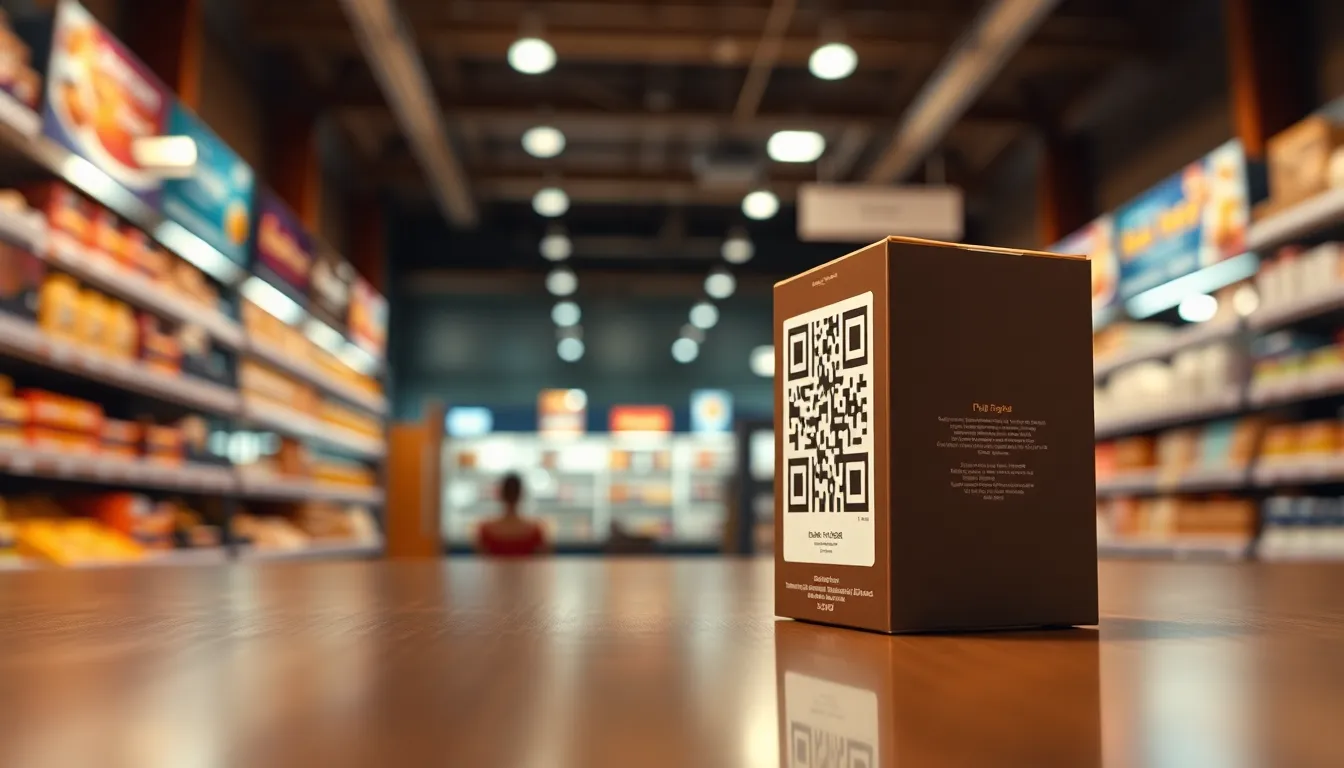
You're designing product packaging for your small business, and you want customers to easily find more information online. A QR code printed on the packaging can solve this problem instantly. When someone scans it with their phone, they're taken directly to your product page, video, or special offer. This simple addition bridges the physical product with your digital presence, making it easier for customers to learn more, buy again, or share with friends. For a cost-effective solution, consider OwnQR's $15 lifetime pricing for dynamic QR codes that adapt as your business grows.
Why QR Codes Belong on Product Packaging
Product packaging serves multiple purposes: it protects your item, communicates your brand, and now, it can connect customers to your online world. A QR code turns your packaging into an interactive tool. Instead of hoping customers will remember your website URL or search for your product name, you give them a one-tap path to exactly what you want them to see.
Consider these practical benefits. Customers can access detailed specifications, watch how-to videos, read customer reviews, or join your loyalty program. For limited edition products, the QR code might reveal the story behind the design. For consumables, it could link to recipes or subscription options. The connection happens immediately, while the product is in their hands.
Retailers benefit too. You reduce customer service questions about product details. You create opportunities for repeat purchases. And if you use dynamic QR codes, you gain valuable insights about when and where people are scanning your products.
How to Create the Right QR Code for Packaging
First, decide what happens when someone scans your code. The most common choice is linking to your product webpage, but you could also link to a video demonstration, a PDF instruction manual, or a special discount page. Be specific about the destination to avoid confusing customers.
Next, choose between static and dynamic QR codes. Static QR codes are free and permanent. Once created, the link inside cannot be changed. They're perfect for basic product pages that won't need updates. Dynamic QR codes cost $15 as a one-time payment with no subscription. They let you change the destination link anytime without reprinting the packaging. Dynamic codes also provide scan analytics showing location, device type, and scan times.
To create your QR code, visit OwnQR's QR code generator. Enter your product page URL, customize the design to match your packaging, and download the file. OwnQR offers both PNG and SVG formats. SVG files are vector-based and maintain perfect quality at any size, making them ideal for professional printing.
Design and Placement Best Practices
Your QR code should be visible but not disrupt your packaging design. Place it on a flat surface with good contrast against the background. The minimum recommended size is 2x2 centimeters for close-range scanning. For packaging that might be scanned from farther away, like large boxes on a shelf, use this formula: scanning distance divided by 10 equals the minimum QR code size in centimeters. A code meant to be scanned from 50 centimeters away should be at least 5 centimeters square.
Include a brief instruction near the QR code. Simple text like "Scan to learn more" or "Scan for video instructions" increases scanning rates. Make sure the area around the code remains clear of other graphics or text that might interfere with scanning.
Customize your QR code's appearance to match your brand. Change the colors, add your logo to the center, or use a decorative frame. Just ensure there's sufficient contrast between the code and background. Dark codes on light backgrounds or light codes on dark backgrounds work best. Avoid placing QR codes on curved surfaces or reflective materials that might distort the pattern.
Real Examples from Retail Packaging
Food products often use QR codes to link to recipes or sourcing information. A small-batch hot sauce might link to cooking videos showing how to use their product. A coffee roaster could connect customers to information about the farm where the beans were grown.
Electronics and appliances benefit from QR codes that lead to setup guides, warranty registration, or accessory pages. Instead of including thick paper manuals inside the box, manufacturers can provide a digital version accessible via QR code.
Fashion and beauty brands use QR codes for sustainability stories, care instructions, or styling ideas. A clothing tag might link to a page showing how to wear the item three different ways. A skincare product could connect to ingredient transparency information.
All these applications share a common goal: enhancing the customer experience by providing immediate access to valuable information that wouldn't fit on the packaging itself.
Real-world Use Cases
GreenBean Coffee Roasters, a specialty coffee company, implemented QR codes on their packaging in early 2025. Before adding QR codes, customers had to search online for brewing guides and farm stories, leading to a 15% bounce rate from their homepage. After placing dynamic QR codes linking directly to specific product pages with videos and origin details, they saw a 40% increase in online engagement and a 25% rise in subscription sign-ups within six months. The analytics from OwnQR showed most scans occurred in urban areas, helping them target marketing efforts.
TechGadget Inc., an electronics manufacturer, used QR codes on product boxes to reduce support calls. Previously, customers struggled with setup, resulting in 200+ monthly support tickets. By adding QR codes that linked to step-by-step video tutorials and FAQ pages, support tickets dropped by 60% in the first quarter of 2026. The dynamic QR codes allowed them to update links as firmware improved, avoiding costly reprints. OwnQR's scan data revealed peak scanning times were evenings, prompting them to schedule live support chats accordingly.
EcoWear Apparel, a sustainable clothing brand, integrated QR codes into garment tags to enhance transparency. Before this, customers relied on vague "eco-friendly" labels, leading to skepticism. After implementing QR codes that linked to detailed pages about material sourcing, carbon footprint, and care instructions, customer trust scores improved by 35% based on post-purchase surveys. The brand used OwnQR's analytics to track scans across regions, identifying high-interest markets for expansion. This approach also reduced printed material waste by 50%, aligning with their sustainability goals.
Want to follow along? Create a QR Code Generator now
It's free to start. Upgrade to $15 lifetime when you need editable dynamic QR codes.
Step-by-step: How to Do It with OwnQR
1. Define your QR code's purpose: Decide whether to link to a product page, video, or special offer. This ensures the destination aligns with customer needs and marketing goals, maximizing engagement and reducing confusion during scans.
2. Choose a dynamic QR code from OwnQR: Opt for a dynamic code to gain flexibility and analytics. With OwnQR's $15 lifetime pricing, you pay once and can edit links anytime, avoiding subscription fees and allowing updates without reprinting packaging.
3. Use OwnQR's generator tool: Visit the free QR code generator, input your target URL, and customize the design. This step ensures the code matches your brand aesthetics, with options for colors, logos, and frames to enhance visibility and appeal.
4. Test the QR code thoroughly: Scan it with multiple devices in various lighting conditions before printing. Testing verifies functionality and readability, preventing issues like broken links or poor contrast that could deter customers from using it.
5. Download in SVG format: Select SVG for high-resolution output suitable for professional printing. Vector files maintain quality at any size, ensuring the QR code remains scannable on packaging, from small labels to large boxes, without pixelation.
6. Integrate with packaging design: Collaborate with your designer to place the QR code in a visible, flat area with clear instructions like "Scan for details." Proper integration balances aesthetics and functionality, boosting scan rates by making the code easy to find and use.
7. Monitor analytics post-launch: Use OwnQR's dashboard to track scans, locations, and times. Analytics provide insights into customer behavior, helping you refine marketing strategies and update links based on real-time data for continuous improvement.
8. Update links as needed: Leverage dynamic features to change destinations without reprinting. This allows you to adapt to promotions, product updates, or feedback, keeping the packaging relevant and reducing waste over time.
Common Mistakes and How to Avoid Them
Placing QR codes on curved or reflective surfaces: This can distort the pattern, making scans difficult or impossible. Avoid this by choosing flat, matte areas on packaging and testing scans in real-world conditions before mass production to ensure reliability.
Using static QR codes for changing content: Static codes have fixed links, so if your product page URL changes, the code becomes useless. Prevent this by using OwnQR's dynamic QR codes, which allow link edits anytime, ensuring longevity and adaptability without extra costs.
Insufficient size or contrast: Small codes or poor color contrast reduce scannability, especially from a distance. Follow size guidelines (e.g., 2x2 cm minimum) and use high-contrast colors like black on white to enhance readability across different devices and lighting.
Neglecting to include instructions: Customers may not know to scan the QR code, lowering engagement rates. Add simple text like "Scan for more info" nearby to prompt action, increasing scan rates by making the code's purpose clear and inviting.
Failing to test before printing: Without testing, you risk broken links or design flaws. Always scan the QR code with multiple smartphones and in various environments to verify it works correctly, saving time and resources by catching issues early.
Pricing Comparison
| Feature | OwnQR ($15 Lifetime) | Subscription Alternatives |
|---|---|---|
| Upfront Cost | $15 one-time payment | Monthly or annual subscription fees (verify current pricing at vendor.com) |
| Link Editing | Unlimited changes | Often limited or extra fees |
| Analytics | Basic scan data included | May require higher-tier plans |
| File Formats | PNG and SVG | Typically PNG only |
| Long-term Cost | Fixed at $15 | Recurring payments add up over time |
OwnQR's $15 lifetime pricing offers a significant advantage for small businesses and retailers in 2026, especially when compared to subscription-based alternatives. While competitors may charge monthly fees that accumulate over years, OwnQR provides a one-time payment model that eliminates ongoing costs, making it budget-friendly for long-term use. The included features, such as unlimited link edits and basic analytics, are often gated behind premium tiers in subscription services, requiring additional investments. For example, a subscription service might charge $10 per month, totaling $120 annually, whereas OwnQR's $15 covers the same functionality indefinitely. This cost efficiency is crucial for businesses scaling their packaging strategies, as it allows reallocation of funds to other areas like design or marketing. Moreover, OwnQR's support for SVG files ensures high-quality printing without extra charges, a benefit not always available in cheaper plans from competitors. By choosing OwnQR, retailers gain a reliable, low-maintenance solution that adapts to changing needs without financial strain, enhancing ROI on packaging investments over time.
Frequently Asked Scenarios
What if my product page URL changes after printing? With OwnQR's dynamic QR codes, you can update the destination link at any time without altering the printed code. This flexibility prevents obsolescence, allowing you to redirect scans to new pages, promotions, or corrected URLs, ensuring customers always access relevant content and reducing waste from reprints.
How do I track the effectiveness of QR codes on packaging? OwnQR provides analytics that show scan counts, locations, device types, and times. Use this data to measure engagement, identify peak scanning periods, and assess regional interest. For instance, if scans spike in urban areas, you might target ads there, optimizing marketing efforts based on real customer behavior.
Can I use QR codes for limited-time offers? Yes, dynamic QR codes are ideal for time-sensitive promotions. Create a code linking to a special discount page, and after the offer expires, edit the link to direct to a general product page or new promotion. This maximizes campaign flexibility and keeps packaging useful beyond short-term events.
What's the best way to integrate QR codes into existing packaging? Start by adding a QR code to new product launches or best-sellers. Work with your printer to incorporate it as a design element, using high-resolution SVG files from OwnQR for clarity. Test scans before full production to ensure functionality, then expand to other products based on success metrics.
Getting Started with Your Packaging QR Codes
Begin with your best-selling product or a new product launch. Create a QR code that links to that specific product's page on your website. Test it thoroughly before printing. Scan it with multiple phones in different lighting conditions to ensure it works reliably.
If you're using static QR codes, remember the link is permanent. Double-check that the URL is correct and that the page loads quickly on mobile devices. For dynamic QR codes from OwnQR, you have the flexibility to update the destination later if needed.
Work with your packaging designer or printer to incorporate the QR code properly. Provide them with high-resolution files, preferably in SVG format for crisp printing. Discuss placement during the design phase rather than trying to add it as an afterthought.
Once your packaging is printed and in use, monitor the results. If you used dynamic QR codes, check the analytics to see when and where people are scanning. This data can inform future marketing decisions and packaging improvements.
Ready to add QR codes to your product packaging? Create your first QR code for free with OwnQR. Start with a static code for basic needs, or invest $15 once for a dynamic code with analytics and editable links. Either way, you'll give customers a seamless connection between your physical products and your digital presence. For long-term savings and flexibility, OwnQR's lifetime pricing makes it an ideal choice for retailers in 2026.
Tags
Frequently Asked Questions
How do QR codes on product packaging improve customer experience?
QR codes provide instant access to information that doesn't fit on packaging, like detailed specs, videos, or reviews. Customers can scan to see how-to guides, ingredient details, or styling ideas without searching online. This reduces frustration and increases engagement while the product is in their hands. OwnQR's dynamic codes even let you update this content without reprinting packaging.
What size should a QR code be on product packaging?
The minimum size for reliable scanning is 2x2 centimeters for close-range use. For packaging that might be scanned from farther away, calculate size by dividing scanning distance by 10. A code meant to be scanned from 30 cm away should be at least 3 cm square. Always test your specific design before mass printing to ensure it scans properly.
Can I change where a QR code links after printing the packaging?
Only with dynamic QR codes. Static QR codes have fixed destinations that cannot be changed once created. Dynamic QR codes, like those from OwnQR for a $15 one-time payment, allow you to update the target URL anytime. This means you can fix broken links, promote new content, or redirect to seasonal offers without replacing your printed packaging.
Why choose dynamic QR codes over free static ones for product packaging?
Dynamic QR codes offer two key advantages: editable destinations and scan analytics. If your product page URL changes or you want to link to different content later, you can update it without reprinting. Analytics show when, where, and what devices scan your codes, providing valuable marketing insights. OwnQR offers lifetime dynamic codes for $15 with no subscription fees.
What's the best alternative to monthly subscription QR code services for packaging?
For small businesses, one-time payment options avoid recurring costs. OwnQR provides dynamic QR codes for $15 lifetime with no expiration, compared to services like Beaconstac or Bitly that require monthly subscriptions. This makes budget planning simpler while still offering features like analytics and editable links. Always verify current pricing at competitor websites as terms change.
Ready to own your QR codes?
One-time $15 for lifetime dynamic QR codes.
Most alternatives bill monthly — verify current rates on their site.
30-day money back guarantee