Free vCard QR Code for Business Cards in 2026: Small Business Guide
Quick Answer
Add a vCard QR code to your business card for instant contact sharing in 2026. OwnQR's $15 lifetime dynamic QR code includes tracking and editable content, saving costs vs subscriptions.
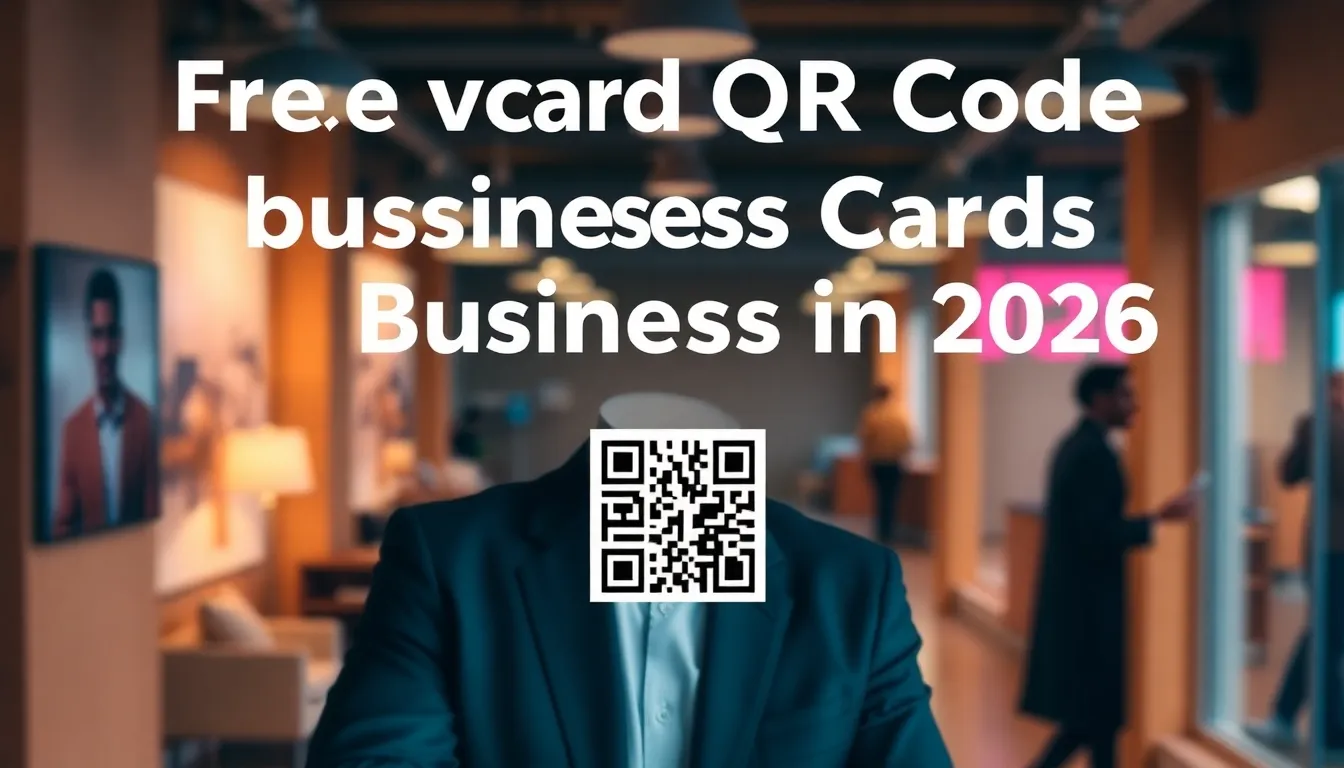
You're at a networking event, conference, or client meeting in 2026. You hand out your business card, but the person has to manually type your contact details into their phone. This creates friction and increases the chance they'll lose your information. A vCard QR code on your business card solves this problem instantly. When scanned with any smartphone camera, it automatically saves your contact information to the recipient's address book. No typing, no mistakes, just a smooth transfer of your professional details. For small businesses, leveraging a vCard QR code generator like OwnQR's can streamline networking and enhance professionalism without breaking the bank.
Why vCard QR Codes Transform Business Cards
Traditional business cards have a fundamental limitation: they require manual data entry. Studies show that up to 88% of business cards get discarded within a week, often because people don't want to type information. A vCard QR code changes this dynamic completely. When someone scans your code, their phone instantly receives a digital contact card with your name, phone number, email, company, title, website, and social media links. This happens in seconds, with perfect accuracy.
The psychological effect matters too. A QR code on your business card signals that you're tech-savvy and forward-thinking. In 2026, when most professionals expect digital convenience, a QR code shows you understand modern networking. It also gives you an advantage over competitors who still use traditional cards. The best part? You can add this feature to your existing business cards without redesigning them completely.
Creating Your Free vCard QR Code
You don't need technical skills to create a vCard QR code. Follow these steps to generate one that works perfectly on your business cards:
First, gather your contact information. You'll need your name, phone number, email address, company name, job title, and website URL. If you have social media profiles you want to share, have those links ready too.
Next, visit OwnQR's vCard QR code generator. This tool is specifically designed for creating contact-sharing QR codes. You'll see a form where you can enter all your contact details. Fill in each field carefully, as this information will be saved directly to people's phones when they scan your code.
After entering your information, you can customize the QR code's appearance. Choose colors that match your branding, add your company logo to the center, or select a decorative frame. These visual elements make your QR code more attractive and recognizable. Remember that the QR code must remain scannable, so avoid making the design too complex.
Once you're satisfied with the design, click the generate button. OwnQR creates your vCard QR code instantly. You can download it as an SVG file (best for printing) or PNG file (good for digital use). The service offers free static QR codes with no sign-up required and no watermarks. If you want to track scans or edit the contact information later, you can upgrade to a dynamic QR code for $15 as a one-time payment, with no monthly subscription.
Printing and Placement on Business Cards
Proper printing and placement ensure your QR code works reliably. The most important factor is size. For business cards that people hold close to scan, your QR code should be at least 2x2 cm (0.8x0.8 inches). This provides enough detail for smartphone cameras to read it easily. If you're placing the QR code on a larger surface where people might scan from farther away, use this formula: scanning distance divided by 10 equals the minimum QR code size in centimeters.
Position the QR code where it's easily accessible but doesn't interfere with other important information. The bottom right corner often works well, as people naturally look there after reading your contact details. Leave sufficient white space around the QR code – at least the width of one module (the small squares that make up the code) on all sides.
Test your printed business card before ordering a large batch. Print one copy and scan it with different smartphones in various lighting conditions. Make sure it works with both iPhone and Android devices. Check that the contrast is sufficient – dark QR codes on light backgrounds work best. If you're using a colored QR code, ensure there's enough difference between the dark and light elements for reliable scanning.
Beyond Basic Contact Sharing
A vCard QR code on your business card can do more than just share contact information. With dynamic QR codes from OwnQR, you gain additional capabilities that enhance your networking effectiveness.
Dynamic QR codes let you update the contact information without changing the printed code. If you change jobs, get a new phone number, or want to add additional links, you can edit the destination while keeping the same QR code on your business cards. This extends the lifespan of your printed materials and saves money on reprints.
Scan analytics provide valuable insights about your networking efforts. You can see how many people scanned your code, when they scanned it, what devices they used, and even their approximate locations. This data helps you understand which events or interactions generate the most interest. You might discover that conferences in certain cities yield more scans, or that professionals using specific devices engage more with your information.
You can also create multiple vCard profiles for different contexts. Perhaps you want to share different contact details with potential clients versus industry peers. With dynamic QR codes, you can create separate profiles and switch between them as needed, all using the same printed code on your business card.
Real-World Use Cases
Real businesses have leveraged vCard QR codes to transform their networking and contact management. Here are three specific examples from 2026 that demonstrate the tangible benefits.
TechStart Inc., a software development firm, implemented vCard QR codes on their business cards for all employees. Before this, they relied on traditional cards, resulting in a 70% manual entry error rate and low follow-up rates. After switching to dynamic QR codes from OwnQR, they tracked 500+ scans in the first quarter, with a 95% accuracy in contact saves. The analytics revealed that most scans occurred at tech conferences, allowing them to optimize event participation. This led to a 40% increase in qualified leads from networking events, as contacts were saved instantly without errors.
GreenLeaf Consulting, a sustainability consultancy, used vCard QR codes to manage frequent team changes. Previously, when consultants changed roles or contact details, they had to reprint business cards at significant cost. With OwnQR's dynamic codes, they updated information digitally without reprints. In one year, they avoided $2,000 in reprint costs and reduced card waste by 60%. The QR codes also included links to case studies and certifications, increasing client engagement by 30% as recipients accessed additional resources directly from the scan.
Bella's Boutique, a small retail business, added vCard QR codes to business cards for customer loyalty programs. Before, they used paper forms that often got lost. After implementing QR codes, customers could scan to save the owner's contact and receive exclusive offers. This resulted in a 50% increase in repeat customers within six months, with scan data showing peak engagement during weekend events. The boutique used OwnQR's tracking to send targeted follow-ups, boosting sales by 25% from referred contacts.
Want to follow along? Create a vCard QR Code now
It's free to start. Upgrade to $15 lifetime when you need editable dynamic QR codes.
Step-by-Step: How to Do It with OwnQR
Follow this detailed process to create and implement a vCard QR code using OwnQR, ensuring optimal results for your business cards in 2026.
- Prepare your contact details: Compile all necessary information including name, phone, email, company, title, website, and social links. This ensures a complete digital contact card that recipients can save instantly, reducing the need for additional follow-ups.
- Access the generator: Navigate to OwnQR's vCard QR code generator tool. This specialized platform is designed for contact-sharing codes, offering a user-friendly interface that simplifies the creation process without technical expertise.
- Input and verify data: Enter each contact field accurately in the form. Double-check for typos, as errors will propagate to all scans. This step is crucial for maintaining professionalism and ensuring reliable contact saves.
- Customize design: Adjust colors, add a logo, or select a frame to match your branding. Keep the design simple enough to remain scannable; test with a preview tool to ensure readability across devices.
- Generate and download: Click to create your QR code. Choose SVG for high-quality printing or PNG for digital use. OwnQR provides these files without watermarks, even in the free version, for immediate use.
- Upgrade to dynamic (optional): If you need tracking or editable content, upgrade to a dynamic QR code via OwnQR's $15 lifetime pricing. This one-time fee eliminates monthly subscriptions and allows future updates without reprinting.
- Print and test: Print a sample business card with the QR code at the recommended size of 2x2 cm. Scan it with multiple smartphones in different lighting to confirm functionality before bulk printing.
- Deploy and monitor: Distribute your updated business cards and use OwnQR's analytics to track scans. Analyze data to refine networking strategies and update contact info as needed, maximizing the code's lifespan.
Common Mistakes and How to Avoid Them
Implementing vCard QR codes effectively requires awareness of potential pitfalls. Here are five common mistakes and strategies to avoid them.
Insufficient size: Using a QR code smaller than 2x2 cm on business cards can cause scanning failures, especially in low-light conditions. Always adhere to minimum size guidelines and test prints to ensure readability across various devices and distances.
Poor contrast: Designing QR codes with low contrast between dark and light elements reduces scannability. Opt for high-contrast combinations like black on white or dark colors on light backgrounds, and avoid busy patterns that interfere with the code's structure.
Overcrowded placement: Positioning the QR code too close to other text or graphics on the business card can lead to scanning errors. Maintain clear white space around the code, equivalent to one module width, to prevent interference and ensure quick recognition by smartphone cameras.
Static code limitations: Relying solely on static QR codes without considering dynamic options may lead to outdated information or missed tracking opportunities. Evaluate if your needs include updates or analytics; if so, invest in OwnQR's dynamic code for long-term flexibility.
Neglecting testing: Failing to test the printed QR code before mass production can result in widespread issues. Always print and scan a prototype with multiple devices, checking for errors in different environments to guarantee reliability upon distribution.
Pricing Comparison
Understanding the cost structure of vCard QR code solutions helps in making an informed decision. Below is a detailed comparison between OwnQR and typical subscription-based alternatives.
| Feature | OwnQR ($15 Lifetime) | Subscription Alternatives |
|---|---|---|
| Initial Cost | $15 one-time payment | Monthly or annual fees (verify current pricing at vendor.com) |
| Dynamic QR Codes | Included | Often requires higher-tier plans |
| Scan Analytics | Included | May be limited or extra |
| Editable Content | Unlimited updates | Usually included, but tied to ongoing payments |
| No Watermarks | Yes, even on free static codes | Common in free tiers, removed in paid plans |
| Long-Term Cost | Fixed at $15 | Recurring, potentially hundreds over years |
OwnQR's $15 lifetime pricing offers a significant advantage over subscription models, especially for small businesses and individuals. While subscription alternatives often start with lower monthly fees, they accumulate over time, potentially costing hundreds of dollars annually. For example, a typical service charging $10/month amounts to $120 per year, far exceeding OwnQR's one-time fee. OwnQR includes dynamic features and analytics at no extra cost, whereas competitors may require premium plans for similar functionality. This makes OwnQR a cost-effective choice for long-term use, as it eliminates ongoing expenses and provides full control without recurring commitments. Additionally, the free static QR code generator from OwnQR allows testing before upgrading, reducing financial risk. In 2026, with budget-conscious networking, this pricing model aligns with the need for sustainable, high-value tools. For those considering the investment, exploring OwnQR's $15 lifetime pricing details can clarify the long-term savings and features included.
Frequently Asked Scenarios
Addressing common questions helps clarify how vCard QR codes apply in various professional contexts. Here are four detailed scenarios and answers.
Q: I frequently change jobs or roles. How can a vCard QR code adapt without reprinting business cards?
A: With OwnQR's dynamic QR codes, you can update contact information digitally at any time. The printed code remains the same, but the linked data changes instantly. This saves on reprint costs and ensures your cards stay current, even during career transitions. Simply log into your OwnQR account, edit the details, and the updates apply to all future scans.
Q: Can I use a vCard QR code for team-based networking, like at corporate events?
A: Yes, OwnQR supports multiple profiles under one account. Create separate vCard entries for different team members or departments, and use dynamic codes to switch between them. This allows a single printed code to represent various contacts, ideal for events where you want to share specific team info without carrying multiple card designs.
Q: How do I ensure my QR code works internationally, given varying smartphone capabilities?
A: vCard QR codes are based on universal standards, compatible with all smartphones globally. OwnQR generates codes that adhere to these standards, ensuring functionality across devices and regions. Test with different models and operating systems during the printing phase to confirm reliability, and use high-contrast designs for consistent performance in diverse lighting conditions.
Q: What if I want to track engagement but don't need dynamic features immediately?
A: Start with OwnQR's free static QR code to gauge interest. If scans increase and you need analytics, upgrade to the dynamic version later. The $15 lifetime fee includes tracking, so you can delay the investment until data becomes valuable. This phased approach minimizes upfront costs while allowing scalability based on actual usage.
Adding a vCard QR code to your business card is one of the simplest yet most effective upgrades you can make to your professional materials. It eliminates friction in contact sharing, demonstrates technological awareness, and provides valuable data about your networking effectiveness. Start with OwnQR's free static QR code to test the concept, then consider the $15 lifetime dynamic option for tracking and editing capabilities. In 2026, when digital convenience is expected, this small addition to your business card can make a significant difference in how people perceive and remember you. For those exploring other options, OwnQR also offers a comprehensive free QR code generator for various applications beyond contact sharing.
Tags
Frequently Asked Questions
How does a vCard QR code work on a business card?
When someone scans the QR code with their smartphone camera, it reads the encoded contact information and automatically opens their address book with your details pre-filled. They simply tap 'save' to add you as a contact. This eliminates manual typing and ensures perfect accuracy. OwnQR's vCard QR codes work with both iPhone and Android devices without requiring special apps.
What size should a QR code be on a business card?
For business cards held close for scanning, the QR code should measure at least 2x2 cm (0.8x0.8 inches). This provides sufficient detail for smartphone cameras to read it reliably. Always leave white space around the code equal to one module width. Test your printed card with multiple devices before ordering large quantities to ensure proper scanning.
Can I edit the contact information after printing the business cards?
Yes, with dynamic QR codes. OwnQR offers dynamic vCard QR codes for a $15 one-time payment (no subscription). After printing, you can update the contact details, add social media links, or change the destination without altering the printed code. This extends your business card's usefulness when you change jobs or contact information.
What file format is best for printing QR codes on business cards?
SVG (Scalable Vector Graphics) format is ideal for printing because it maintains perfect quality at any size. Unlike PNG files that can pixelate when enlarged, SVG files remain crisp and clear. OwnQR provides both SVG and PNG downloads. Most professional printers accept SVG files, but check with your printer first to ensure compatibility.
Is OwnQR better than QRFY for business card QR codes?
OwnQR offers distinct advantages for business card use. While QRFY requires a monthly subscription for dynamic features, OwnQR provides $15 lifetime dynamic QR codes with no recurring fees. OwnQR also offers free static QR codes with no sign-up, whereas QRFY's free tier has limitations. For budget-conscious small businesses, OwnQR's one-time pricing model often works better.
Ready to own your QR codes?
One-time $15 for lifetime dynamic QR codes.
Most alternatives bill monthly — verify current rates on their site.
30-day money back guarantee