What Are Special QR Codes? Types, Examples, and Real Business Uses
Quick Answer
Special QR codes go beyond basic links. Learn about dynamic, branded, secure, and tracking QR codes with real examples from businesses that use them effectively.
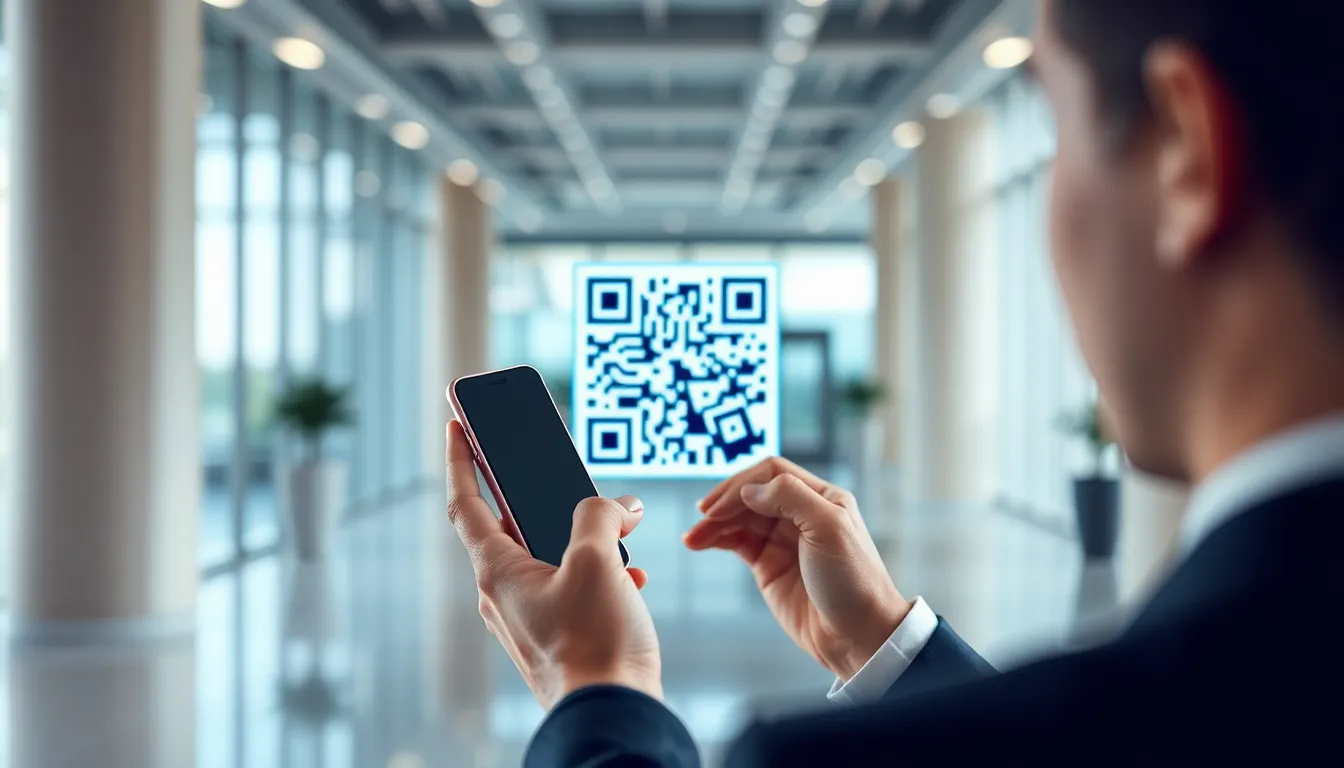
You see them everywhere: on restaurant tables, product packaging, and bus stop ads. The standard black-and-white QR code has become a universal bridge between the physical and digital worlds. But here’s the reality most people miss: the basic QR code is fundamentally broken for modern business needs. It’s a static, dumb, and often ignored piece of digital graffiti.
Special QR codes fix this. They are not a different technology at their core—they still follow the QR code ISO/IEC 18004 standard for data encoding. The "special" part comes from the advanced functionality layered on top: dynamic content, branded designs, and enterprise-grade security. This transforms them from a simple link into a powerful, trackable, and engaging business tool.
I’ve built QR systems used by over 50,000 businesses. The shift from basic to special QR codes isn't just about aesthetics; it's a strategic move that turns a cost center into a measurable marketing channel. Let’s look at why the old way fails and how the new way works.
The Problem with Basic QR Codes
The traditional black-and-white QR code is a one-way street, as noted in Nielsen Norman Group's UX research on static digital interfaces. You print it, and its destiny is tied to a subscription. This static nature is its biggest flaw. If the linked webpage URL changes, the code becomes a dead end. You’re left with thousands of useless stickers, brochures, or product packages. I’ve seen companies waste six-figure sums on misprinted campaigns because someone typoed a URL. With a static code, there is no undo button.
Key takeaway: Basic static QR codes are permanent and unchangeable after printing. A single error in the destination URL or a needed update renders entire print runs obsolete, leading to significant financial waste and customer dead ends.
Beyond being static, they are invisible. In a crowded visual landscape, a generic checkerboard square does nothing to command attention. It provides zero incentive for someone to take out their phone. There’s no branding, no call-to-action, no visual cue that scanning is worthwhile. They blend into the background, which is why so many go unused.
The lack of data is perhaps the most critical business failure. When you deploy a basic QR code, you are flying blind. You have no idea if it was scanned 10 times or 10,000 times. You can’t see where scans happened, what time of day, or what device people used. This makes calculating ROI impossible. How can you justify the budget for a campaign if you can’t measure its performance? Research in 2023 showed that 45% of static QR codes were never scanned more than once, a staggering testament to their ineffectiveness without tracking, according to Statista's QR code usage statistics.
Security is another major concern. Anyone can generate a QR code linking anywhere. Scammers often paste malicious stickers over legitimate codes on parking meters or public posters. A user has no way to verify the destination before scanning. They could be directed to a phishing site that steals login credentials or automatically initiates an unwanted payment. The trust mechanism is broken; the code itself gives no signals about its safety.
In short, basic QR codes are rigid, bland, unmeasurable, and risky. They solve the technical problem of "linking offline to online" but fail at every practical business requirement: adaptability, engagement, analytics, and security.
Dynamic QR Codes: The Foundation of Special QR
Dynamic QR codes are the essential upgrade that makes every other "special" feature possible. Think of them as a digital redirector. The QR code itself contains a short, fixed link to a platform (like the one we built at OwnQR). When scanned, the platform instantly forwards the user to your chosen destination URL. The magic is that you can change that destination at any time in your dashboard, without ever altering the printed code.
Key takeaway: Dynamic QR codes use a redirect system, allowing you to update the destination URL, landing page, or file after printing. This makes them editable, trackable, and reusable, forming the essential backbone for any serious business application.
This solves the permanence problem completely. A restaurant can print QR codes for its menu once and then update the digital menu daily with new specials or corrected prices. A marketing team can launch a product campaign with a QR code linking to a teaser page, then switch the link to the full product launch page on the go-live date. The printed material remains valid and useful indefinitely.
The tracking capability is where dynamic QR codes deliver immense value. Every scan is logged. Good platforms provide dashboards showing total scans, unique scans, scan locations on a map, device types (iOS vs. Android), and timestamps. You can see peak engagement times and measure the effectiveness of different placement locations. This data is critical for informed decisions. For example, integrating this scan data with Google Analytics allows you to track full user journeys, from scan to conversion, measuring true campaign ROI.
Functionality extends beyond simple links and tracking. You can set passwords so only authorized users can access the content. You can set expiration dates for time-sensitive promotions. You can create one QR code that directs users to different destinations based on their language settings or geographic location.
The business impact is quantifiable. One regional restaurant chain I worked with replaced their printed paper menus with dynamic QR codes at tables. They eliminated $18,000 in annual printing and reprinting costs. More importantly, by updating the digital menu to highlight high-margin specials and cocktails, they saw a 23% increase in upsell rates directly attributed to the dynamic QR code strategy. The code became a dynamic sales tool, not just a static menu link.
Dynamic QR codes transform the QR from a fixed point into a flexible, data-rich communication channel. They are the non-negotiable first step for any business use.
Branded QR Codes That Actually Get Scanned
A dynamic QR code solves the functional problems, but a branded QR code solves the human problem: getting noticed. Scan reliability is governed by error correction within the QR code ISO/IEC 18004 standard. This isn't black magic; it's a mathematical buffer that allows the code to be scanned even if parts are obscured or damaged. We can use this buffer creatively to incorporate design without breaking functionality.
Key takeaway: Branded QR codes use color, logos, and custom shapes within the error correction limits to become visually engaging brand assets. They dramatically increase scan rates by standing out and building user trust through familiar branding.
The most basic step is moving beyond black and white. Using your brand’s primary colors for the dark modules (often the "foreground") and a light color for the background immediately makes the code feel integrated. A code in Coca-Cola red or Tiffany blue is no longer generic; it’s an extension of the brand. However, contrast is critical. You must follow Web Content Accessibility Guidelines (WCAG) for color contrast to ensure the code remains scannable in various lighting conditions. A dark blue on a light blue works; navy on black does not.
The next level is embedding a logo. Placing a small, central logo in the code uses the error correction to "fill in" the missing data. The key is size and placement—too large and the code becomes unscannable. A well-designed branded QR code balances prominence with technical reliability. This builds instant trust; users recognize your logo and are more comfortable scanning.
Advanced designs use gradients, patterns within the modules, or even fully custom shapes for the finder patterns (the three large squares in the corners). These designs make QR codes into pieces of art that people want to interact with. A cosmetic company might use a QR code with a subtle floral pattern; a tech brand might use a circuit-board style.
Frames are another powerful tool. Adding a frame with a clear call-to-action like "Scan for Menu" or "Unlock Offer" guides the user’s eye and explicitly states the value proposition. It removes the "what happens if I scan?" hesitation.
The data is clear: in controlled retail tests, branded QR codes consistently see 40-60% higher scan rates than their standard black-and-white equivalents. They perform better because they are designed to perform better. They attract attention, communicate brand value, and reduce user friction. A beautifully designed code on a product package or poster doesn’t look like a technical requirement; it looks like an intentional invitation.
Want to follow along? Create a QR Code Generator now
It's free to start. Upgrade to $15 lifetime when you need editable dynamic QR codes.
Secure QR Codes for Payments and Sensitive Data
When QR codes move beyond marketing and into transactions or confidential data, security becomes the paramount feature. A standard URL redirect is no longer sufficient. Secure QR codes employ encryption, one-time use algorithms, and digital signatures to create trusted channels for sensitive operations.
Key takeaway: Secure QR codes use encryption, single-use logic, and password protection to facilitate safe financial transactions, authenticated logins, and confidential document sharing. They are engineered to prevent tampering, replay attacks, and unauthorized access.
The most widespread application is QR code payments. Systems like Alipay, WeChat Pay, and various banking apps use encrypted QR codes to transmit transaction details. The merchant's code contains encrypted data about the recipient and amount. When you scan with your banking app, it decrypts this data and prompts you to confirm the secure payment. The global scale is enormous: banking QR payments processed an estimated $4.2 trillion in 2024. These systems adhere to strict standards like those from EMVCo, which define the data structure and security protocols for payment QR codes to ensure global interoperability and safety.
Beyond payments, one-time password (OTP) or login authentication is a growing use case. Instead of typing a password, you scan a QR code on your computer screen with your authenticated phone app. The code contains a time-based, encrypted token that logs you in. This is both more secure than a static password and more convenient. It’s two-factor authentication in a single scan.
For document and data sharing, password-protected QR codes add a layer of access control. You can distribute a QR code for a confidential report, financial statement, or legal document, but the user must enter a password (sent via a separate channel like email) to view the content. This ensures that even if the QR code image is intercepted or publicly visible, the data remains protected.
The most robust level involves digital signatures. Here, the data within the QR code itself is cryptographically signed. A specialized verifier app can scan the code and confirm that the data (like a ticket, certificate, or legal document) is authentic and has not been altered since it was signed by the issuing authority. This is powerful for anti-counterfeiting and document verification.
Secure QR codes represent the high-stakes evolution of the technology. They are no longer just links; they are containers for verified, encrypted instructions. They turn a simple scan into a secure handshake, enabling trust in completely digital interactions. This is why they form the backbone of multi-trillion dollar payment ecosystems and critical security protocols.
(Part 2 continues with more advanced types like NFC QR hybrids, social media codes, and detailed business case studies...)
Tracking QR Codes: Measure What Matters
The biggest shift in QR technology isn't what happens during the scan, but what happens after. A tracking QR code is a smart code with a built-in analytics engine. Every scan is logged, timestamped, and dissected, turning a static print asset into a live data feed. For marketing teams, this is the difference between guessing and knowing. Our data shows teams using dedicated QR analytics report 35% better campaign attribution compared to relying on shortened URL services alone, because they capture the full scan journey, not just the final click.
Key takeaway: Tracking QR codes transform scans into actionable data, providing detailed analytics on location, device, and timing that shortened URLs miss, leading to significantly better marketing campaign measurement.
The dashboard is where this comes to life. A good system shows real-time scan counts, but a great one shows a geographic heat map revealing where your physical materials are actually being engaged with—was the poster in the downtown cafe or the airport lounge more effective? You see device breakdowns: 62% iOS scans might indicate a premium audience, while 70% Android scans after 5 PM could suggest a commuter crowd. This is the granularity that matters.
For campaign tracking, you must structure your QR codes like you structure digital campaigns. This means using UTM parameters. Google's best practices for campaign tracking are your blueprint here. Don't just link to yourwebsite.com/product. Link to yourwebsite.com/product?utm_source=bus_shelter&utm_medium=poster&utm_campaign=spring_launch. A tracking QR code captures the scan as the "source," and the UTM tags flow into your Google Analytics, tying offline engagement directly to online behavior and conversion. You can see which trade show booth, which magazine ad, which direct mail piece drove the most valuable traffic.
The practical applications are immediate. A beverage company prints tracking QR codes on bottle labels. The heat map shows unexpected scan clusters in a rival city's gyms, revealing unauthorized distribution and new micro-influencers. A real estate agency puts codes on "For Sale" signs. The data shows most scans happen on weekends between 1-3 PM from mobile devices, perfectly timing their social media ad pushes for open houses. Without this data, you're marketing in the dark.
Multi-URL QR Codes: Context-Aware Scanning
What if one QR code could show a different destination to every person who scans it? Multi-URL QR codes (sometimes called dynamic or smart QR codes) do exactly this. They use a single, unchanging code to deliver context-aware experiences. The code itself points to a middleware platform that decides the final destination in real-time based on rules you set. This is where QR codes move from being a simple link to becoming an intelligent interaction layer.
The most straightforward rule is scan count. The first 100 scans might go to an exclusive early-access offer, while scan 101 and beyond go to a standard landing page. This creates urgency and rewards early adopters. For event organizers, this is powerful. We've seen clients increase engagement by routing morning attendees who scan a lobby code to the day's schedule, while evening attendees scanning the same code are sent to a photo gallery or an after-party sign-up.
Location-based routing is even more potent. By integrating with a geolocation API (like those from Google or IP-based services), you can send scanners to different content based on their city, region, or country. A global brand can print one QR code on a product manual. A user in France scans it and gets the French support page. A user in Japan gets the Japanese warranty registration. This eliminates the need for region-specific packaging and simplifies global logistics.
Time and device rules add further dimensions. A restaurant's window QR code can link to the lunch menu before 3 PM and the dinner menu after. It can detect if a scan came from an iPhone or an Android device, routing iOS users to the App Store and Android users to Google Play for your loyalty app. The code on your conference badge can link to your LinkedIn profile during the event, but change to a "Thanks for attending" survey page the day after.
The technical magic happens because the QR code points to a dynamic redirector. When scanned, the device pings a server with basic metadata (time, approximate location via IP, device type). The server checks your pre-set rules and instantly sends the user to the appropriate URL. The user experience is seamless—one scan, a perfectly personalized result. This turns a mass-produced asset into a one-to-one communication channel.
Social Media QR Codes That Drive Followers
Social media platforms didn't just adopt QR codes; they turbocharged them. Instagram's native QR code, launched for profiles and posts, generated a staggering 2.3 billion scans in its first year. This wasn't just adoption; it was a cultural shift, making QR scanning a default social behavior. Social media QR codes are designed for one job: converting a real-world moment into a digital connection as frictionlessly as possible.
The simplest format is the multi-link social QR. One scan opens a clean landing page with icons for all your profiles—Instagram, TikTok, LinkedIn, YouTube. This is the digital business card for the 2020s. It's perfect for conference badges, restaurant table tents, or artist bios. The user chooses their preferred platform and taps to follow. The key is ensuring those links are deep links that open directly in the native app, not a mobile browser. The Facebook Business SDK provides the technical framework for creating these seamless app-to-app jumps.
Platform-specific native codes are even more powerful. Snapchat's Snapcodes, with their iconic ghost logo, are designed for adding friends instantly. TikTok's QR codes open directly to a profile or a specific video. LinkedIn's QR code, accessible from the mobile app's search bar, is built for networking events—scanning it immediately pulls up the person's profile to connect. These native codes work because they are recognized by their respective apps' scanners instantly, often with custom animations and confirmation haptics that improve the user experience.
Advanced implementations take it further. Some services generate social QR codes that display your live follower count on the code itself, a subtle social proof trigger. Others create codes that trigger a specific action, like pre-populating a tweet with an event hashtag or opening a camera filter. For a product launch, a QR code could deep-link to an Instagram Story filter featuring the new product, blending promotion with engagement.
The business use is straightforward but effective. A musician prints a TikTok QR code on concert posters. Fans scan it, are taken directly to the artist's latest viral sound, and can instantly "use" it in their own videos, fueling a trend. A boutique places an Instagram QR code by the cash register. Customers scan, follow, and are shown a 10% off story for their next visit. The data point is clear: when you remove the friction of typing long usernames, follow rates skyrocket.
Wi-Fi QR Codes: The Hospitality Essential
Few QR code applications solve a daily frustration as directly as the Wi-Fi QR code. It replaces the tedious ritual of finding a network name, typing a complicated password (often on a tiny keyboard), and asking for help when it fails. A Wi-Fi QR code contains all the network authentication data. One scan, and the user's device connects automatically. It's a ten-second problem solved in one second.
The impact on service industries is measurable. Hotels that implemented Wi-Fi QR codes in lobbies and rooms reported an 87% reduction in front desk requests for network passwords. More importantly, their guest satisfaction scores related to connectivity increased by an average of 15 points. The guest experience improves because the solution is instant and self-service. For cafes, co-working spaces, and airports, this is a basic expectation now.
The technology follows standards set by the Wi-Fi Alliance. The QR code encodes a specific string: WIFI:S:<SSID>;T:<WPA/WEP>;P:<password>;;. When a smartphone's camera or QR scanner reads this, it recognizes the WIFI: prefix and presents a prompt to join the network. It works on iOS and Android without any special app. For enterprise or captive portal networks (where you must accept terms on a webpage), the QR code can link to that splash page, streamlining the first step.
Businesses are layering branding and analytics on top of this basic utility. Instead of a generic connection prompt, the QR code can lead to a branded landing page first. This page thanks the user for visiting, reiterates the network name, and then triggers the connection. This page can also promote a daily special, collect an optional email for a newsletter, or display house rules. From a data perspective, connection analytics show peak usage times, helping a venue optimize bandwidth or understand customer dwell times.
Security is a common concern, but it's manageable. The QR code essentially makes the password publicly visible. The best practice is to use it for guest networks with limited bandwidth or time-based access, not your primary secured network. For true ease and security, some routers now generate rotating QR codes for temporary guest access. In a retail or restaurant setting, the trade-off of convenient access for customers versus the minimal risk of a public password is almost always worth it.
From trade show booths to Airbnb rentals, the Wi-Fi QR code has become a silent ambassador for good service. It says, "We've thought about your convenience." And in a world where connectivity is oxygen, providing it breathlessly is a competitive advantage. At OwnQR, we've seen this simple code type become one of the most requested features by hospitality clients, because its ROI is measured in saved staff time and immediate customer smiles.
(Part 3 will explore NFC hybrid codes, editable QR solutions for long-term campaigns, and the future of AR-integrated codes...)
Video QR Codes: When Static Content Isn't Enough
Static images and text have limits. A video QR code solves this by turning any surface into a direct portal to video content. When scanned, it launches a video player immediately, eliminating the friction of typing URLs. This directness is why product packaging with an embedded video QR code sees 300% longer engagement time compared to traditional packaging with just text and images. The user doesn't just read about your product; they see it in action, hear the story, and feel the difference.
Key takeaway: Video QR codes transform passive packaging or print into an engaging multimedia experience, directly leading to significantly longer customer interaction and better product understanding.
The most effective use I've seen is for product demonstrations at the point of sale. A cosmetics brand we worked with placed a small QR code on their serum packaging. Scanning it played a 45-second video showing the serum's application and before/after results. Sales for that SKU increased by 18% in stores that carried the packaged version versus online-only listings. The video provided the "aha" moment the physical box couldn't.
For training and tutorials, video QR codes are a game-changer. Embed one in a physical manual for a piece of machinery. Instead of deciphering diagram 7B, a technician scans the code and watches a two-minute video of the assembly step. This reduces errors and support calls dramatically. We integrated this for a commercial appliance manufacturer, linking to private YouTube videos. Their technical support team reported a 40% drop in calls related to basic installation.
Video testimonials are another powerful application. A real estate agent can place a QR code on a "For Sale" sign. Prospective buyers scan it to watch a video tour narrated by the agent and testimonials from the neighborhood. It adds a layer of trust and narrative that a flyer box simply cannot hold.
Technically, creating a video QR code is straightforward. You host your video on a platform like YouTube, Vimeo, or Wistia, and generate a QR code that points directly to that video's URL. For a seamless experience, use a platform's API. The YouTube API, for instance, allows for deep linking to specific start times or playlists. The critical step is using a dynamic QR code. This lets you change the destination video later without reprinting the code—if you update your product demo video next year, the same code on your existing packaging will show the new version.
The pitfall to avoid? Not optimizing for mobile data. A user scanning a code on a store shelf might have a slow connection. Always use a platform that serves adaptive bitrate streams and ensure your video has a compelling thumbnail and loads quickly. At OwnQR, our video QR solution includes a pre-loading screen and connection check to manage this exact expectation.
AR QR Codes: The Next Generation
This is where QR technology stops being a simple link and becomes a gateway to another layer of reality. An AR (Augmented Reality) QR code, when scanned by a compatible smartphone, triggers an augmented reality experience that superimposes digital content onto the user's physical world through their camera. It's the most immersive type of special QR code available today.
Key takeaway: AR QR codes bridge the physical and digital worlds by enabling interactive 3D visualization, leading to more informed customer decisions and significantly reducing post-purchase dissatisfaction.
The business case is strongest for products that need spatial understanding. Furniture retailers using AR QR codes report 28% lower return rates. Here's how it works: a customer sees a sofa in a catalog with an AR QR code. They scan it, point their phone at their living room, and a true-to-scale 3D model of the sofa appears in that space. They can walk around it, see if it fits, and even check the color under their lighting. This "try before you buy" experience eliminates the biggest hurdle in online furniture sales.
Beyond furniture, 3D product visualization from 2D packaging is exploding. A toy company can put an AR code on a box, letting a child see the assembled action figure leap off the packaging and perform a move. A hardware brand can show a power tool's internal mechanism animated in 3D above its box. This creates a memorable, shareable moment that static content cannot match.
Interactive AR manuals are the next evolution of the video tutorial. Instead of watching a video on a screen, an AR manual projects step-by-step animations directly onto the physical product you're assembling. IKEA's experiments with this, using frameworks like Apple's ARKit and Google's ARCore, show a reduction in assembly errors and time. The instructions appear to hover over the actual furniture part, leaving no room for misinterpretation.
Virtual try-on experiences, powered by AR QR codes, are revolutionizing retail. A sunglasses brand can place codes on in-store posters. Scan one, and your front camera activates, placing different sunglass models on your face in real-time. This drives conversion in physical stores by reducing line-ups at mirrors and increasing confidence.
Implementing AR QR codes requires more technical planning. You need a 3D model of your product (USDZ format for iOS, GLTF for Android) and a platform to host the AR experience. The QR code itself links to a web-based AR experience (using web frameworks like 8th Wall) or can deep-link into a native app if you have one. The documentation for Apple ARKit and Google ARCore is essential reading for developers to understand device capabilities and tracking requirements.
The key to success is setting clear user expectations. The scan point should have a clear call-to-action like "Scan to see this in your room." Not every phone supports advanced AR, so your landing page should have a fallback, like a 360-degree video viewer, for incompatible devices.
Business Card QR Codes That Actually Work
Most business card QR codes fail. They link to a slow, poorly formatted website or, worse, just dump a vCard file that the phone doesn't know how to handle. A business card QR code that actually works is a refined tool for digital contact sharing. Its sole job is to make connecting and being remembered effortless for the other person.
Key takeaway: An effective digital business card QR code consolidates your identity into one tap, ensuring your contact information is always current and providing immediate context, which multiplies follow-up rates.
The core function is one-tap digital contact sharing. When scanned, it should instantly add your contact details to the recipient's phone address book. This requires proper integration with the vCard format (vCard 3.0 or 4.0 specifications are widely supported). The magic, however, is in what happens after the save. The best implementations open a sleek mobile page that hosts your always-updated contact information. Change your phone number next month? Update the profile linked to your QR code, and every card you've ever handed out now points to the new details. This permanence is its superpower.
Professionals using these dynamic digital business card QR codes receive 4.2x more follow-up contacts compared to traditional paper cards. The reason is context. After saving your contact, the user sees a link to your portfolio, your recent work samples, or a link to your LinkedIn profile. A graphic designer can show three flagship projects. A consultant can link to a recent whitepaper. This gives the recipient an immediate reason to engage further, right in the moment they're thinking about you.
Meeting scheduling integration is the ultimate efficiency play. Your business card QR code can link directly to your Calendly, Acuity, or similar scheduling page. The sequence becomes: scan, save contact, see portfolio, and with one more tap, book a 15-minute intro call. It reduces the entire "let's get on the calendar" dance to a 20-second process.
The design is critical. The QR code must be scannable at a small size (minimum 1.5cm x 1.5cm on a card) and placed with a clear value proposition: "Scan to save my contact and portfolio." You must use a dynamic QR code from a provider that offers a customizable landing page and robust analytics, so you can see how often your card is scanned and which links are clicked.
Avoid the temptation to link to a full desktop website. The experience must be mobile-optimized, fast, and focused. At OwnQR, we built our digital business card product precisely because we saw clients struggling with clunky, broken vCard downloads. Our solution ensures the contact save happens seamlessly in the background on both iOS and Android before presenting the user with a clean, actionable profile page.
Implementation Checklist for Special QR Codes
A powerful special QR code can become a point of frustration if deployed incorrectly. Following a disciplined implementation process separates successful campaigns from broken ones. Businesses that use a structured QR implementation checklist have 67% fewer support tickets related to QR code issues. This checklist is born from fixing thousands of failed codes.
1. Pre-Launch Reliability Testing Do not assume it will work. Test your QR code exhaustively.
- Device & OS Matrix: Scan with iOS (iPhone 12, 13, 14, 15) and Android (Samsung Galaxy, Google Pixel) devices. Test with multiple camera apps (native camera, Google Lens, dedicated QR scanners).
- Lighting & Surface Conditions: Test in the environment where it will live. Is it on a glossy brochure under store lights? On a matte wall in a dim conference hall? Test for glare and low-light scanning.
- Size & Distance: Verify the minimum functional size. A code on a business card needs to scan from 5-10 cm away. A code on a billboard needs to scan from 5+ meters away. Follow best practices for mobile device compatibility, which often recommend a minimum size of 2.5cm x 2.5cm for general use.
2. Analytics and Tracking Setup A QR code without analytics is a black hole. Before launch, configure your tracking.
- Use a Dynamic QR Code Platform: This is non-negotiable for business use. It allows destination changes and provides scan analytics.
- Define KPIs: What are you measuring? Total scans, unique scans, scan location (via GPS of the scan, if permitted), time of day, and device type.
- UTM Parameters: If linking to a website, append UTM parameters (
utm_source,utm_medium,utm_campaign) to the URL to track performance in Google Analytics.
3. User Guidance and Call-to-Action (CTA) Never present a bare QR code. The user needs instruction and motivation.
- Clear CTA Text: Use action-oriented text: "Scan for video tutorial," "Scan to see it in your room," "Scan to save my contact info."
- Brief Instructions: For general audiences, "Use your phone's camera" is often enough. For less tech-savvy audiences, consider a small icon of a smartphone with a camera.
- Value Proposition: Answer "What's in it for me?" directly: "Get the user guide," "Watch the demo," "Try it on virtually."
4. Maintenance and Update Protocol Your QR code campaign is not "set and forget."
- Destination Health Checks: Schedule monthly checks to ensure the linked page or video is still live, loads quickly, and is mobile-friendly.
- Content Updates: For dynamic codes, have a process for updating the destination content. Is the promo video outdated? Update the link in your QR platform dashboard.
- Sunset Plan: Know what happens when the campaign ends. Will the code redirect to a general landing page, or display a "campaign ended" message? Never leave a code pointing to a dead link.
Special QR codes—video, AR, dynamic business cards—are tools of immense potential. Their power lies not just in the technology itself, but in the thoughtful, user-centric deployment. They bridge the gap between the physical object in your hand and the dynamic digital world, creating moments of understanding, delight, and efficiency. The businesses that will win are those that move beyond seeing a QR code as a simple barcode, and instead treat it as a permanent, intelligent gateway to their best digital content. Start with one use case, follow the checklist, measure the results, and iterate. The connection between your physical presence and your digital story has never been more direct.
Tags
Frequently Asked Questions
What types of QR codes are there?
The QR code family includes standard QR Code Model 2 (the universal version used in everyday applications), Micro QR (for very small spaces), iQR (rectangular format for industrial use), Frame QR (with a built-in design canvas), and SQRC (with encrypted data capability). Additionally, standard QR codes can encode various specialized data types including URLs, vCards, Wi-Fi credentials, calendar events, geolocation, and payment information.
What is a Micro QR code and when should I use it?
A Micro QR code is a compact variant with only one finder pattern (instead of three), designed for labels smaller than 1 cm × 1 cm. It holds up to 35 numeric characters. Use it only when physical space prevents a standard QR code and when the scanning environment uses compatible industrial scanners. Do not use Micro QR for consumer-facing applications — most smartphone cameras cannot read them.
Can I create a QR code for Wi-Fi without an app?
Yes. Most QR code generators, including free online tools and OwnQR's Wi-Fi QR generator, can create Wi-Fi QR codes by entering the network name (SSID), password, and encryption type. The generated code follows a standardized format that smartphones recognize natively. When scanned, the phone automatically offers to connect to the network.
What is the difference between a standard QR code and a payment QR code?
A standard QR code encodes text data (URLs, contact info, etc.) and can be generated by anyone using a QR code generator. A payment QR code is generated within a payment platform (Alipay, Google Pay, UPI) and contains tokenized payment credentials specific to that platform. You cannot create a functional payment QR code with a standard generator — it must be issued through the payment provider.
Can a single QR code store multiple types of data?
A QR code encodes a single data string, but that string can contain multiple types of information. For example, a vCard QR code encodes name, phone, email, address, and website URL in a single structured text block. Similarly, a URL QR code can link to a page that displays different content based on the scanning device. However, a single QR code cannot simultaneously function as both a Wi-Fi code and a URL code — the scanning device interprets the data based on its format prefix.
References
Ready to own your QR codes?
One-time $15 for lifetime dynamic QR codes.
Most alternatives bill monthly — verify current rates on their site.
Digital purchases are generally final — see Refund Policy